Make a how-to video with AI
Pick the Tutorial video type, describe the steps, add your own screenshots, and AI builds a narrated walkthrough video you can edit and export.
Videos 2 min read Updated
This guide shows you how to make a how to video with AI: pick the Tutorial video type, describe the steps, upload your screenshots, and AI builds a narrated walkthrough.
Product walkthroughs, onboarding clips, feature explainers. Everyone wants them and nobody has time to edit them. You describe the steps once and hand over your screenshots.
Choose the Tutorial video type
Open the video generator and switch Video type from Promotional to Tutorial. The whole flow adapts: instead of pitching a product, the video walks through steps, and the narration is written to teach rather than sell.
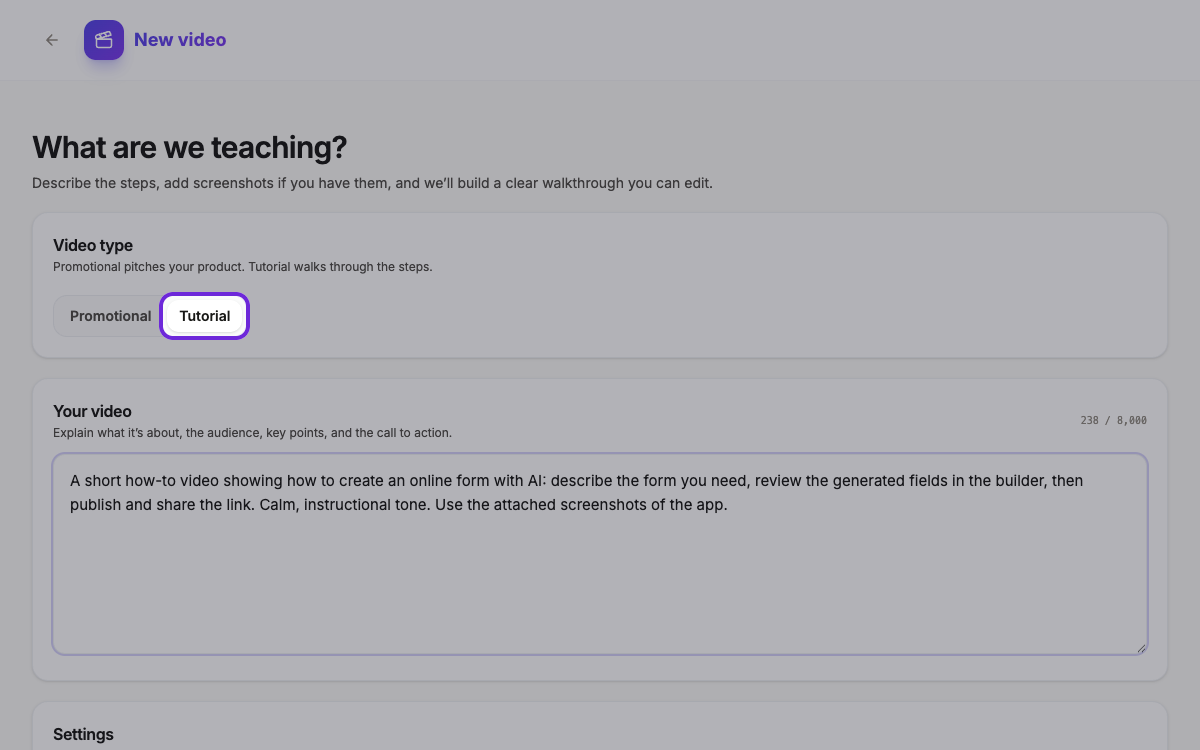 Promotional pitches your product. Tutorial walks through the steps.
Describe the steps and add your screenshots
Explain what you’re teaching in plain language: the steps, who it’s for, and the tone. Then scroll to Images & Documents and upload your screenshots. Images appear inside the video’s scenes; documents like PDFs are read for context, so AI gets the details right. You can also set the product name, format, length, language, and color here.
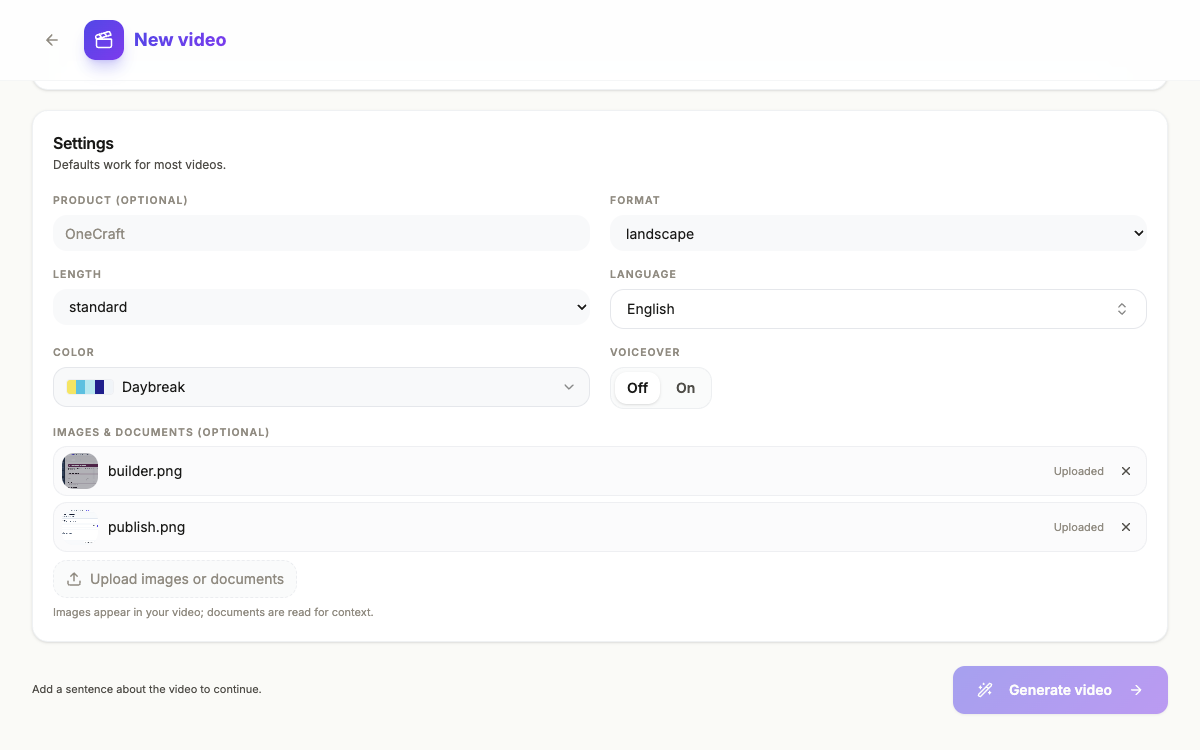 Your screenshots appear in the video. Documents are read for context.
Let AI build the walkthrough video
Click Generate video and AI writes the script, lays out the scenes with your screenshots, and narrates each step. You land in the builder with a first cut that already plays: an intro, the walkthrough scenes, and a closing call to action.
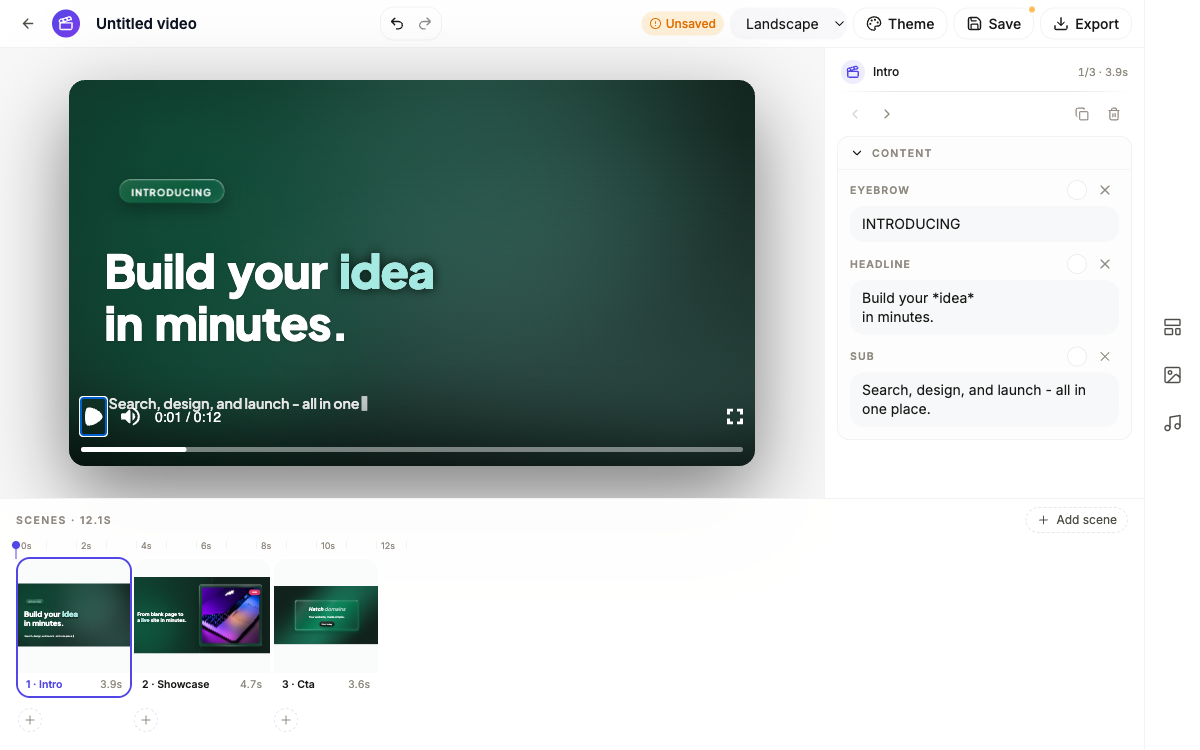 A generated walkthrough: intro, showcase scenes with your screenshots, and a call to action.
Refine the video and export it
From here it’s a normal video project. Rewrite any line, adjust each scene’s voiceover, add scenes from the template library, and drag pointer callouts to aim at the right part of a screenshot. When it reads well, pick landscape, vertical or square and hit Export for the finished MP4. For the full editing tour, see Make a promo video with AI voiceover.
Ready to try it yourself?
Start free. Describe what you need and let AI do the first draft.
Get started