How to
Add a cover page to your document
Turn on the cover page, pick one of seven layouts, and set the title, eyebrow, date and who it was prepared by.
Documents2 min readUpdated
This guide shows you how to add a cover page to a document, choose the layout, and fill in the title block.
A proposal that opens with a proper title page reads as finished work before anyone has read a word of it. The cover is built in, so it is a switch and a few fields rather than a design job.
Switch to the Welcome tab
Above the page you get two tabs, Welcome and Document. Welcome is the cover, Document is everything after it.
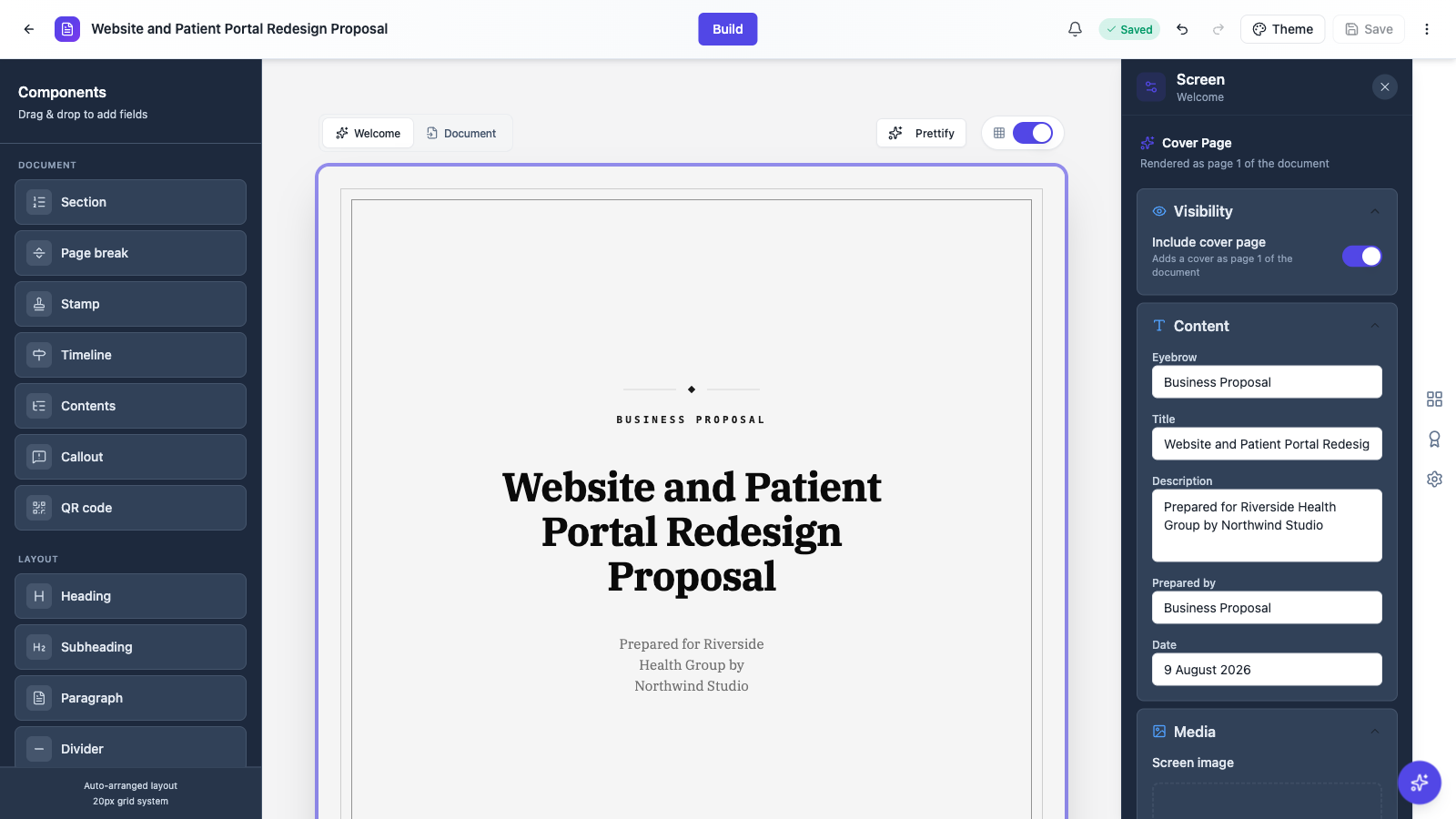 The cover is edited on its own tab, so it never gets in the way of the body.
Turn the cover on
In the panel on the right, switch on Include cover page. That is what decides whether the cover is part of the exported PDF, so a document you want to start straight at section one simply leaves it off.
Pick a layout
Layout offers seven covers:
Document is a formal cover, Contract frames the title page, Executive is a brief cover, Masthead puts a letterhead band across the top, Overlay runs a photo or colour plate behind the title, Spine looks like a bound report, and Panel splits the page.
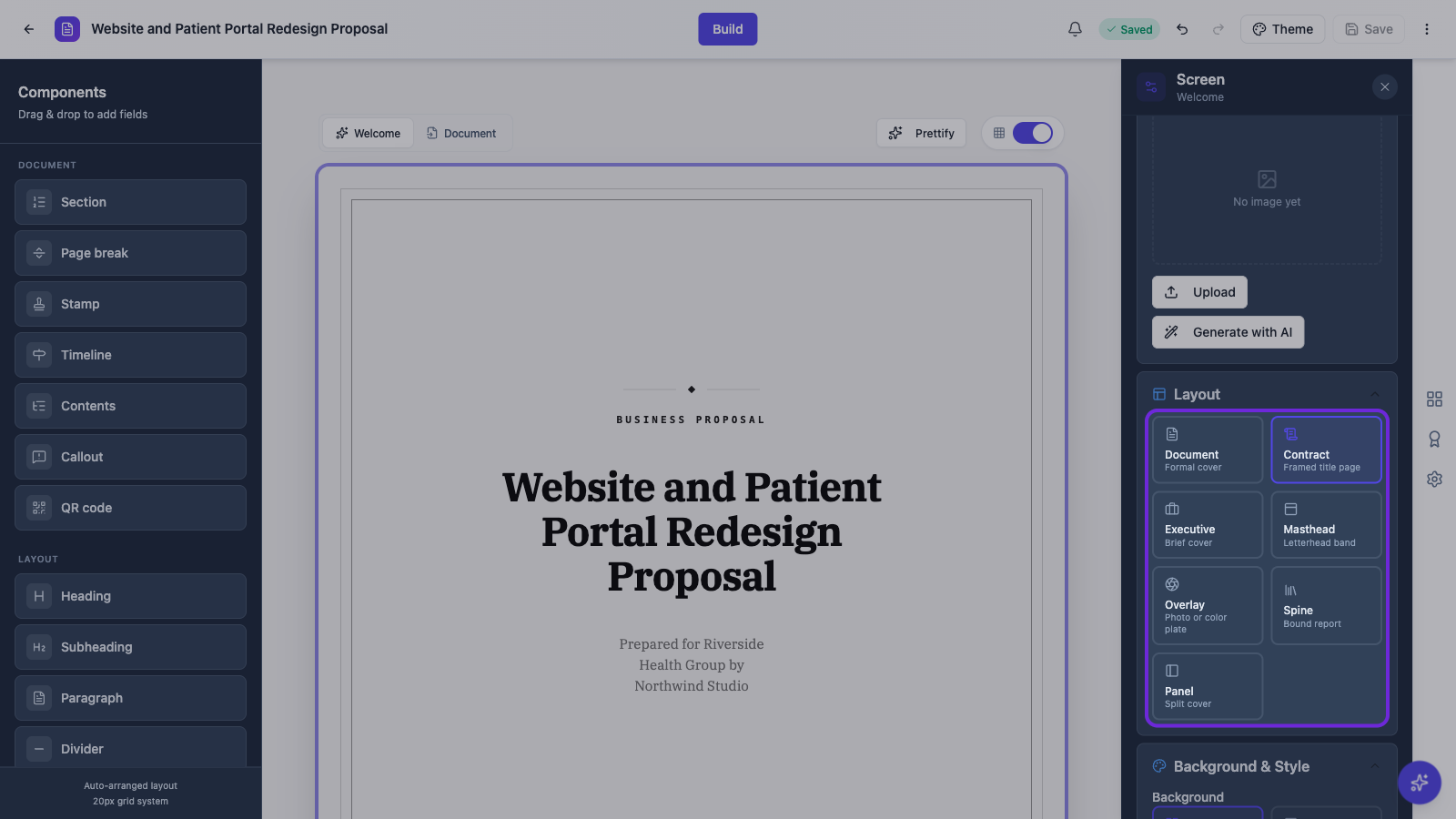 Formal documents suit Document or Contract. Overlay and Panel are for work that wants a photo.
Fill in the title block
Under Content you set the Eyebrow, the Title, a Description, Prepared by and the Date. Any field left empty is hidden, so a cover with just a title and a date stays clean rather than showing blank lines.
Media appears for the layouts that use an image. Upload your own or generate one, the same way images work inside the document.
Then check it in the PDF
Download the PDF once the cover is set. The cover is page one and the document flows on from there, so what you see on the Welcome tab is what lands in front of your reader.
Ready to try it yourself?
Start free. Describe what you need and let OneCraft do the first draft.
Get startedSee it in the product
More documents tutorials
- Add and generate images in a documentUpload your own picture or describe the figure you need, then caption it so it numbers itself in the finished PDF.
- Create a document with AIDescribe the document you need, or upload a file to build from, and get it written and laid out on clean A4 pages. Edit every section, restyle it, and download a PDF.
- Every document component and when to use itA tour of the blocks you build documents from, headings and sections, stats and charts, tables, signature blocks and inline fill-in fields, with the settings each one gives you.