How to
Turn a document into a presentation
Bring in an existing document and let AI turn its content into a structured, designed presentation you can edit and export.
Presentations2 min readUpdated
This guide shows you how to turn a document into a presentation: paste the text or upload the file, and OneCraft reshapes it into designed slides.
Half the time the presentation you need already exists. It is sitting in a report, a plan, or a set of meeting notes. Instead of copying it across slide by slide, hand the document over.
Paste or upload your document
Start a new presentation and give it your source material. There are two ways in.
Paste it. Drop the text straight into the topic box, up to 10,000 characters. Works on any plan.
Attach it. Click Build from files and pick the document itself: PDFs, text files and images up to 25 MB each, five files per deck. Images go through OCR, so a photo of a printed page is fine. It’s read when you hit generate, not uploaded into the deck. Building from files needs the Starter plan or above.
Either way, add a line about who it’s for and the tone you want, so the result fits the room you’re walking into. Then set the language, theme and length underneath.
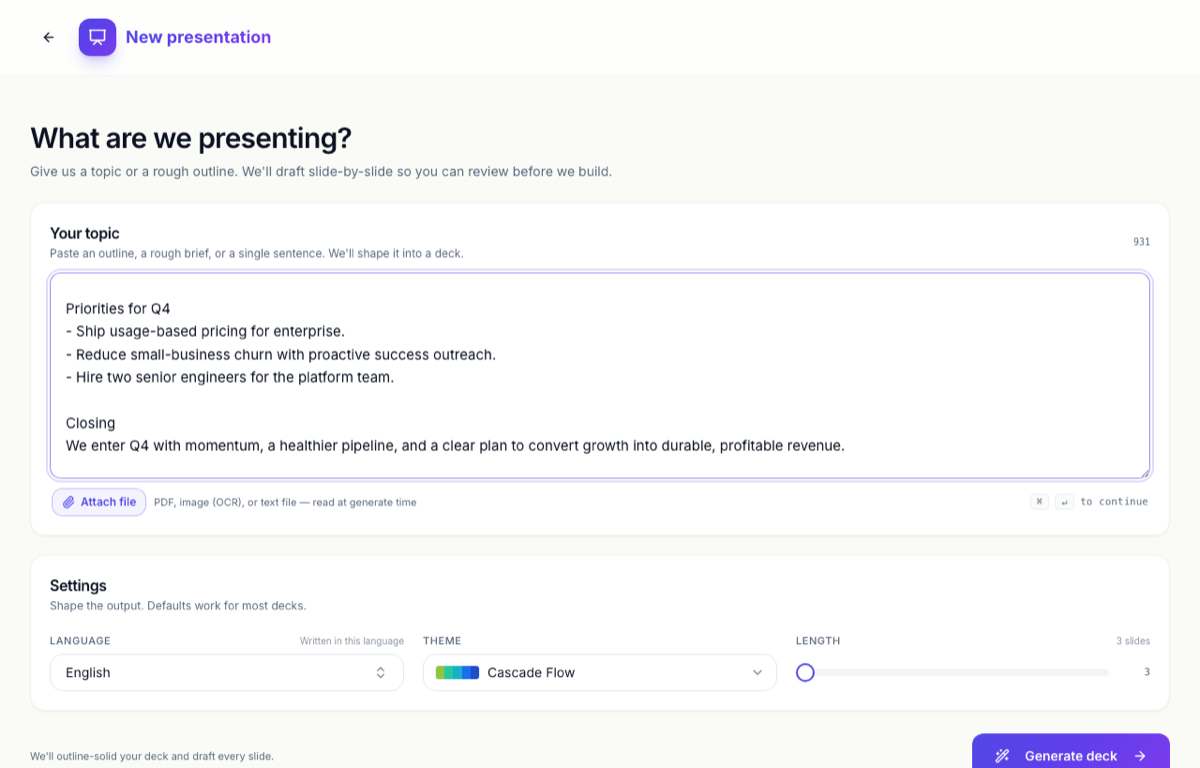 Paste your document’s content, or attach a file. OneCraft reads it when you hit generate.
How OneCraft turns a document into slides
OneCraft reads through your material and organises it into an outline, then writes each section into templates designed by hand. Each section gets a clear purpose, like a cover, an agenda, a comparison or a summary. The point is flow. You get a story, not a wall of bullet points.
It reads the content, not the layout, so you get a presentation rather than your document reformatted onto slides.
Generate the presentation
The builder opens straight away and the slides stream in as they’re written, so you watch the deck build itself. The first draft already looks like something you could present.
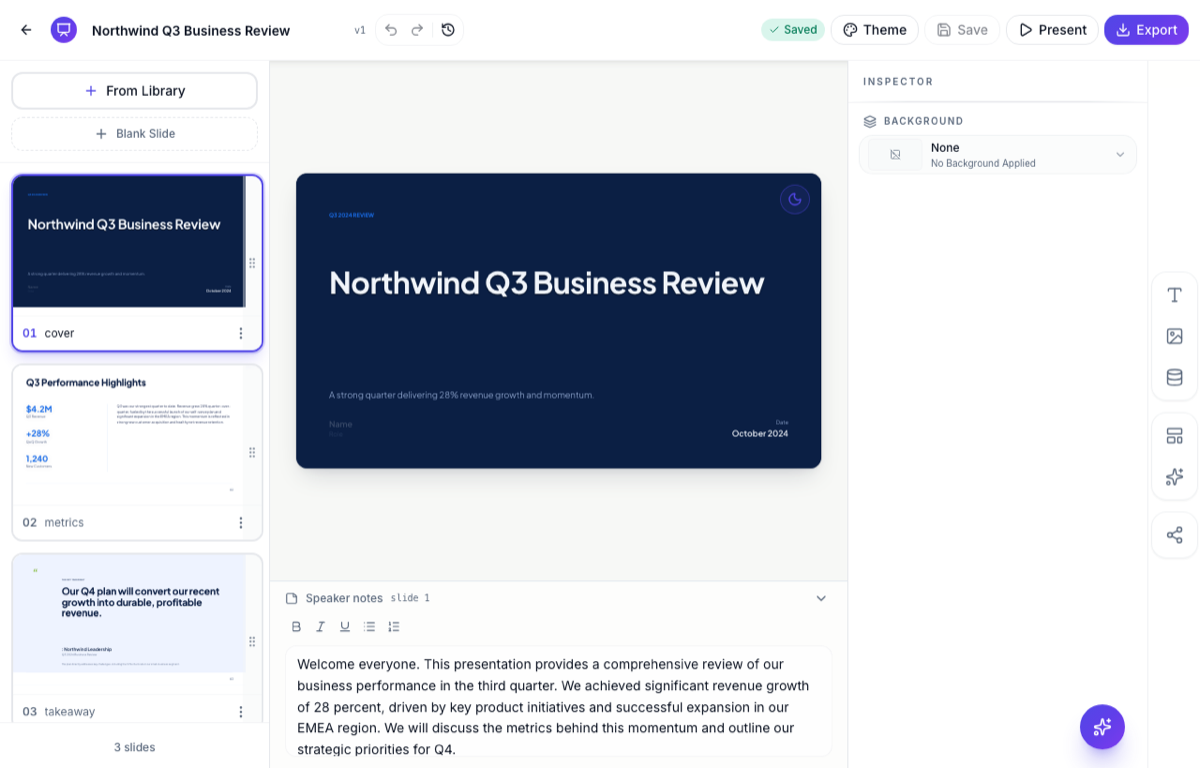 The same document, now a structured presentation with a cover, metrics and a takeaway.
Edit and export the presentation
Tighten any wording you want to change, or add charts, maps and diagrams to the slides. Swap the theme to restyle the whole thing in one move, and add, reorder or delete slides if the structure isn’t right.
Then export a PDF or a PowerPoint, or share a live link so people always see your latest version.
Ready to try it yourself?
Start free. Describe what you need and let OneCraft do the first draft.
Get startedSee it in the product
More presentations tutorials
- Add and generate images in slidesReplace any picture on a slide. Upload your own, describe one and let AI make it, reuse an image you already have, then set its corners, frame and shadow.
- Add charts, maps and diagrams to slidesPut real data on your slides. Ten chart types, world maps, Gantt timelines, flowcharts and classic frameworks like SWOT and Venn, all editable and styled by your theme.
- Add, reorder and restructure slidesAdd slides from a library of 353 designs or start blank, drag slides into a new order, duplicate or delete them, swap a slide's layout without losing its content, and set how each one enters.