E-signatures
Send an AI document for signing
The usual sequence is export to PDF, upload it somewhere else, then drag boxes over the printed lines and hope your aim was good. When the document was written here, the lines already know where they are.
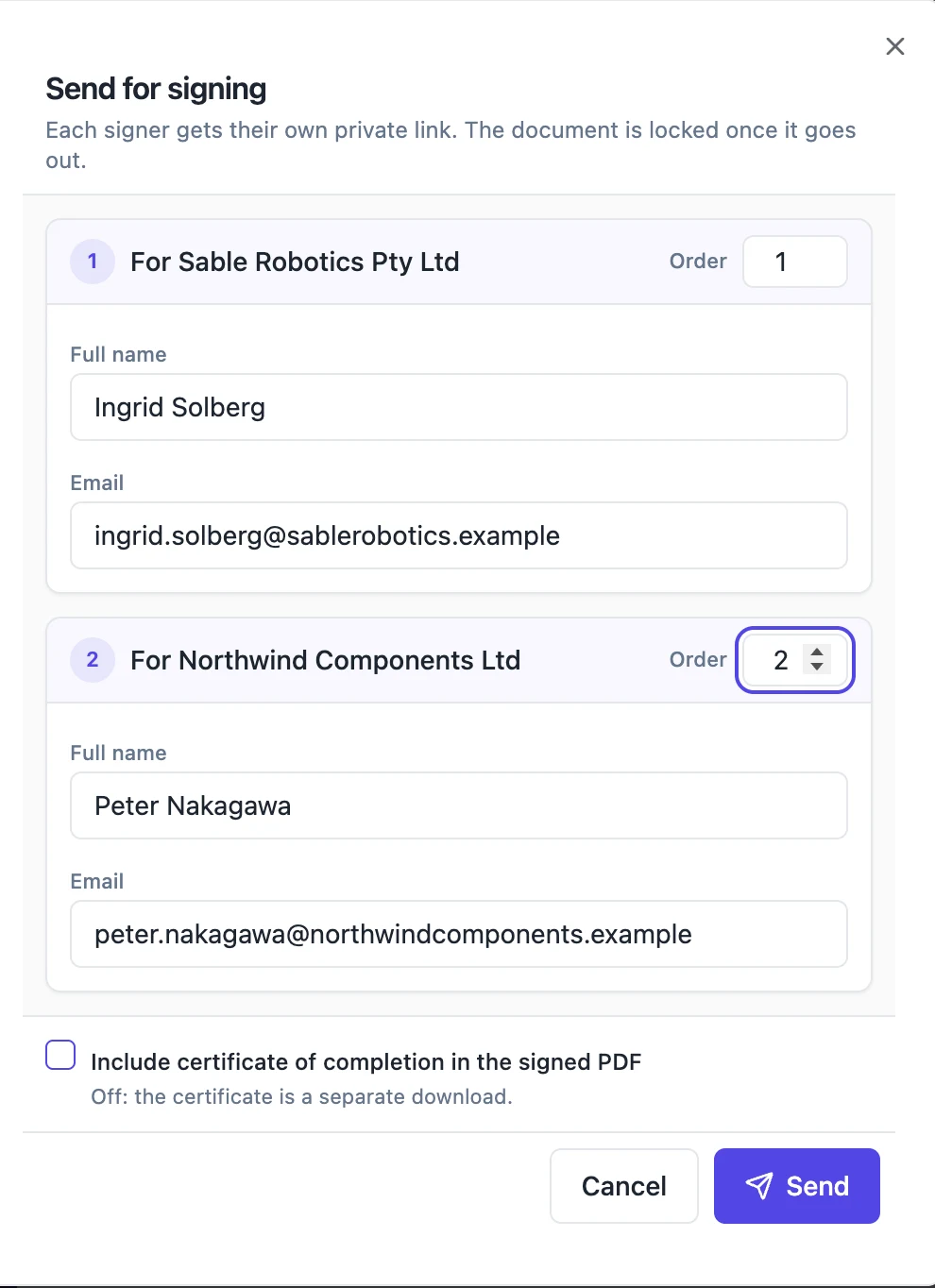
The document is rendered first
Sending kicks off a background job that renders the document to a PDF exactly as it would for a normal export, but with one extra instruction: report back the position of every signature block you were asked about. So the file that goes out is the real document, not an approximation of it, and the positions are measured on that same rendered output rather than guessed from the editor.
Pixels become points
The renderer works at ninety six dots per inch while a PDF is measured in points at seventy two, so every harvested box is scaled by three quarters on the way through. That single conversion is the whole reason the fields land on the printed rules rather than a few millimetres above them. Line boxes are then lifted to rest on top of their rule instead of straddling it, since the harvested rectangle is the rule itself.
Each party becomes a recipient
Every party inside a signature block turns into one recipient carrying the name, the email and the signing order recorded on it. Signing in order is on by default for this route, because a document with an execution page usually has a reason for its order. A block whose position cannot be found on the rendered page fails the job outright rather than producing an envelope with a signer who has nowhere to sign.
The lines map to real field types
A harvested Date line becomes a date field that fills itself. Name, Title and Company lines become their own field types, so the signer gets labelled inputs rather than three anonymous text boxes, and the Name line is required. Anything else on the block becomes a plain text field keeping its printed label. A Title line is pre-filled where the party already carries one, so the signer confirms rather than retypes.
No second set of rules
A document written here already prints its own signature lines and labels, so the stamper is told not to draw its own underneath. Without that, a signed page would carry two rules a hair apart under every value, which is the sort of detail nobody notices until it is on a contract. The signature image itself is still drawn into the block area exactly as it would be on an uploaded PDF.
How it works, in three steps
Step 1
Finish the document and its execution page
One signature block party per person who signs, each with a name and an email address on it.
Step 2
Send it for signing from the document
The render, the harvest and the envelope creation all happen in one background job, with no upload step for you.
Step 3
Track it on the envelope list
The new envelope appears labelled as coming from a document, and links back to the document it came from.
The full walkthrough with screenshots is in the guide Send a document for signature.
Limits worth knowing
- Every party needs an email address before the document can be sent.
- Signature blocks that cannot be located on the rendered page fail the job rather than being skipped.
- This route always uses email link recipients. Access codes and one-time codes are set on envelopes you prepare yourself.
- The envelope sends itself immediately. There is no draft stage where you could add extra fields by hand.
Questions people ask
Can I add extra fields the document does not have?
Not on this route. The fields come from the signature blocks. For anything else, export the PDF and prepare an envelope from it.
What if I edit the document after sending?
The envelope carries the PDF as rendered at the moment of sending. Later edits to the document do not reach the people signing.
Do the signers see the document or a PDF of it?
A PDF of it, rendered from the real document, which is also what gets signed and certified.
Can I set an identity check on these signers?
Not through this handover. Everybody is invited with a link only. Prepare the envelope from an uploaded PDF if you need a code.
Make your own signing flow
The button opens the generator with this use case already described. Change the wording to match yours, generate, then edit anything you like.
Send a document for signingRelated pages
Form response to signed PDF
A form response becomes a signed PDF when the form carries an e-signature field: on submission, the answers are rendered to a PDF and sent as an envelope to each signer the form names. The submitter, an approver or both then sign in order, and the result is a document rather than a row in a table.
In person signing
The other party is standing at the counter. Emailing them a link, waiting for them to find their phone, unlock it and search their inbox is theatre. Turn your screen round instead.
Download the signed document
Three different files come out of one envelope, and knowing which is which matters when somebody asks you for the contract six months later. Two of them exist only after everyone has signed.
More finished work of this kind is on the e-signature examples hub.
Written and checked by the OneCraft team. Last checked .