Flyers
Flyer template picker
Most of the time you describe the flyer and let the design director choose. Sometimes you already know the shape you want, because the content has a shape: a long price list, a photo led poster, a three column service card. Then you pick the design first and the writing fits itself into it.
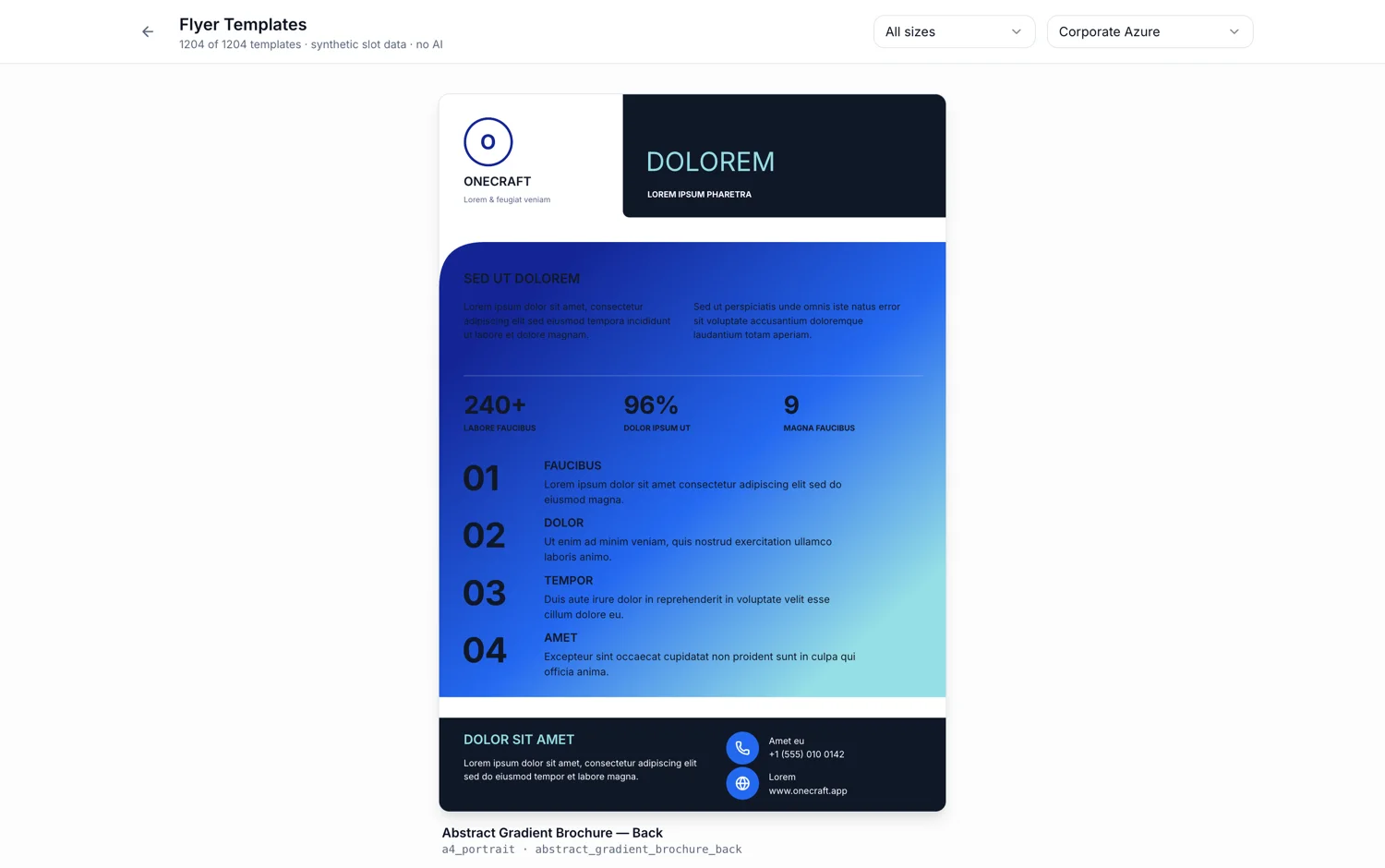
Choosing one changes the job
With the Template field empty the generator asks for two options and lets the director pick the designs. Fill it and it asks for one, skips the selection step entirely and fills the design you named. That is the whole difference: certainty about the layout, in exchange for the second option you would have chosen between.
The list is filtered by your Format
The picker only shows designs authored for the canvas size you set, deduplicated so each design appears once rather than once per variant. Change Format and your chosen template is cleared, because a design's Instagram story version is a different file from its A4 version. Set the size first, then browse.
Previews are live, in your theme
Every card in the dialog renders the real design with sample content in the theme you selected, twelve at a time as you scroll. So what you are judging is the actual composition and the actual colours, not a stock thumbnail from a different palette. Change the theme before opening the picker if you want to browse in it.
When template first is the right call
Pick the design yourself when the content has a fixed shape and the layout has to hold it. A menu with fourteen lines, a timetable, a price grid, a photo poster where one image does the selling. Let the director choose when the content is ordinary marketing copy and you would rather see two takes on it.
You are not locked in
The choice applies to that generation. Afterwards the flyer is fully editable, you can add pages from the same library, and the size dropdown swaps the design's native layout for another canvas. If the shape turns out wrong, generating again with a different template is cheaper than fighting the one you have.
How it works, in three steps
Step 1
Set the format first
Print or social, and which one. The picker only lists designs authored for that canvas.
Step 2
Set the theme, then open the picker
Cards preview in the selected theme, so browsing after choosing colours shows you the real thing.
Step 3
Pick, then write the brief
The chosen design's name appears in the Template field with Change and Remove beside it.
The full walkthrough with screenshots is in the guide Choose the template, theme and size for your flyer.
Limits worth knowing
- Choosing a template returns one flyer, not two. Leave it empty if you want options.
- Changing the Format after picking clears your choice, because designs are size specific.
- The picker lists the 172 designs authored for that canvas, twelve cards at a time.
- Design cards preview with sample content, so the composition is real and the wording is not yours.
- You cannot combine two designs. One page carries one template, though a multi page flyer can use a different design per page.
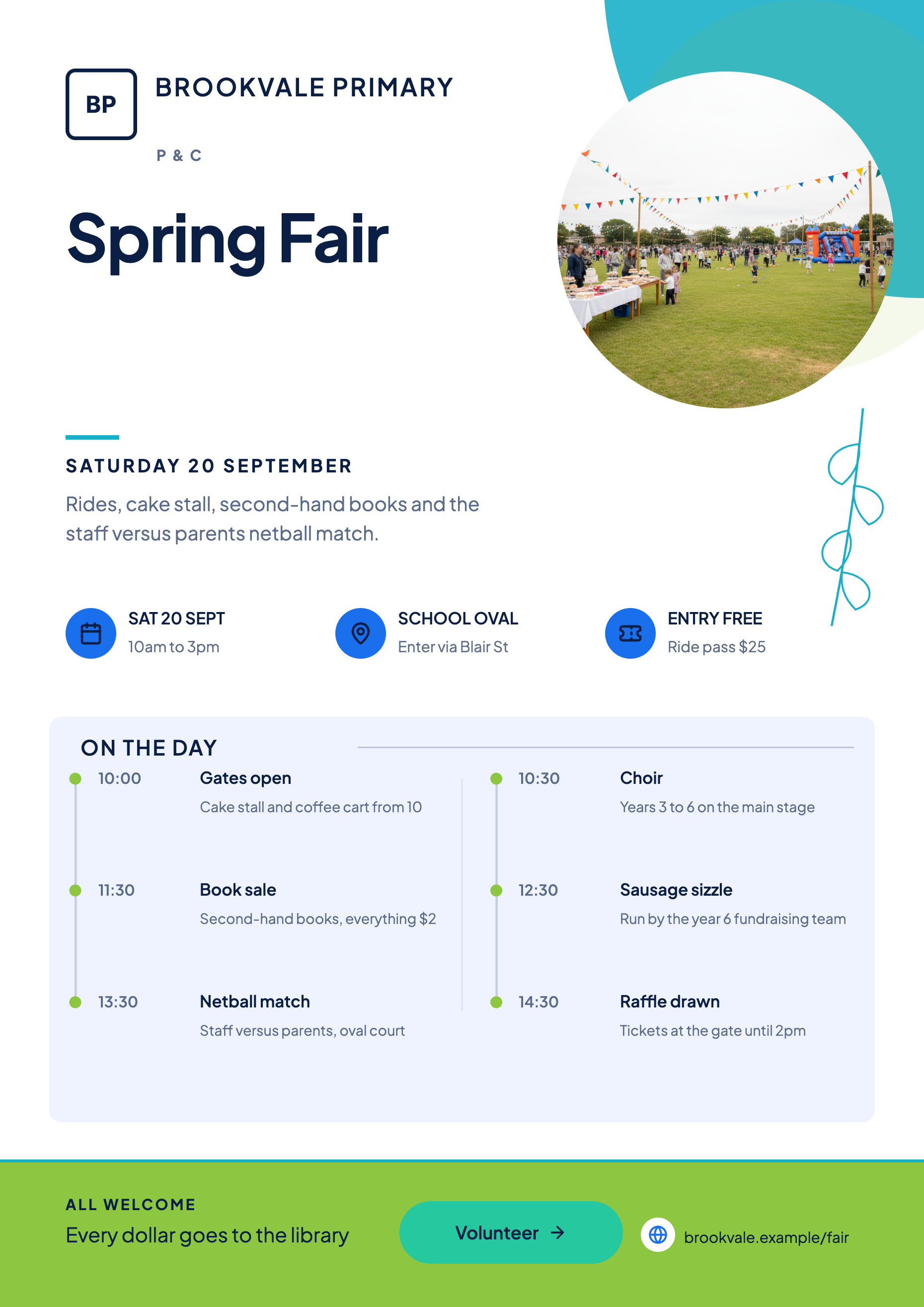
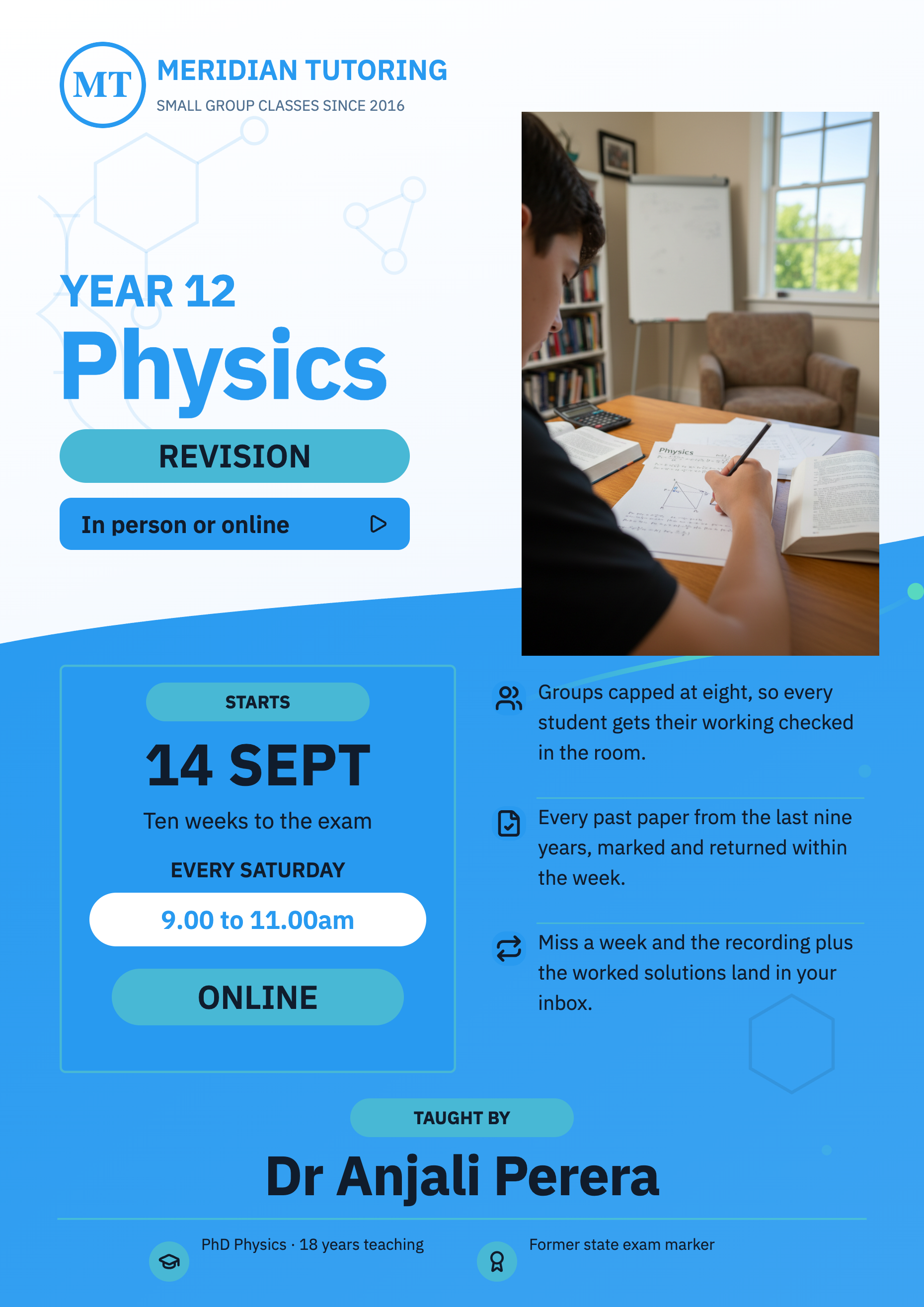
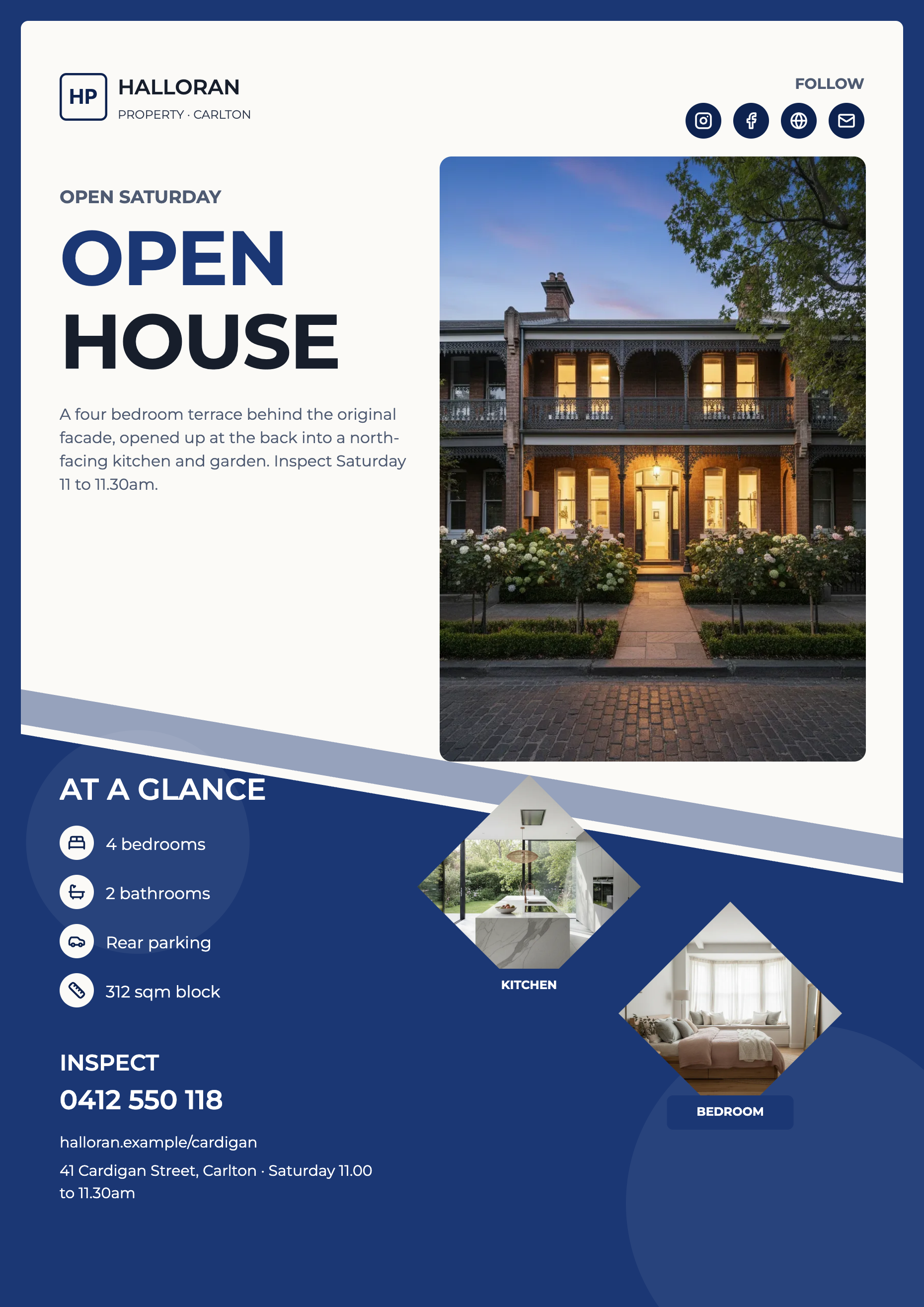
See it on a finished piece
Questions people ask
How many designs are there?
172, and each one is drawn natively for all eight canvas sizes, which is 1,204 template files in total. The picker collapses those variants so you browse 172 cards for whichever size you set.
Can I browse the designs without starting a flyer?
Yes, the flyer template gallery is a public page with a size filter and a theme selector. It is a preview surface only, so there is no link from a card straight into the builder.
What if I want a different design after generating?
Generate again with a template chosen. There is no swap layout action on an existing flyer page, so it is a new run rather than an edit.
Does the theme I pick limit which designs are available?
No. Every design works with every theme, because the artwork references colour tokens rather than fixed colours. The theme only changes how the previews look.
Make your own flyer
The button opens the generator with this use case already described. Change the wording to match yours, generate, then edit anything you like.
Create a flyer with OneCraftRelated pages
AI flyer generator
You write what the flyer is for. The generator chooses the designs, writes the copy into their slots, generates the photographs and hands you two complete flyers to pick between. Nothing about the layout is yours to fight with, because the layout was already designed.
Flyer design options
Comparing two finished flyers is a different act from reading a description of two ideas. Both come back fully written, fully coloured and fully illustrated, and you choose the way you would in a print shop: by looking at them side by side.
Flyer templates gallery
The gallery is a browsing surface, not a shop. It renders every design at full size with sample content in whichever theme you choose, so you can judge composition and colour together before you commit a prompt to one of them.
More finished work of this kind is on the flyer examples hub.