Proposals · Alternative
A Proposify alternative for proposals and quotes
Proposify is sales software built around a proposal editor: it tracks engagement, keeps approved content in a library, syncs with a CRM and lets a prospect change quantities before signing. OneCraft Proposals writes the proposal from a brief, tracks each link, lets the client pick optional items and accept online, then turns the acceptance into invoices with a Stripe pay link.
Updated , competitor details checked . Proposify is a trademark of its owner. OneCraft is an unrelated product and claims no affiliation with or endorsement by it.
Nuwan Madhusanka · Co-founder
3 min read · Published
The short verdict
Proposify is worth its seat price for a sales team that reuses approved content, routes proposals through approvals and closes deals inside a CRM. OneCraft suits a consultancy, studio or trade business sending a handful of proposals a month, where the value is in drafting quickly, pricing with optional extras and a deposit, and getting accepted and paid without a sales stack.
| Feature | Proposify | OneCraft |
|---|---|---|
| Price per user | Basic at $29 per user a month, or $19 per user a month billed annually, with 10 sends a month and one collaborator included checked 2026-09-20 | Plans are per account, not per user: $0, $8, $25 and $125 a month for 150, 500, 1,500 and 7,500 AI credits; each new proposal uses 1 credit |
| Higher tiers | Team at $49 per user a month billed quarterly, or $41 per user a month annually, with 30 sends a month and three collaborators; Business is custom, starting at $3,900 a year, with 75 sends a month, five collaborators, user roles and permissions, approval workflows, single sign on and API access checked 2026-09-20 | Proposals capped at 3 on Free and 25 on Starter, unlimited from Pro; no seats, roles, single sign on or API |
| View tracking | Monitor proposal engagement and accelerate your sales cycle with real-time insights, with document tracking on every plan checked 2026-09-20 | Opens and time viewed for each recipient's tracked link on the activity page, with a notification on the first open |
| Reusable content | A content library that organizes approved proposal content in one place so reps can find what they need, with unlimited templates listed across the plans checked 2026-09-20 | 18 starter templates and a duplicate action; no library of approved snippets |
| Writing the proposal | Described as an easy to use editor with templates and library content rather than as AI drafting on the pages checked checked 2026-09-20 | A brief of up to 8,000 characters plus fields for the client, deliverables, price hints, deposit and validity; prices given become items exactly |
| Background research | Not published as a research feature on the pages checked checked 2026-09-20 | One web research step on the client's website or company name before writing |
| Building blocks | Custom fields and a pricing catalog are listed from the Team plan up checked 2026-09-20 | Items with quantity, unit price and unit label, tax, discount and group labels, up to 200 per proposal |
| Interactive quotes | Interactive quoting that allows prospects to alter the quantity or optional add-ons checked 2026-09-20 | Optional items the client ticks and quantities the client changes within a set minimum and maximum, with totals following in the client's view |
| Signing | Built-in, legally binding electronic signature software that makes sales documents digital and interactive, listed on every plan checked 2026-09-20 | Click acceptance with a name, an email, a drawn signature and a consent box, recorded on a certificate page |
| CRM | Synchronize your data from Salesforce, HubSpot or another popular CRM to improve proposal accuracy and monitor prospect engagement checked 2026-09-20 | No CRM connector; clients are kept in a list inside Proposals |
| Output | Proposals are presented as interactive documents, with file format options not itemised on the pages checked checked 2026-09-20 | The proposal as pages behind a tracked link, plus a PDF rendered on the server; no Word export |
| Approvals | Approval workflows are listed on the Business plan, alongside user roles and permissions checked 2026-09-20 | No approval step; whoever holds the account sends |
Where Proposify is better
It shows where the reader lingered
Proposify reports engagement in real time on every plan, and for a sales team that is not a nicety. Knowing a prospect went back to the pricing page twice changes the follow up call. OneCraft records opens and time viewed for each link, not attention by section.
Approved content stays approved
A content library keeps vetted sections in one place so a rep drops them in instead of rewriting them, which is how a team of six keeps its promises consistent. OneCraft has 18 starter templates and a duplicate action, which is weaker discipline when several people are writing.
It lives next to the CRM
Salesforce and HubSpot synchronisation keeps proposal data and deal records aligned. None of that exists here, so a OneCraft proposal sits in its own list of proposals and clients rather than on an opportunity record.
Governance for bigger teams
The Business plan adds roles and permissions, approval workflows, single sign on and API access. OneCraft has no approval step, no roles inside Proposals and no public API, so a team that needs a deal desk is better served by Proposify.
Where OneCraft is different
Priced per account, not per seat
Plans run $0, $8, $25 and $125 a month and meter AI credits, with no per user multiplier. Proposals are capped at 3 on the free plan and 25 on Starter, and unlimited from Pro, so a studio sending a dozen a month knows its bill before it starts.
Drafted from a brief, priced from your numbers
The brief carries the client, the deliverables and the price hints, and the AI writes the sections around one pricing table. A price you typed is never rounded or replaced, and the terms arrive as numbered clauses ready to edit.
The client builds the final quote
Optional extras arrive ticked or unticked as you set them, and quantities you leave editable can be changed within limits. The total follows on the client's screen, and the acceptance stores the exact selection, so the invoice matches what was agreed.
Accepted means invoiced
Accepting a proposal creates the invoices straight away, with a deposit invoice due that day when one is set. A Stripe Checkout pay link collects the card, and reminders chase unpaid invoices on a preset schedule, up to six times each.
A finished example
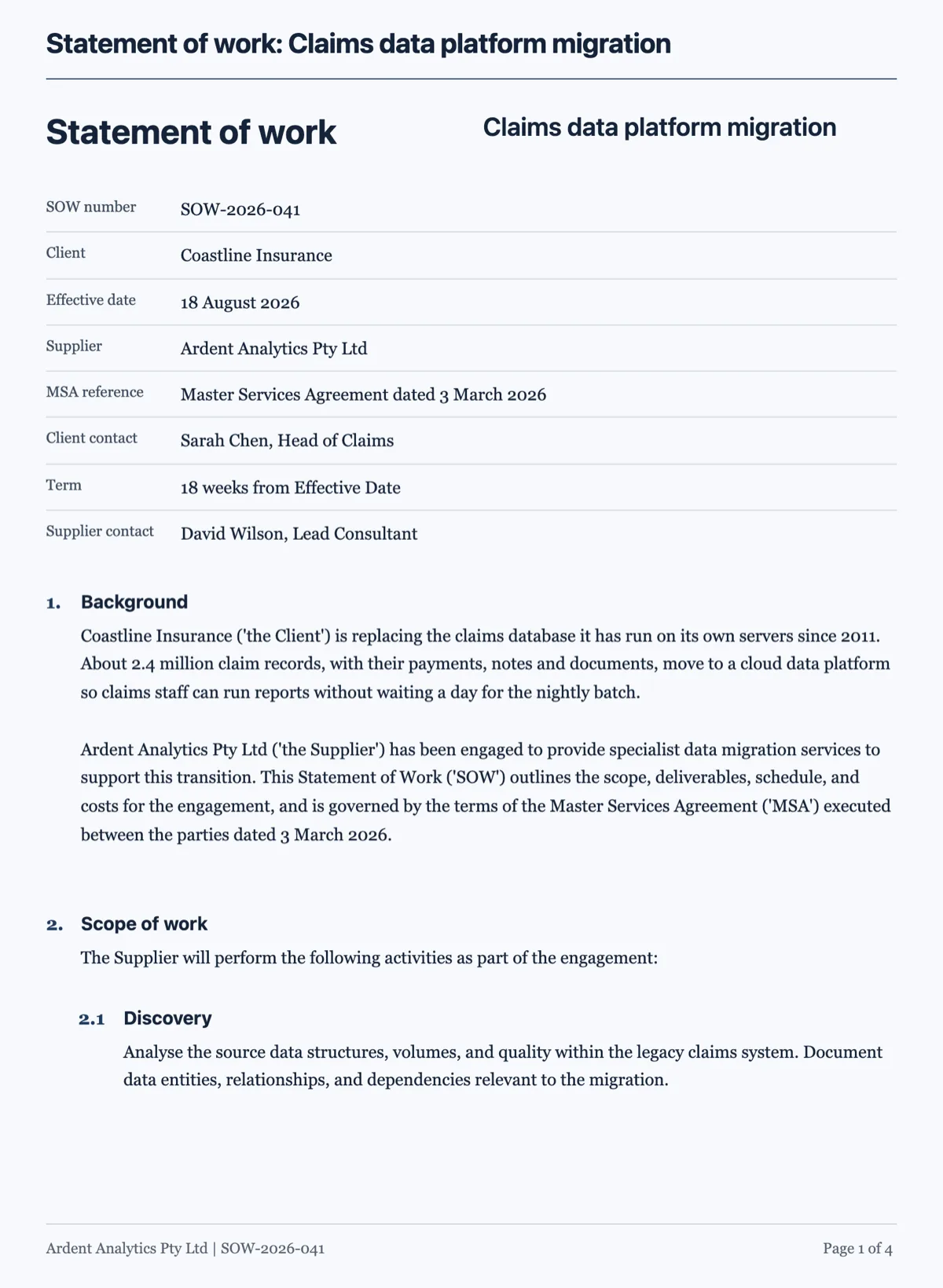 Statement of work template under a master agreementMade with OneCraft, exactly as the generator and editor left it. Open the page for the full breakdown.
Per seat against per account
Proposify on 20 September 2026 lists Basic at $29 per user a month, or $19 per user a month on an annual commitment, with ten sends a month and one collaborator. Team is $49 per user a month billed quarterly or $41 annually, with thirty sends and three collaborators, and adds integrations, automations, custom fields, a pricing catalog and metrics. Business is custom, starting at $3,900 a year, with seventy five sends, five collaborators, roles and permissions, approval workflows, single sign on and API access. OneCraft charges per account: $0, $8, $25 and $125 a month for 150, 500, 1,500 and 7,500 AI credits, with proposals capped at 3 on Free and 25 on Starter and unlimited from Pro. Three people sending thirty proposals a month is a very different bill under the two models, and the crossover is worth working out on real numbers.
What replaces the content library
The starter templates and the brief. Eighteen templates, twelve proposals and six quotes, give a service or trade its section order and sample items, and any finished proposal can be duplicated as the start of the next. A brief of up to 8,000 characters fills in the rest, and on a paid plan up to five files of 10 MB each can be attached. For a solo consultant this works well. For a team of six who must all say the same thing about liability and payment terms, a content library is genuinely better discipline, and that is a reason to stay.
What the client sees
The client opens a private link, reads the proposal as pages, ticks any optional items, changes the quantities the owner left open and watches the totals follow. Accepting asks for a name, a drawn signature and a consent box. The PDF is rendered on the server and matches those pages, and there is no Word export.
How both columns were verified
Proposify claims come from its pricing page and its proposal software page, read on the date above and quoted as written, with cells marked not published where those pages did not describe a capability such as research or file formats. The OneCraft column traces to an internal ledger read out of the product source: the pricing table columns, the item limits, the 8,000 character prompt cap, the client research step, the tracked link heartbeat and the acceptance and payment flow.
Who should stay with Proposify
Stay with Proposify if section level engagement data drives follow up, if a content library keeps a sales team consistent, if approvals and roles govern who sends what, or if proposals must sit beside CRM records. OneCraft replaces the proposal, the acceptance and the payment for a small business, not that layer.
Questions people ask
Can I see when a client opens the proposal?
Yes, per link. Each recipient gets a private tracked link, and the activity page lists when it was opened, the total time it was viewed and whether the client accepted or declined. The owner also gets a notification the first time a link opens. What it does not show is which section held the reader's attention, which Proposify's engagement metrics cover.
Is there a template library for proposals?
There are 18 starter templates: twelve proposals for services such as web design, consulting, bookkeeping and events, and six quotes for trades and services such as repairs, landscaping and catering. Each opens with its sections and sample items in place. There is no library of approved snippets, so a team that inserts vetted blocks will still find Proposify's library stronger.
Can a client change quantities before accepting?
Yes, where you allow it. An item marked quantity editable shows a quantity control in the client's view, held between the minimum and maximum you set, and optional items show a checkbox, ticked by default or not. Totals update as the client chooses, and the acceptance records exactly that selection, so the invoices match what was accepted.
How does the client accept?
In click mode the client types a name, draws a signature and ticks a consent box, and a certificate page records the time, the IP address, the browser and a hash of the content. The accepted PDF with that page is emailed to the owner and the client.
Does the AI research the client before writing?
Yes, once. Before writing, a research step reads the client's website when one is given, or looks up the company name, and falls back to the brief when nothing else is known. The findings ground the opening sections, and the model is told never to invent numbers beyond them. Your own price hints always become the line items exactly as typed.
Can I take a deposit?
Yes. Set the deposit as a percentage or a fixed amount, and acceptance creates an issued deposit invoice due that day plus a draft invoice for the balance. The client can pay the deposit straight away through a Stripe Checkout pay link, which needs a connected Stripe account on a paid plan. Once the balance invoice is sent, reminders can follow it up.
Try the proposal side of OneCraft
The button opens the generator with a starting prompt already filled in. Change the wording to match your own work before you run it.
Create a proposal with OneCraftMore comparisons
- A PandaDoc alternative for proposals and quotesOneCraft as a PandaDoc alternative: AI proposals with optional items, tracked links, online acceptance and Stripe pay links, and where PandaDoc is better.
- A DocuSign alternative for small businessOneCraft e-signature as a DocuSign alternative for small business: fields, signing order, identity checks, audit trail and certified PDFs, with the gaps named.
Step by step in the builder: Send a proposal and get paid.
Written and checked by the OneCraft team. Last checked .