E-signatures
Sign a PDF online yourself
Sometimes nobody else is involved. You have a PDF that needs your signature on it, and you want it back as a proper certified file rather than a photo of a scribble pasted into a page.
You are still a recipient
There is no separate self-signing mode, and that turns out to be the useful design. Put your own name and email on the single recipient card, drop a signature field where it belongs, and the machinery treats you exactly as it would treat anybody else. The consequence is that a document you signed alone carries the same evidence as one signed by four parties: a hashed record of the file at the moment you signed, your IP address, and the consent you accepted.
Skipping the inbox round trip
Waiting for your own invitation email to arrive is a silly step, so you do not have to. Send the envelope, and on the status page each outstanding signer has a Sign here button beside their name. Pressing yours opens the signing view immediately on the device you are already on. It hands the browser a short-lived session directly rather than putting anything in the address bar, so the link cannot be copied out of your history and reused.
Drawing or typing your mark
The pad has two modes. Draw uses the canvas, which works with a mouse, a trackpad or a finger. Type takes your name and renders it in a script face at 44 pixels onto a canvas of the same size, then saves it as a PNG, so what gets stamped is an image either way rather than live text. Whichever you use is recorded alongside the signature, so the record says whether the mark was drawn or typed.
One mark, every spot
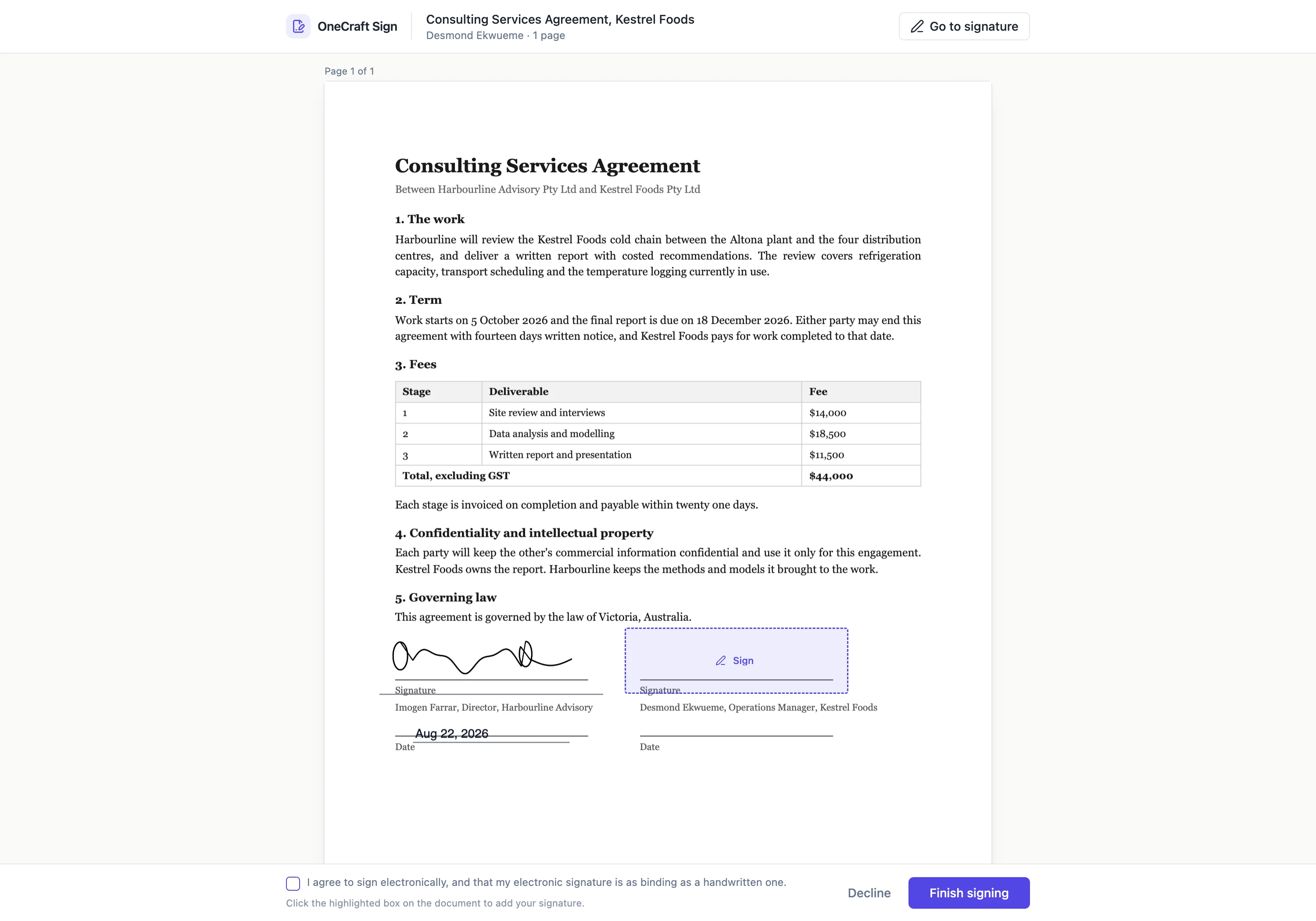
If the PDF wants your signature in four places, you produce it once. The signature you add fills every signature, initials and block field on the document at the same time, and the header button walks you through them one at a time so you can confirm each one landed where you expected before finishing.
What comes back
A certified PDF with your signature drawn into the boxes at the exact coordinates you placed them, and a certificate of completion as a separate file listing the envelope hash before and after, your IP, the consent version you accepted and the full event log. Both sit on the status page. The certified PDF is also emailed to you as an attachment, and it carries the certificate pages inside it only if you asked for them to be included.
How it works, in three steps
Step 1
Create the envelope and upload the PDF
Title it something you will recognise later, since that title is what the completed file is named after.
Step 2
Add yourself, place a signature field
Your own name and email on the one recipient card. Leave the verification set to email link only, because you are about to skip the email anyway.
Step 3
Send, then press Sign here
The status page opens the signing view for you straight away. Draw or type your mark, tick the consent line, and finish.
The full walkthrough with screenshots is in the guide Send a PDF for e-signature.
Limits worth knowing
- You still have to send the envelope before you can sign it. There is no sign-without-sending path.
- The signature image is submitted as a PNG or JPEG and capped at two million characters of encoded data, which the pad never approaches.
- A signature is one image per signer per envelope, reused across every spot. It cannot differ between fields.
- Encrypted PDFs cannot be opened, and pages saved rotated are refused at upload.
Questions people ask
Is the result different from getting somebody else to sign?
No. The same stamping, the same certificate and the same PAdES certification apply whether one person signed or five did.
Can I type my name instead of drawing it?
Yes, and it is rendered into an image rather than left as selectable text, so it stamps identically to a drawn one. The record notes which mode you used.
What if I placed the signature box in the wrong spot?
While the envelope is a draft you can drag or resize it freely. Once it has been sent, the only way back is to withdraw the request and start again.
Make your own signing flow
The button opens the generator with this use case already described. Change the wording to match yours, generate, then edit anything you like.
Send a document for signingRelated pages
Tamper proof signed PDF
Nothing makes a file impossible to alter. What a certifying signature does is make an alteration impossible to hide, which is the useful property. Any editor can change the number on page two; none can do it without the file announcing it.
Signing order
A switch labelled Sign in order sits under the field palette. It looks small. It changes who receives an email tonight, who receives one on Thursday, and what happens when somebody clicks a link before it is their turn.
In person signing
The other party is standing at the counter. Emailing them a link, waiting for them to find their phone, unlock it and search their inbox is theatre. Turn your screen round instead.
More finished work of this kind is on the e-signature examples hub.
Written and checked by the OneCraft team. Last checked .