Videos
AI UGC video generator
UGC ads work because they look like somebody filmed themselves in a kitchen, not because they look expensive. This generator casts one AI creator, gives them a voice, and animates their portrait speaking each line, then cuts between those takes with fast proof beats.
One person, generated once
The director writes a creator description first: gender, age, look, clothing, setting. That single description produces one portrait image, and every talking clip animates that same portrait, spoken by the same synthesised voice. Identity and voice therefore cannot drift between cuts, which is the tell that gives away most stitched-together AI creator ads.
Talk, proof, talk, proof, close
Two or three talking scenes are the spine and carry the hook, the experience and the recommendation, in that order, as one person's continuous thought. Between them sit one to three proof or credibility beats: sliding checklists, a stacked word statement, a count-up number, a five star verdict, a social post card, a before and after split. The last scene is always a close, which is the offer, the code or the ask.
The 30 second ceiling is real
The whole video must run under 30 seconds. That is enforced through the prompt rather than left to taste: never more than three talking scenes, each running as long as its dialogue at roughly 5 to 7 seconds of speech, and every non talking scene held to 2.5 or 3 seconds. It is also why the length picker only offers short and standard here, with both labelled max 30s.
Written as speech, not copy
The dialogue is the exact spoken words and it is that scene's audio. It is written first person and deliberately imperfect, with the okay so and honestly and look that real people say, and no announcer tone. Uploaded product screenshots go into the proof scenes rather than the talking ones, so the creator stays the subject and the product is the cutaway.
Creator or faceless: the gates are not the same
These are the two ways to make a video without filming anything, and they are not interchangeable. A faceless video never shows a person: typography, counting numbers, building charts, drawn diagrams, ticking checklists and your own screenshots carry the screen, with narration and burned in captions over the top. There is no persona to describe and nothing to animate, so generation is faster and the full promo scene library, hundreds of layouts across the promo roles, is available rather than the four creator roles. The creator format needs the Pro plan or higher and is capped under 30 seconds; faceless has neither restriction, a promotional video is available on a free account, and long length allows up to twelve scenes.
Choosing between them
Pick the creator format when the buying decision is social, when the product is cheap enough to try on somebody's word, and when the placement is a feed where a talking head is the native form. Pick faceless when the subject is technical, when the claim needs a chart or a diagram to be credible, when the video has to be reissued in several languages, or when a synthesised person would read as dishonest for what you are saying.
How it works, in three steps
Step 1
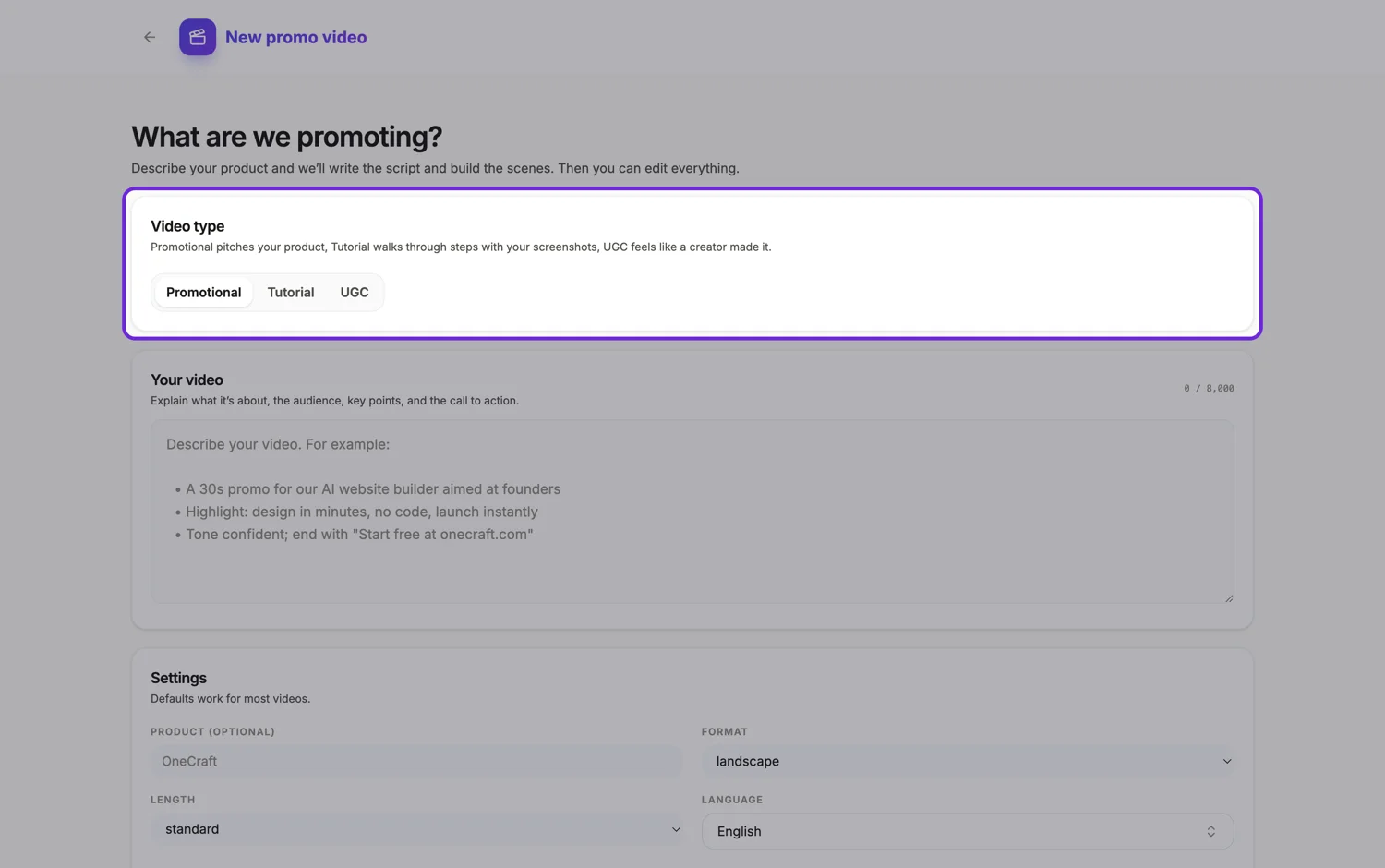
Describe the product and the vibe
Say what it is, who buys it, and how the person should come across. The persona is cast from that, so an audience mismatch shows immediately.
Step 2
Let it cast and speak
One portrait is generated, one voice is chosen, and up to three talking clips are animated from that portrait. This takes longer than a normal generation.
Step 3
Recut in the builder
Rewrite dialogue, drop a proof beat, swap the closing offer. The talking clips stay as they are unless you regenerate that scene.
The full walkthrough with screenshots is in the guide Make a UGC creator video with AI.
Limits worth knowing
- UGC generation needs the Pro plan or higher. Below that the type is locked in the picker and the API returns a 403.
- At most three talking clips are generated per video. Extra talking beats fall back to the scene layout without an animated clip.
- The uploaded clip role is never used in UGC mode, so your own footage does not go in the talking spine.
- If avatar generation fails the video still builds, but the talking scenes play as layouts rather than a person speaking.
Questions people ask
Is the person real?
No. The portrait is generated from a written description, the voice is synthesised, and an avatar model animates that one portrait for each talking beat, so the face and voice stay the same across the video. Nobody is filmed and no likeness is taken from a real creator, which also means the person cannot be a real customer.
Why is it capped at 30 seconds?
Because the format is, and the generator enforces it: a UGC video stays under 30 seconds, with at most three talking scenes and short non talking beats between them. A creator ad that runs past half a minute stops reading as somebody talking and starts reading as an ad, and the feeds it is made for reward the shorter cut.
Can I use my own product photos?
Yes, and you should. They are placed in the proof beats, which is where a viewer expects to see the thing rather than the person talking about it. Up to eight images ride along with the brief. Crop them close on the product before you upload, because a proof beat lasts only two and a half to three seconds.
What is the difference from a faceless video?
Only the talking spine. A faceless video is text, images, voiceover and captions with nobody on camera. UGC puts a generated person in frame for two or three of the scenes and cuts to the same kind of beats around them.
Does a creator video or a faceless one perform better?
It depends entirely on the placement. In a fast scrolling feed a face in the first second earns attention. On a landing page or in an email, a faceless explainer with a clear chart usually holds longer, because the visitor already chose to be there.
Do I have to disclose that the person is generated?
Advertising rules differ by market and are tightening on synthetic presenters, including disclosure duties for AI generated content in some places. Check the requirements where the ad runs before publishing, and treat the persona as a stand in rather than a claimed customer. A generated person saying they use the product is an endorsement nobody actually gave, so script the lines as a presenter, not a reviewer.
Can I mix them?
Within one video, no. The creator roles are only offered in UGC mode, and the uploaded clip role is never used there, so you cannot drop your own footage between talking beats. Make them as two videos instead, a creator cut for the fast scrolling feed and a faceless or promotional cut for a landing page or email, and use each where it suits the placement.
Can I use my own face instead?
Not in the talking spine. The creator persona is always generated from a written description, and no option animates a photo of you. You can upload your own footage into a clip scene on a promotional video, which plays it with trim, fit and audio controls, so a founder speaking to camera works as a promo with an uploaded clip rather than as UGC.
Make your own video
The button opens the generator with this use case already described. Change the wording to match yours, generate, then edit anything you like.
Create a video with OneCraftRelated pages
Instagram video ad
The two Instagram ad placements look similar and behave differently. A Feed ad gets 125 characters of primary text and a viewer who may pause. A Reels ad gets 44 characters, no auto-captioning from Meta, and a viewer who is already moving. The video has to absorb what the copy fields cannot hold.
Turn product photos into a video ad
A listing photo set is a good half of a video ad and a bad whole one. The pictures answer what it looks like. An ad also has to answer why now, how much, and what to do next, and none of those three are anywhere in a photograph, so they have to come from you.
Facebook video ad maker
Facebook is the placement where the old advice still holds. The feed autoplays with the sound off, the ad footer sometimes does not render at all, and in-stream lets a viewer skip after five seconds. Everything about how a Facebook video ad is built follows from those three facts.
More finished work of this kind is on the video examples hub.
Written and checked by the OneCraft team. Last checked .