Videos
Turn product photos into a video ad
A listing photo set is a good half of a video ad and a bad whole one. The pictures answer what it looks like. An ad also has to answer why now, how much, and what to do next, and none of those three are anywhere in a photograph, so they have to come from you.
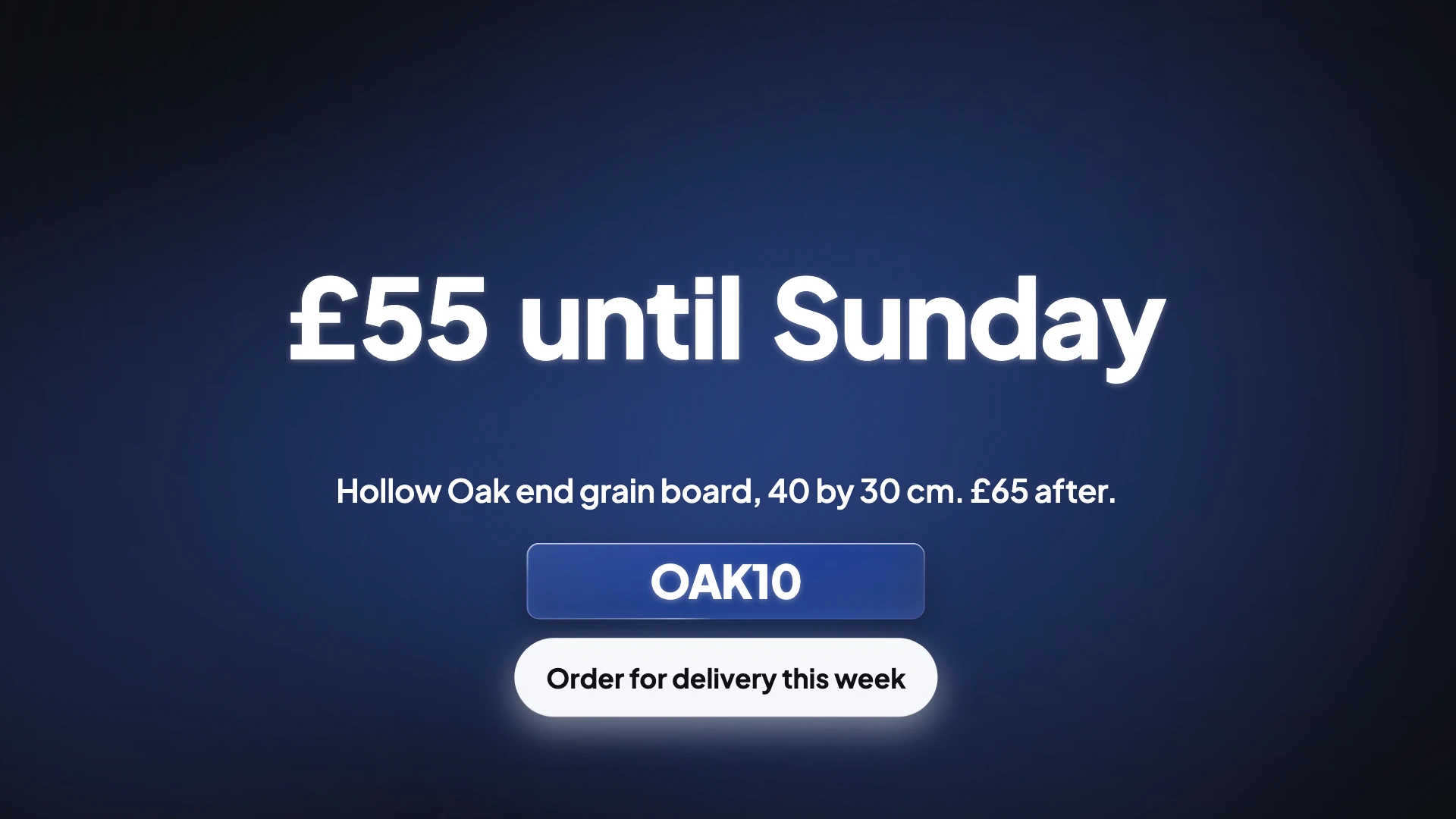
The three things a photo cannot carry
Price, urgency and instruction. A photograph of a chopping board will never tell somebody it is 55 pounds until Sunday with a code. Those live in scene roles built for them: offer, which has layouts for a promo code chip, a swinging price tag, a one word deal in a filled circle and a hard colour split; countdown, which sets a date in enormous type or runs an animated three two one; and the closing role, which is where the button and the instruction go.
None of them will be invented
This is a hard rule in the director's instructions and it works in your favour. It will not make up a price, a discount, a deadline or a statistic. Offer scenes are refused unless the brief actually offers something and countdown scenes unless there is a real date. So a brief that is only a product description will come back as a nice product video with no commercial hook, which is usually not what somebody uploading listing photos wanted.
Which photo opens
Not necessarily your hero shot. The director reads what each picture actually shows, and an ad usually opens on the beat that earns attention rather than on the packshot. A lifestyle shot with a person or a context works harder in a first scene than a white background cutout, which is much better placed later, in a gallery beat or beside the price. If you want a specific photo first, say so in the brief.
The specification belongs in a stat, not a paragraph
Dimensions, weight, material and capacity read badly as a sentence and well as a number set huge on screen. Stat scenes carry one headline figure counting up, stat grids carry several at once, and a table holds up to four columns and six or eight rows, depending on the layout, for a real specification. Give those numbers in the brief and they become the proof section of the ad rather than a line of narration nobody retains.
How it works, in three steps
Step 1
Write the commercial half of the brief
Price, any discount and its code, the deadline, and the exact action you want. Everything you leave out simply will not appear.
Step 2
Attach the photos you would use in a listing
Hero, two details, one in use, one showing scale. Eight is the cap, and shots the analysis judges weak get dropped.
Step 3
Name the opener if you care
Say which picture should open. Otherwise the director picks the one it judges strongest for a first scene, which may not be your packshot.
The full walkthrough with screenshots is in the guide Make a promo video with AI voiceover.
Limits worth knowing
- Nothing is retouched. Backgrounds stay, reflections stay, and a cluttered shot stays cluttered.
- There is no live price or stock feed. Whatever price you type into the brief is a fixed piece of text in the export.
- A countdown scene renders the date as text. It does not count down against a real clock once exported.
- Product tags, shoppable links and catalogue integrations are not produced. The output is an MP4.
Questions people ask
How many photos does an ad need?
Fewer than a listing. Four is plenty for a short ad of three to six scenes, because two of those scenes are the hook and the ask rather than pictures. Save the full set for a longer product video. The generator takes up to eight images with the brief, each up to 15 MB.
Can it show the price on screen?
Yes, if you write it. Offer layouts include a price tag and a promo code chip, and a stat scene will set a figure in very large type. It will never derive a price from a photograph, and the price you type stays fixed text in the exported MP4, so a changed price needs a new export.
What about a before and after?
There is a role for it, and one of its layouts wipes one full frame image over another, which needs two uploaded pictures. It is only for a genuine before and after of the same thing, not two variants of a product.
Should I make one video or one per product?
One per product for a paid placement, because the offer and the ask have to be specific. A gallery style video covering a range works better as a brand or category piece than as a direct response ad. Each generation uses about 20 credits, so a video per product costs about 20 credits per product.
Will it add stock footage around my product photos?
It can. A promo's director may search Pexels for one to three stock clips to set the scene, never for your own product or brand, and those clips are copied into the video's media. Every clip scene in the builder also has a Stock footage search. Your photos stay the product shots; the stock clips only supply context.
Which photo shapes work best in a vertical ad?
Tall and square shots. Every uploaded image is analysed for what it shows and for its real pixel size, and the director matches picture shape to slot shape, so a tall photo goes into a tall slot rather than being cropped. A wide packshot in a vertical video ends up in a wide box or cropped hard, so shoot a few frames upright.
Make your own video
The button opens the generator with this use case already described. Change the wording to match yours, generate, then edit anything you like.
Create a video with OneCraftRelated pages
Turn a script into a video
If you already have an approved script, the default behaviour will annoy you. The promo director rewrites for pace, aiming at five to eight words a scene, because that is what fits a two and a half second cut. Getting your own wording through is possible, but it takes a deliberate second step.
Instagram video ad
The two Instagram ad placements look similar and behave differently. A Feed ad gets 125 characters of primary text and a viewer who may pause. A Reels ad gets 44 characters, no auto-captioning from Meta, and a viewer who is already moving. The video has to absorb what the copy fields cannot hold.
AI video ad maker
The awkward part of running a video ad is never the first cut. It is the second one, at a different shape, for a different placement, without redoing the work. Every slot in every scene here carries a separate position for each canvas, so changing the aspect ratio reflows the design instead of stretching it.
More finished work of this kind is on the video examples hub.
Sources
Written and checked by the OneCraft team. Last checked .