Websites
Custom domain for your website: two records and a Verify button
Connecting a custom domain means telling the internet that your name, such as www.saltbushphysio.com.au, should open your site. You add two DNS records at the company where you bought the domain, one to prove you own it and one to point it, and the platform does the rest.
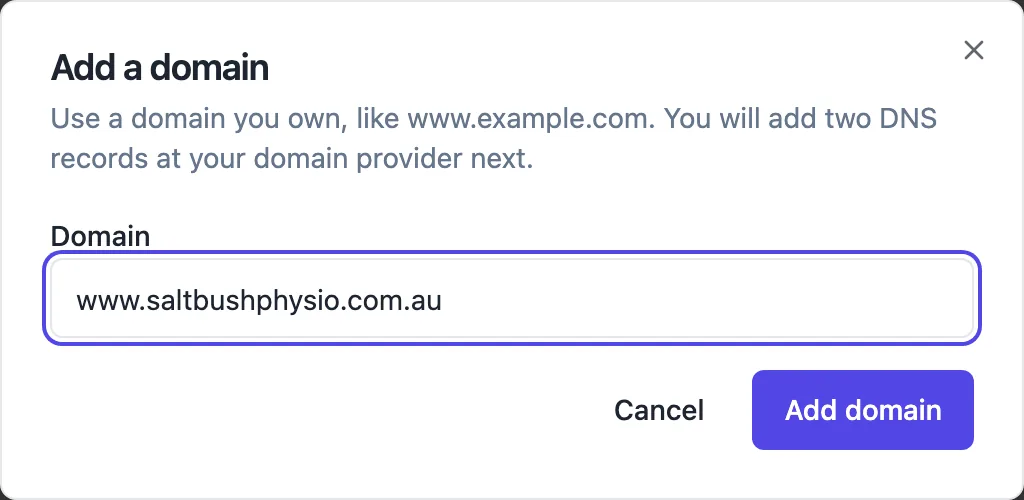
The two records
After you add a hostname, the card shows a TXT record named _onecraft followed by your hostname, carrying a token that proves you own the domain, and a CNAME record that points the hostname at the sites network. Copy both into the DNS settings at your domain provider. Each has a copy button, so you do not retype the long values.
What happens after Verify
Press Verify now. The platform looks for the TXT record; once it is found the domain moves to DNS OK, a managed certificate is requested, and when the certificate is issued and the site is published the domain goes live and you get an email. Checks also run on their own every ten minutes, so you can close the page and come back.
The apex domain catch
A bare domain such as saltbushphysio.com.au, with no www, cannot carry a CNAME at most providers. For that apex host your provider must offer an ALIAS or ANAME record pointing at the same target, which the card notes. If yours does not, use www as the primary domain and set a redirect from the bare domain at your provider.
Primary and extra domains
The first domain you add becomes primary: canonical tags, the sitemap and checkout returns use it. Any other live domain, and the free onecraft.live address, redirect to the primary, so there is one public address. Make primary switches it, and Remove takes a domain off the site after you confirm.
When it does not go live
TXT record not found yet means the record has not appeared; check the name, since some providers add your domain to the end automatically. CNAME points elsewhere means another record is in the way, often an old host. Certificate could not be issued usually means a CAA record that does not allow the certificate authority. Pending domains keep being checked for 48 hours.
How it works, in three steps
Step 1
Add domain
In site settings under Custom domains, press Add domain and type the hostname you own.
Step 2
Copy the records
Add the TXT and CNAME records the card shows at your domain provider; use ALIAS or ANAME for an apex domain.
Step 3
Verify
Press Verify now; when the certificate is issued and the site is published, the domain goes live and you get an email.
Limits worth knowing
- Custom domains need a paid plan: Starter allows 1, Pro 5, and plans above Pro have no cap.
- You buy the domain from a registrar; the platform does not sell or renew domains.
- Apex domains need ALIAS or ANAME support at your DNS provider.
- A domain already used by another site is refused.
Questions people ask
How long does a custom domain take to work?
Usually minutes to a few hours, depending on how quickly your provider publishes the records. The TXT check runs when you press Verify and every ten minutes after that, and the certificate is issued once the records are found. A domain that stays pending is retried for 48 hours, so start the setup well before a launch date.
Do I need to buy an SSL certificate?
No. A managed certificate is issued for each verified domain automatically, and it renews without you doing anything. If issuing fails, the usual cause is a CAA record at your provider that only allows another certificate authority; remove it or add the authority the error mentions.
Can I keep my email working when I connect the domain?
Yes. The records you add are a TXT record under _onecraft and a CNAME for the hostname of the site, usually www. Your MX records for email are separate and should stay as they are. Do not delete records you do not recognise while you are in the DNS settings.
What if I add the domain before the site is published?
The domain can be verified and its certificate issued, but it only starts serving the site once the site is published. Publish when you are ready and the live domain follows. The free onecraft.live address works throughout, so you can test the site there first.
Can I use a subdomain like shop.mybusiness.com?
Yes. Any hostname you control works, including subdomains such as shop, book or launch, each pointed with its own CNAME. That is a common way to put a store or landing page built here beside a main website hosted elsewhere.
Can I move my domain to another site later?
Remove the domain from the first site, wait for it to be released, then add it to the other site and verify again. While a removed domain is still being released the second site refuses it with a releasing message, which usually clears within an hour.
Make your own website
The button opens the generator with this use case already described. Change the wording to match yours, generate, then edit anything you like.
Create a website with OneCraftRelated pages
Free website address: yourname.onecraft.live, and when to move on
A free website address is a subdomain on someone else's domain: your name in front, their name behind. It costs nothing and works straight away, and it is a sensible start as long as you know you can rename it and later add your own domain without breaking links.
Link in bio page maker: one page, every link, your address
A link in bio page is the one link a social profile allows, turned into a short page of buttons: the new single, the shop, the booking form, the newsletter. It works when the links are few, current and in the order people actually want them.
Make your website installable as an app, without an app store
An installable website, often called a progressive web app, can be added to a phone home screen and opens full screen like an app. For a business with regular customers it gets you most of the benefit of an app, an icon on their phone, with none of the app store work.
More finished work of this kind is on the website examples hub.
Written and checked by the OneCraft team. Last checked .