E-signatures
Draw or type a signature
The pad has two buttons in its corner: a pen and a letter. They produce the same kind of thing in the end, an image, but they suit very different people and the record notes which one you used.
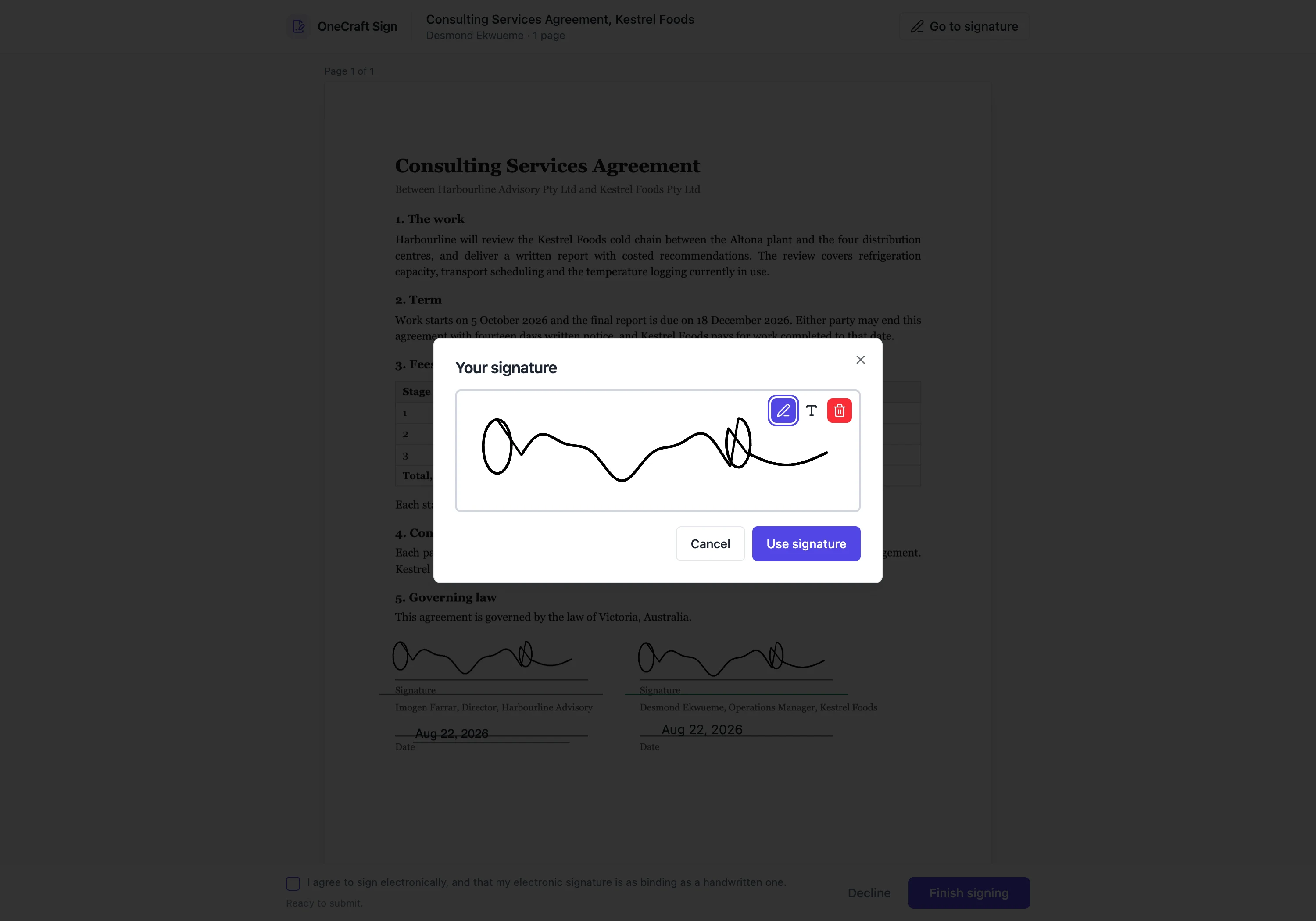
Draw mode
A white canvas with a black stroke, sized to the pad. It listens for pointer events, so a mouse, a trackpad, a stylus and a finger all work without a separate mobile path. Each completed stroke updates the stored image, and a bin button clears it if the first attempt was unconvincing. What is captured is the whole canvas, which is why the stamper aligns the ink to the left of its box: the mark stays where the person drew it.
Type mode
You type your name and it appears in a script face at 44 pixels. Behind that, after a short pause, the name is drawn onto an off-screen canvas at twice the pixel density and exported as a PNG. So what is submitted is an image, not text with a font attached. That matters, because a font that failed to load or a reader that substituted one could otherwise change what a signed document looks like.
Switching between them keeps both
The pad holds a drawn version and a typed version separately, so flipping between the modes does not destroy your first attempt. Whichever mode is active is the one submitted. Starting to draw clears the typed name and typing clears the drawing on the canvas, so there is never any doubt about which mark is live.
How it is stored
The image is uploaded to storage as a PNG or JPEG under its recipient's own key, and the row keeps the storage key plus a sha256 of the bytes rather than the picture itself. That hash is printed on the certificate of completion as the signature image hash, so the mark on the page can be tied to a specific set of bytes rather than just looking about right.
The record says which you used
Draw or typed is stored on the recipient row and carried into the signed event in the audit trail alongside the image hash, the hash of the document at that moment, and the consent version accepted. Neither mode is treated as lesser. The record simply says what happened, which is more useful in a dispute than a claim that all signatures are equally handwritten.
How it works, in three steps
Step 1
Open the pad
Tap any signature or initials box on the document, or the button in the header, and the pad opens over the page.
Step 2
Pick a mode
The pen button draws on the canvas. The letter button takes your typed name and renders it in a script face.
Step 3
Use it everywhere
Press Use signature and the mark fills every signature, initials and block spot at once, then the header steps you through them.
The full walkthrough with screenshots is in the guide Send a PDF for e-signature.
Limits worth knowing
- One signature image per signer per envelope. It cannot differ between fields on the same document.
- The image must be a PNG or JPEG, capped at two million characters of encoded data, which the pad never approaches.
- There is no upload-your-own-image option and no stored signature carried between envelopes.
- Type mode uses one script face. There is no choice of style.
Questions people ask
Is a typed signature worth less than a drawn one?
The product does not treat it as lesser. Both are captured as images with the same evidence around them, and the record notes which mode was used rather than judging it.
Can I upload a photo of my real signature?
No. The pad captures a drawing or renders a typed name. There is no image upload.
Is my signature saved for next time?
No. It is captured per envelope and stored against that signing, not kept in a profile to be reused.
What is stored, the picture or a hash?
Both, in different places. The image goes to storage under its own key, and its sha256 goes on the record and onto the certificate.
Make your own signing flow
The button opens the generator with this use case already described. Change the wording to match yours, generate, then edit anything you like.
Send a document for signingRelated pages
Certificate of completion
A certificate of completion is the evidence record that comes with a signed document: an A4 PDF listing the envelope, how each signer was verified, and every event from sending to completion. The signed document shows the marks; the certificate shows how they got there. It is built from the event log the moment everyone has finished, and it is the file worth keeping alongside the contract.
Are electronic signatures legally binding?
This page does not answer that question, because no software can. Whether a signature binds anybody depends on the law where you are, the kind of document, and eventually on somebody deciding a dispute. What a product can do is be exact about what it recorded.
E signature for schools
The document is trivial. The volume is not. A permission slip is half a page and takes ninety seconds to prepare, and then you need one hundred and forty of them signed by Friday, which is a completely different problem.
More finished work of this kind is on the e-signature examples hub.
Written and checked by the OneCraft team. Last checked .