E-signatures
E signature for schools
The document is trivial. The volume is not. A permission slip is half a page and takes ninety seconds to prepare, and then you need one hundred and forty of them signed by Friday, which is a completely different problem.
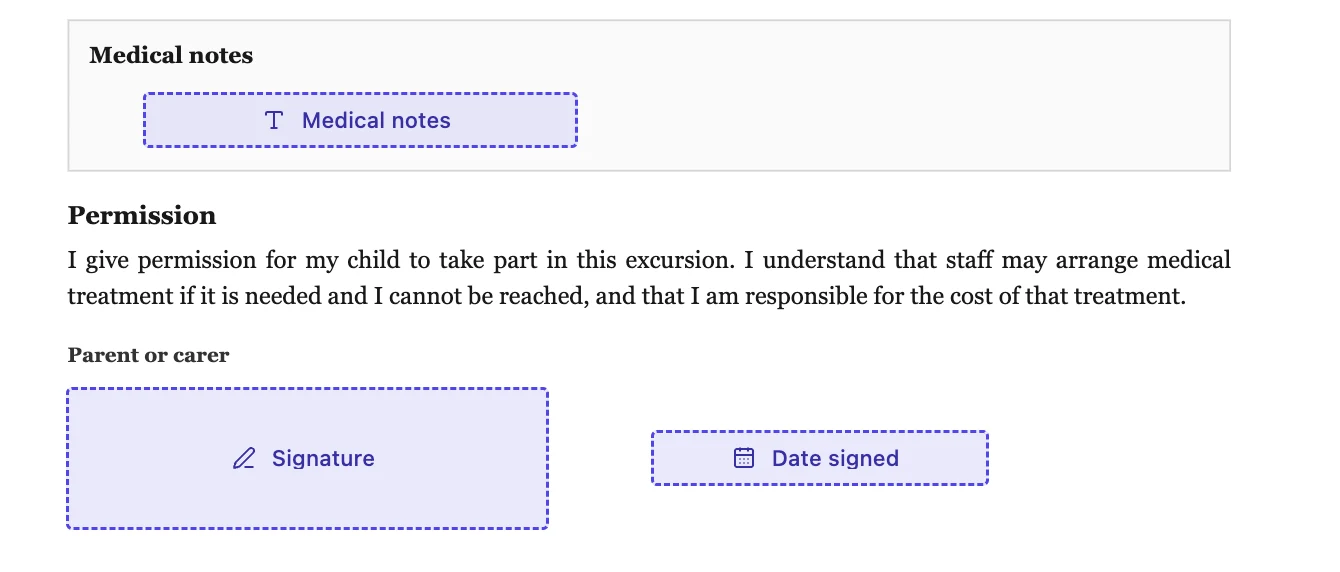
One envelope is one document, signed by everyone on it
This is the fact that determines everything else. An envelope holds a single PDF and up to twenty five recipients, but all of them sign that same copy. So twenty five recipients is not twenty five permission slips, it is one slip with twenty five signatures on it. If each family needs their own signed record, each family needs their own envelope, and there is no import, no merge and no bulk send to make that quicker.
When one shared document is actually right
There are cases where the shared copy is what you want. A staff acknowledgement of a new safeguarding procedure, a trip risk assessment signed off by three teachers, a governors' resolution. Anything where the point is a single page carrying several names rather than a separate record per person. Order them if the head should sign last, and leave the order off if they are peers.
A form is usually the better tool
For a hundred and forty parents returning the same consent, a form is the right shape: one link, one submission each, answers in a table you can sort. Where a signature is genuinely required on the returned document, a form carrying an e-signature field hands each submission over as its own envelope automatically, so you get the per family signed PDF without preparing a hundred and forty envelopes by hand.
Keep parents on the link alone
Leave the verification set to email link only. Parents are signing from personal addresses on phones, often in the evening, and an access code you have to distribute separately to a year group is a support burden that will consume more of your week than the signatures do. The link is already unique per recipient and every attempt against it is recorded.
Chasing is manual
There are no reminder emails. The envelope list has an Awaiting filter and shows ten at a time, so you can see who is outstanding, and Resend on a row puts a fresh link in front of one family and retires the old one. For a whole year group that is a genuinely tedious afternoon, and it is better to know that before you commit to the approach than to discover it on Thursday.
How it works, in three steps
Step 1
Decide whether it is one document or many
One shared page signed by several staff is one envelope. A separate record per family is one envelope each, or a form.
Step 2
Keep the field set to three boxes
A signature, a name line and a date that fills itself. Every extra required field costs you replies from confused parents.
Step 3
Send early in the term
Requests lapse thirty days after the envelope was created, and the countdown starts when you create it rather than when you send it.
The full walkthrough with screenshots is in the guide Send a PDF for e-signature.
Limits worth knowing
- No bulk send, no recipient import and no merge. Envelopes are created one at a time.
- Twenty five recipients per envelope, all signing the same copy of the same document.
- No reminder emails. Chasing is done by hand through the Resend button on each row.
- Requests expire thirty days from creation, which is shorter than a school term.
Questions people ask
Can I send the same slip to a whole class in one go?
Not as one envelope, because everyone on an envelope signs the same copy. For a separate signed record per family, use a form with an e-signature field, which produces one envelope per submission.
Do parents need to create anything?
No. They open a link in a browser and sign there. On a phone the typed fields move into a panel above the document so they are a usable size.
How do I know who has not returned it?
The Awaiting filter on the envelope list, and the badge on each signer row inside an envelope. Viewed means they actually reached the document, not just opened the email.
What happens to a slip nobody signs?
It expires quietly thirty days after the envelope was created, and the link stops working. Nothing is sent to tell the parent, so a withdrawal with a reason is kinder if the trip is cancelled.
Make your own signing flow
The button opens the generator with this use case already described. Change the wording to match yours, generate, then edit anything you like.
Send a document for signingRelated pages
Trusted timestamp for a signed PDF
A signing time written into the file is a claim by whoever wrote it. A timestamp token is a claim by a third party who has no stake in the document, and it keeps working after the signing certificate itself has expired.
Tamper proof signed PDF
Nothing makes a file impossible to alter. What a certifying signature does is make an alteration impossible to hide, which is the useful property. Any editor can change the number on page two; none can do it without the file announcing it.
The signed copy, emailed
The moment everybody has signed, the finished file goes out as an attachment to everyone involved. Nobody has to log in, remember a link or ask you to forward it, which removes the most common follow-up email in the whole process.
More finished work of this kind is on the e-signature examples hub.
Written and checked by the OneCraft team. Last checked .