E-signatures
The signed copy, emailed
The moment everybody has signed, the finished file goes out as an attachment to everyone involved. Nobody has to log in, remember a link or ask you to forward it, which removes the most common follow-up email in the whole process.
Everyone, including you
The audience is built from every recipient on the envelope plus the account that sent it, with the sender added only if their address is not already on the list, so nobody gets it twice. That means a signer who has changed jobs still has the copy in the inbox they signed from, and you have one in yours without having gone to fetch it.
The file is attached, not linked
The certified PDF is base64 encoded and sent as a real MIME attachment rather than as a download link, so it does not expire, does not need an account and survives being forwarded to a colleague or filed by a mail rule. The subject reads Completed followed by the document title, which is also what the attachment is named after.
What the message says
A heading saying everyone has signed, a short line noting the certified copy is attached, then a panel with the document title and the completion date. Underneath, a sentence explaining that the attached PDF includes a certificate of completion listing every signer, how they were verified and when they signed, which is true when you ticked the include option and is the sentence that prompts people to look at it.
The signer already knows it is coming
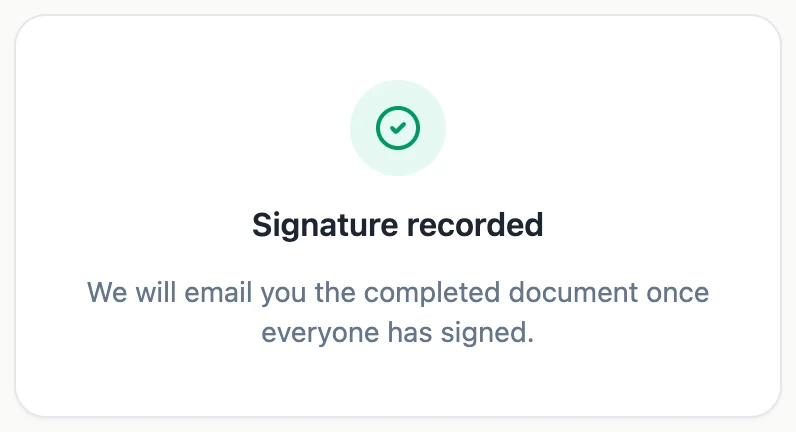
When a signer finishes, the confirmation card they see says the completed document will be emailed once everyone has signed. On a document with several parties that sets the expectation correctly: their part is done, but the file arrives when the last person finishes, not immediately. It is a small line that prevents a lot of where is my copy messages.
A failed send does not undo anything
Each address is attempted in turn, and a failure is logged against that address rather than rolling anything back. The envelope is already completed, the certified file is already written to storage under its own key, and both it and the certificate are downloadable from the status page. So an email that bounces costs somebody a copy, not the document. There is also an in-app notification telling you the envelope is fully signed and ready to download.
How it works, in three steps
Step 1
The last signer finishes
Completion is triggered by the final signature, not by anything the sender does.
Step 2
The file is stamped, certified and hashed
Only after certification succeeds does anything go out, so nobody is emailed an uncertified copy.
Step 3
Everyone gets it as an attachment
Signers and sender alike, with the document title as the subject and the certified PDF attached.
The full walkthrough with screenshots is in the guide Send a PDF for e-signature.
Limits worth knowing
- The email is fixed. You cannot add a message, change the wording or copy in an extra address.
- Large documents are attached in full, so a very large PDF may be refused by a strict mail server.
- There is no resend button for the completion email. The status page download is the fallback.
- Nothing is emailed if the envelope was declined, withdrawn or expired, because no completed file exists.
Questions people ask
Can I add somebody who should receive a copy but not sign?
Not from the app. Everyone on the envelope is a signer, so an observer either signs or gets the file forwarded by you.
Does the emailed copy include the certificate?
It is the same file as the download, so it contains the certificate pages if you ticked that option before sending, and not otherwise.
What if a signer's mailbox rejects the attachment?
The failure is logged and the rest still go out. Download the file from the envelope and send it however suits that person.
When exactly does it arrive?
After the final signature has been stamped, the certificate built and the certification applied. That is seconds rather than minutes, but it is not instant.
Make your own signing flow
The button opens the generator with this use case already described. Change the wording to match yours, generate, then edit anything you like.
Send a document for signingRelated pages
Send a PDF for signature
The part you cannot see is the part that decides whether somebody signs. This is exactly what lands in their inbox, what it tells them before they click, and what happens on your side while you wait.
Automatic invoice reminders, set per invoice
Automatic invoice reminders email the client before and after the due date until the invoice is paid, so chasing money stops depending on you remembering. The schedule should be firm enough to get paid and polite enough to keep the client.
Email notification on a form submission
A responses table only works if somebody opens it. An email alert puts the submission where people already look, with the answers in the body, so an enquiry gets acted on the same day rather than the same week.
More finished work of this kind is on the e-signature examples hub.
Written and checked by the OneCraft team. Last checked .