E-signatures
Signature request expiry
A signing link that works forever is a small liability sitting in somebody's inbox. Thirty days after the envelope was created, it stops working, and the sweep that does it runs whether anyone is watching or not.
The clock starts at creation
An expiry date is written onto the envelope the moment it is created, thirty days out, before you have uploaded anything or added a single recipient. So the countdown covers the time the draft spent sitting on your list as well as the time it spent with the signers. An envelope prepared on the first and sent on the twentieth has ten days of signing life, not thirty.
Each link inherits it
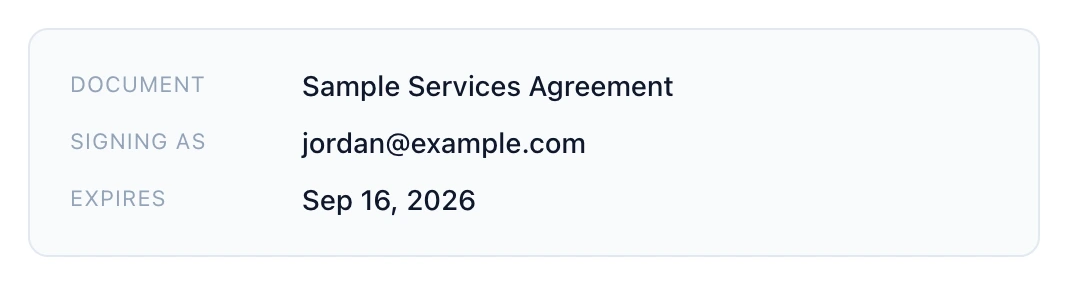
When a recipient is invited, their link is given a deadline copied from the envelope. On an envelope with a signing order this is why a late signer gets a shorter window: their invitation only goes out once the person before them finished, but the deadline is the envelope's, not theirs. The invitation email prints that date in its detail panel, so nobody has to guess.
The nightly sweep
A scheduled job runs once a day, twenty minutes after midnight UTC. It looks for envelopes that are out for signature and past their date, marks every recipient who has not signed or declined as expired, moves the envelope to expired, and appends an expired event to the audit trail carrying the moment of the sweep. People who had already signed are left exactly as they were.
What an expired link shows
A clear message that the signing request has expired, on the same outcome card the signer would see for any other dead end. The check also happens live: if a signer opens a link after the deadline but before the sweep has run, their recipient row is retired on the spot and they are told the same thing. There is no window where a stale link still opens a document.
Thirty days is what you get
There is no field in the app for choosing a different expiry. The API can be told a date, but nothing in the interface ever sends one, so in practice every envelope lives thirty days. If a shorter deadline matters to you, put it in the message when you create the envelope and withdraw the request yourself when that date passes, which also has the advantage of telling the signers why.
How it works, in three steps
Step 1
Create the envelope when you are ready to send it
The thirty days begins at creation, so a draft left sitting on the list is eating into the signing window.
Step 2
Check the date in the invitation
The email prints the expiry in its detail panel, which is the date the signer is working to.
Step 3
Chase or withdraw before it lapses
Resend to nudge, or withdraw with a reason if the deal has moved on. Letting it expire silently tells nobody anything.
The full walkthrough with screenshots is in the guide Send a PDF for e-signature.
Limits worth knowing
- Thirty days, fixed. There is no setting in the app to shorten or extend it.
- The countdown starts when the envelope is created, not when it is sent.
- Resending gives a fresh link but does not extend the envelope's deadline.
- An expired envelope cannot be revived. Sending again means creating a new one.
Questions people ask
Can I give a signer longer?
Not from the app. The practical route is a new envelope, which starts a fresh thirty days from its own creation.
What happens to signatures already collected when it expires?
They stay in the record and in the working copy, but no completed certified document is produced, since not everybody signed.
Does the signer get warned before it expires?
Only by the date printed in their original invitation. There is no reminder email, so chasing is your job.
Is an expired link different from a withdrawn one?
Yes. Both refuse, but they say different things, and withdrawal also sends an email explaining it while expiry is silent.
Make your own signing flow
The button opens the generator with this use case already described. Change the wording to match yours, generate, then edit anything you like.
Send a document for signingRelated pages
E signature consent forms
A consent form is the one document where refusing has to be as easy as agreeing, and where the record of who agreed matters more than the mark on the page. That changes which settings are worth the extra friction.
E signature for HR documents
Three quite different jobs get lumped together as HR paperwork. An offer that needs negotiating and countersigning, a policy that needs acknowledging, and a handbook that needs a record of receipt. Each wants a different set of boxes on the page.
Download the signed document
Three different files come out of one envelope, and knowing which is which matters when somebody asks you for the contract six months later. Two of them exist only after everyone has signed.
More finished work of this kind is on the e-signature examples hub.
Written and checked by the OneCraft team. Last checked .