How to
Classic vs conversational forms
Understand the two kinds of form, one canvas you lay out yourself or one question at a time, and choose the right one before you build.
Forms3 min readUpdated
This guide explains the difference between classic and conversational forms, and helps you pick the right one before you build.
The same questions can feel quick in one form and heavy in another. Worth a minute now, because this choice is permanent.
Two kinds of form, chosen up front
There are exactly two: Classic and Conversational. You pick one under Form style in the form generator, then describe what you need.
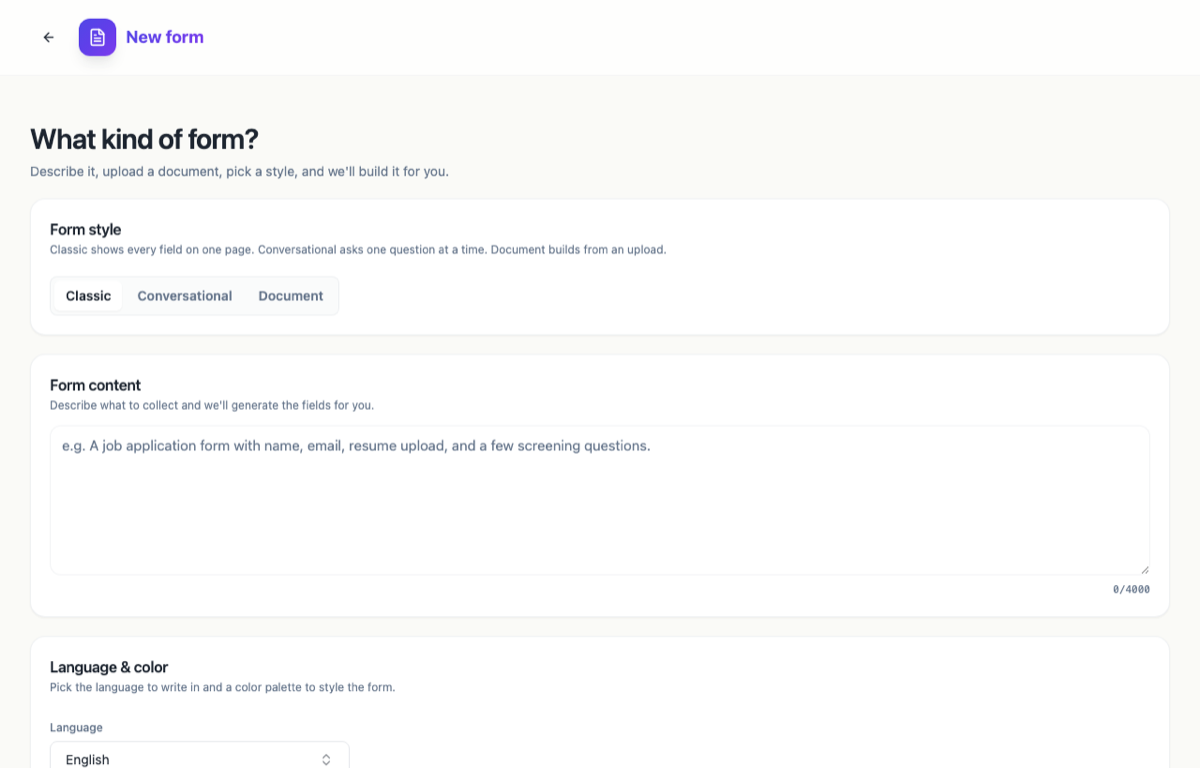 Form style has two settings. Uploading a file is a separate thing, and works with either one.
You can also skip the description entirely. On the dashboard, Create a form offers Classic form and Conversational form as blank starting points. Either route, you land in a different builder, and neither is limited by your plan.
Classic forms: one canvas, laid out your way
A classic form is one canvas holding every field. What people see depends on the layout you choose in the builder’s Layout panel, under Canvas Layout:
- Flow places components wherever you put them, so two short fields can share a row.
- Single Column stacks everything full width, top to bottom.
- Paginated splits the same fields across A4 sheets and turns the form into a step by step wizard, with a progress bar, a “Page 1 of 3” marker and Back and Next buttons.
So “classic” does not have to mean one long scroll. A long classic form set to Paginated feels close to a conversational one, just with several questions per step instead of one.
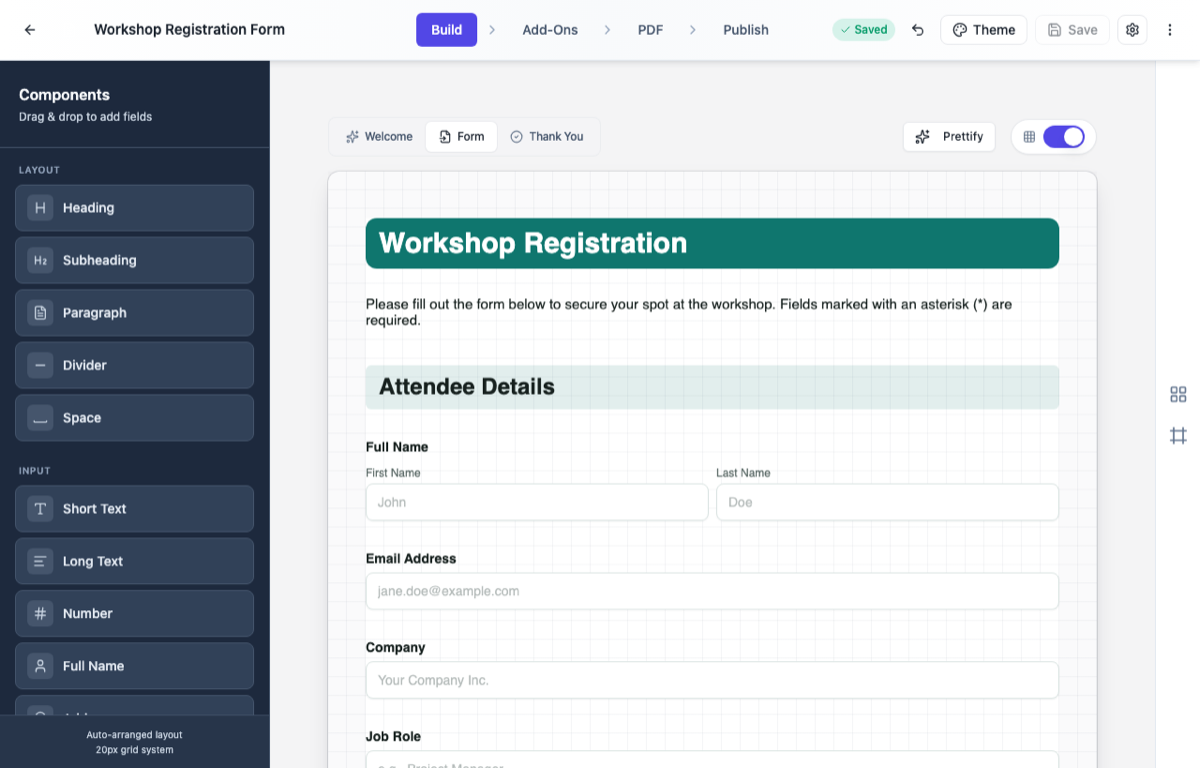 Classic: one canvas in the builder, and you decide how it is presented.
One thing to know about the names: Flow means “drop components anywhere”. It is the least guided of the three, not a guided flow.
Conversational forms: one question at a time
A conversational form asks one question at a time, a bit like chatting with someone. There is always a progress bar, Back and Continue buttons, and pressing Enter moves on. It feels lighter and more guided, which really helps on longer forms, or when you’re asking people something they didn’t plan on answering today.
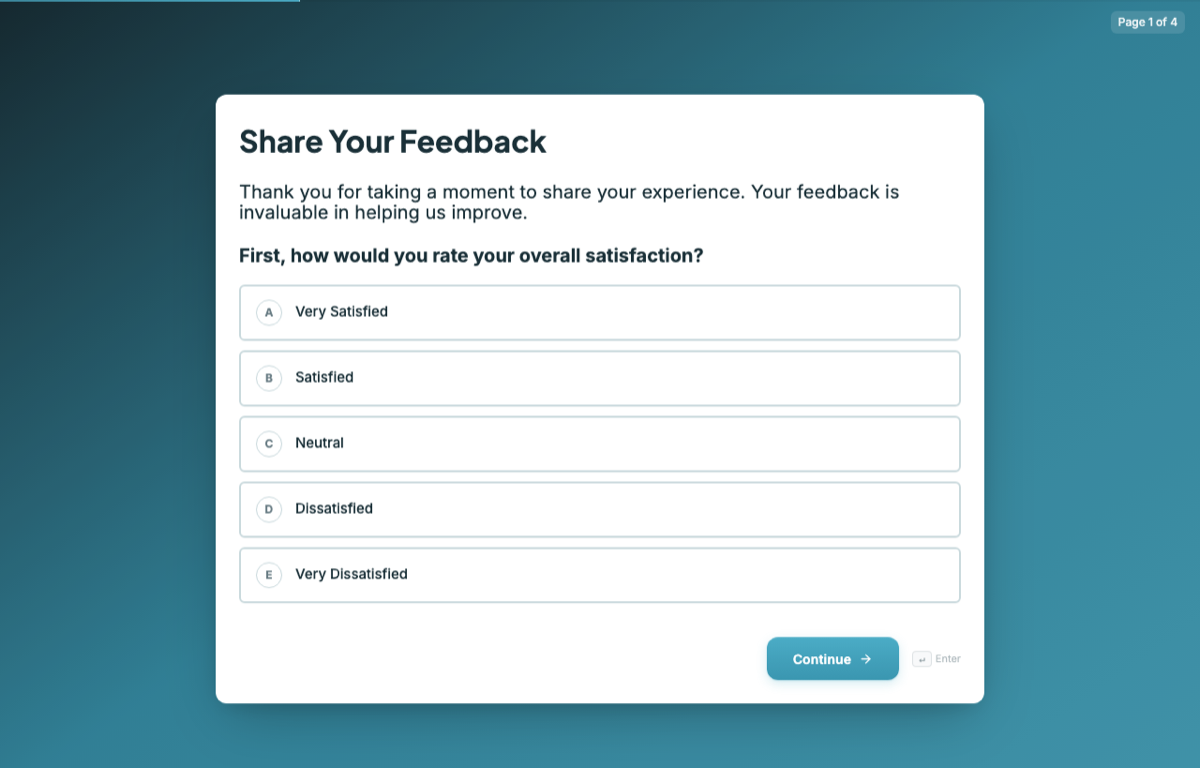 Conversational: questions are split one per page, so people answer one at a time.
Which one should you choose?
If people expect the form and want to see the whole thing, go classic. If the form is long, or the request comes out of the blue, conversational makes it feel like less work. And if you like classic but the form is long, set it to Paginated rather than switching kind.
Decide before you generate, because the kind is set when the form is created and cannot be switched afterwards. The two builders also differ: conversational trims the toolkit, dropping the design blocks and the E-Signature field. So if your form needs countersigning or designed layout blocks, go classic.
Ready to try it yourself?
Start free. Describe what you need and let OneCraft do the first draft.
Get startedSee it in the product
More forms tutorials
- Add e-signatures with multiple signersAdd signature fields to a form, choose how each signer's email is collected, set the order people sign in, and collect signatures that are legally clear, with the date and time on record.
- Automate your form with add-onsConnect webhooks, get instant email alerts for new submissions, and send people to your own page after they submit.
- Build your own form themeStart from a built-in theme, or build one from scratch with your own layout, colours, fonts and effects, save it, and reuse it on every form you make.