Documents
Photo of a document to editable, from your phone
A phone photo of a document becomes editable when you attach it in the document generator: the text in the photo is transcribed word for word and rebuilt as headings, paragraphs and tables you can change. Each photo is one page, and up to five go in one run, so this is the route for short documents where the exact wording matters.
Why a photo keeps the wording
An image goes down a different reading path from a PDF. The model is told to transcribe all visible text verbatim, in reading order, and to pull out every labelled field with its value as written. A PDF of the same page only returns a summary, key points and fields. For a one to five page agreement, policy or letter, photographs of the pages therefore bring back more of the original sentences than a PDF would, and the generator is told to keep them.
Five photos, five pages
A generation takes five attachments of up to 10 MB each, and one photo is one page, so five pages is the ceiling for this route. Each photo is read on its own and the readings are joined in the order you attached them, which makes attachment order your page order. Past five pages, split the document into parts that each stand alone, or accept the PDF route and its summarised prose for the pages where exact wording matters less.
Shooting the page
Lay the page flat on a dark surface, hold the phone square above it rather than at an angle, and light it evenly so no shadow of your hand or phone crosses the text. Fill the frame with the page. The reading model scales a very large image down before it reads it, so a page filling the frame at twelve megapixels beats a page in the middle of the frame at fifty. Turn the flash off: it leaves a bright hotspot that erases a line or two on glossy paper.
Folds, staples and curl
Paper that has lived in a filing cabinet keeps its folds. A fold running through a paragraph breaks the line the camera reads, and a staple lifts the top corner so the first heading curls away. Flatten the page under a book for a minute before you shoot, and unstaple a set rather than fanning it, because a fanned page is photographed at an angle and its far edge is the part that goes soft.
Check the numbering and the last page
Two things decide whether the rebuilt document is usable. Clause numbering, because an agreement that renumbers wrongly is worse than one nobody rebuilt. And the execution block at the end, which a tight crop loses and which is exactly what somebody will look for. Read both against the paper once, then edit freely. The photo itself never appears in the finished document; only its text does.
How it works, in three steps
Step 1
Flatten and shoot each page
Square on, evenly lit, flash off, page filling the frame. One photo per page.
Step 2
Attach in page order
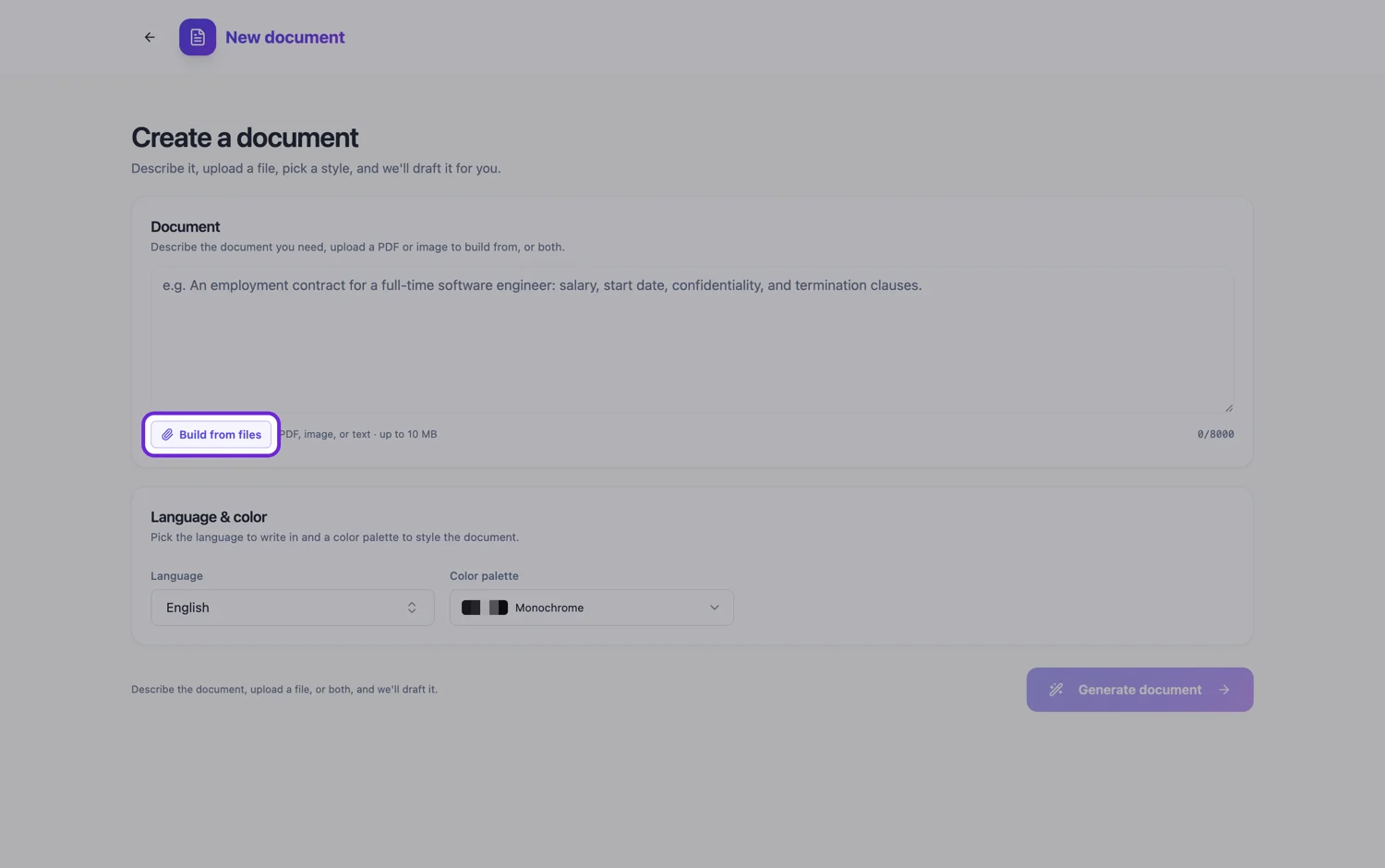
Use Build from files on the Starter plan. Up to five photos, read in the order you attach them.
Step 3
Check numbering and the last page
Clause numbers and the execution block are what make a rebuilt document usable.
The full walkthrough with screenshots is in the guide Turn a PDF or photo into an editable document.
Limits worth knowing
- Five files per generation, 10 MB each, as PNG, JPG, WebP, GIF, PDF or TXT. HEIC is not accepted.
- Attaching files needs the Starter plan or above.
- One photo is one page, so the verbatim route stops at five pages per generation.
- Logos and pictures on the page are not carried across; only the text is.
- Small print, rotated text and footers are where a photo is weakest.
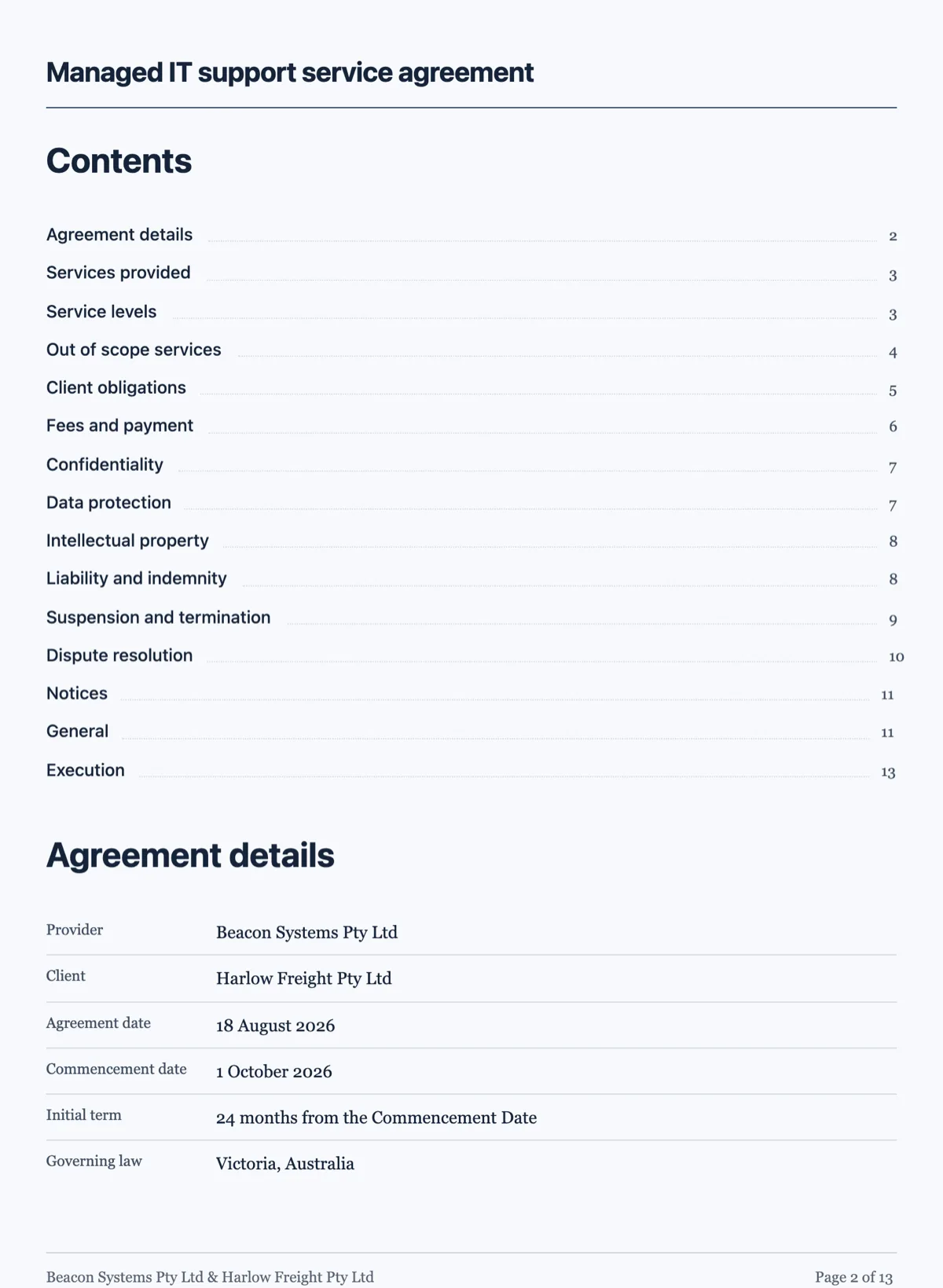
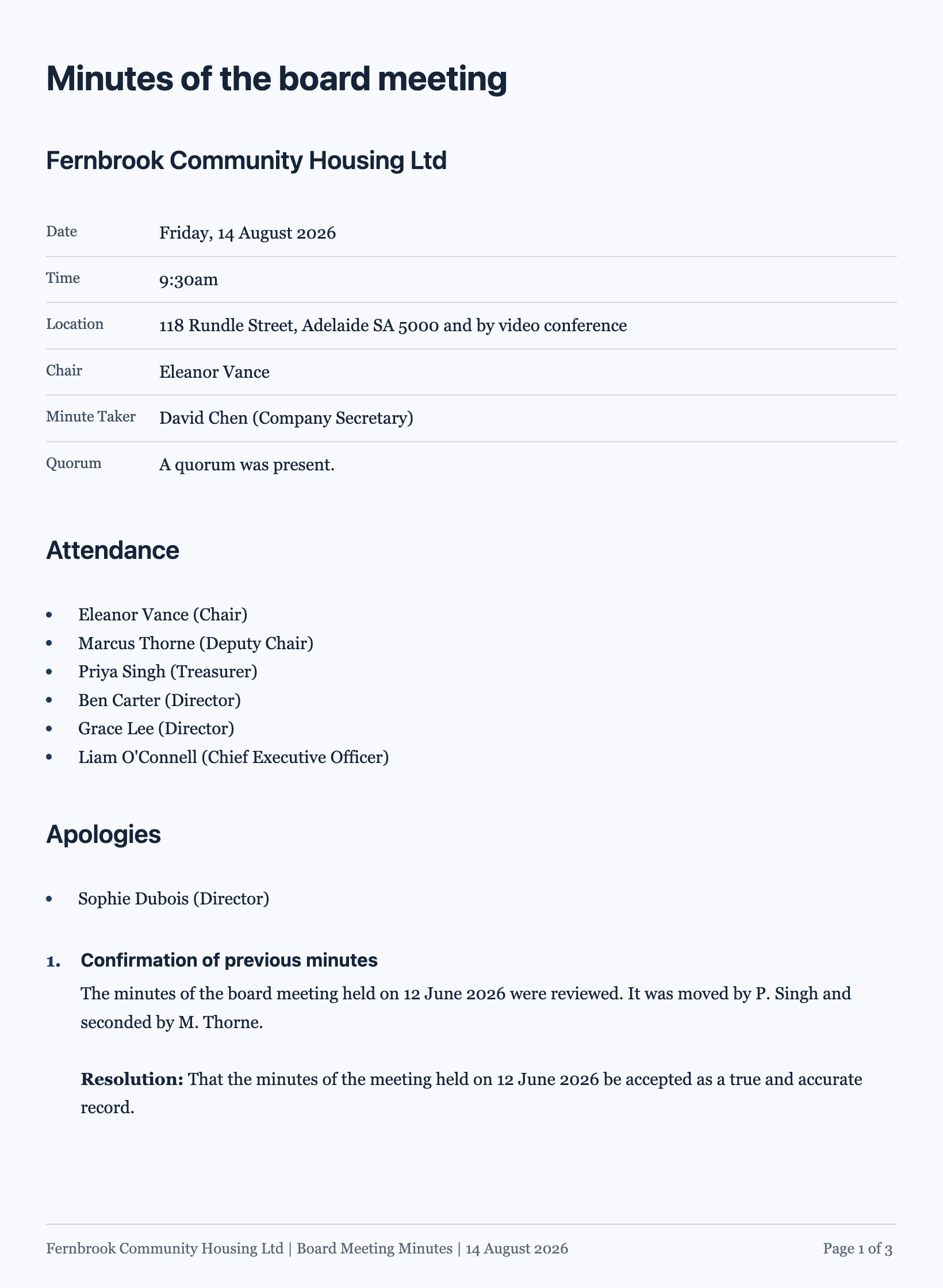
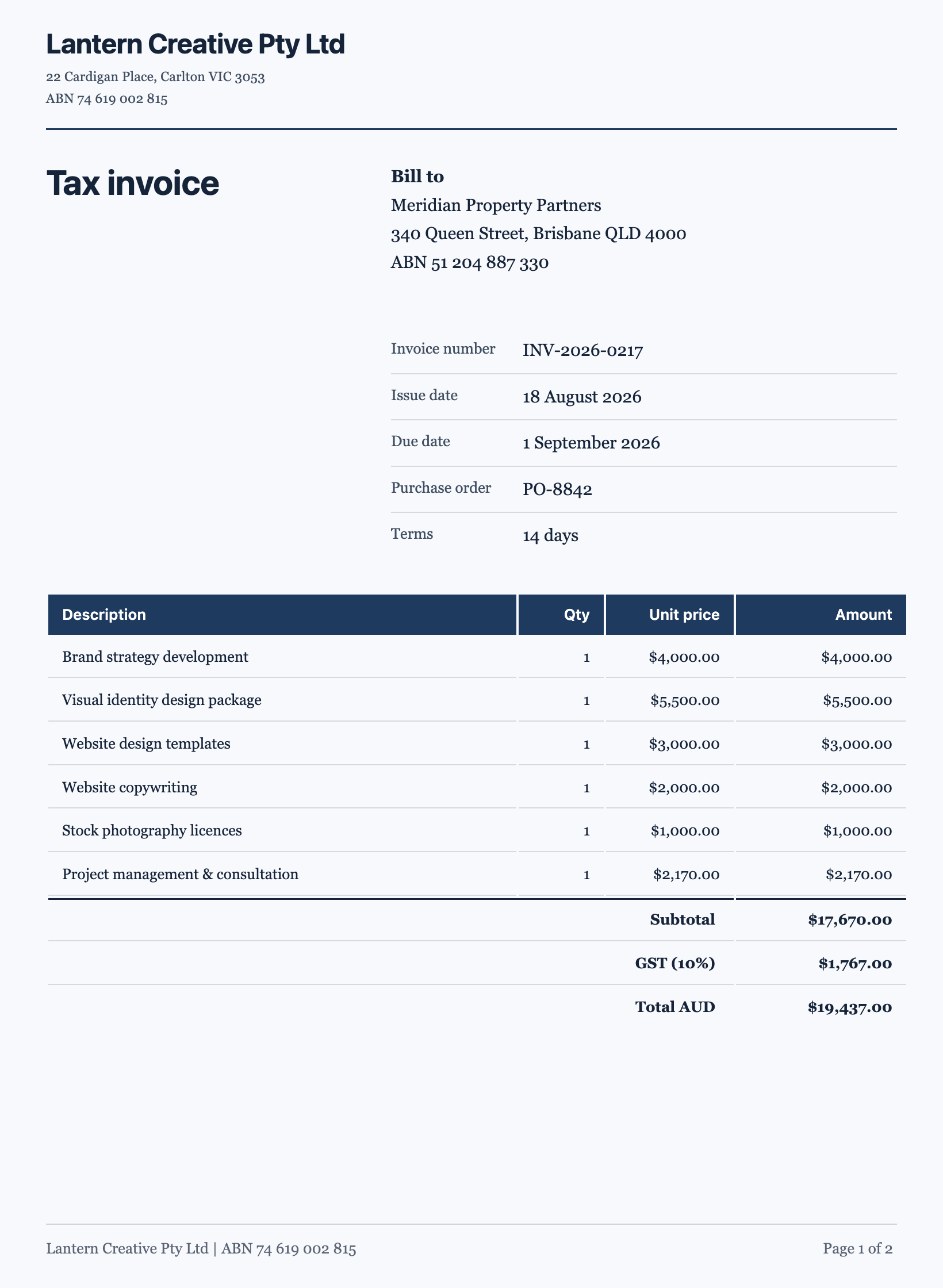
See it on a finished piece
Questions people ask
My iPhone saves photos as HEIC. Will they upload?
No. The generator accepts PNG, JPG, WebP and GIF images, not HEIC. Either set the camera to Most Compatible in the iPhone camera format settings before you shoot, which saves JPG, or share the photo through an app that converts it to JPG on the way out. A screenshot of the photo also works, though it can lose a little sharpness in small print.
Is a photo better than a PDF of the same page?
For wording, yes. A photo is transcribed word for word, while a PDF returns a summary, key points and labelled fields, so its paragraphs are rewritten. The PDF wins on length, because it reads up to a hundred pages from one file where photos stop at five per generation. Use photos for the pages whose exact sentences matter and the PDF for everything else.
Will notes written in pen in the margin end up in the document?
They can. The reading transcribes all visible text, and it does not reliably tell a printed line from a handwritten note beside it. If the margins carry comments, initials or corrections you do not want kept, say so in the prompt, for example leave out handwritten annotations, and check the result against the paper where the notes sat.
Can I photograph a document shown on a screen instead of paper?
You can, but a screenshot is better. A photo of a monitor picks up moiré stripes, glare and the curve of the screen, all of which cost characters. A screenshot is a clean image of the same text at the display's full sharpness, and it goes down the same word for word reading path as a photo.
How do I rebuild a ten page document from photos?
Split it into two generations of five pages at a natural break, such as the end of a schedule, so each half stands on its own as a document. Each run makes a separate document, so pick the same theme for both. If the ten pages must be one file, attach a PDF instead and check the paragraphs, which come back from key points rather than word for word.
Make your own document
The button opens the generator with this use case already described. Change the wording to match yours, generate, then edit anything you like.
Create a document with OneCraftRelated pages
Recreate an existing document, and every one like it
To recreate an existing document, attach the file or photos of it in the document generator, ask for the same sections and wording, and it comes back as an editable document you own. The payoff grows with a set: six inherited policies rebuilt one by one can all take the same theme, so they finally look like they came from one organisation.
Convert a PDF to an editable document
To convert a PDF to an editable document, attach it in the document generator and it comes back as editable blocks in a theme you can change. The file is read as page images, so sections, headings, numbering and labelled fields carry over reliably, while long paragraphs are rewritten from that reading rather than copied word for word.
Edit a flyer image by rebuilding it
To edit a flyer image, attach the JPG or PNG to the flyer generator and let it rebuild the words into a new design. The picture is read for its text, and that text is placed into a real template, so every line can be selected, rewritten, recoloured and moved to another size afterwards. A flyer you only have as a photograph is a picture of text, and tracing it would only give you another picture.
More finished work of this kind is on the document examples hub.
Written and checked by the OneCraft team. Last checked .