Videos
AI explainer video maker
An explainer has a specific problem. The thing being explained usually has no picture. There is nothing to film about a pricing model, a claims process or how a marketplace matches two sides, so the video has to draw the idea instead, and draw it in the order a person builds understanding.
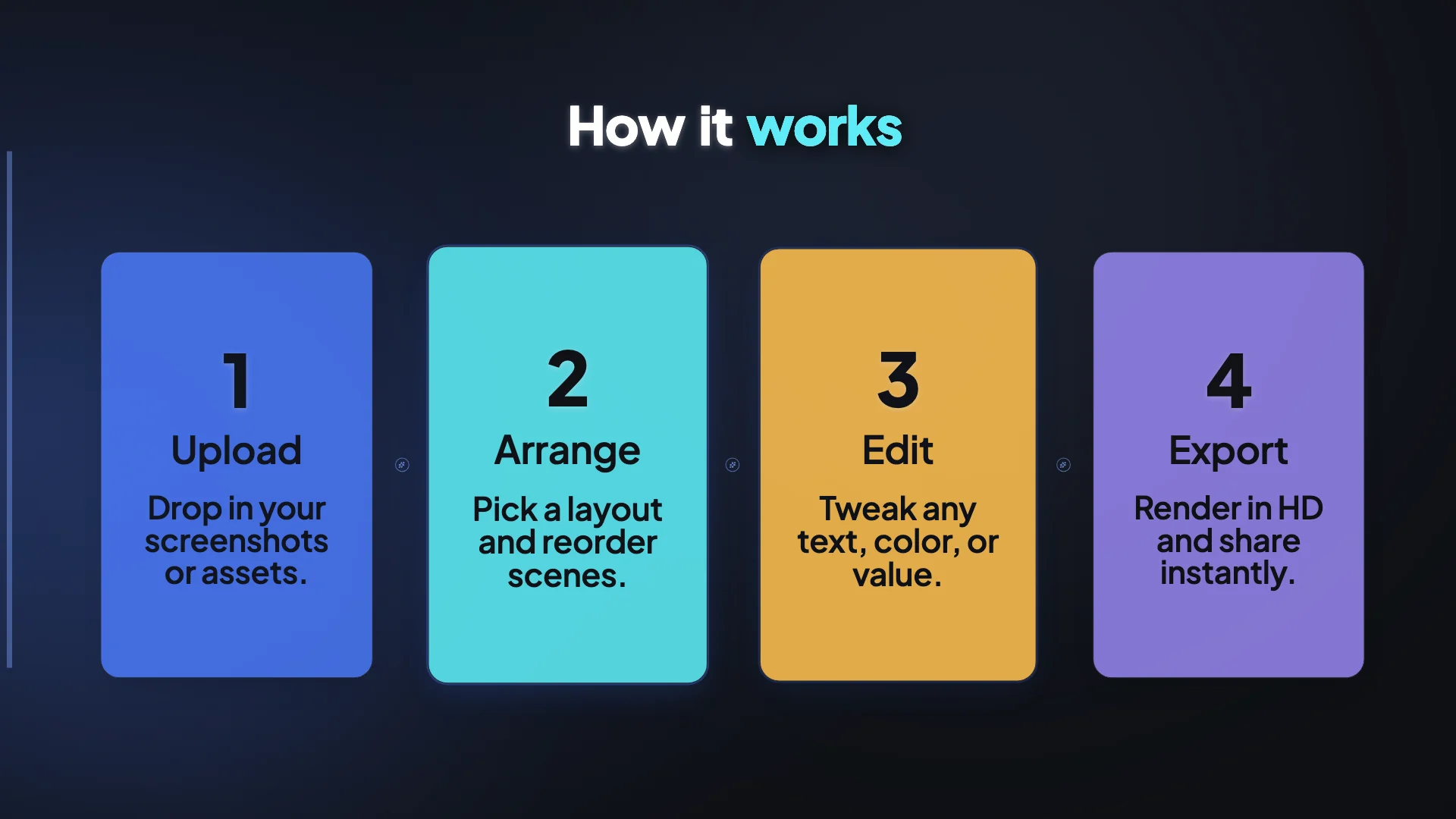
Roles that need no footage
Twelve or so body roles draw themselves entirely. How it works lays three or four steps out at once as numbered glass cards, icon steps joined by drawn arrows, or a progress bar with a counting percentage. Diagram covers a funnel of up to six narrowing stages, a pyramid, a wide circular cycle, a four stage flywheel with curved arrows, a two circle Venn with the overlap labelled, and up to five concentric rings around a core. Chart takes comma separated numbers and renders bars, lines, areas, stacked columns, a waterfall building to a total, a donut, a radar or a waffle grid.
The order that teaches
Understanding is built by first making somebody feel the gap. A problem scene states the pain factually rather than insultingly, and a solution scene immediately after names the fix in one claim. Only then does how it works show the shape of the process, a stat or chart proves it, and an outro closes quietly. Reversing that, mechanism first, leaves a viewer holding a diagram they have no reason to care about.
One idea per scene
The temptation in an explainer is to cram. The constraints push back. A statement layout wants about nine to eleven characters per line. A table maxes out at six rows by four columns and asks for a couple of words per cell. A checklist wants four to six short lines. A diagram takes labels, not sentences. If your explanation cannot be broken into single ideas, it is not ready to be a video yet.
Where a picture does help
Two things genuinely benefit from an image. A real screenshot in a showcase or feature spotlight scene, which is offered only when you actually upload one, and a generic illustrative photo for a scene whose layout wants one. For the second, the director writes an image prompt and the picture is generated at the aspect ratio closest to the slot box. It will never fabricate your interface, your logo or a real person that way.
How it works, in three steps
Step 1
Write the misunderstanding first
Say what people currently get wrong. That sentence becomes the problem scene, and everything after it has something to correct.
Step 2
Give the process as a list
Three or four named stages, each two or three words. That is what a funnel, cycle or step layout is built to hold.
Step 3
Hand over the real numbers
Comma separated values plus their labels become a chart. Without numbers the director will reach for a text scene instead.
The full walkthrough with screenshots is in the guide Make a promo video with AI voiceover.
Limits worth knowing
- Diagram and chart scenes take text and values only. They will not accept an image.
- A funnel is not a cycle. The director is told to pick the shape that matches the idea, so a badly described process gets the wrong graphic.
- Charts hold what you give them. There is no data connection, no spreadsheet import and no live source.
- Generated illustrations are for generic visuals only. Screenshots of your own product must be uploaded.
Questions people ask
Is this whiteboard animation?
No. There is no hand, no marker and no sketch style. Graphics are built and animated in the video's own theme, so a diagram uses your palette and typeface rather than a separate illustration style.
How long should an explainer run?
Standard length, at 4 to 9 scenes, covers most single concepts. Choose long only when the thing genuinely has six or more stages, because a twelve scene explainer asks a lot of a viewer who has not bought anything yet.
Can it explain something it does not know?
It can look one thing up. When your brief names a product or URL it does not recognise, the director can run a search and read a page before designing scenes. Beyond that it works from what you write.
Can I edit a diagram after it is generated?
Yes. The diagram section in the inspector lets you rewrite every label and switch between the six shapes without retyping the content, because the data shape is identical across them.
Make your own video
The button opens the generator with this use case already described. Change the wording to match yours, generate, then edit anything you like.
Create a video with OneCraftRelated pages
Restaurant video maker
There are two restaurant videos and they run in opposite directions. The venue film follows a guest's arrival: sign, room, bar, then the food. The social cut inverts it entirely, opening on the pour, the cheese pull or the sauce hitting the plate, and only orienting the viewer afterwards.
Ecommerce product video maker
A product video for a marketplace is written against a rulebook, not a brief. The big retail platforms autoplay it muted, cap it at well under a minute, and ban a surprising number of the things a marketer would naturally put in it. Knowing the bans before you write is most of the job.
Video templates
There are 32 templates and they are not all the same kind of thing. Seventeen of them pin an exact, ordered list of scenes, so the video is the same shape every time. The other fifteen pin a story arc and let the engine resolve which layout fills each role, which produces variety between runs.
More finished work of this kind is on the video examples hub.
Written and checked by the OneCraft team. Last checked .