E-signatures
The date signed field
Ask a person to type today's date and a certain number of them will type last Tuesday, or their birthday, or nothing. The date on an executed agreement is a fact about when it happened, so it is not something a signer should be typing at all.
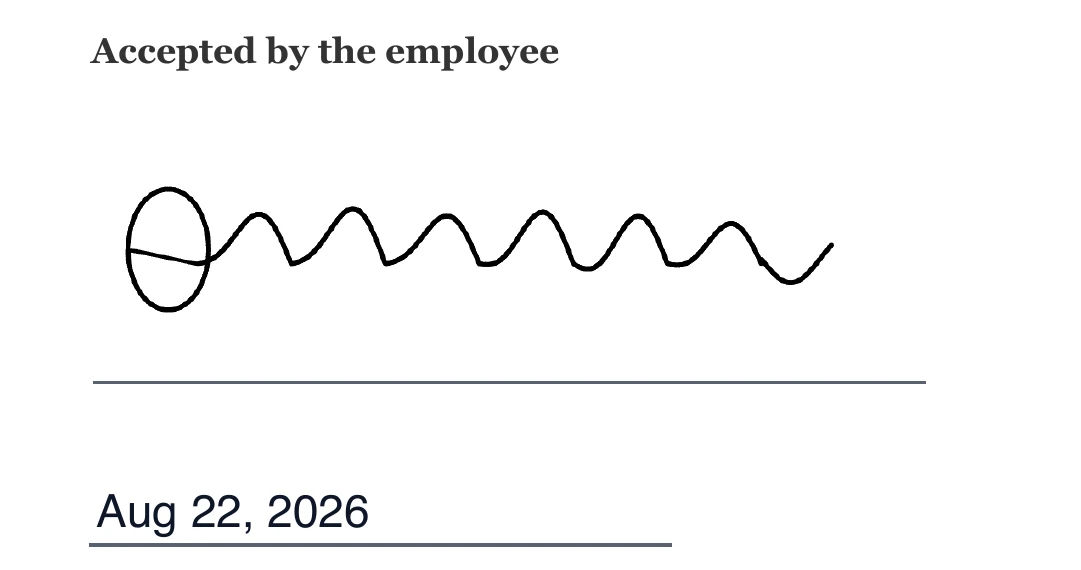
The signer is never asked
Date signed sits in the group of field types the sender cannot pre-fill and the signer cannot type into. When the envelope is saved, any value supplied for one is discarded. When the signer opens the document, the box is not an input at all. There is no way for either party to put a different date on it, which is the whole point of having the field rather than a text box labelled Date.
Where the value comes from
The timestamp recorded on the recipient row at the instant their submission was accepted. That same timestamp is what the certificate of completion prints as the moment that person signed, so the date on the page and the date in the evidence come from one value rather than two. It is written once, when that signer's fields are stamped, and never revisited.
How it prints
As a short month date, in the style of Aug 22, 2026. It sits on a rule and shrinks in quarter point steps until it fits the box, so a narrow field yields smaller text rather than clipped text. The default box is 140 points wide by 24 tall, which comfortably fits that format at a normal size and lines up with the other single line fields.
A preview appears once there is a signature
In the signer's browser the box stays blank until they have added their mark, and then shows today's date. That is a small honesty: before you have signed there is no signing date, so showing one would be a guess. After you have, the date you can see is the one that will be printed.
The block has its own version
If you are using a signature block rather than loose fields, turn its Date line on and you do not need a separate date field at all. That line behaves the same way: it is stamped from the signing moment, the signer cannot type it, and the panel says so beneath the toggles. Use a standalone date field only when the date has to appear somewhere the block is not, such as a header or a schedule.
How it works, in three steps
Step 1
Place it beside the signature
Drag Date signed from the palette onto the dated line of the agreement, for whichever signer you have selected.
Step 2
Size it to the printed rule
140 by 24 points is the default. Narrow it and the text shrinks to fit rather than being cut.
Step 3
Leave it alone from there
There is nothing to configure. It fills itself when that signer submits, and matches the timestamp on the certificate.
The full walkthrough with screenshots is in the guide Send a PDF for e-signature.
Limits worth knowing
- The format is fixed as short month, day, year. There is no day-first or ISO option.
- The date is always the moment of signing. You cannot put an effective date or a future date in this field.
- The time is recorded in the audit trail and on the certificate, but only the date is printed on the page.
- Marking a date field required changes nothing, since it fills itself either way.
Questions people ask
Can I print the date in day-first format?
Not from this field. If a particular format is essential, use a text field, but then the value is typed by a person and stops being evidence of anything.
Which time zone is it in?
The printed date is rendered from the recorded instant. The certificate of completion prints the full timestamp in UTC for every signature and every event, so the exact moment is never ambiguous.
If three people sign on different days, do they get different dates?
Yes. Each date field belongs to one recipient and is filled when that person signs, so a document signed across a week shows the real dates.
Does a date field satisfy the requirement to give a signer somewhere to sign?
No. A date is stamped rather than signed, so the envelope still asks for a signature, initials or signature block for that person.
Make your own signing flow
The button opens the generator with this use case already described. Change the wording to match yours, generate, then edit anything you like.
Send a document for signingRelated pages
E signature field types
There are ten e signature field types: signature block, signature, initials, date signed, name, title, company, email, text and checkbox. Knowing which of three groups each one falls into tells you almost everything about how it behaves, because the group decides where the value comes from. The sender places fields and never types a value into any of them.
Draw or type a signature
The pad has two buttons in its corner: a pen and a letter. They produce the same kind of thing in the end, an image, but they suit very different people and the record notes which one you used.
Place signature fields on a PDF
A box that looks right in the editor and stamps two centimetres off in the finished PDF is the classic failure of this kind of tool. Avoiding it is a question of what the coordinates are measured against.
More finished work of this kind is on the e-signature examples hub.
Written and checked by the OneCraft team. Last checked .