Documents
Document table of contents
You write the section titles, the engine writes the page numbers. Numbering runs last, after every other layout pass, because moving one section changes every number after it.
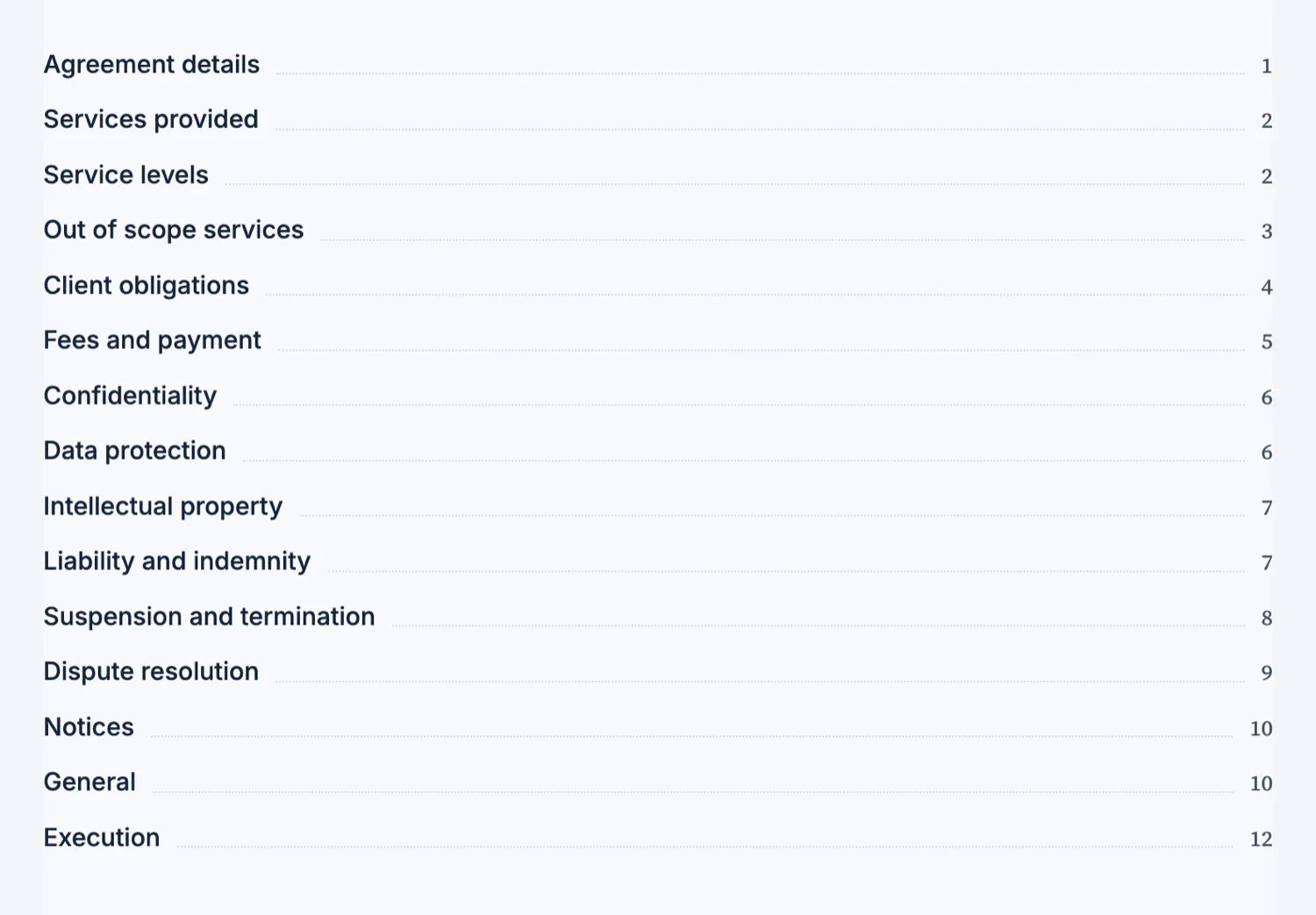
Titles have to match the headings
A contents row is matched to its section by the title text. If the row says "Leave and time off" and the heading says "Leave and time off policy", the page number cannot be resolved. When a document is generated as one piece they match automatically. When you rename a heading by hand afterwards, rename the contents row with it.
Numbering runs last, on purpose
The layout engine moves content around: it pulls a block up to fill a short page, pushes a stranded heading down, and strips a divider that lands at the top of a page. Any of those changes a page number. So the contents and the figure captions are numbered after all of that has settled, which is why the numbers are right rather than approximately right.
Sub-sections indent
Each contents row carries a level, so a top level section sits flush and its sub-sections indent one or two steps. Use it where the document genuinely has a hierarchy, such as a numbered agreement or a manual, and keep it flat where it does not. A contents list that indents everything is harder to scan than one that does not indent at all.
Only on a document that needs it
A contents page belongs on something long enough to navigate, so it is added to a handbook, a manual, a white paper or an annual report and not to a four page proposal. On a short document it costs a page and earns nothing, because the reader can already see the whole thing by scrolling.
Only on a long document
A contents block is used when the document is classified long, which means six pages or more that genuinely need navigation: a white paper, a manual, an annual report, a handbook. Short and composed documents do not get one, and adding a contents page to a three page document is allowed but pointless, because the reader can see the whole thing by scrolling once. If you wanted a contents list and did not get one, the document was not classified long.
Editing after generation
Each contents row resolves its page number by matching its title against a heading in the document, exactly. Rewrite a heading and the matching row loses its number until you rewrite the row to match. That is the one thing to watch after a round of edits: change the heading and the contents entry together, or run the contents past a read before you export.
How it works, in three steps
Step 1
Add the contents block near the front
It sits after the cover and before the first section, which is where a reader looks for it.
Step 2
Keep the titles in step with the headings
If you rename a heading, rename its contents row, or the page number cannot resolve.
Step 3
Check it after a big edit
Numbering is recalculated during layout, so open the contents after adding or deleting a whole section.
The full walkthrough with screenshots is in the guide Every document component and when to use it.
Limits worth knowing
- A contents row resolves its page number by matching the section heading text exactly.
- Contents are meant for long documents; a short one does not get offered them.
- There are no clickable links inside the exported PDF contents.
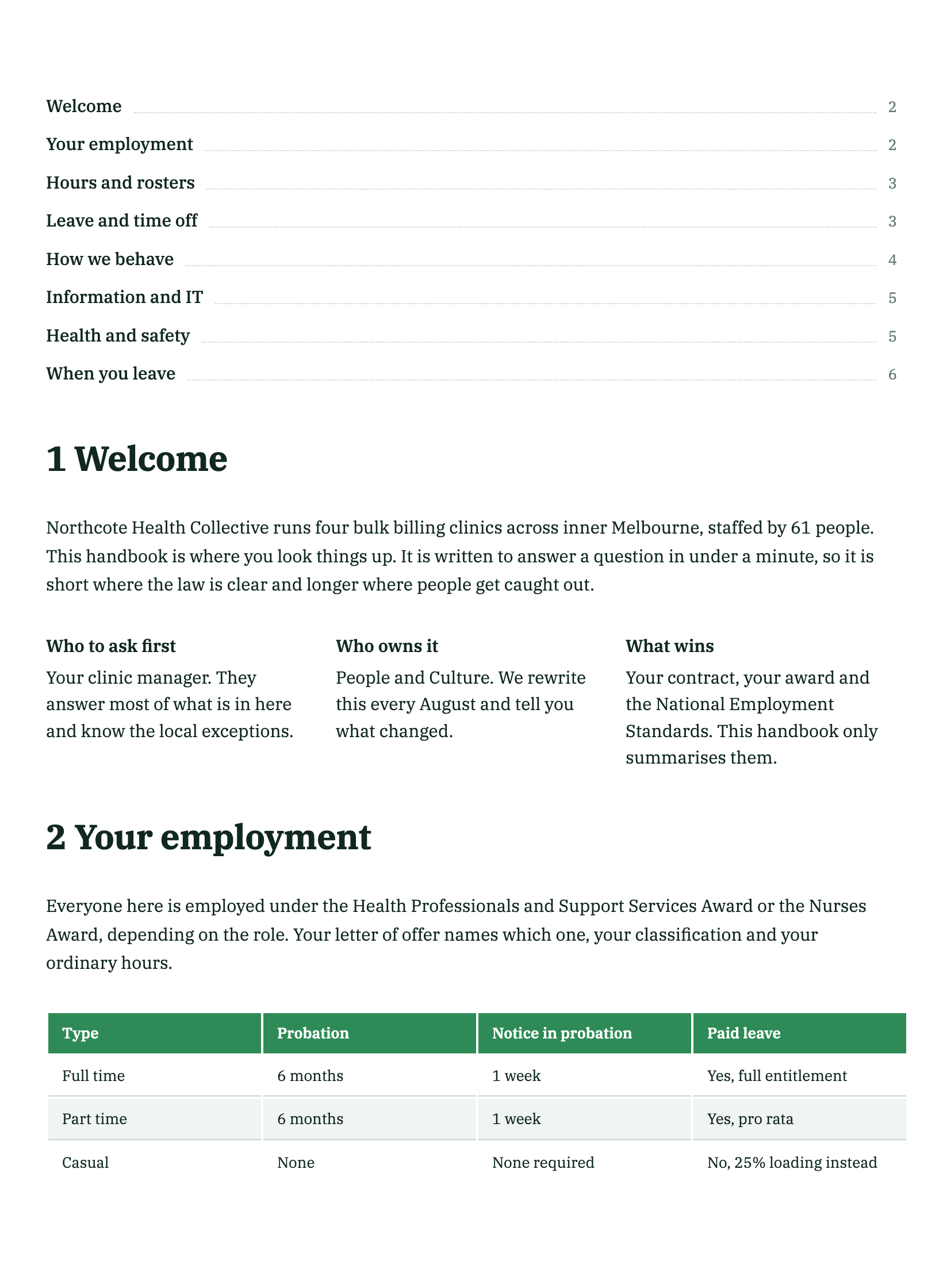
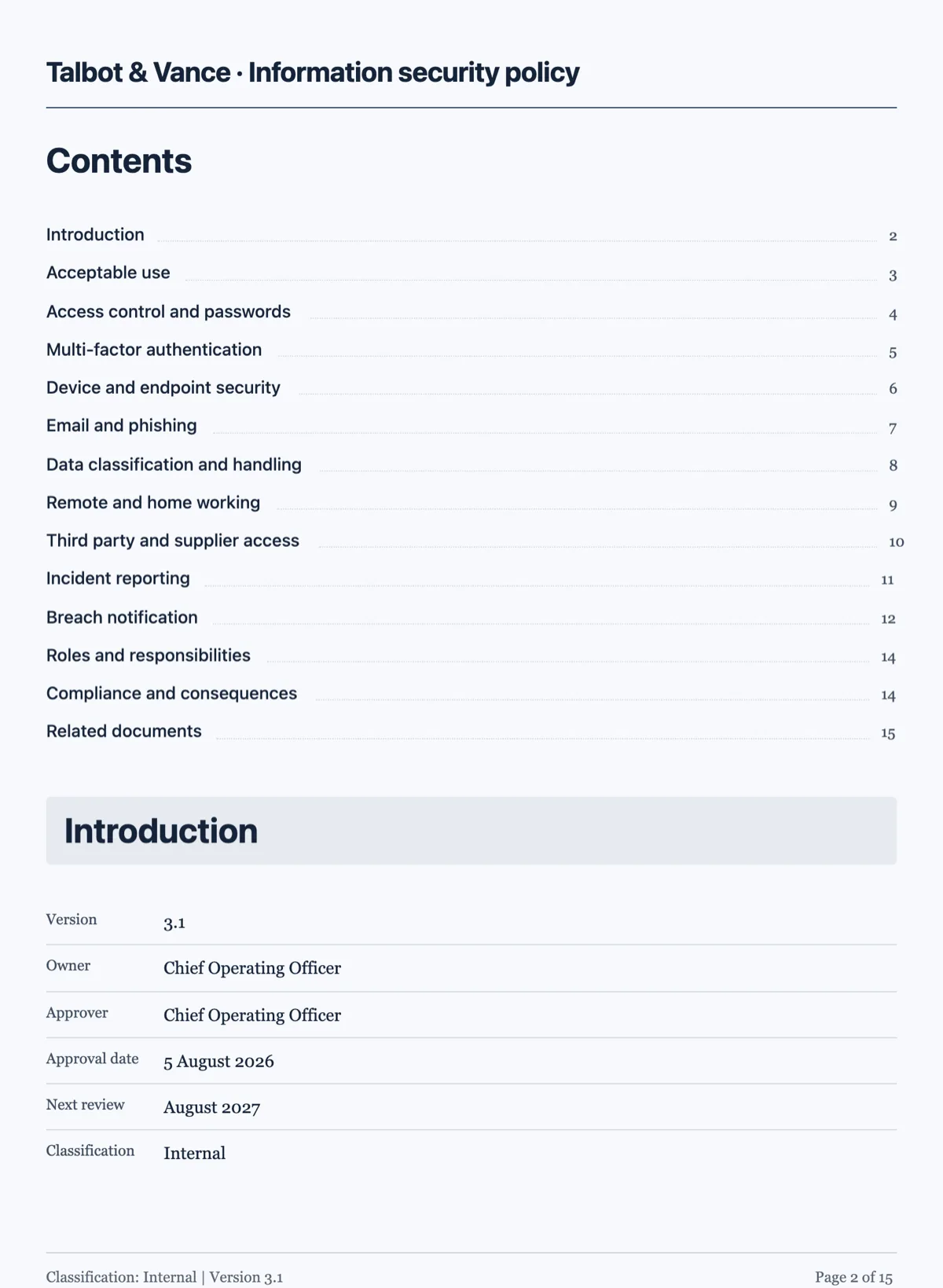
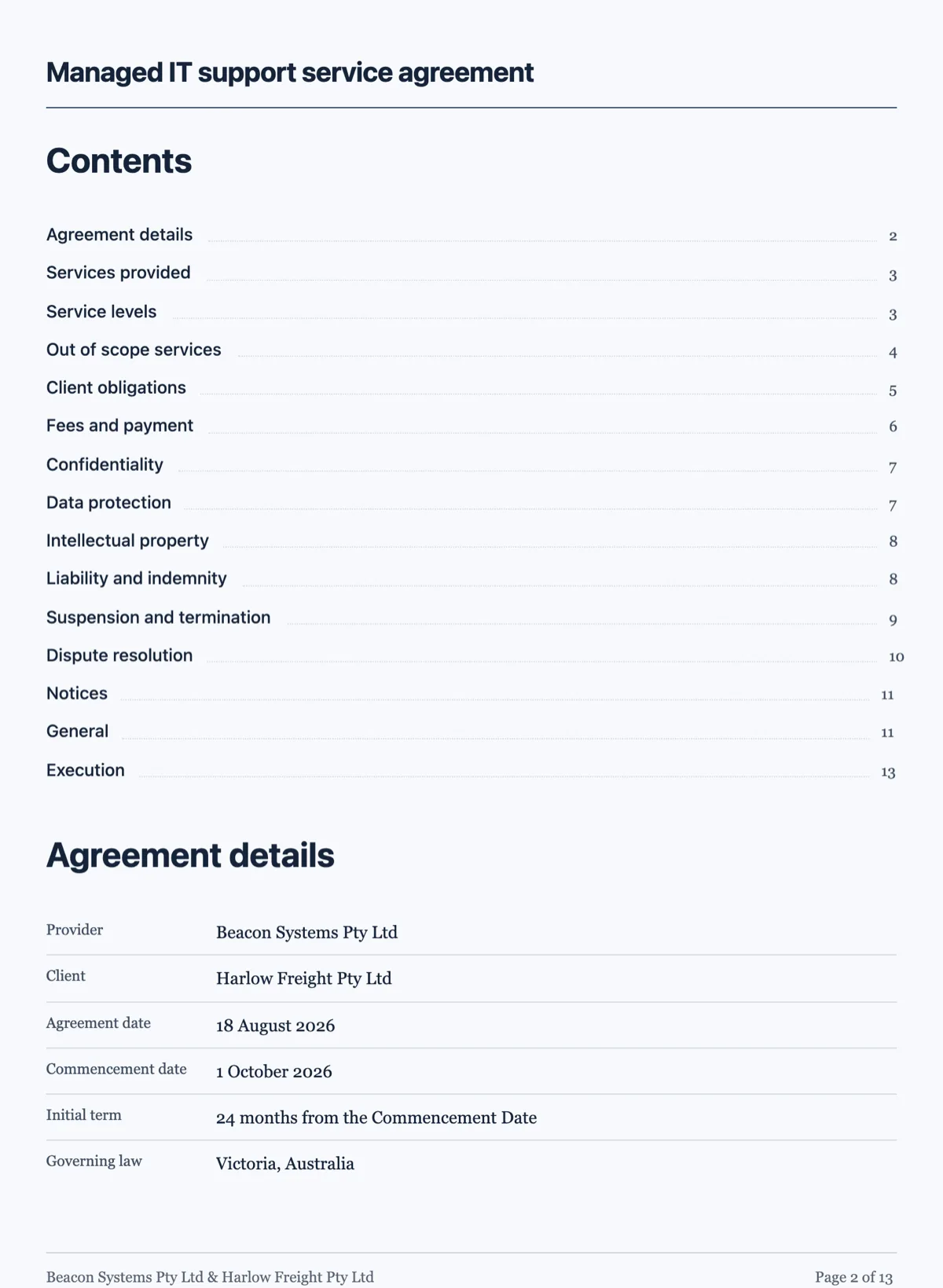
See it on a finished piece
Questions people ask
Do the page numbers update when I edit the document?
Yes. Numbering runs at the end of layout, after every block has been placed and the pagination has settled, so the numbers reflect where things actually ended up rather than where they were when the contents block was written. That is why you never type a page number into a contents row yourself.
Why is one of my contents rows missing a page number?
Its title no longer matches the heading it points at. The match is exact, so a renamed heading, an extra word or even a different kind of dash breaks it, and the engine leaves the number blank rather than guessing at the nearest heading. Make the two strings identical and the number comes back on the next layout.
Can I have sub-sections in the contents?
Yes, up to three levels: the top level plus two steps of indent under it. Use the deeper levels only where the document really has that structure. A contents list that indents forty rows is harder to navigate than a flat one with eight, which defeats the reason the block exists.
Why did my document not get a contents page?
It was classified short or composed rather than long. Long means six pages or more, and only long documents get a contents block. If you need one on a shorter document, add the block yourself and type the section titles so they match the headings exactly.
Can the contents show sub-sections?
Yes, three levels deep. Each row carries a level of 0, 1 or 2, and the deeper levels indent under their parent. Keep level 2 for documents that really have that structure; a contents list with forty indented rows is harder to use than one with eight.
Make your own document
The button opens the generator with this use case already described. Change the wording to match yours, generate, then edit anything you like.
Create a document with OneCraftRelated pages
Generate a long document
A handbook is not a long letter. Past about six pages a document needs navigation, a consistent structure and sections that do not repeat each other, and that only happens if the outline exists before the writing does.
Two column document layout
There is no columns switch for the page. Two things sit side by side when they are cells of one row, and that row is what the pagination engine moves as a unit.
Data tables in a document
A table is the right block whenever the reader will compare values rather than read sentences. Rates, line items, schedules and specifications all belong in one, and prose about them does not.
More finished work of this kind is on the document examples hub.
Written and checked by the OneCraft team. Last checked .