E-signatures
E signature for freelance contracts
You are not running a legal department. There is one client, the scope was agreed on a call yesterday, and the only thing standing between you and starting work is a signature you would rather not spend an afternoon collecting.
One signer means no order at all
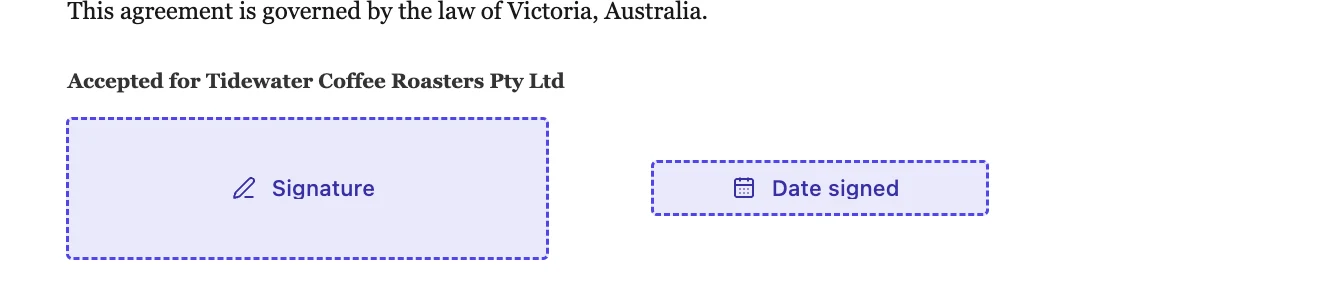
With a single client on the envelope, leave Sign in order off. It changes nothing when there is one person, and switching it on is a habit that quietly costs you a day later when you add a second signer and forget it is there. Place a signature block with their name and a date line, and that is the whole preparation.
Skip the verification step
Leave the client on email link only. An access code is a second thing to remember, explain and be chased about, and for a straightforward engagement with someone you have been talking to for a fortnight it buys very little. The link is already unique to them, the record captures the address it was opened from, and the audit trail shows every attempt against it.
Signing during the call
If you are already on a call when they agree, do not send an email and wait. Send the envelope, then press Sign here on their row, and hand the screen over if you are in the same room. From your side the whole thing is three clicks and finishes while the conversation is still warm. The record notes that this one was hosted by you rather than verified by a code, which is the honest trade for the speed.
The email is your filing system
When the client signs, the certified PDF is attached to an email that goes to both of you. For a one person business that is usually enough of a filing system: the contract is in your inbox, searchable by the client's name, attached rather than linked, so it still opens in three years when nothing else does. The certificate of completion is a separate download from the envelope if you ever need the detail behind it.
Write the contract here and skip the upload
If you draft the engagement letter in the document builder instead of a word processor, you never touch a PDF. The signature block on the last page becomes the signing field, positions and all, and the whole thing goes out as an envelope in one action. That removes the export, upload and drag steps, which is most of the work when the contract itself is two pages.
How it works, in three steps
Step 1
Get the contract to PDF, or write it here
An uploaded PDF needs its fields placed. A document written here hands over its own signature block positions.
Step 2
One recipient, one signature block
Name, email, no verification, order left alone. Add the Date line to the block so the date fills itself.
Step 3
Send, or sign it together on the call
Email the link, or press Sign here on their row and hand the screen across.
The full walkthrough with screenshots is in the guide Send a PDF for e-signature.
Limits worth knowing
- No reminders are sent. If a client goes quiet, you chase them with the Resend button yourself.
- There are no saved templates. Every envelope starts from a fresh upload or a fresh document.
- Requests lapse thirty days after the envelope was created, with nothing sent to say so.
- You cannot add a copy-only recipient, so an accountant who should see the signed contract gets it forwarded by you.
Questions people ask
Do I need to sign it too?
Only if the contract has a place for your signature. If it does, add yourself as a second recipient and use Sign here on your own row rather than waiting for the email.
Can I reuse the same contract for the next client?
Reuse the source document, not the envelope. An envelope is one document signed by one set of people, and it keeps its history.
The client says the link does not work.
Check the audit trail on the envelope. It distinguishes a link that was never opened from one that was opened and abandoned, and a failed invitation delivery is logged as its own event.
Is a signature collected this way enough for an invoice dispute?
What you hold is a certified PDF plus a certificate recording who signed, when, from which address and what they consented to. Whether that settles a particular dispute is a legal question, not one this product can answer.
Make your own signing flow
The button opens the generator with this use case already described. Change the wording to match yours, generate, then edit anything you like.
Send a document for signingRelated pages
Initials on every page
A twelve page lease traditionally wants a set of initials in the corner of each page, so nobody can quietly swap page seven later. Producing twelve marks by hand is tedious. Producing one and having it land twelve times is not.
Signature block fields
Placing a signature box, then a name box, then a title box, then a date box, and lining all four up by eye is a waste of a morning. The signature block is one field that draws the whole arrangement and keeps it square.
Multiple signers on one document
Three people signing the same agreement is three sets of boxes on one PDF. The difficulty is never the signing, it is making sure the right box belongs to the right person and that nobody can fill in somebody else's.
More finished work of this kind is on the e-signature examples hub.
Written and checked by the OneCraft team. Last checked .