E-signatures
Initials on every page
A twelve page lease traditionally wants a set of initials in the corner of each page, so nobody can quietly swap page seven later. Producing twelve marks by hand is tedious. Producing one and having it land twelve times is not.
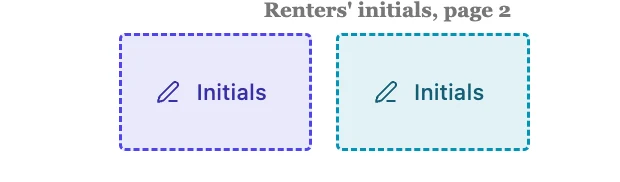
It is a signature field in a smaller box
Initials arrive 80 points wide by 50 tall, against 200 by 60 for a full signature. The stamper treats both the same way: the captured image is scaled to fit inside the box while keeping its proportions, then drawn left aligned with a thin rule underneath. Nothing forces the mark to be short. If somebody draws their whole name in an initials box, it shrinks to fit rather than being cut off.
One mark, placed once, applied everywhere
The signer produces a single image, whether by drawing or typing, and it fills every signature, initials and signature block field on the document at the same moment. There is no separate initials capture step. That is what makes page-by-page initialling practical: the cost to the signer is the same whether you asked for one corner or fourteen.
Walking the signer through them
With more than one place to sign, the portal header turns into a counter reading Signature 1 of 13. Pressing it scrolls the next spot into the middle of the screen and rings it for a moment so it is obvious which one you are looking at, then advances and wraps around at the end. It is the difference between a signer scrolling a twelve page PDF hunting for boxes and a signer pressing one button repeatedly.
Initials count as signing
An envelope will not go out unless each signer has a signature, an initials or a signature block field somewhere. Initials satisfy that check, so a document that only ever asks a party to initial is a valid envelope. In practice you almost always want both: initials on every page, and a full signature block on the execution page where the parties are named.
Placing them without going mad
Fields are placed page by page, so a twelve page document means twelve drops. Pick a consistent corner and use the page edge as your guide, since the box is clamped inside the page and cannot be dragged off it. Position is stored in points against the real page size recorded at upload, so the corner you chose on page one is the same corner on page twelve even if the pages differ slightly in size.
How it works, in three steps
Step 1
Select the signer whose initials these are
The colour on each box tells you who it belongs to, which matters when two parties both initial every page.
Step 2
Drop one on each page
Drag Initials from the palette onto the same corner of each page. The box cannot leave the page, so the edge is a reliable guide.
Step 3
Let the counter do the work at signing time
The signer adds one mark and the header button steps them through every spot in order to confirm each one.
The full walkthrough with screenshots is in the guide Send a PDF for e-signature.
Limits worth knowing
- There is no place-on-every-page shortcut. Each initials box is dropped individually.
- A signer's initials are the same image as their signature. There is no separate shorter mark.
- The box has no border in the finished PDF, only a thin rule under the ink.
- 500 fields is the ceiling across the whole envelope, which is generous for initials but real on very long documents with several parties.
Questions people ask
Can the initials be different from the signature?
No. One image per signer per envelope is captured and reused in every spot, which is what makes initialling a long document quick.
Do initials prove the page was not swapped?
They are the traditional habit for it. In practice the stronger evidence here is the certificate, which records the hash of the document at the moment each person signed.
What if a page has no room in the corner?
Resize the box. The minimum is 12 points in each direction, and the ink scales to whatever box you leave.
Make your own signing flow
The button opens the generator with this use case already described. Change the wording to match yours, generate, then edit anything you like.
Send a document for signingRelated pages
Signature block fields
Placing a signature box, then a name box, then a title box, then a date box, and lining all four up by eye is a waste of a morning. The signature block is one field that draws the whole arrangement and keeps it square.
The date signed field
Ask a person to type today's date and a certain number of them will type last Tuesday, or their birthday, or nothing. The date on an executed agreement is a fact about when it happened, so it is not something a signer should be typing at all.
Place signature fields on a PDF
A box that looks right in the editor and stamps two centimetres off in the finished PDF is the classic failure of this kind of tool. Avoiding it is a question of what the coordinates are measured against.
More finished work of this kind is on the e-signature examples hub.
Written and checked by the OneCraft team. Last checked .