E-signatures
Resend a signing invitation
Somebody says they never got it. The lazy fix is to forward the original email, which leaves two live links to the same document in two inboxes. Resending properly replaces one with the other.
It is per person, not per envelope
The button lives on each recipient's row on the status page, so chasing one late signer does not put a second email in front of the two who already signed. On an envelope with a signing order, only the person whose turn it is has an active link anyway, and resending to them is the only thing that would help.
The old link dies
Resending issues that recipient a brand new token, which means the link in the previous email stops resolving. This is the whole reason to use the button rather than forwarding anything. A signing link is a credential, and having two of them alive for the same person is exactly the situation you do not want to have to explain later.
It also clears a lockout
Along with the new token, the recipient's failed attempt counter is zeroed and any active lock lifted, and their viewed timestamp is cleared so their state starts again at invited. That makes Resend the standard remedy when somebody has fumbled an access code five times and is now stuck for a quarter of an hour. It does not change the code itself, which stays as you set it.
A fresh expiry, within the envelope's
The new link is given a fresh expiry taken from the envelope. Resending does not extend the overall thirty day life of the request, it just makes sure the reissued link is valid for whatever is left of it. An envelope that has already expired cannot be resent at all, since the button is only offered while the envelope is still out for signature.
The record shows it happened
A resent event is appended to the audit trail against that recipient, so the log distinguishes a signer who was chased twice from one who received a single invitation. If the reissued email cannot be sent, the job fails and is retried rather than reporting success while nothing arrives.
How it works, in three steps
Step 1
Open the envelope's status page
Each recipient who has not signed or declined has a Resend button on their row.
Step 2
Press Resend for that person
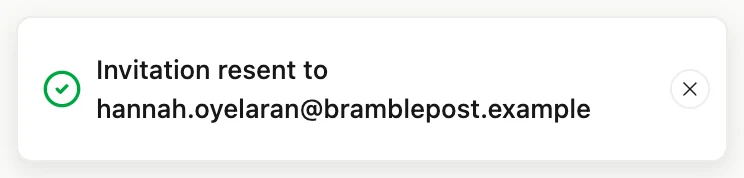
A confirmation names the address it went to, so a typo in the email is obvious at that moment.
Step 3
Tell them to use the newest email
The earlier link no longer works, which is worth saying if they have both messages open.
The full walkthrough with screenshots is in the guide Send a PDF for e-signature.
Limits worth knowing
- Not available once that recipient has signed or declined, or once the envelope is completed, withdrawn or expired.
- It does not extend the envelope's thirty day expiry.
- It cannot change the email address. A wrong address means withdrawing and sending a new envelope.
- Resending does not change or reveal an access code, only clears the failure counter and any lock.
Questions people ask
Will they get the same email again?
The same invitation template with a new link inside it, including the document title, the expiry and any warning about a code.
Can I resend to a different address?
No. The address is part of the sent envelope. Correcting it means withdrawing the request and creating a new one.
How many times can I resend?
There is no cap on the button itself. Each press issues a new link and retires the last one.
Does resending reset the signing order?
No. Order positions are unchanged, and a resent link is still refused if it is not that person's turn.
Make your own signing flow
The button opens the generator with this use case already described. Change the wording to match yours, generate, then edit anything you like.
Send a document for signingRelated pages
Decline to sign
The worst outcome for a signing request is not a refusal. It is silence, where nobody knows whether the other party is thinking about it, missed the email or has decided against the whole thing.
Withdraw a signature request
You spotted the wrong figure on page two an hour after sending. There is no edit button on a sent envelope, on purpose, so the correction starts by taking the old one out of circulation properly.
Send a PDF for signature
The part you cannot see is the part that decides whether somebody signs. This is exactly what lands in their inbox, what it tells them before they click, and what happens on your side while you wait.
More finished work of this kind is on the e-signature examples hub.
Written and checked by the OneCraft team. Last checked .