Videos
Training video maker
The most expensive mistake in workplace training video is treating played to the end as proof of training. For several regulated topics a safety regulator has stated in writing that training solely by video, with no opportunity for discussion, constitutes a violation. The video is a teaching aid, not the record.
State the objective as a performance
In the first ten seconds, in terms of what somebody will be able to do, not what the module covers. After this you will be able to lock out a press before servicing it beats this module covers lockout procedure. One objective per module. Then ten to fifteen seconds on why it matters, the hazard or the exposure, which is the reason a person pays attention to the rest.
Number the steps to match the procedure
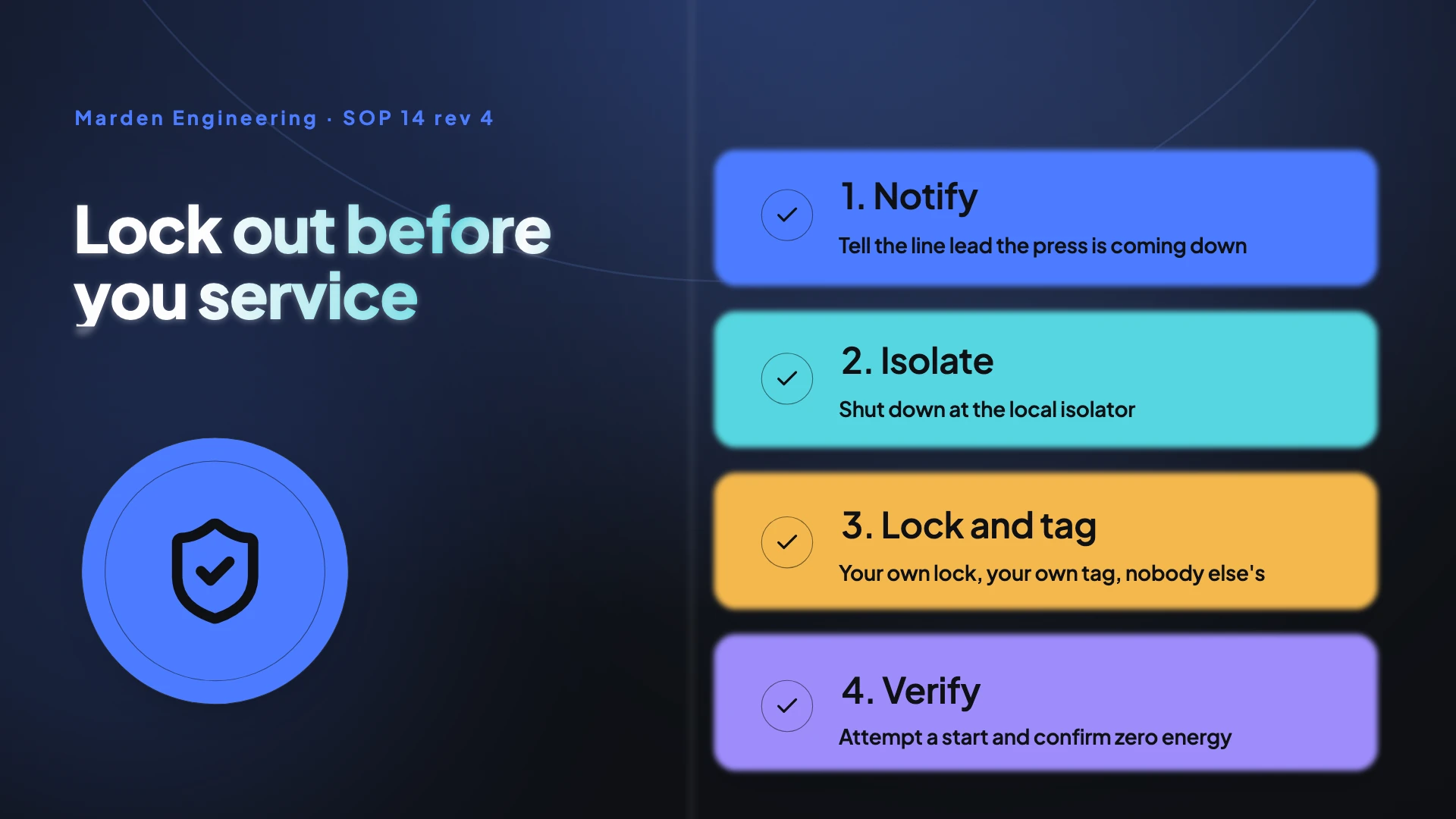
Demonstrate the correct procedure in real conditions, on the actual equipment, with the actual protective equipment, from the operator's viewpoint, and number the steps the same way the written procedure numbers them. That alignment is what makes the video usable at the machine. It also means a procedure revision has a known consequence: the video's step numbers no longer match, which is a visible failure rather than a silent one.
Include the shortcut and its consequence
The beat that survives in memory is not the correct procedure, it is the failure mode. Show the shortcut people actually take and what happens when they do. Then a knowledge check, and then where the written procedure lives, its current revision number, and a named qualified person to ask. Burning the procedure's contents into the video is a trap, because every revision then makes the training quietly wrong.
Three to six minutes, one objective each
Analysis of millions of educational video sessions puts median engagement peaking around six minutes and dropping sharply after, with length the strongest single predictor. Microlearning practice puts the effective segment at two to five minutes. A twelve scene tutorial here at five to nine seconds a step lands in that range, which is why a curriculum should be chunked into single objective units rather than delivered as one long module.
How it works, in three steps
Step 1
Write one objective and stop
If the module has two objectives it is two modules. That single decision does more for completion than anything about production.
Step 2
Capture the procedure step by step
Photograph or screen capture each step, in the order the written procedure numbers them, and mark the control on each shot.
Step 3
Point at the source, do not copy it
End on where the procedure lives, its revision number and who to ask. That way a revision does not silently invalidate the video.
The full walkthrough with screenshots is in the guide Make a how-to video with AI.
Limits worth knowing
- This produces video files. There is no learning record, no completion tracking, no quiz and no course packaging.
- It does not output a course package, so a learning system that expects one will need the video wrapped elsewhere.
- Captions are burned in, which meets the caption requirement but is not audio description, and audio description matters when a silent procedural demonstration is the content.
- Tutorial videos need the Starter plan, and screen capture takes stills rather than motion.
Questions people ask
Is a video enough to evidence training?
For several regulated topics, explicitly not. A safety regulator has stated that training solely by film or video, without an opportunity for discussion, is a violation, and that its position on computer based training is essentially the same. The defensible record is the video plus a knowledge check, an attestation, and access to a qualified trainer.
How do I track who watched what?
Through your learning system, not here. If it needs granular video telemetry, the standard for that records played, paused, sought and completed events plus which segments were watched, and it needs the video wrapped in a package that speaks it.
What about workers who do not read English well?
Instruction has to be given in a language and vocabulary employees can understand, and English subtitles do not discharge that. Build the module in each language: narration and on-screen copy are both written in the language you set in the brief.
How long should a module be?
Three to six minutes, one objective each. Chunking a curriculum into single objective units also makes revisions cheap, because a procedure change touches one module rather than a forty minute course.
Make your own video
The button opens the generator with this use case already described. Change the wording to match yours, generate, then edit anything you like.
Create a video with OneCraftRelated pages
Onboarding video maker
The default onboarding video is one twenty to forty minute orientation film fronted by an HR generalist, opening on company history and the org chart. It ages the moment a tool changes, it is watched at a fraction of its length, and it front loads what the new hire does not need over what they are anxious about.
Salon video maker
Salon video runs on the transformation, and the transformation is the part regulators treat most seriously. A before and after is judged as a testimonial style claim, which means it has to be genuine, unmanipulated, and backed by signed dated proof that it is both.
Corporate video maker
The recognisable failure is ninety seconds of aerials, hands on keyboards and rack focus over a voiceover of adjectives: innovative, trusted, global, purpose driven. No product in operation, no dated figures, no named person, closing on the logo. It is indistinguishable from every competitor's film and goes stale invisibly.
More finished work of this kind is on the video examples hub.
Written and checked by the OneCraft team. Last checked .