Videos
Onboarding video maker
The default onboarding video is one twenty to forty minute orientation film fronted by an HR generalist, opening on company history and the org chart. It ages the moment a tool changes, it is watched at a fraction of its length, and it front loads what the new hire does not need over what they are anxious about.
Split it into topics, one file each
Five two minute videos beat one twelve minute video, and not only because they are watched. The tools segment is the part that dates fastest, because single sign on, the HR system or the chat tool will change, and keeping it in its own file means re-shooting one video rather than the whole orientation. Aim at two to three minutes per topic with a ceiling around five, and a day one set totalling ten to fifteen minutes across five to seven clips.
Lead with logistics, not history
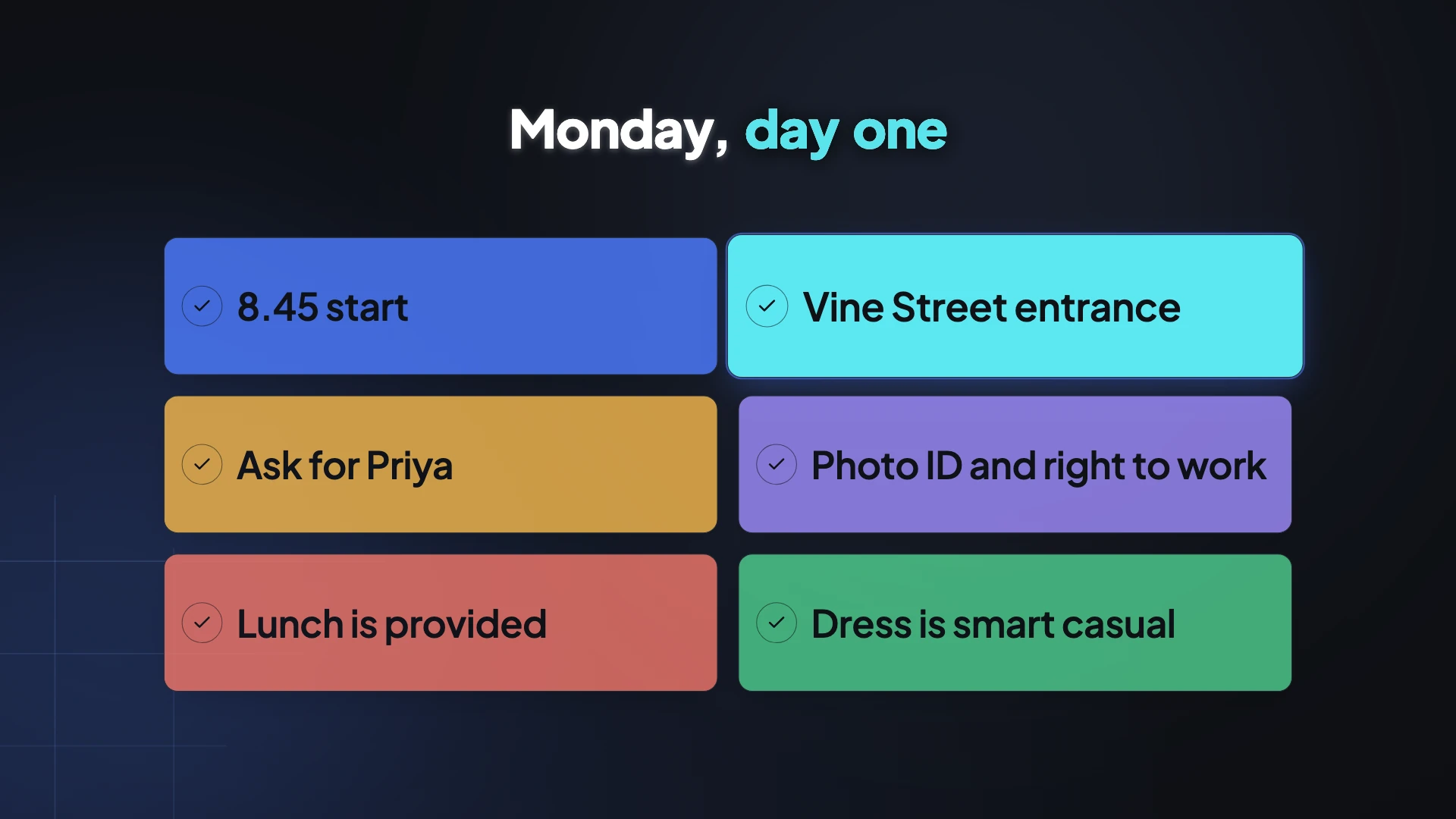
The order that matches a new hire's actual anxiety is: what time and where, who greets them, what to bring, parking and badge, lunch, dress. Then what the company does in one sentence a stranger could repeat, which is not the mission statement. Then the tools with the real interface on screen, single sign on first. Then culture as observable behaviours rather than adjectives, camera on or off, core hours, expected chat response time, how decisions get made. Then who to ask for what, one named human per area, ending on the buddy.
The leader welcome is fifteen to twenty seconds
Not three minutes. A named leader, name and title on screen, speaking to you rather than about the organisation, and then out. A benchmark from business video practice puts a day one welcome at sixty to ninety seconds total, and the leader is a fraction of that. Everything past twenty seconds is a message the new hire cannot use on their first morning.
A video cannot execute the paperwork
Worth being explicit about. Employment eligibility verification requires examination of original documents within a fixed window, and remote examination is only permitted under a specific alternative procedure requiring a live video interaction and enrolment in the relevant verification programme. Emailed photographs do not satisfy it. The same logic applies to handbook acknowledgement, arbitration agreements and intellectual property assignment: watching is not acknowledging, and the evidence you need is a timestamped signature record per employee.
How it works, in three steps
Step 1
Make the day one video first
Where, when, who, what to bring. It is the one that reduces first morning anxiety and it is short enough to build in an afternoon.
Step 2
Keep the tools video separate
Capture the real interface with screen capture, one shot per system. When a vendor changes you re-shoot this one file only.
Step 3
Write culture as behaviours
Cameras on for team calls, replies within four hours, decisions made in the weekly review. Those are checkable. Collaborative is not.
The full walkthrough with screenshots is in the guide Make a how-to video with AI.
Limits worth knowing
- Tutorial mode, which is what the tools walkthrough uses, is a paid feature from the Starter plan.
- Screen capture takes still screenshots rather than motion, so a login animation cannot be shown as it happens.
- There is no completion tracking, no quiz and no acknowledgement record. This produces video files.
- Twelve scenes is the ceiling per video, which is one more reason to build a set rather than one film.
Questions people ask
How long should each onboarding video be?
Two to three minutes per topic with a ceiling of about five, and the leader welcome fifteen to twenty seconds. Research across millions of educational video sessions puts engagement peaking around six minutes and falling sharply after.
Does onboarding video actually help retention?
The gap it addresses is real: only around one in eight employees strongly agree their organisation onboards well, and about a fifth of all turnover happens inside the first forty five days. Video is not the whole answer, but the first week is where the loss concentrates.
Do the videos need captions?
Yes, and treat it as an obligation rather than a nicety. Accessibility standards require captions for prerecorded video, and automatic platform captions are generally not considered compliant ones. Captions here are burned in and on by default.
Can the video collect the signatures?
No. Watching is not acknowledging. Use a document with signature blocks for the handbook, the arbitration agreement and the intellectual property assignment, and keep the video for explaining them.
Make your own video
The button opens the generator with this use case already described. Change the wording to match yours, generate, then edit anything you like.
Create a video with OneCraftRelated pages
E signature for HR documents
Three quite different jobs get lumped together as HR paperwork. An offer that needs negotiating and countersigning, a policy that needs acknowledging, and a handbook that needs a record of receipt. Each wants a different set of boxes on the page.
Training video maker
The most expensive mistake in workplace training video is treating played to the end as proof of training. For several regulated topics a safety regulator has stated in writing that training solely by video, with no opportunity for discussion, constitutes a violation. The video is a teaching aid, not the record.
AI video ad maker
The awkward part of running a video ad is never the first cut. It is the second one, at a different shape, for a different placement, without redoing the work. Every slot in every scene here carries a separate position for each canvas, so changing the aspect ratio reflows the design instead of stretching it.
More finished work of this kind is on the video examples hub.
Written and checked by the OneCraft team. Last checked .