How to
Manage clients in Proposals
Keep a client list with names, companies, emails, addresses and tax IDs, and pick a client in one click when you write a proposal, a quote or an invoice.
Proposals2 min readUpdated
This guide shows you how to keep a client list in Proposals and use it every time you write a proposal, a quote or an invoice.
Typing a client’s address and tax number into every invoice is how typos end up on paperwork. Save the details once, and every document that names the client gets them right.
The Clients tab
Open Proposals from the dashboard and click the Clients tab. Each row shows the client’s name, company and email. Click a row to open the client.
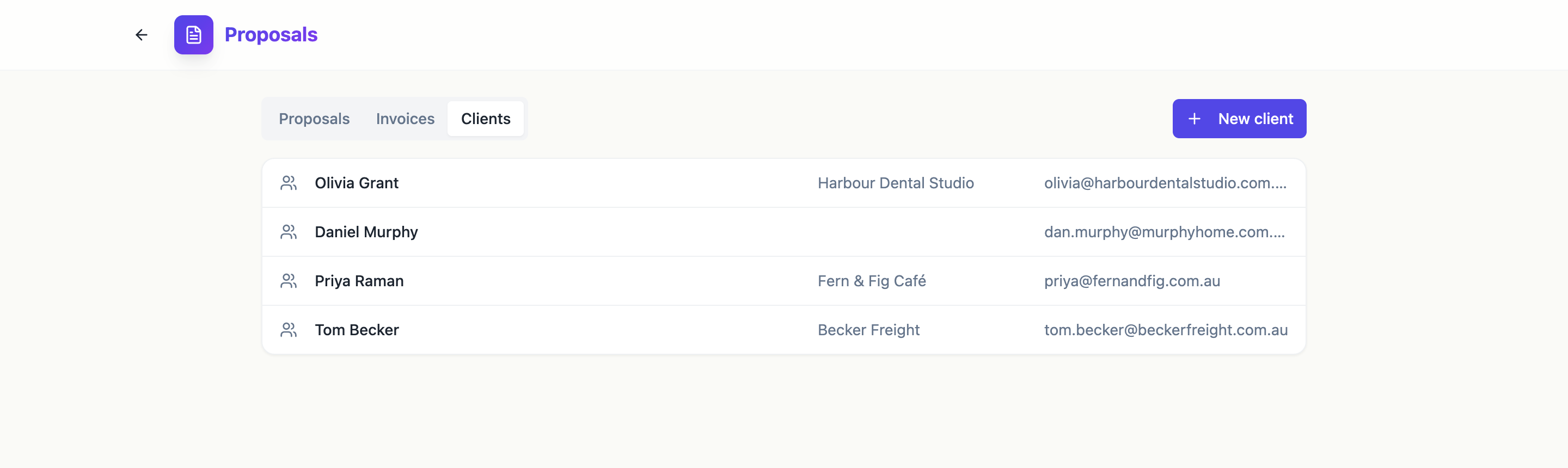 Everyone you send proposals and invoices to, in one list.
Add a client
Click New client. Only Name is required. The rest fills in the documents you send:
- Company, Email and Phone.
- Address: street, a second street line, city, state, postcode and country.
- Tax ID: an ABN, VAT or EIN number, printed on invoices.
- Notes: for you only, such as the best time to call. Clients never see them.
Click Add client to save.
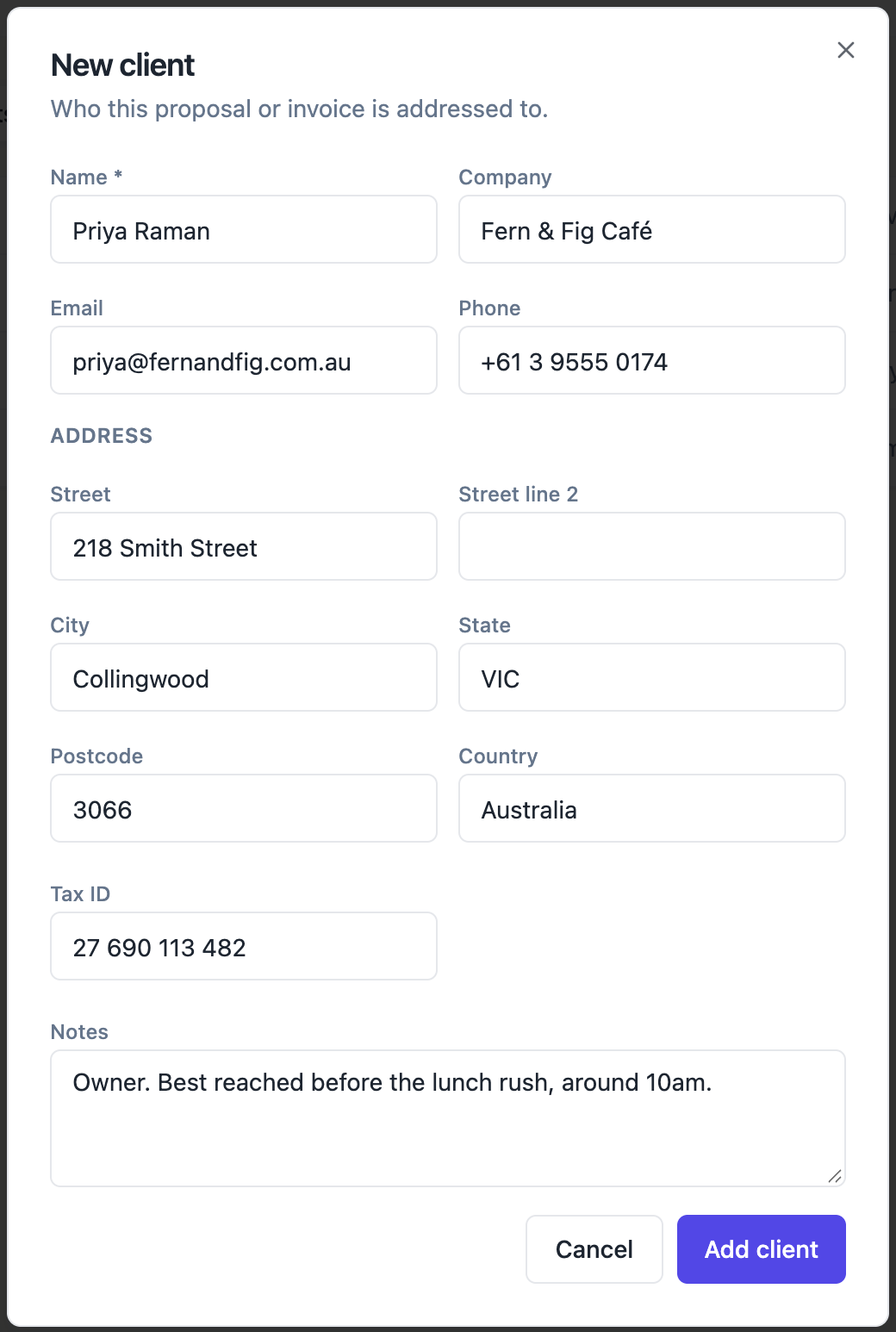 Fill in what you know. Name is the only required field.
Edit or delete a client
Open a client from the list to change any detail and click Save. Delete removes the client from your list. Proposals and invoices that used them keep their own copy of the details, so nothing you already sent changes.
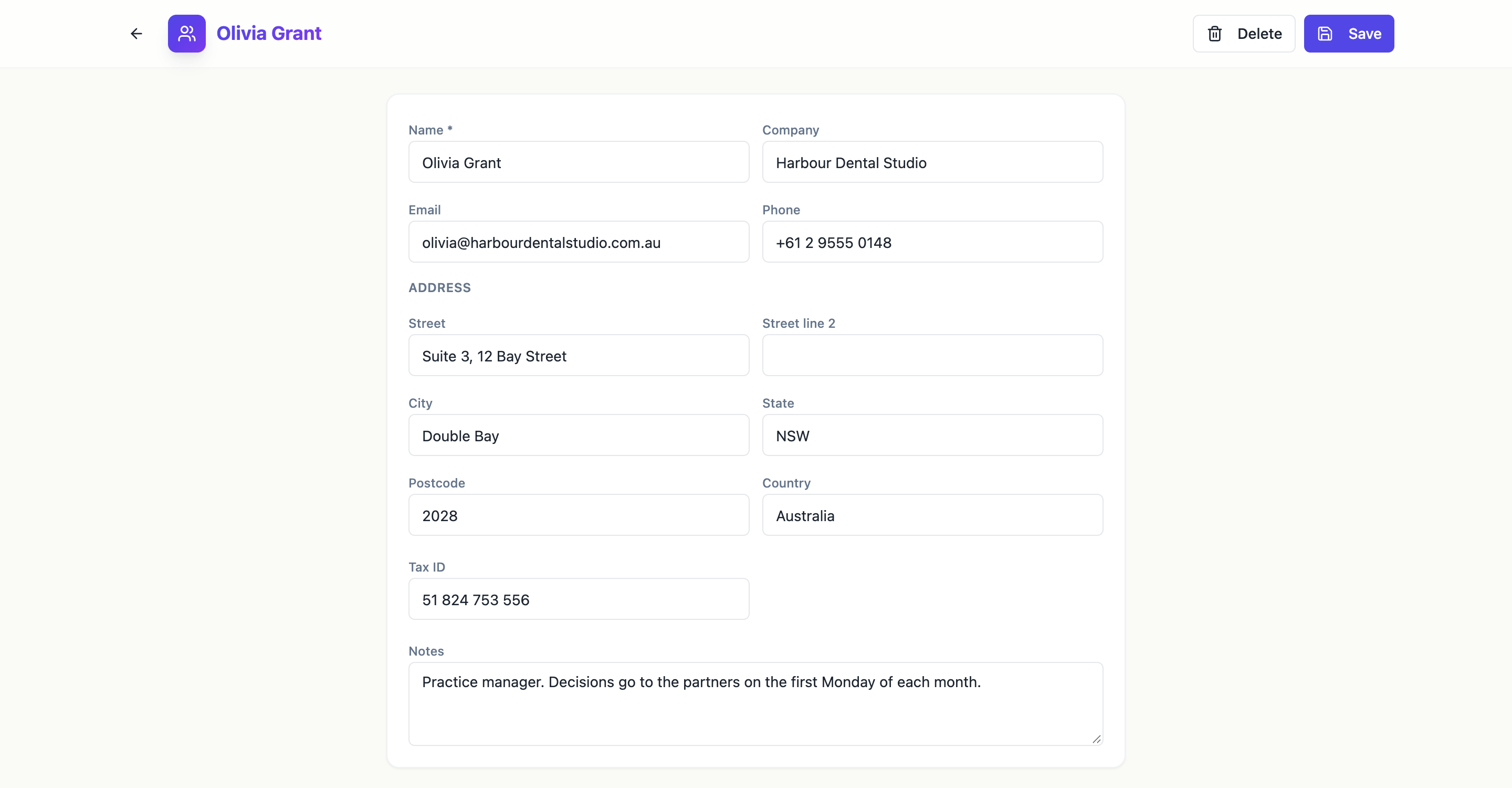 Change a client once and every new document picks it up.
Use the client in your documents
The same Client picker appears in three places, each with a New client button next to it:
- The generator, under Options. The client’s name and company go on the cover of the new proposal or quote.
- The Pricing panel in the builder. When you click Send, the client’s name and email are filled in as the recipient.
- The invoice editor. The Bill to block on the invoice shows their company, address, email and tax ID, and the invoice email goes to them.
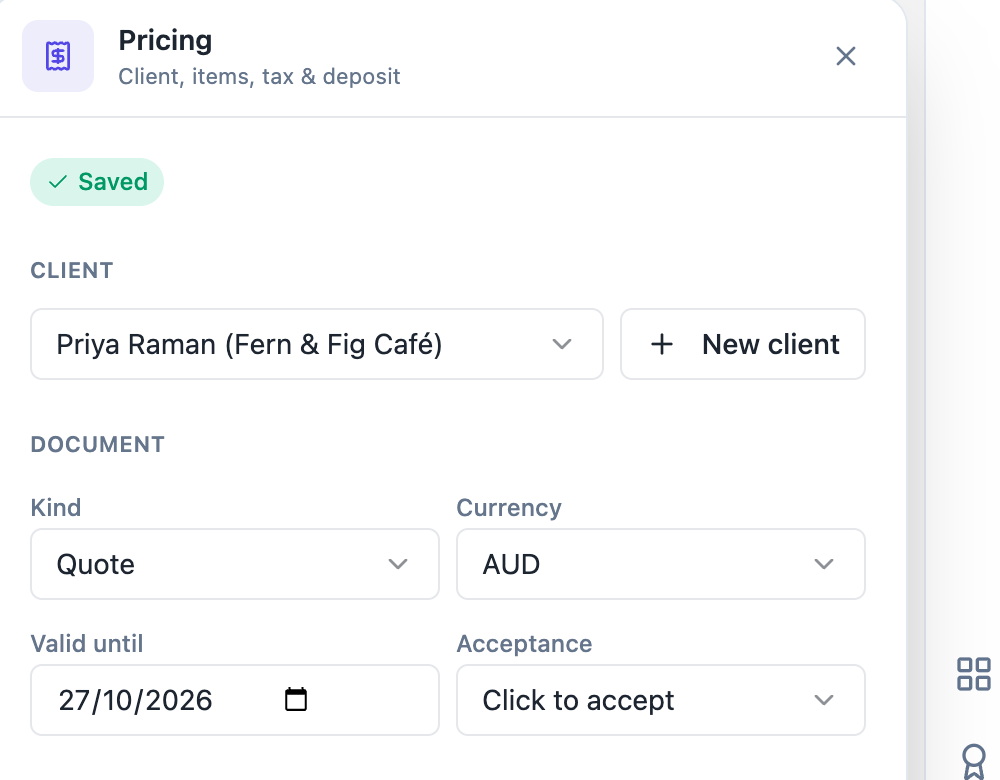 Pick the client once in the Pricing panel and sending is one click.
Next, create a quote with AI for one of your clients, or follow the whole journey in send a proposal and get paid. The client list for proposals page has more.
Ready to try it yourself?
Start free. Describe what you need and let OneCraft do the first draft.
Get startedSee it in the product
More proposals tutorials
- Add a pricing table with optional extrasSet up the items in a proposal or quote, mark some as optional extras, let the client choose quantities, and control how the pricing table looks on the page.
- Create a quote with AIDescribe the job, give your prices, and get a priced quote with scope, terms and signature lines in under a minute. Then check the numbers and send it.
- Send a proposal and get paidWrite a proposal with AI, add a pricing table with optional extras and a deposit, send a private link, let the client accept and sign online, then collect the deposit through a pay link.