How to
Turn a PDF or photo into an editable document
Upload an old PDF, a scan or a photo and rebuild it as a document you can edit, restyle and export again.
Documents2 min readUpdated
This guide shows you how to turn a PDF, a text file or a photo into a document you can edit, restyle and export again.
Old contracts and proposals have a habit of existing only as a PDF somebody made years ago. Rather than retyping it, hand the file over and get a proper editable document back.
Open the document generator
Start a new document. The generator asks what you want in one screen: a description, a file, or both.
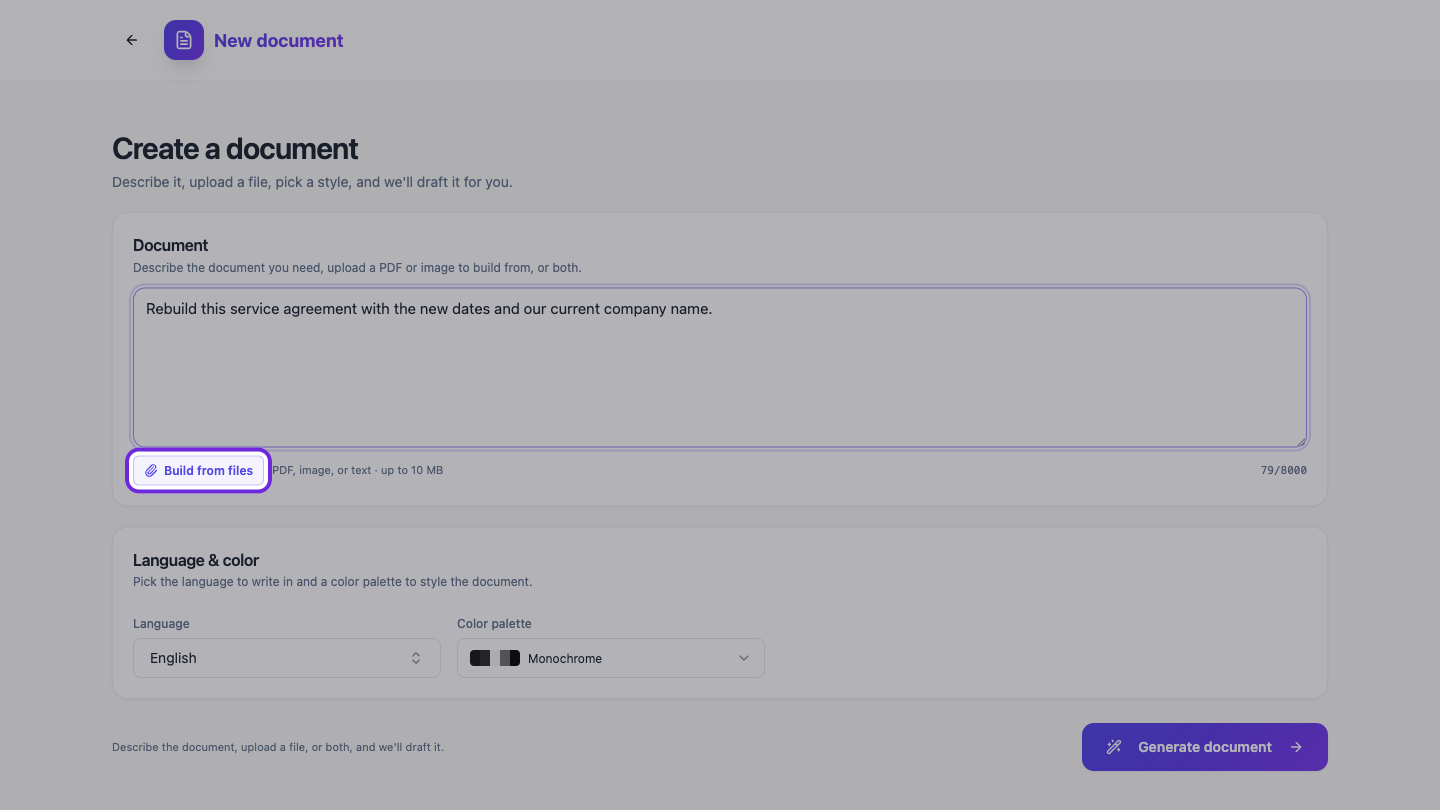 Describe the document you need, upload a PDF or image to build from, or both.
Add your file
Click Build from files and pick the source. PDF, plain text, and PNG, JPG, WEBP or GIF images are accepted, up to 10 MB. Uploading is on the Starter plan and above.
A clean export from the original tool reads best. A photo of a printed page works too, as long as it is straight and well lit.
Say what should change, if anything
The description box stays available while your file is attached. Leave it empty to rebuild the document as it is, or use it to ask for changes at the same time, for example new dates, a different company name, or a section you want dropped.
Generate and check it
Press Generate document. OneCraft reads the file, rebuilds it as editable sections, and opens it in the builder styled with the language and colour palette you chose.
Read it against the original before you send it anywhere. Rebuilding is not a photocopy: the text comes across, but tables, spacing and page breaks are laid out fresh, so a long document is worth a scroll through. Anything that came out wrong is now an ordinary component you can fix by clicking on it.
Once it looks right you can restyle it in Theme Studio, add a cover page, or send it for signature without ever opening the original again.
Ready to try it yourself?
Start free. Describe what you need and let OneCraft do the first draft.
Get startedSee it in the product
More documents tutorials
- Add a cover page to your documentTurn on the cover page, pick one of seven layouts, and set the title, eyebrow, date and who it was prepared by.
- Add and generate images in a documentUpload your own picture or describe the figure you need, then caption it so it numbers itself in the finished PDF.
- Create a document with AIDescribe the document you need, or upload a file to build from, and get it written and laid out on clean A4 pages. Edit every section, restyle it, and download a PDF.