Documents
AI document generator
Most tools that write a document hand you a wall of text. This one decides what kind of document it is first, then writes it and lays it out on A4 pages with the tables, headings, clauses and page breaks a document of that kind actually needs.
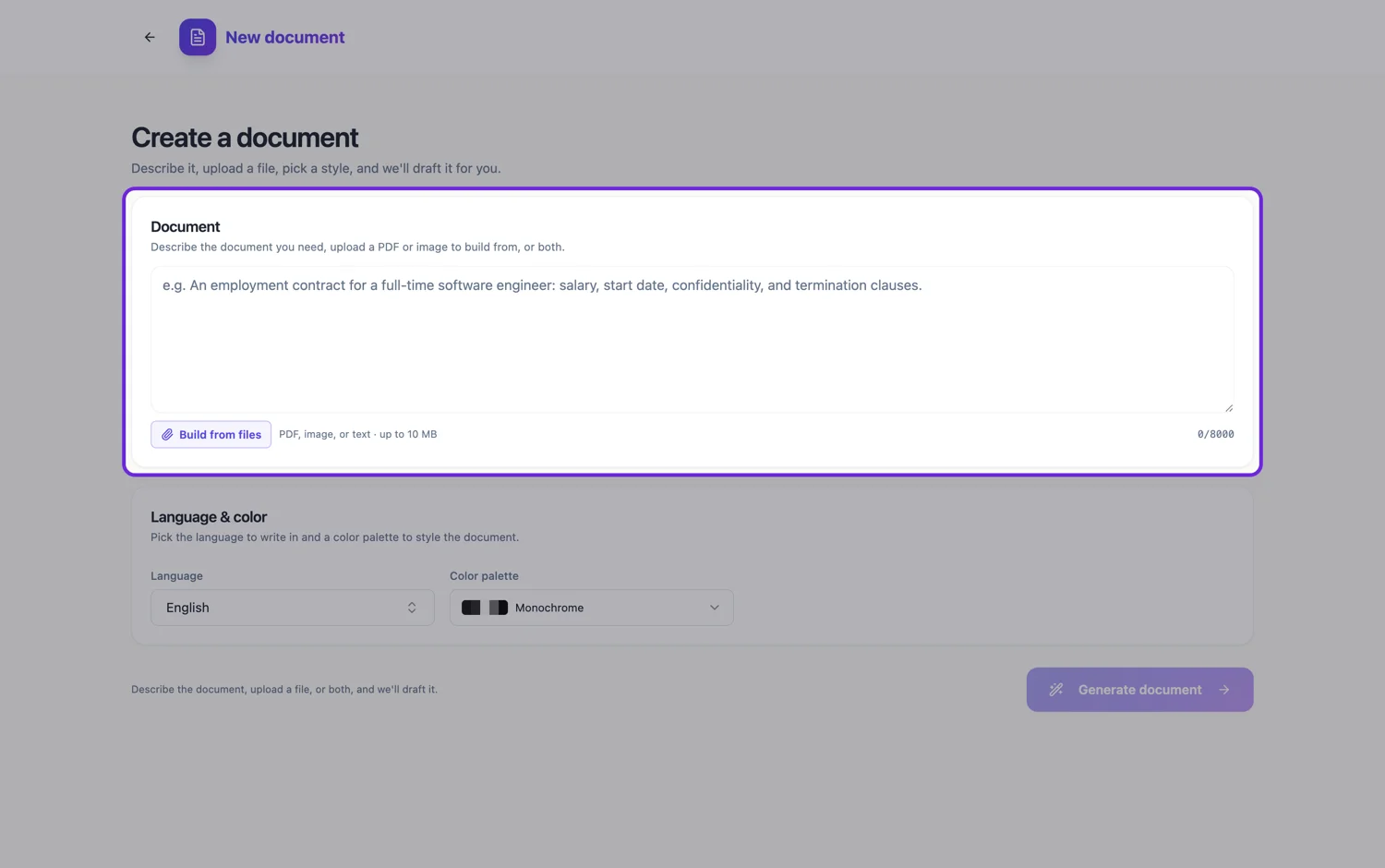
It classifies before it writes
Four decisions are made before a single sentence exists, and they gate everything after. What carries the meaning, whether that is prose, a record of label and value pairs, designed blocks and charts, or genuinely both. How much content there is, from one deliberately laid out page through two to five pages of continuous content to something over six pages that needs navigation. Whether the structure is flat headings, numbered clauses or a record. And the register, which is legal, corporate, editorial or personal.
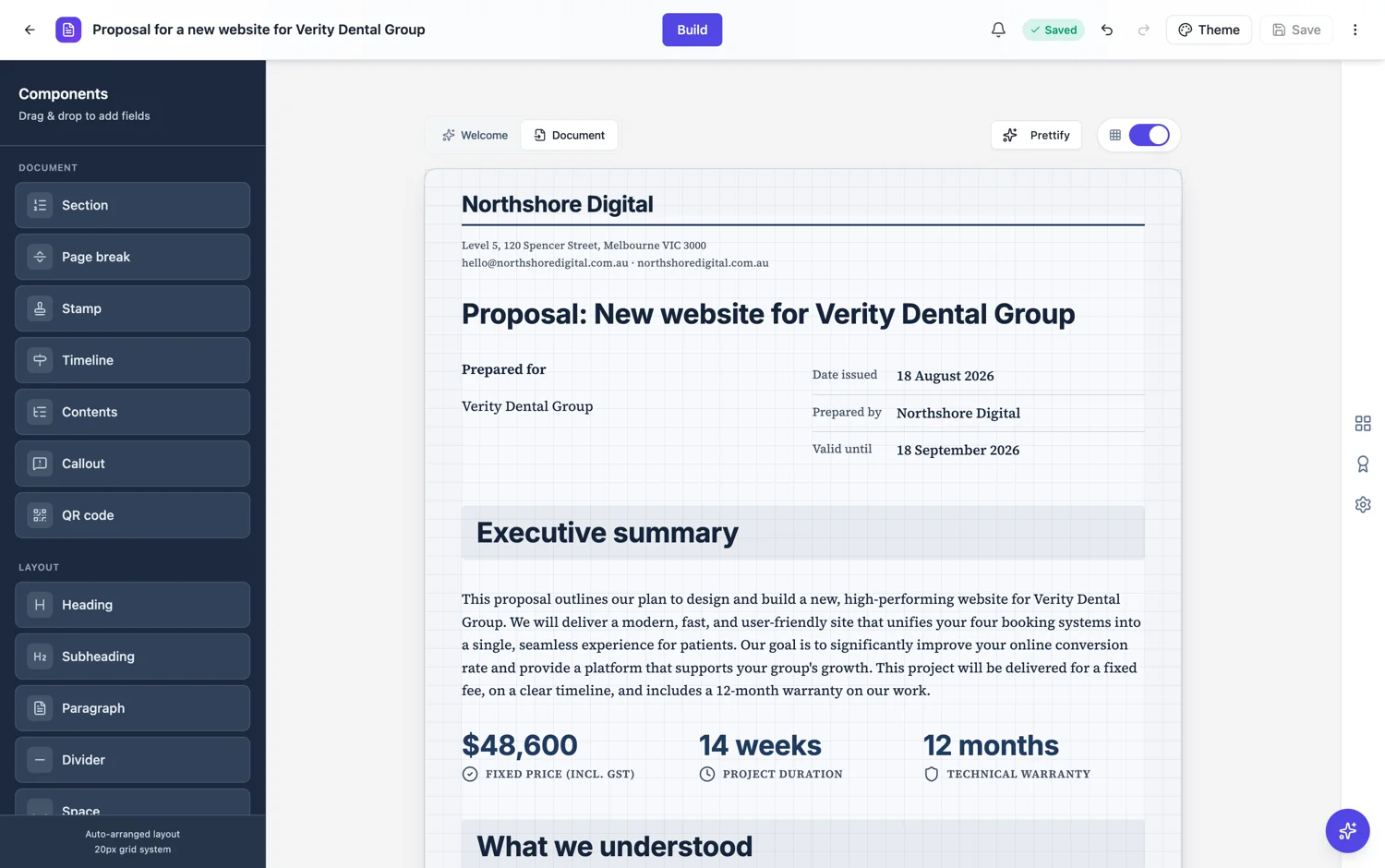
Why that matters more than the words
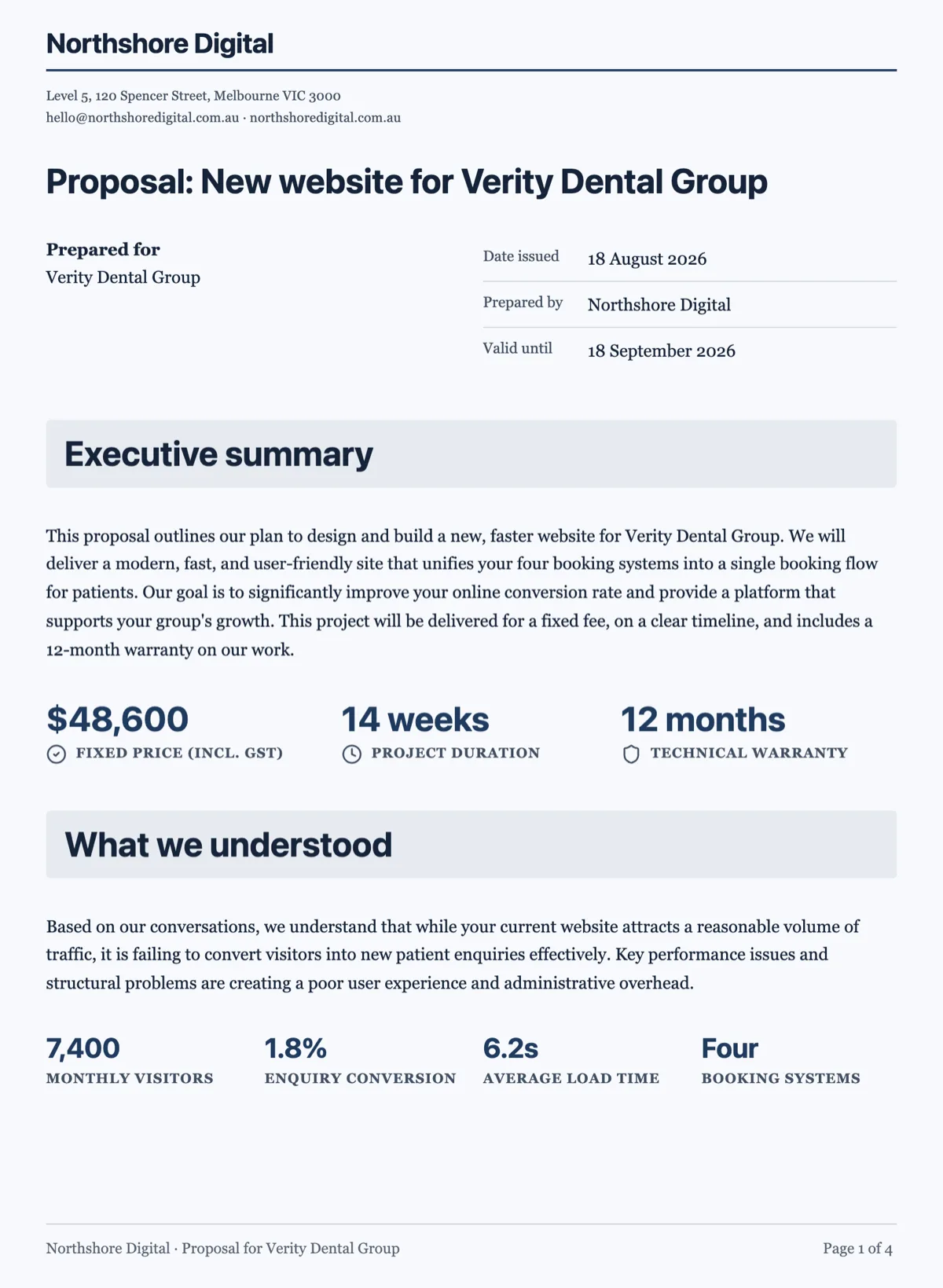
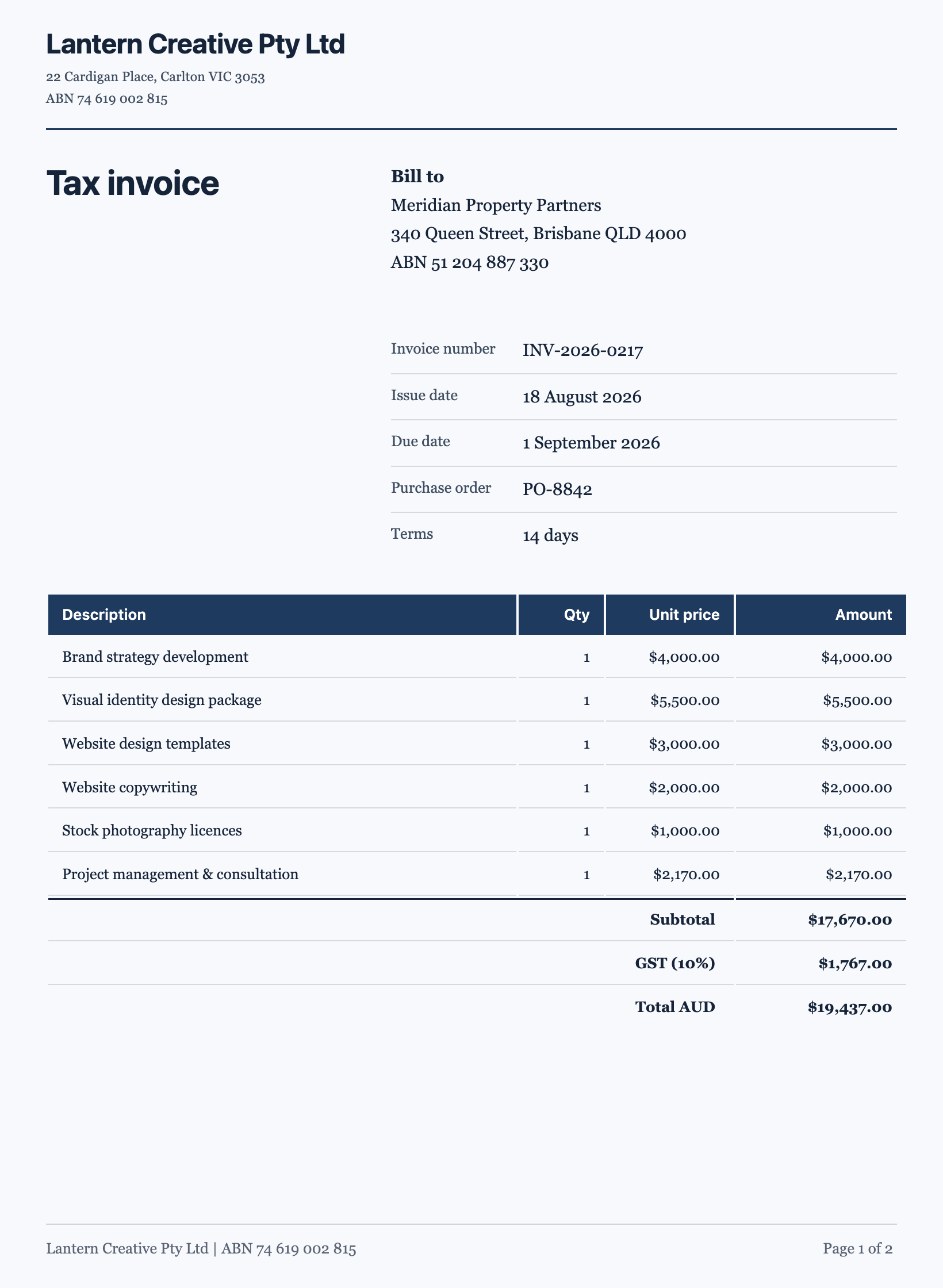
It is the difference between a document and an essay with a title. An invoice classified as a record gets label and value pairs and a totals table, not paragraphs. A contract classified as legal and numbered gets clauses with sub-numbering and an execution block, and it gets no icons or charts. A case study classified as editorial gets a banner, a metrics strip and a pull quote. Same engine, four different documents, because the classification changed.
Length is decided from the job, not asked for
You are not asked how many pages you want. The length class is worked out from what the document has to do, and it changes how the document is written. A certificate, an invitation, a title page or a one pager is composed as a single page, with its blocks sized to use the height and no cover, running header or contents list. A position description, an invoice, a letter, a proposal or a case study is written as continuous content and flowed onto two to five pages, with the engine deciding where the pages break. A white paper, a manual, an annual report or a handbook runs to six pages or more, so it is planned as an outline of sections with a brief for each and then written section by section, which is why it takes longer and why it holds together.
No empty boxes, ever
A document is not a form. Input fields are banned in the output, so a name, a date, an amount or a reference number is written into the page as content rather than left as a blank box to fill in. If you asked for an invoice you get the amounts, and if you asked for an agreement you get the parties named, because a document with gaps in it is not finished.
Page furniture is decided, not defaulted
A running header, a footer and a cover sheet are added only where a reader would expect them. A white paper, a manual or a proposal opens on a cover. An invoice, a receipt, a letter, a resume, a certificate or anything under three pages does not, because those documents open on their own content. A letterhead is added only when the document speaks for a sender, so a letter or an invoice gets one and a report does not.
What you can influence
Naming the sections you need is the strongest lever, because it feeds the plan directly. Saying how long the thing should be helps less than saying what has to be in it: ten named sections produce a long document whether or not you asked for one. If you want it short, say what to leave out rather than asking for fewer pages. Deleting a section you did not want takes a click on the canvas, and the pages reflow around it.
How it works, in three steps
Step 1
Describe the document
Say what it is, who it is for and what has to be in it. Name the sections you know you need and any figures that must appear.
Step 2
Let it plan and write
Generation runs as a background job. Longer documents are planned section by section first, then written, which is why they take longer.
Step 3
Edit and export
Every block is editable on the canvas. Restyle with a theme, fix the page breaks, then download the PDF.
The full walkthrough with screenshots is in the guide Create a document with AI.
Limits worth knowing
- The prompt box takes 10,000 characters.
- Attaching a file to build from is a paid plan feature, capped at 5 files of 10 MB each, in PDF, plain text, PNG, JPG, WebP or GIF.
- Documents contain content, never input fields. For something people fill in, build a form instead.
- PDF export is rendered on the server and polled until it is ready, so a long document takes a moment.
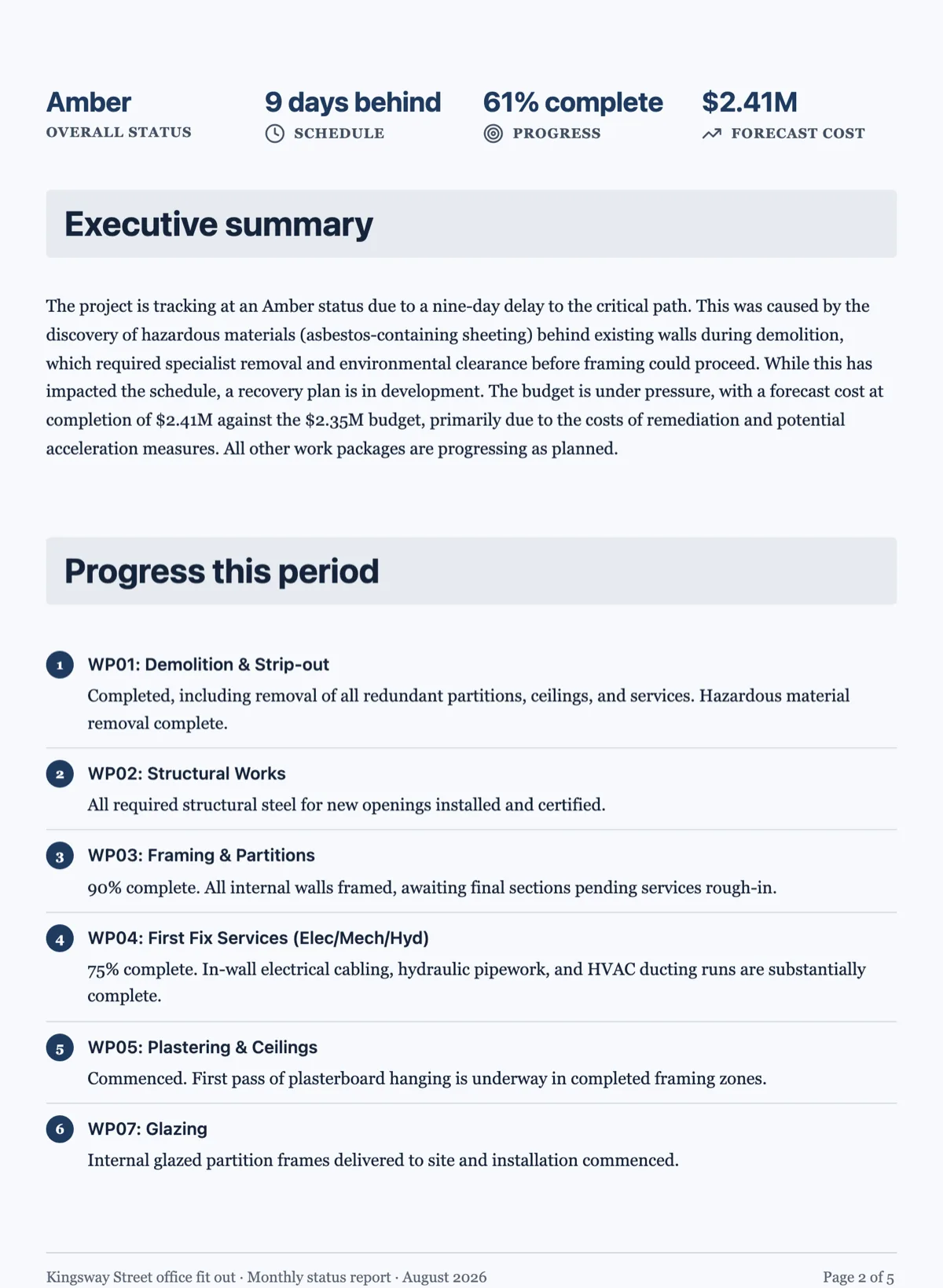
See it on a finished piece
Questions people ask
How long a document can it write?
From a single deliberately laid out page to something well past six pages. Anything long, such as a white paper, manual or handbook, is planned as an outline of sections with a brief for each and then written section by section, rather than attempted in one pass. That is why a long document takes longer to arrive and why its sections hold together.
Can I ask for an exact page count?
You can ask, but what actually decides the length is how much has to be covered. The generator sorts every job into one page, two to five pages or six plus pages from the content it has to carry, so naming fewer sections is a more reliable way to get a shorter document than asking for a number.
Will a one page document look empty?
It should not. A certificate, invitation or one pager is treated as a composed page rather than a short document, so its blocks are sized to fill the height instead of stopping halfway down. It also skips the cover, running header and contents list, because that furniture is noise on a single page.
Does it leave blanks for me to fill in?
No. Input fields are banned in a document, so a name, date, amount or reference number is written into the page as content. An invoice arrives with its amounts and an agreement with its parties named. If you want blanks that other people complete and send back, build a form instead, or edit the document text yourself before you export it.
Will it add a cover page?
Only where a reader expects one. A report, white paper, proposal or handbook opens on a cover, while an invoice, receipt, letter, resume, certificate or anything under three pages opens straight on its content. A letterhead follows the same logic: a letter or an invoice speaks for a sender and gets one, and a report does not.
Can I change the design afterwards?
Yes. Ten theme presets restyle the whole document in a click, and the theme panel also has Colors and Fonts tabs for finer changes. Every block on the page can be edited, moved or deleted on the canvas, and the pages reflow around what you change, so a deleted section does not leave a gap behind it.
Make your own document
The button opens the generator with this use case already described. Change the wording to match yours, generate, then edit anything you like.
Create a document with OneCraftRelated pages
Two column document layout
There is no columns switch for the page. Two things sit side by side when they are cells of one row, and that row is what the pagination engine moves as a unit.
Tidy a document layout
Hand editing drifts. Each block is placed relative to the one above it, small errors are inherited, and after twenty edits the top of the document is on a rhythm and the bottom is not.
Generate a long document
A handbook is not a long letter. Past about six pages a document needs navigation, a consistent structure and sections that do not repeat each other, and that only happens if the outline exists before the writing does.
More finished work of this kind is on the document examples hub.
Written and checked by the OneCraft team. Last checked .