Classic form
New employee onboarding form
A new employee onboarding form collects everything payroll, IT and the manager need before a new starter's first day: legal name, contact details, right to work, bank and super details, the role, equipment and policy acknowledgements. This one is the single pre start collection for an Australian employer, ordered by who needs each answer, so the new starter types their address once instead of three times. It is a classic form, because people and culture reads the whole response in one pass and forwards each block to the team that owns it.
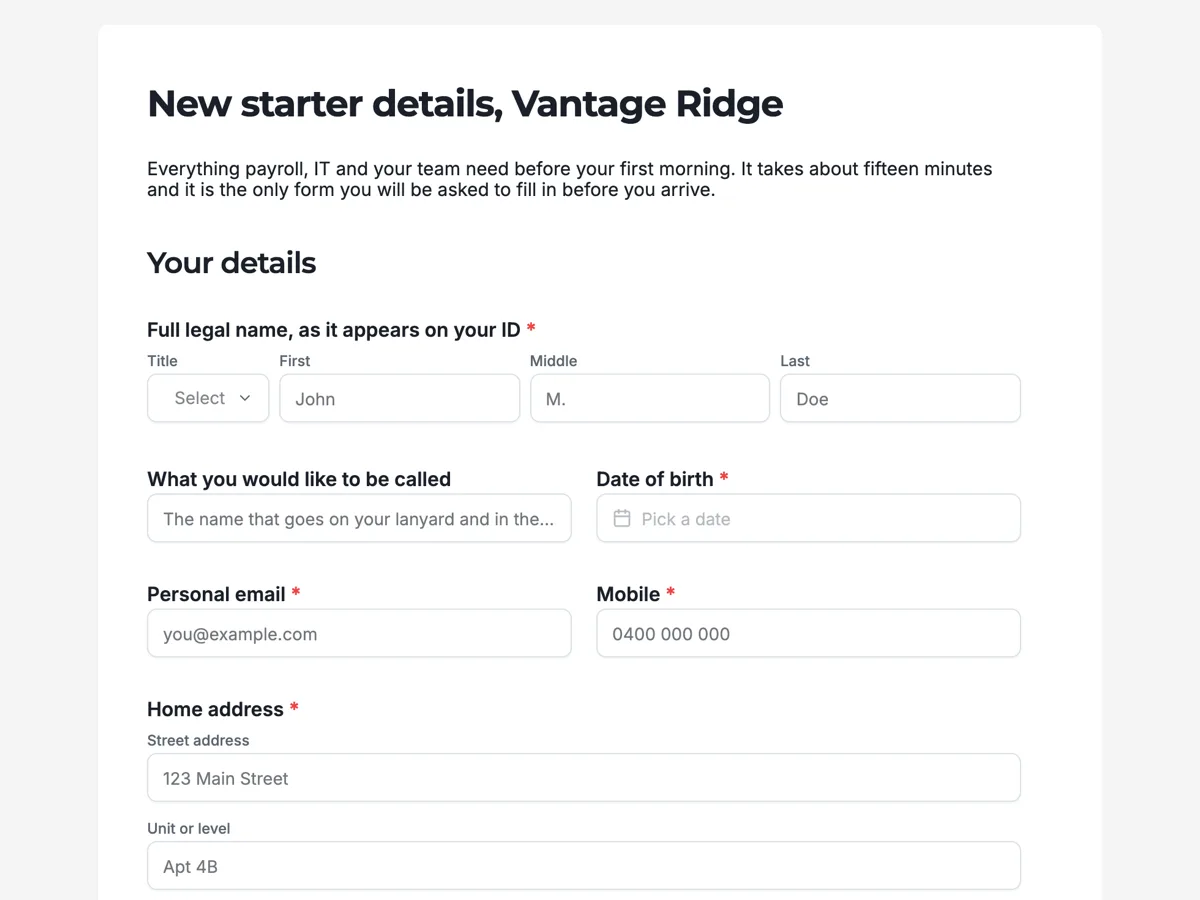
The form itself
A static copy of the finished form, exactly as it renders. Nothing here can be filled in or submitted, so read it as a reference and build your own from the button above.
Every field, and what it collects
The complete field list, in the order respondents meet it.
- Full legal name, as it appears on your IDNameRequired
- What you would like to be calledShort text
- Date of birthDateRequired
- Personal emailShort textRequired
- MobileShort textRequired
- Home addressAddressRequired
- Your work entitlementSingle choiceRequired
- Options: Citizen · Permanent resident · Visa with full work rights · Visa with limited hours
- Proof of your right to workFile uploadRequired
- One PDF or photo, under 10 MB. A phone photo is fine as long as the whole document is in frame and the text is readable. Do not send a photograph of a screen.
- Account nameShort textRequired
- BSBShort textRequired
- Account numberShort textRequired
- SuperannuationSingle choiceRequired
- Options: I have a fund and will name it below · Use the company default fund
- Your super fund, if you have oneTable
- Columns: Fund name · Member number · Fund USI or ABN
- Position titleShort textRequired
- First dayDateRequired
- Your managerShort textRequired
- OfficeDropdownRequired
- Options: Head office, level 4 · Northgate · Fully remote · Split between head office and home
- Systems you will need on day oneMultiple choiceRequired
- Options: Email, calendar and chat, which everyone gets · The client records system · The finance system · Design and prototyping tools · Developer access to the code repositories · Not sure, my manager will confirm
- Which machine?Single choiceRequired
- Options: Standard laptop · Laptop with more memory for large files · A desktop, I work from one place
- Do you need a work phone?Single choiceRequired
- Options: Yes · No, I will use my own · My manager said yes
- Anything that would make your workspace work better for youLong text
- Dietary requirements for the welcome lunchLong text
- I have readMultiple choiceRequired
- Options: The code of conduct · The acceptable use and information security policy · The workplace health and safety induction · The privacy statement covering what happens to the details on this form
- Sign to confirm these details are correctSignatureRequired
Your details
Right to work
Pay and superannuation
Your role
Equipment and access
The first morning
Policies and signature
What each block of this onboarding form collects
Your details takes the full legal name as it appears on identification, an optional preferred name, date of birth, a personal email, a mobile and the home address. Right to work is a four option entitlement question and a required upload, with a paragraph above it naming who checks the document and when it is deleted. Pay and superannuation asks for the account name, BSB and account number, then whether the new starter has a fund of their own or wants the company default, with a table for the fund name, member number and USI. Your role confirms the position title, first day, manager and office. Equipment and access asks which systems are needed on day one, which machine and whether a work phone is needed, plus an optional workspace question. The last blocks cover dietary needs for the welcome lunch, four policy ticks and a signature confirming the details are correct.
Twenty of the twenty four fields are required
Only four are optional: the preferred name, the super fund table, the workspace question and dietary requirements. Everything else is something payroll or IT cannot do its job without, so a missing answer would only turn into a chasing email in the week before the start date. The super fund table is optional because a starter who chooses the default fund has nothing to put in it. Because the bank fields are required, a new starter who would rather give them in person has to type something, so tell them in the offer email that they can ring payroll instead and write that in the field.
How to adapt this form
For casual or seasonal staff, cut the equipment block to a single uniform size question and drop the welcome lunch, since the first shift is the induction. For a business outside Australia, replace the BSB and super questions with the local bank format and pension scheme, and swap the right to work options for that country's categories. For a role with a licence or clearance, add a second upload with its own paragraph above it saying who checks it, exactly as the right to work block does.
What makes this form work
It is ordered by who reads the answer
Identity, then payroll, then role, then IT, then the first morning. Each block is one team's section, which is what lets people and culture forward a single response instead of copying fields into three systems, and what stops the same address being asked twice.
The sensitive fields carry their handling rules
The paragraph above the right to work upload says who looks at it and that the file is deleted once it is sighted. The paragraph above the pay block says the tax file number is collected on its own declaration after the start date. Both are written beside the fields, not in a policy nobody opens.
The signature is the last thing, and it signs one specific claim
It confirms the details are correct, not that the policies are agreed to. The policy tick box does its own job above it. Keeping the two apart is what makes either of them worth anything if a detail turns out to be wrong.
Questions people ask
Why does this onboarding form leave out the tax file number?
Because a tax file number declaration has its own official form and its own handling rules, and a general web form is the wrong place for the number. This one says so in a paragraph where a person expects to be asked, which is both safer and faster than collecting a number that then has to be re-entered into a payroll system anyway.
How do you collect proof of right to work without keeping it forever?
Collect it, sight it, record that it was sighted, and delete the file. The paragraph above the upload says exactly that: one person in people and culture checks it and the file is removed from the responses once the check is done. A response can be deleted from the responses table, so the promise on the form is one the employer can actually keep.
Why is the emergency contact missing from an onboarding form?
Because it is the detail most likely to be out of date within a year, and burying it at minute twelve of a long form is how it gets typed carelessly. It belongs on its own short form that can be resent every year without asking anybody to confirm their bank details again.
Can this form be limited to the person who was actually hired?
Yes. Switch the form from public to secret key and send the key in the offer email, or to login required with the new starter's address on the allow list. A form collecting a bank account and an identity document should not be sitting on an open link, and access is a publishing setting rather than anything in the form itself.
Should an onboarding form ask what the person wants to be called?
Yes, and separately from the legal name. This form asks for the full legal name as it appears on identification, because payroll and right to work need it, then asks what you would like to be called. The second answer is what goes on the email signature, the desk and the welcome lunch list.
How much equipment detail belongs on an onboarding form?
Enough that day one works, and no more. This form asks which systems are needed on day one, which machine, and whether a work phone is required. Three questions let IT provision before the person arrives. A full asset catalogue belongs on the equipment request form the new starter will use in month two.
How long before the first day should the form go out?
Send it with the signed offer, or at least a week ahead. Payroll needs the bank and super details before the first pay run, and IT needs the systems and machine answers in time to build a laptop, which in this example takes until the Thursday before a Monday start. A form sent the day before leaves the new starter without access on their first morning.
Build your own in about a minute
The button below opens the generator with this use case already described. Change the wording to match your own, generate, then edit anything you like.
Make one like thisOther form examples
Timesheet form
A timesheet is a payroll document and an invoicing document at the same time, which is why the job number matters as much as the hours. This one gives each week its own seven row table, asks for real start and finish times rather than rostered ones, and is signed. It is a classic form, because a supervisor checks two weeks of rows against the totals, and that is easier when both tables and the signature sit on one page.
Payroll details change form
Payroll fraud almost always arrives as a convincing request to change where somebody's pay lands. This form is built around the control that stops it: a call back on the number already held, stated on the welcome screen, in the bank section and again on the thank you screen, so nobody is surprised by it. It also puts the pay run cut off where people will read it. Classic, because the sections are only relevant to some people and everyone needs to see which ones to skip.
Expense claim form
Expense claims come back for boring reasons: a missing receipt, a date outside the window, or fuel claimed on top of a kilometre rate. This claim states each of those rules in the block where it applies, and gives the line items a table with six rows so a normal trip fits without an attachment. It is a classic form, because a claim is checked as a whole and a receipt upload has to sit beside the lines it belongs to.
Want the steps in the builder? Read Every form field and when to use it, then Control who can fill in your form. For everything this generator can do, see the form maker.
Written and checked by the OneCraft team. Last checked .