Classic form
Staff induction form
An induction record is only worth having if it says what somebody was actually shown. This checklist is written to be filled in while walking the site, with each safety line phrased as a place they stood rather than a document they were sent, and the licences and equipment recorded in tables with tags and expiry dates. It ends with both people signing, and it is written for an Australian worksite. Classic, because an inductor working from a tablet on the floor needs to see every section at once and come back to the ones not yet done.
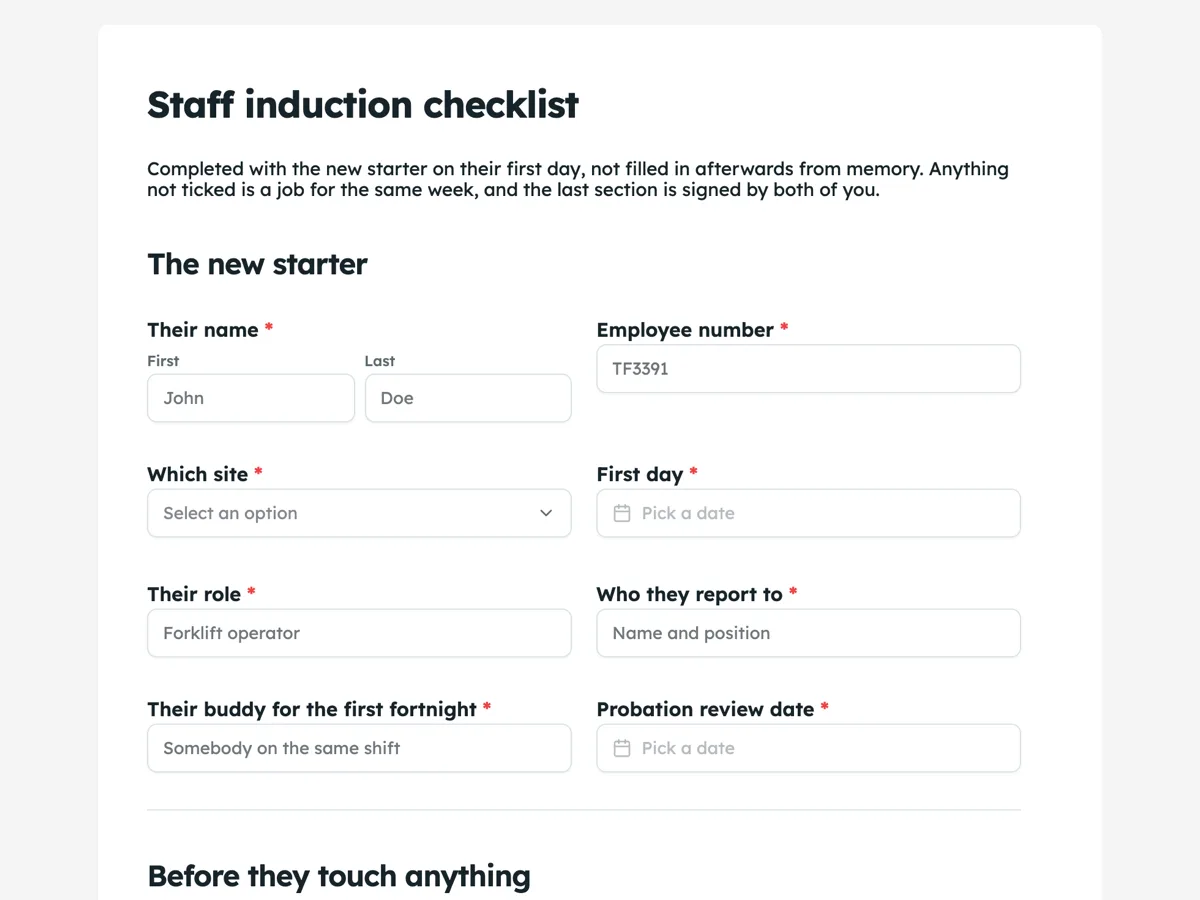
The form itself
A static copy of the finished form, exactly as it renders. Nothing here can be filled in or submitted, so read it as a reference and build your own from the button above.
Every field, and what it collects
The complete field list, in the order respondents meet it.
- Their nameNameRequired
- Employee numberShort textRequired
- Which siteDropdownRequired
- Options: Northgate depot · Riverside cross dock · Kembley cold store · Head office · Workshop
- First dayDateRequired
- Their roleShort textRequired
- Who they report toShort textRequired
- Their buddy for the first fortnightShort textRequired
- Probation review dateDateRequired
- Safety induction completed on siteMultiple choiceRequired
- Options: Walked every emergency exit from their normal work area · Stood at the muster point and knows how to get there from the dock · Shown the fire extinguishers and what each one is for · Named the first aid officers on their shift and shown where the kit is · Shown how to report an incident, a near miss and a hazard · Walked the pedestrian routes and the areas they must not enter on foot · Talked through the site specific hazards, including reversing vehicles and cold store entry · Personal protective equipment issued, fitted and checked, not just handed over
- Who ran the site walkShort textRequired
- Time it finishedTimeRequired
- Policies gone through with themMultiple choiceRequired
- Options: Work health and safety, including the right to stop unsafe work · Drug and alcohol policy and how testing works here · Fatigue management and hours of work · Bullying, discrimination and sexual harassment, and how to raise something · Code of conduct · Privacy, and what happens to customer information · Vehicle and equipment use · Leave, timesheets and how to get paid correctly
- Equipment and keysTable
- Columns: Item · Asset tag or serial · Size or spec · Date issued
- Accounts and access set upMultiple choice
- Options: Email · Rostering app · Timesheet system · Site access card · Fuel card · Handheld scanner · Two factor enrolled
- Licences seen todayTable
- Columns: Licence or ticket · Number · Class or category · Expires
- Copies of what you sightedFile upload
- Up to six files, photo or PDF, 10 MB each. Photograph the front of each card flat on the desk, in good light, with the expiry date and the number readable. A photo taken at an angle through a lanyard sleeve is the one that has to be redone.
- Booked in or doneMultiple choice
- Options: Introduced to their shift and the supervisors on the other two · Sat with their buddy for a full shift · Forklift or plant assessment booked, if the role needs one · First one to one with their manager in the diary · Payroll details confirmed and first pay run checked with them · Shown where to find the roster and how to ask for a swap
- Anything outstanding, and who owns itLong text
- New starterSignatureRequired
- Person running the inductionSignatureRequired
The new starter
Before they touch anything
Policies read and acknowledged
Issued to them today
Licences and tickets sighted
The first fortnight
Sign off
What makes this form work
Every safety line is something you can only tick on the floor
Stood at the muster point. Walked the pedestrian routes. Personal protective equipment fitted and checked, not just handed over. The list is unusable from a desk, which is exactly the point, and it is the difference between an induction and an email.
Equipment and licences are tables, so the details survive
Asset tag, size, date issued. Licence number, class, expiry. Those are the fields somebody needs eighteen months later when a card lapses or a scanner goes missing, and a tick box records none of them.
Outstanding items get a name attached
One field, asking what is not done and who owns it, with an instruction to name a person rather than a department. Inductions are rarely completed in one day, and the difference between a loose end that closes and one that does not is whether a person's name is next to it.
Questions people ask
Why phrase the safety items as places rather than topics?
Because "emergency procedures explained" can be ticked from a desk and "walked every emergency exit from their normal work area" cannot. The wording is the control. An induction record that only lists topics tells you a conversation happened; one that lists places tells you where somebody has actually been, which is what matters when they need the exit in the dark.
Should the new starter sign it as well as the inductor?
Yes, and at the same moment. The two signature fields sit side by side for that reason. Both are required, so an unsigned record cannot be submitted. The new starter is confirming they were shown these things and could ask questions; the inductor is confirming they showed them. One signature alone turns the record into an assertion by whoever filled the form in.
Does the form remind anyone when a licence expires?
No. It records the expiry date in the licence table, and something on your side has to read that and act. There is no scheduling or reminder feature in a form, and it is worth being clear about, because a table with an expiry column can look like it is doing more work than it is. Export the responses and the dates are there to build a reminder from.
What does the empty licence table look like to the person filling it in?
Like ruled paper. Table cells have no placeholder text and no visible borders around each input, so an unfilled table shows column headings and row numbers and nothing else. That reads fine on a form somebody is typing into on a clipboard, and it is worth knowing before you put a ten row table on a page.
Should an induction form record who ran it and when it finished?
Yes, and this one records both. It asks who ran the site walk and the time it finished, beside the date the safety induction was completed. Those three answers are what turns a tick into evidence, and they are the first thing asked for after an incident involving somebody in their first fortnight.
Why does the form name a buddy and a probation review date?
Because the induction is one morning and the risk lasts longer. This form asks for the buddy for the first fortnight and the probation review date in the same section as the start date. Naming a person means questions have somewhere to go, and booking the review date on day one is the only way it happens.
Build your own in about a minute
The button below opens the generator with this use case already described. Change the wording to match your own, generate, then edit anything you like.
Make one like thisOther form examples
IT access request form
Access requests go wrong quietly. Somebody asks for the same access as a colleague, gets it, changes team, and keeps it for four years. This form asks for one line per system with the level and an end date beside it, makes anything elevated justify itself in writing, and forces a review date and a named owner for that review. It is a classic form, because an approver needs the whole request in one view before signing it.
New hire onboarding survey at day 90
A new hire onboarding survey asks recent starters what helped and what was missing in their first months, early enough that the answers can fix the process for the next intake. This day 90 version covers role clarity, day one readiness, the buddy, a training grid, manager check ins and whether the person feels part of the team.
New employee onboarding form
A new employee onboarding form collects everything payroll, IT and the manager need before a new starter's first day: legal name, contact details, right to work, bank and super details, the role, equipment and policy acknowledgements. This one is the single pre start collection for an Australian employer, ordered by who needs each answer, so the new starter types their address once instead of three times. It is a classic form, because people and culture reads the whole response in one pass and forwards each block to the team that owns it.
Want the steps in the builder? Read Every form field and when to use it, then Shape the PDF version of your form. For everything this generator can do, see the form maker.
Written and checked by the OneCraft team. Last checked .