Conversational form
New hire onboarding survey at day 90
A new hire onboarding survey asks recent starters what helped and what was missing in their first months, early enough that the answers can fix the process for the next intake. This day 90 version covers role clarity, day one readiness, the buddy, a training grid, manager check ins and whether the person feels part of the team.
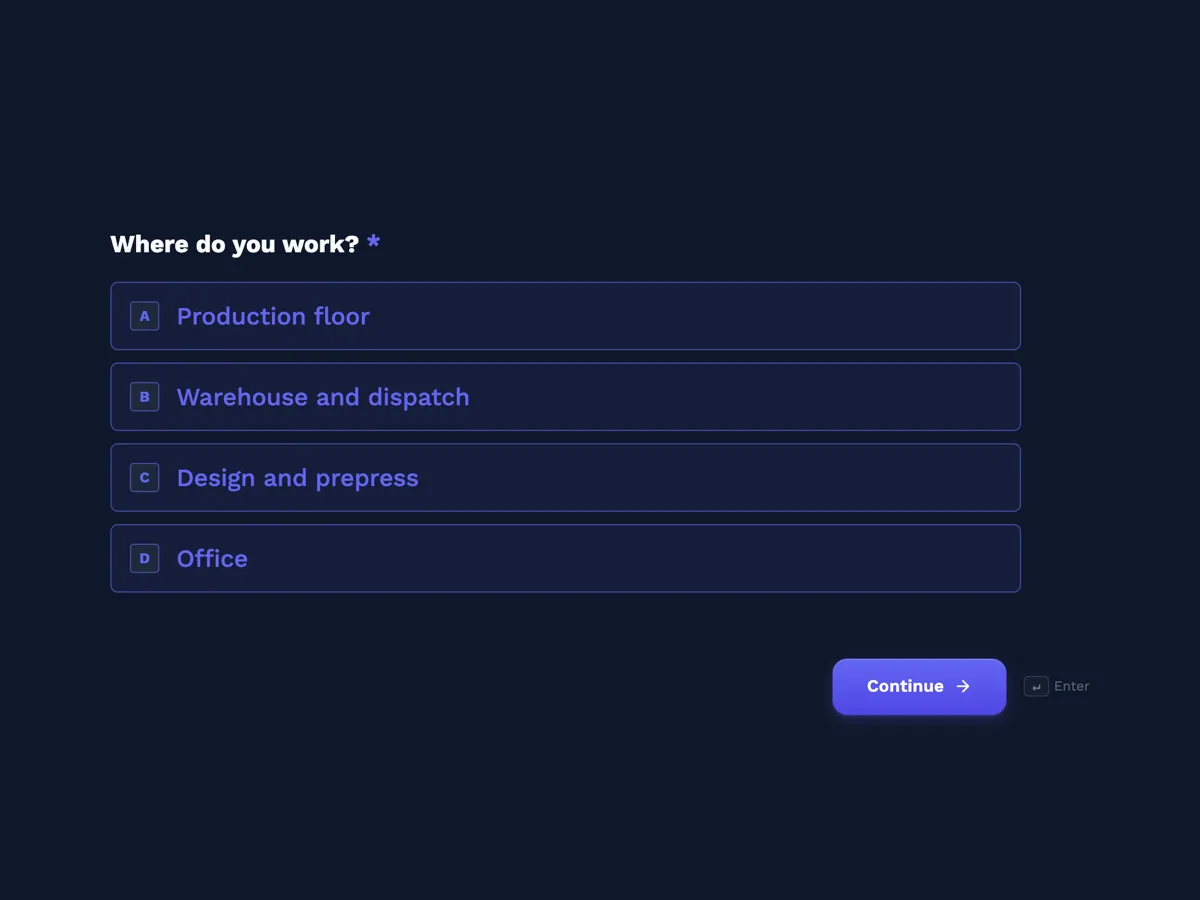
The form itself
The first screen of the form. A conversational form shows one question per screen, so the remaining screens are listed in the field table below. Nothing here can be filled in or submitted, so read it as a reference and build your own from the button above.
Every field, and what it collects
The complete field list, in the order respondents meet it.
- Where do you work?Single choiceRequired
- Options: Production floor · Warehouse and dispatch · Design and prepress · Office
- How clear are you about what your role involves and how you are measured?Single choiceRequired
- Options: Completely clear · Mostly clear · Somewhat unclear · Very unclear
- On your first day, was everything ready for you?Single choiceRequired
- Think of safety gear, a locker or desk, logins and a key or swipe card.
- Options: Everything was ready · Most things, the rest within a week · Several things took more than a week · Very little was ready
- Were you given a buddy, and did it help?Single choiceRequired
- Options: Yes, and they helped a lot · Yes, but we rarely spoke · No buddy was assigned
- How useful was each part of your training?Rating gridRequired
- Skip anything you did not do.
- Statements:
- Site safety induction
- Training on machines or systems
- Learning the quality standards
- Shadowing a colleague
- How often has your manager checked in with you one to one?Single choiceRequired
- Options: Weekly · Every two weeks · Monthly · Rarely or never
- Do you feel part of the team?Single choiceRequired
- Options: Yes, completely · Mostly · Not yet · No
- Would you recommend Fluteboard to a friend looking for work?Single choiceRequired
- Options: Yes · Maybe · No
- What was missing from your first 90 days?Long text
What each screen of this survey collects
Work area is a radio of four, from production floor to office. Role clarity has four answers and asks about how the person is measured as well as what they do. Day one readiness lists safety gear, a locker or desk, logins and a swipe card in its help text, with four answers. The buddy question separates helped a lot, rarely spoke and none assigned. The training grid rates safety induction, machine or system training, quality standards and shadowing on four points. Manager check ins runs from weekly to rarely. Belonging and recommendation are short radios, and what was missing is optional. Eight of the nine screens are required.
Why day 90 rather than day one
A survey at the end of the first week measures the induction day, which most people rate well because it was friendly. By day 90 a new starter knows whether the training matched the job, whether their manager kept meeting them and whether they have settled in, and many people who will leave in the first year have already started to decide. The questions follow the order things happened, from day one to now, which makes them easier to remember. The buddy and check in questions point at behaviour that can be fixed in a week: assigning a buddy who has time, and putting the fortnightly meeting in the diary.
How to adapt this survey
An office or remote team replaces safety gear with a laptop and accounts, and the training grid with tools and processes. A business with a probation period moves the survey a week before the probation review so issues can be raised then. A seasonal employer sends a shorter version at day 30.
What makes this form work
Day one is defined
The readiness question lists safety gear, a locker or desk, logins and a swipe card, so ready means the same thing to every starter.
A buddy that never met is visible
The buddy screen separates helped a lot from rarely spoke and none assigned, which shows whether the scheme works or only exists.
Answers bypass the manager
The welcome screen says responses go to the People team, so starters can report infrequent check ins without worrying who reads it.
Questions people ask
What should a 90 day onboarding survey ask?
Whether the role is clear, whether the person had what they needed from day one, how training and their manager supported them, and whether they feel they belong. Ending with one open question on what was missing usually gives the most practical fixes. Nine screens is enough; new starters are still busy learning the job.
Should the manager see a new hire's answers?
Not one by one. A new starter will not say their manager rarely checks in if the manager reads it. This form sends answers to the People team, as the welcome screen says, and they report trends by area and quarter. Individual concerns should still have a direct route, which the thank-you screen gives.
How many new hires are needed before results mean anything?
Results from a handful of starters in one quarter can still flag a broken step, such as logins not ready on day one. Trends need more, so combine quarters until each area has at least ten answers. Read the open answers every time, since a single comment can reveal a gap nobody noticed.
Is a buddy system worth asking about?
Yes, because many organisations assign buddies and few check whether they work. The answer saying the buddy and the starter rarely spoke is the useful one: it usually means the buddy had no time set aside. If that answer is common, the fix is protecting an hour a week for buddies in their first month, not dropping the scheme.
How is an onboarding survey different from an engagement survey?
It is shorter, sent at a fixed point after each person starts, and about the process of joining rather than the job as a whole. The engagement survey goes to everyone once a year. New starters answer both, and their day 90 answers often predict their first engagement scores, so the two are worth reading together.
What should happen with the what was missing answers?
Read every one and sort them into themes each quarter, such as equipment, information, people or training. Turn the most common theme into one change in the induction checklist, then check whether it stops appearing in the next quarter's answers. Telling the next intake what changed because of earlier answers builds trust.
Build your own in about a minute
The button below opens the generator with this use case already described. Change the wording to match your own, generate, then edit anything you like.
Make one like thisOther form examples
Diversity and inclusion survey template with optional demographics last
A diversity and inclusion survey has to measure whether people feel they belong and are treated fairly, then check whether those experiences differ between groups, without forcing anyone to disclose who they are. This template asks belonging and fairness first and puts six demographic questions last, each optional with prefer not to say.
Community consultation survey for a council park upgrade
A community consultation survey asks residents how they use a place, what matters to them and which option they prefer before a council decides. This one does it for an Australian shire park upgrade in ten screens, with a seven item priorities grid and a choice between two concept plans.
Employee engagement survey template: 20 statements in five themes
An employee engagement survey measures how committed and supported people feel at work, across enough themes to show where to act and anonymously enough that people answer honestly. This template groups twenty agreement statements into five grids, direction, manager, growth, recognition and team, then asks the employer recommendation question.
Want the steps in the builder? Read Create a conversational form with AI, then View, export and manage your responses. For everything this generator can do, see the form maker.
Written and checked by the OneCraft team. Last checked .