Conversational form
Personal training intake form with the readiness screen built in
A personal training intake form collects a client's goals, a seven question pre exercise readiness screen, training history, injuries, how many sessions a week they can manage and baseline measurements, before the first session. This fifteen screen intake asks the readiness questions one at a time the day before, because asking them face to face at the start of session one wastes the session and gets softer answers.
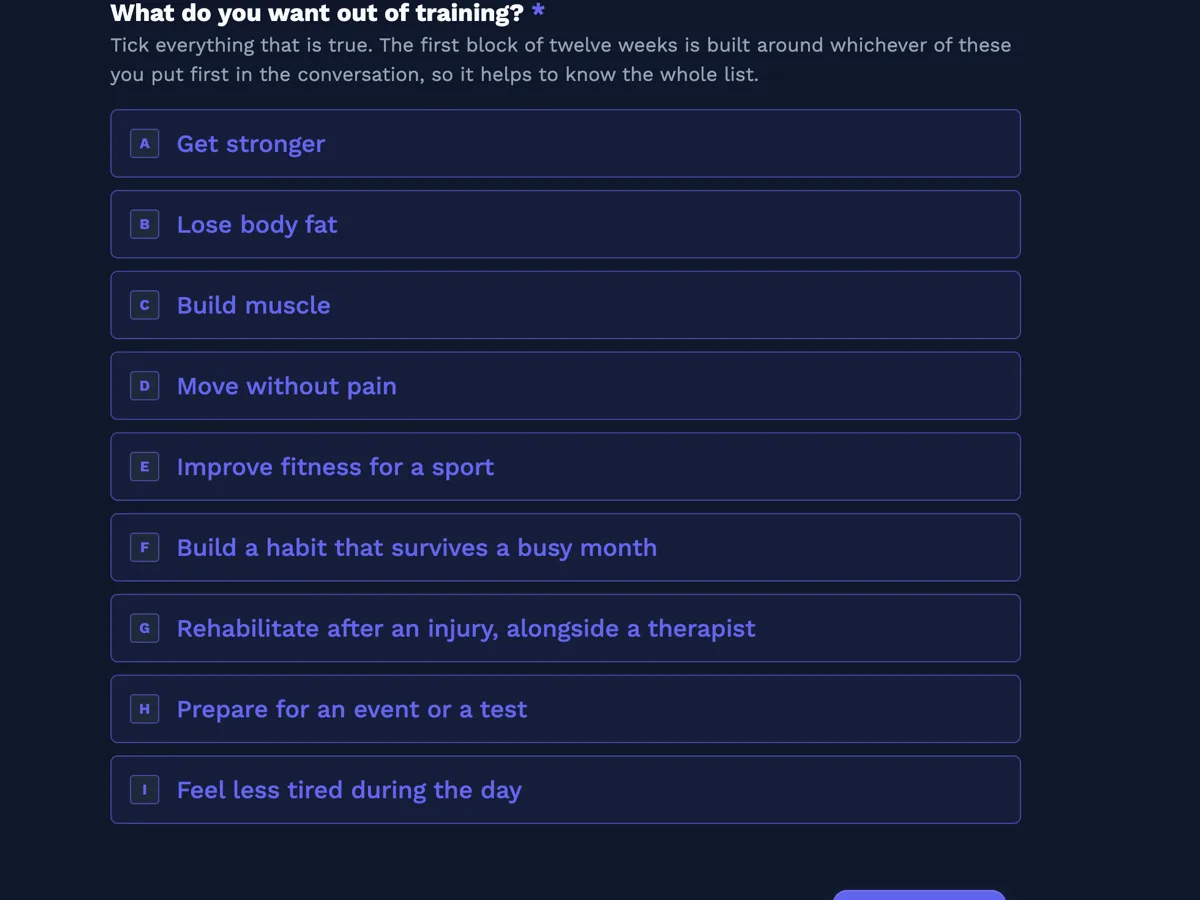
The form itself
The first screen of the form. A conversational form shows one question per screen, so the remaining screens are listed in the field table below. Nothing here can be filled in or submitted, so read it as a reference and build your own from the button above.
Every field, and what it collects
The complete field list, in the order respondents meet it.
- What do you want out of training?Multiple choiceRequired
- Tick everything that is true. The first block of twelve weeks is built around whichever of these you put first in the conversation, so it helps to know the whole list.
- Options: Get stronger · Lose body fat · Build muscle · Move without pain · Improve fitness for a sport · Build a habit that survives a busy month · Rehabilitate after an injury, alongside a therapist · Prepare for an event or a test · Feel less tired during the day
- Has a doctor ever told you that you have a heart condition, or that you should only exercise under medical supervision?Single choiceRequired
- This is the first of seven readiness questions. They are the standard pre exercise screen, written in plain words. Answer them honestly; none of them ends the conversation.
- Options: No · Yes · Not sure
- Do you get chest pain when you are physically active?Single choiceRequired
- Options: No · Yes · Not sure
- In the last month, have you had chest pain while you were at rest?Single choiceRequired
- Options: No · Yes · Not sure
- Do you lose your balance from dizziness, or have you ever lost consciousness?Single choiceRequired
- Options: No · Yes · Not sure
- Do you have a bone or joint problem that could be made worse by exercise?Single choiceRequired
- Options: No · Yes · Not sure
- Are you currently prescribed medication for blood pressure or a heart condition?Single choiceRequired
- Options: No · Yes · Not sure
- Do you know of any other reason you should not do physical activity?Single choiceRequired
- A yes on any of the seven means your trainer asks for medical clearance before loading anything heavy. Training still starts; it starts differently.
- Options: No · Yes · Not sure
- How much training have you done before?Single choiceRequired
- Options: None, this is the first time · Gym on and off, never with a program · Followed programs from an app or the internet · Trained with a coach before · Competed in a strength or endurance sport · Used to train seriously, then stopped for years
- Injuries, surgeries and anything that still hurtsLong textRequired
- Old injuries count even when they no longer hurt, because they change how a movement is loaded. If there is nothing, write none.
- How many sessions a week can you genuinely commit to?Single choiceRequired
- Answer for a busy week rather than a good one. A program built for three sessions and done twice fails; a program built for two and done twice works.
- Options: One session a week · Two sessions a week · Three sessions a week · Four or more sessions a week · It varies week to week
- Your height in centimetresNumberRequired
- The three measurements that follow are a starting point for comparison, nothing else. They are never shown to anybody but you and your trainer.
- Your weight in kilogramsNumberRequired
- Your waist measurement in centimetres, at the navelNumber
- Optional. Measured standing, relaxed, on bare skin, with the tape level all the way around.
- How does your trainer reach you?ProfileRequired
What each screen of this intake collects
Screen one is the goals list, and it is a tick list rather than a single choice because almost nobody has one goal. Screens two to eight are the readiness screen, one question per screen, which is the whole reason this form is conversational: seven near identical questions on a single page get skimmed and answered in a pattern, while seven screens get read. Screen nine is training history, written as six honest descriptions rather than beginner, intermediate and advanced, which are labels clients apply to themselves badly. Screen ten is injuries, and it asks for the side and roughly when as well as what. Screen eleven is the commitment question. The three measurement screens are a baseline, and the last screen is the contact block, asked at the end because nobody abandons a form at the name field.
How to adapt this form
An online coaching service adds a screen for equipment available, a gym, a garage rack, dumbbells only or bodyweight, and a screen for a video of a squat and a hinge, which on a conversational form is a recording field set to video, since a file upload accepts only images and PDF. A studio running small groups replaces the sessions a week radio with a class time grid, day by time slot, because there the constraint is the timetable rather than the commitment. A strength and conditioning coach working with a team adds the sport, the position and the competition date, and drops the goals list entirely, since the goal is set by the season.
What makes this form work
Seven screens, seven questions, no pattern answering
The readiness screen is the reason this form is one question at a time. Split across seven screens, each question is read on its own, and the descriptions on the first and last say plainly that a yes changes the plan rather than ending it.
Training history is six descriptions, not three levels
Never trained, gym on and off with no program, app programs, trained with a coach, competed, and used to train seriously then stopped. Clients place themselves accurately in that list and badly in beginner, intermediate and advanced.
The commitment question asks about a busy week
One through four or more, plus it varies. The description tells the client to answer for a bad week, because a program built for three sessions and done twice fails while one built for two and done twice works.
Questions people ask
What is a readiness screen and why does a trainer have to do one?
It is a short set of questions that flags the people who should see a doctor before starting hard exercise. Seven questions covering heart conditions, chest pain, dizziness, joint problems and relevant medication catch nearly everybody who needs clearance, which is why some version of it is standard practice across the industry.
Does a yes on one of the seven stop somebody training?
No, and two screens say so explicitly. A yes means the trainer asks for medical clearance before loading anything heavy and builds the first block differently in the meantime. Saying that inside the form is what stops clients answering no to all seven in order to get started.
Why ask the seven questions on seven separate screens?
Because seven near identical questions stacked on one page invite pattern answering. One question per screen means each is read, and the two that carry a description, the first and the last, set up the block and close it. It is the clearest argument for a conversational form rather than a classic one.
Are the height, weight and waist fields limited to sensible numbers?
Not on screen. A conversational number question accepts what is typed and the range is checked when the form is submitted, so a client will not see a warning while they type. The waist screen is optional and describes how to measure, since an inconsistent method makes the number useless for comparison later.
Why is the contact block the last screen rather than the first?
Because a form that opens with a name and an email feels like a sign up, and a form that opens with what do you want out of training feels like a conversation. By the time the profile block appears the client has answered fourteen questions and is not going to abandon it at the name field.
Can this form take a photo or a signature?
Yes, both render in a conversational form: a photo field takes a single image and a signature field draws a pad on its own screen. This intake leaves them out on purpose. The studio signs its waiver on paper at the first session, where the trainer can answer questions, and a posture photo is taken in the room with consent rather than uploaded from a bathroom mirror.
Build your own in about a minute
The button below opens the generator with this use case already described. Change the wording to match your own, generate, then edit anything you like.
Make one like thisOther form examples
Naturopath intake form with an eight system review grid
A naturopathic consultation asks about eight body systems and everything already being swallowed, and doing that inventory out loud costs most of a first appointment. This nineteen field intake form takes the grid and the supplements table beforehand, so the ninety minutes go on the conversation instead.
Couples counselling intake form, one form for each partner
A couples intake form that is filled in together gets one story twice, which is exactly what the counsellor did not need. This fourteen field intake form is sent to each partner separately, and it carries the two questions that only work in private: the safety screen, and where each person actually is with the relationship.
Lactation consultant intake form built around a feeding log
A lactation consultation is decided by two things a parent already has: the last twenty four hours of feeds, and how the first week went. This sixteen field intake form collects both as an eight row log and a first week checklist, alongside the pain, the supply worries and the pumping.
Want the steps in the builder? Read Create a conversational form with AI, then Every form field and when to use it. For everything this generator can do, see the form maker.
Written and checked by the OneCraft team. Last checked .