Websites
AI mobile app builder: a real app project, written and edited by AI
An AI mobile app builder writes the code of a phone app from a description and lets you change it by chatting. The result here is a real Expo project, not a wrapped website, and the honest part is what comes after: you still build it with Expo tools and submit it to the stores yourself.
What gets built
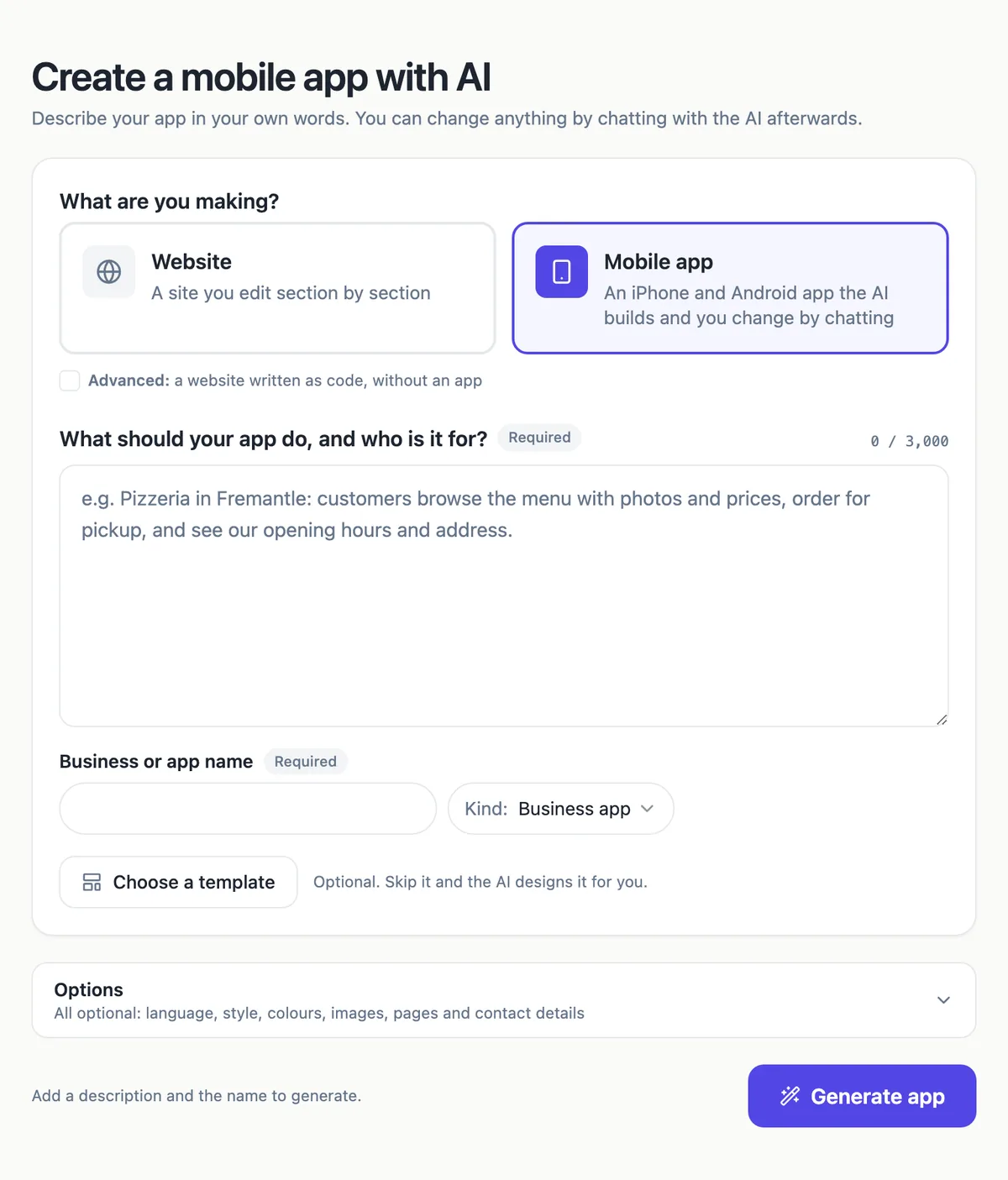
Choosing Mobile app in the generator creates a Code mode site from your brief and then the app: an Expo project using React Native, Uniwind for styling and React Native Reusables for the interface, with tabs for screens such as Home, Menu, Products, Orders, Bookings and Contact. The app reads the same site data, products and collections, so the website and the app share one source.
Preview and edit by chat
The app builder shows the app in a phone frame, 390 by 844, or a tablet frame, from a web export of the real code. You change it by chatting, as with Code mode sites: each turn edits the files, builds a fresh web export, and keeps a version you can restore. The files are readable and can be downloaded as a zip.
From preview to the stores
The phone panel lists the steps: set the app name and bundle ID, then run eas login, eas build and eas submit with Expo tools on your own computer and accounts. Apple charges 99 USD a year and Google Play 25 USD once with an identity check; a new personal Google account must test with at least 12 people for 14 days. OneCraft never submits for you.
Plans and credits
Mobile apps are on the paid plans; on the free plan the Mobile app card opens the upgrade dialog. Starting the app costs 1 credit, and AI work is billed by model use at 1 credit per US cent plus 1 credit per web export, with a daily spending cap on AI building. A typical app generation measured a few tens of credits of model use.
Is an app worth it?
Apple rejects apps that only repeat a website, so an app needs a reason: ordering, bookings, a member card, something people do repeatedly. For many small businesses an installable website does the job without store accounts or reviews. Build the app when your regulars would open it weekly.
How it works, in three steps
Step 1
Choose Mobile app
In the generator pick Mobile app, describe what the app does and who it is for, and name it.
Step 2
Review in the phone preview
The app builder shows the app in a phone frame; chat to change screens, colours or wording.
Step 3
Build and submit with EAS
Set the app name and bundle ID, then run eas login, eas build and eas submit under your own accounts.
Limits worth knowing
- Paid plans only; the free plan sees the upgrade dialog.
- AI work bills model use at 1 credit per US cent plus 1 credit per build, under a daily cap.
- You build and submit the app yourself with Expo EAS; nothing is submitted for you.
- Screens are chosen from Home, Menu, Products, Orders, Bookings and Contact.
Questions people ask
Is this a real native app or a website in a wrapper?
A real app project. The code is React Native with Expo, written for phone screens with tabs, safe areas and native controls, and it is exported to the web only for the preview. The separate app export for Sections sites is the wrapper option; this one is written as an app.
Do I need to know how to code?
Not for building and editing, which happen by chat. You do need to follow command line steps once to build and submit with Expo EAS, which the phone panel lists with copy buttons. If that is new to you, budget an afternoon or ask a developer to run the submission for you.
Can customers order and pay in the app?
If the site has its store on, the app can show products and send buyers to Stripe Checkout, and it polls the order status after payment so the buyer sees the result. Bookings and similar requests work through the site data collections. Payments stay on your own Stripe account.
How long does an app generation take?
Measured runs took roughly two to four minutes, with the AI writing files, exporting the app and reviewing screenshots of its own screens before finishing. The progress shows the stage and the files being written. A failed first app is removed so you can try again with a clearer brief.
Can I edit the code myself?
The files are read only in the builder; you change the app by chatting with the AI. You can download the project as a zip and edit it in your own tools, but changes made outside are not brought back into the builder, so pick one way of working.
Make your own website
The button opens the generator with this use case already described. Change the wording to match yours, generate, then edit anything you like.
Create a website with OneCraftRelated pages
Turn your website into a mobile app: what the export builds and what is left
Turning a website into a mobile app usually means wrapping the site in a native shell that can be submitted to the App Store and Google Play. The wrapping is the easy part; the store rules about apps that only repeat a website, the developer accounts and the review are where the work is.
Edit your website with AI chat: describe the change, review it, keep or undo
Editing a website with AI chat means typing what you want, add a pricing section after services, and having the AI make the change on your draft. The useful part is not the typing, it is that every change is listed, previewed and reversible before you publish.
Website data collections: lists your site reads and visitors fill
A data collection is a list of items with the same fields, such as menu dishes, class times or reservation requests, that a website reads from instead of having the content typed into the page. You edit the list like a spreadsheet and the site updates, or visitors add to it through a form.
More finished work of this kind is on the website examples hub.
Written and checked by the OneCraft team. Last checked .