Websites
AI website builder that writes code: a real project, edited by chat
An AI website builder that writes code produces the source files of a site, not a layout in a proprietary format. Here that means a React Router project with Tailwind and shadcn/ui, built and checked on every change, with a git history and a zip download.
What the AI writes
In Code mode the AI writes a React Router project styled with Tailwind and built from shadcn/ui components, one git repository per site. It follows rules for responsive layouts at 375, 768, 1024 and 1280 wide, real copy in your language, alt text, meta tags on every route and motion that respects reduced motion settings. It can also create data collections for content and submissions.
Every change is built and checked
Each generation or chat turn ends with a build that runs a type check, a linter, the production build and a layout check that opens every page in a headless browser at three widths, failing on sideways overflow or runtime errors. The AI reviews screenshots of its own pages before it finishes. A turn whose build fails is rolled back, so the site never sits in a broken state.
The builder
The code builder has a chat, a live preview at phone, tablet and desktop widths, the file tree with a read only viewer, version history with preview and restore, a zip download and a data tab for collections. Publishing puts a green build live at your address, the same way as a Sections site, with custom domains on the same settings page.
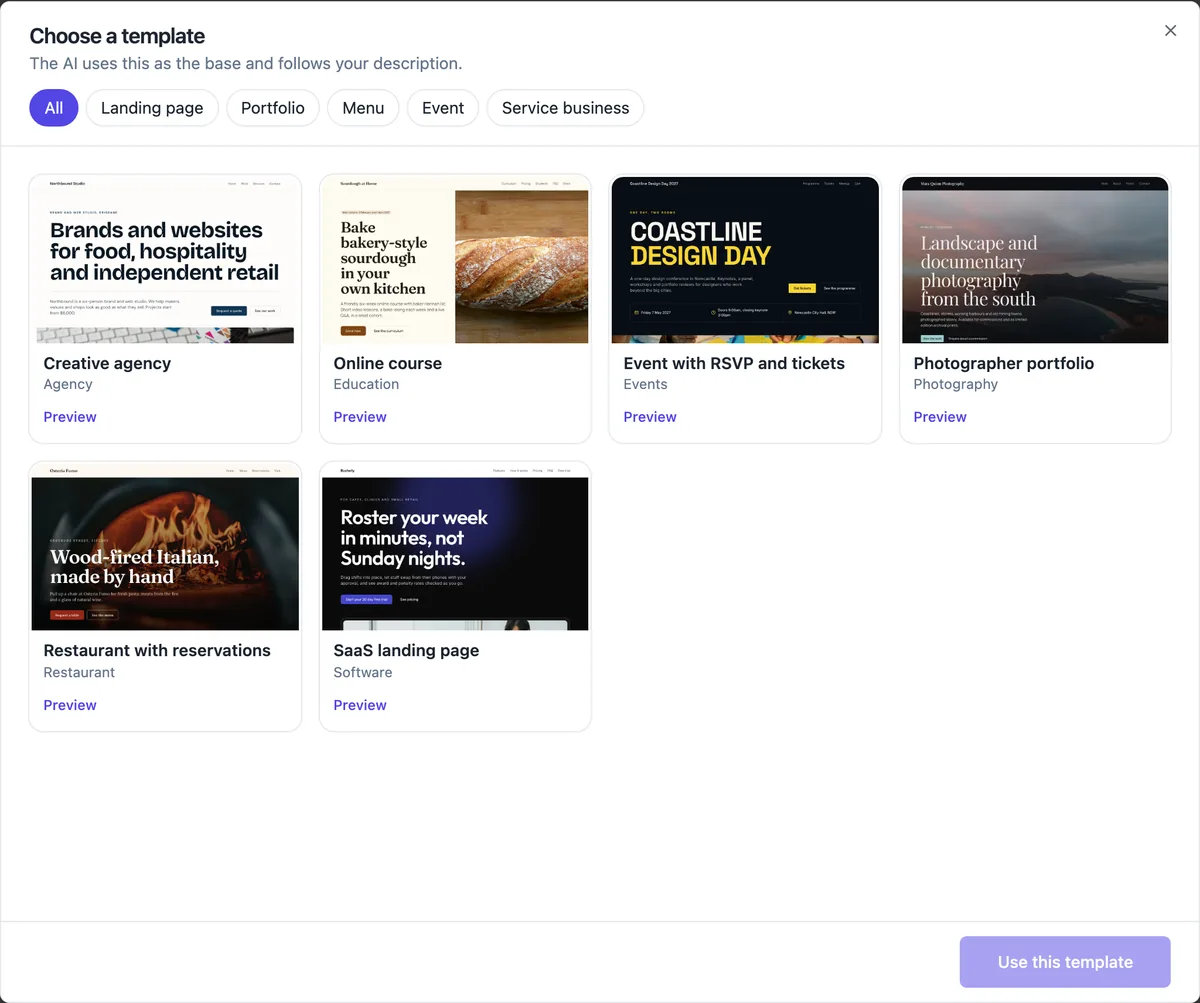
Six templates to start from
A creative agency with case studies from a collection and a quote form; an online course with a curriculum collection and an enrolment form; an event with a schedule, RSVP list and ticket sales; a photographer portfolio with a moving gallery; a restaurant with a menu collection and table requests; and a SaaS landing page. Open as is copies the project and builds it.
Costs and limits
Code mode is on the paid plans. A new site costs 1 credit, and AI work is billed by model use at 1 credit per US cent plus 1 credit per build; measured generations averaged about 14 credits and chat turns about 4. Published output is static files only, with no server code, and you cannot upload your own code into the project.
How it works, in three steps
Step 1
Choose Code
In the generator tick Advanced for a website written as code, or open a Code mode template.
Step 2
Describe and generate
Up to 3,000 characters, plus optional pages, features and a design reference site; the AI writes, builds and checks the project.
Step 3
Chat, preview, publish
Ask for changes in the chat, watch the live preview, restore any version, and publish a green build.
Limits worth knowing
- Paid plans only.
- AI work bills model use at 1 credit per US cent plus 1 credit per build, with a daily spending cap.
- Files are read only in the builder; you cannot upload your own code.
- Output is static files: no server code and no database beyond data collections and the store tables.
Questions people ask
Do I get the source code?
Yes. The Files tab shows every file, and Download makes a zip of the project at its current version, without the git folder, which you can open in any editor or host elsewhere. The project depends on the starter packages it was written against, listed in its package file.
Can I edit the code by hand?
Not in the builder: files are read only there and every change goes through the AI chat, which builds and checks it. You can download the zip and edit it in your own tools, but those changes are not brought back into the builder, so choose one way of working per project.
How is this different from the section builder?
The section builder edits a page made of fixed section types, by clicking, with the AI as an optional helper. Code mode has no fixed sections: the AI writes any layout or interaction your brief describes, and you edit by chatting. It costs more per change and suits custom designs.
Can a Sections site be moved to Code mode?
Yes. Eject to Code in site settings has the AI rebuild the Sections site as code with the same pages, words, photos and colours. It is one way: the block editor stops working for that site afterwards, and your live site stays as it is until you publish the new version.
What if the AI cannot build my request?
A generation that never reaches a green build within its limits fails with a plain sentence and the new site is removed; you are billed for the model use that ran. A chat turn that fails is rolled back to where it started, and Let AI fix it sends the build error back to the AI.
Can I use my own design as a reference?
Yes. Under Options in Code mode you can give a design reference, either a web address the AI looks at as a screenshot or an image you upload, plus the pages and features you want. The AI follows its layout and mood while writing your content.
Make your own website
The button opens the generator with this use case already described. Change the wording to match yours, generate, then edit anything you like.
Create a website with OneCraftRelated pages
Website from a template: open it as is, or let the AI rewrite it for you
Starting a website from a template means beginning with a finished design for your kind of business and replacing its words and photos with yours. It is the fastest route when a starter already looks right, and the AI can do the rewriting from your description if you prefer.
Website in another language: the copy, the tags and the direction
A website in another language needs more than translated paragraphs: the page has to declare its language to browsers and search engines, the small interface words have to match, and right to left scripts have to flip the layout. A generator can do most of that from one setting.
Live preview while the AI builds your website
A live preview shows the site changing while the AI is still writing it, instead of a progress bar followed by a reveal. It is the fastest way to catch a misunderstanding early, before the AI spends the rest of the turn on the wrong idea.
More finished work of this kind is on the website examples hub.
Written and checked by the OneCraft team. Last checked .