Websites
Website in another language: the copy, the tags and the direction
A website in another language needs more than translated paragraphs: the page has to declare its language to browsers and search engines, the small interface words have to match, and right to left scripts have to flip the layout. A generator can do most of that from one setting.
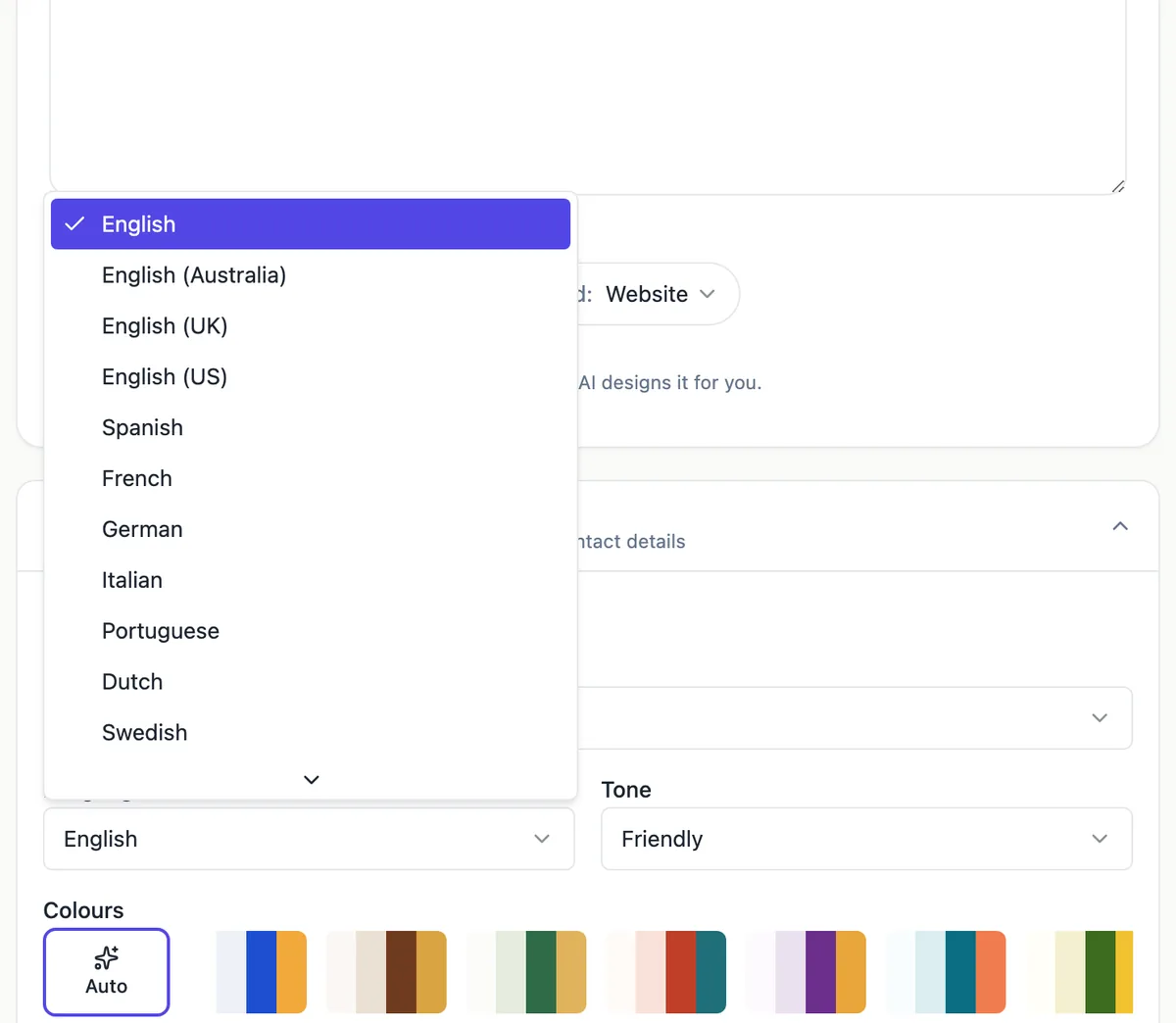
Twenty language choices
The generator offers English in four variants (plain, Australian, UK and US spelling), Spanish, French, German, Italian, Portuguese, Dutch, Swedish, Polish, Turkish, Arabic, Hindi, Indonesian, Vietnamese, Japanese, Korean and Chinese. You can write the brief in English and choose another language, or write it in the target language. The AI writes headings, body copy, buttons and page names in the language chosen.
What changes on the published page
The site language sets the lang attribute on every page, which tells browsers, screen readers and search engines what they are reading. The few words the site itself adds, the skip to content link, the menu button, the social media label, the badge and the Report link, are translated for each offered language. For Arabic, the page switches to right to left.
What stays in English
The store, cart and checkout labels on a published site are still English, and so is the Stripe checkout page unless the buyer browser language changes it. The builder itself is in English. For a shop aimed at non English speakers, write product names and descriptions in their language and test the cart before launch.
One language per site
A site has one language. For a business serving two language groups, the practical options are two sites, one per language, each with its own address and search listing, linked to each other from the footer; or one site in the main language with a page written in the second. There is no automatic language switcher or translation of an existing site.
Check it with a native speaker
AI copy in a major language reads naturally, but names of services, local terms and tone of address vary by country: Spanish in Sydney written for Colombians is not Spanish for Spain. Ask a native speaking customer or staff member to read the home page and contact page before you publish, and fix wording in the builder.
How it works, in three steps
Step 1
Open Options
In the generator open Options and choose the language under Language and style.
Step 2
Write the brief
In English or in the target language: services, audience, proof and the action you want.
Step 3
Generate and review
Read every page with a native speaker, fix terms in the builder, then publish.
Limits worth knowing
- Twenty language choices in the generator, including four variants of English.
- Right to left layout is used for Arabic among the offered languages.
- Store, cart and checkout labels on published sites are in English.
- One language per site; there is no language switcher or automatic translation.
Questions people ask
Can the AI translate my existing English site?
Not as an automatic translation. You can generate a new site in the other language from a brief, or ask the AI chat to rewrite sections of an existing site in another language section by section. A new site for the second language keeps both versions clean and separately editable.
Will Google show my Spanish site to Spanish searchers?
The lang attribute and Spanish copy tell search engines the language, which helps them show the page to people searching in Spanish. Search titles and descriptions should be written in Spanish too, in the site and page settings. Two linked sites, one per language, each rank for their own searches.
Does the AI handle Arabic layout properly?
The published page sets right to left direction for Arabic, so text, alignment and the reading order flip as the browser expects, and the runtime words are in Arabic. Check images with text and any number formats, and test the page on a phone before publishing.
Can I choose a language the list does not offer?
Not in the generator list. You can write content in another language yourself in the builder, since the sections accept any text, but the page language tag and the small runtime words will follow the site language setting rather than your text.
Are fonts right for Japanese, Chinese or Hindi?
The curated font pairs are Google Fonts chosen for Latin text, and browsers fall back to system fonts for characters a font lacks, so Japanese, Chinese and Devanagari text still displays. If a page looks uneven, choose a plainer font pair in the Theme tab so the fallback blends in.
Can I mix languages on one site?
You can type any text into any section, so a site can carry a second language page or a bilingual heading. The page language tag and the small runtime words follow the one site language setting, so screen readers will read the second language with the wrong voice. For more than a page or two, two sites are cleaner.
Does the language setting change dates and prices?
Prices in the store follow the store currency, and dates you type in sections are shown exactly as written. Write dates and numbers the way your readers expect, such as 14 de marzo or 14 mars, rather than relying on the site to format them.
Make your own website
The button opens the generator with this use case already described. Change the wording to match yours, generate, then edit anything you like.
Create a website with OneCraftRelated pages
Landing page generator: one offer, one action
A landing page is a single page with a single job, such as joining a waitlist, booking a call or buying one product. A generator helps most when it builds the page around that one action and leaves out everything that competes with it.
Edit your website with AI chat: describe the change, review it, keep or undo
Editing a website with AI chat means typing what you want, add a pricing section after services, and having the AI make the change on your draft. The useful part is not the typing, it is that every change is listed, previewed and reversible before you publish.
AI website generator from a prompt: what to write so the draft is right
A website generator reads a prompt the way a designer reads a brief: who the business serves, what it sells, why people trust it and what a visitor should do next. A prompt that answers those four things gets a draft that needs polishing, and one that only names the business gets a generic page.
More finished work of this kind is on the website examples hub.
Written and checked by the OneCraft team. Last checked .