Websites
Landing page generator: one offer, one action
A landing page is a single page with a single job, such as joining a waitlist, booking a call or buying one product. A generator helps most when it builds the page around that one action and leaves out everything that competes with it.
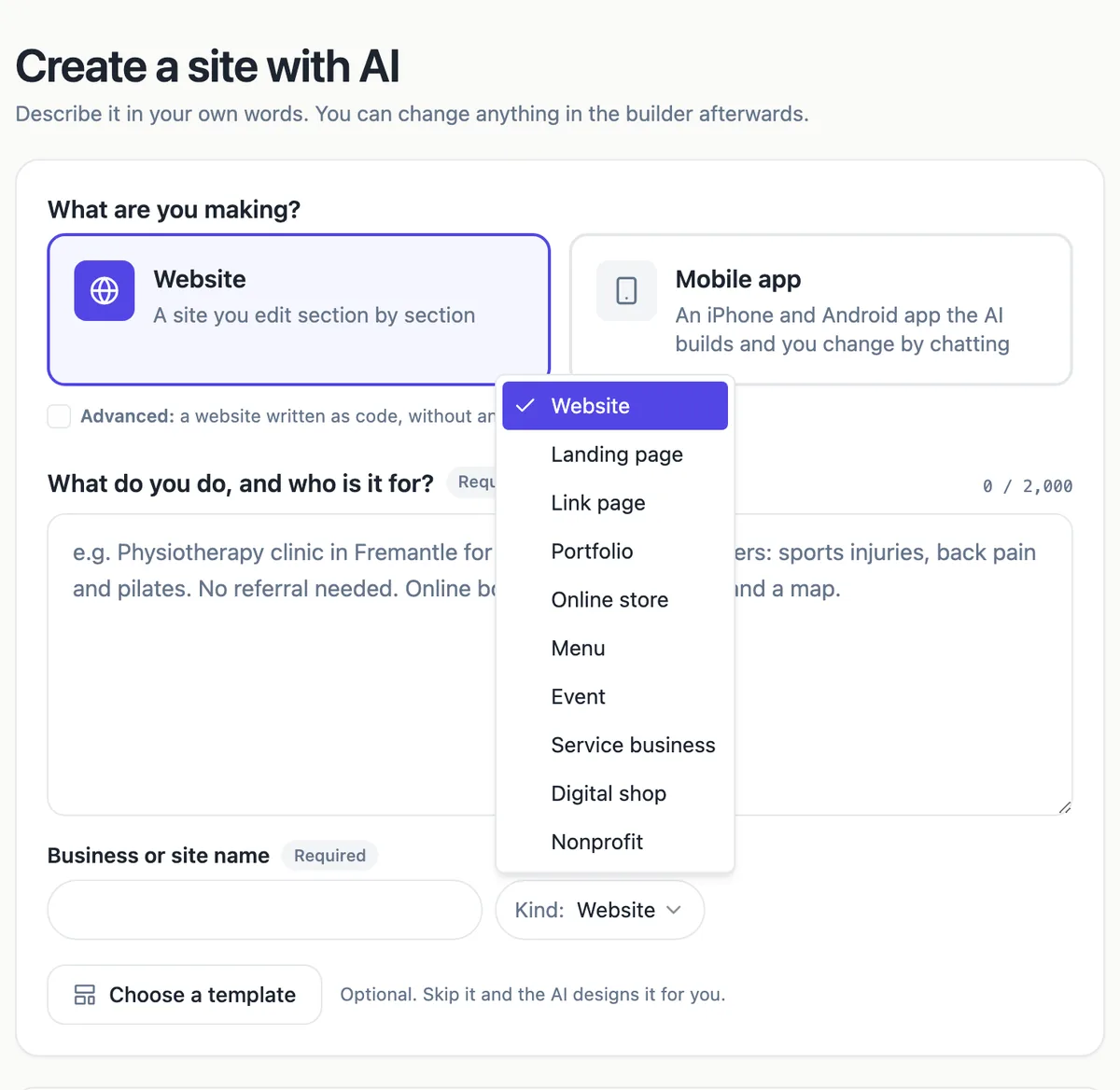
What the generator builds
With Landing page chosen, the generator writes one page: a hero with the offer and one button, then the sections your brief calls for, usually benefits, how it works, proof, pricing and an FAQ, ending with the action again. It keeps the menu short or empty so nothing leads away. Like every kind except link pages, it adds privacy and terms pages for the footer.
The landing page templates
Three templates show the shape: an app launch page with a split hero, logo strip, zig zag benefits, results, pricing and a sign-up card; a dark coaching page with a timeline, a client story, a plan comparison and an application form; and an online course page with an intro video, a curriculum checklist, moving reviews and a single offer.
The action, in three forms
The ending decides the page. A newsletter card collects emails for a launch or waitlist, a contact or quote form starts a conversation, and a pricing section with one highlighted plan links to checkout or a sign-up page elsewhere. On phones, the sticky call to action layout keeps one line and one button pinned to the bottom of the screen the whole way down.
Measure the one number
A landing page has one number that matters: how many visitors take the action. The built in counter shows visits, top pages and the sites visitors came from without cookies; sign-ups land in the messages inbox with dates. Divide one by the other each week. For campaign tags and conversion events, add a Google Analytics measurement ID in site settings.
One page per campaign
Each landing page is its own site with its own address, so a campaign page can live at product-launch.onecraft.live or on a subdomain of your own domain while your main site stays untouched. Your plan site limit decides how many you can keep live at once, so archive old campaigns by taking them offline or deleting them.
How it works, in three steps
Step 1
Choose Landing page
Open the Kind menu in the generator and pick Landing page, or start from one of the three landing templates.
Step 2
Describe the offer
Who it is for, what they get, the price or the free offer, the proof you have and the one action you want.
Step 3
Generate and publish
Trim anything that does not serve the action, publish, and send campaign traffic to the address.
Limits worth knowing
- Each landing page is a site and counts toward your plan site limit (Free 1, Starter 3, Pro 10).
- Sign-ups arrive as messages; there is no email campaign tool to send to them.
- The visit counter shows visits and referrers, not conversion funnels.
- Checkout for your own product needs the store on a paid plan, or a link to your existing checkout.
Questions people ask
Should a landing page have a menu?
Usually not, or only a short one. Every menu link is a way off the page before the action. Keep a link to the privacy policy in the footer and let the page scroll from the offer to the action. If visitors need more detail, put it in an FAQ section on the same page.
How long should a landing page be?
Long enough to answer the objections a buyer has at that price. A free waitlist page can be a hero, three benefits and a sign-up. A paid course or coaching offer needs proof, a curriculum or process, pricing and an FAQ. Cut any section you would skip as a visitor.
Can I A/B test two versions?
There is no built in split testing. You can publish two landing pages as two sites with different addresses and send half your campaign traffic to each, then compare sign-ups in each inbox against the visits counter. That costs two sites against your plan limit for the length of the test.
Where do the email sign-ups go?
Newsletter sections send each address to the messages inbox for the site, deduplicated so one person signing up twice counts once, and you get an email for each new message. Export the list as a CSV and import it into your email tool to send updates.
Can the landing page take payment?
On a paid plan, switch the store on and add your product; the page can link straight to its product page, and checkout runs through Stripe into your account. If you already sell elsewhere, point the pricing button at that checkout instead.
Can I put a landing page on my own domain?
Yes, on a paid plan. Add a hostname such as launch.yourbusiness.com in the site settings, add the TXT and CNAME records the screen shows at your domain provider, and press Verify. Once the certificate is issued the landing page answers on that address, and your main website stays where it is.
Make your own website
The button opens the generator with this use case already described. Change the wording to match yours, generate, then edit anything you like.
Create a website with OneCraftRelated pages
Website in another language: the copy, the tags and the direction
A website in another language needs more than translated paragraphs: the page has to declare its language to browsers and search engines, the small interface words have to match, and right to left scripts have to flip the layout. A generator can do most of that from one setting.
Website from a template: open it as is, or let the AI rewrite it for you
Starting a website from a template means beginning with a finished design for your kind of business and replacing its words and photos with yours. It is the fastest route when a starter already looks right, and the AI can do the rewriting from your description if you prefer.
One page website maker: one scroll, one job
A one page website puts everything a visitor needs on a single scrolling page: what you offer, why to trust you, the details and one clear action. It suits a small offer, a launch or an event, and it falls short once people arrive looking for one specific thing among many.
More finished work of this kind is on the website examples hub.
Written and checked by the OneCraft team. Last checked .