Documents
Document components
There are 45 block types. You will use about twelve of them regularly, and knowing which twelve is most of the difference between a document that reads as designed and one that reads as typed.
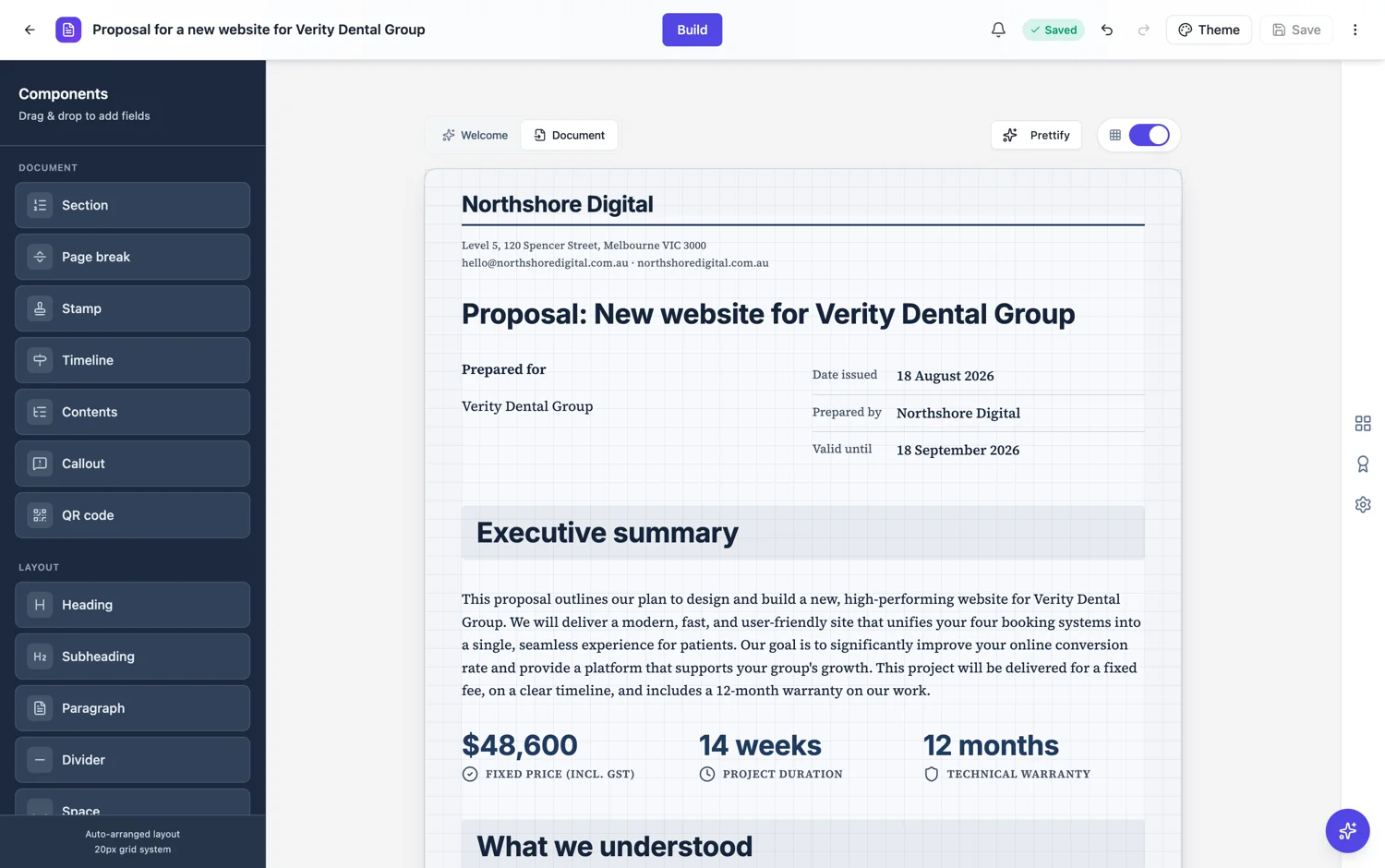
Structure
Section, heading, subheading, divider, space and page break. These carry no content of their own and decide how the document reads. A document with no subheadings is a wall; a document with a heading every paragraph is a list. The rhythm these set is the first thing a reader judges, before a single sentence is read.
Prose and lists
Paragraph, list, detail list, quote, callout and clause. Clause is the one people miss: it gives each term of an agreement its own number field, title and body, so the number sits apart from the sentence even though you type it. Detail list is the other, a numbered or icon item list that can also lay out as a card grid, which is how deliverables and inclusions stop being a bare bullet list.
Data and figures
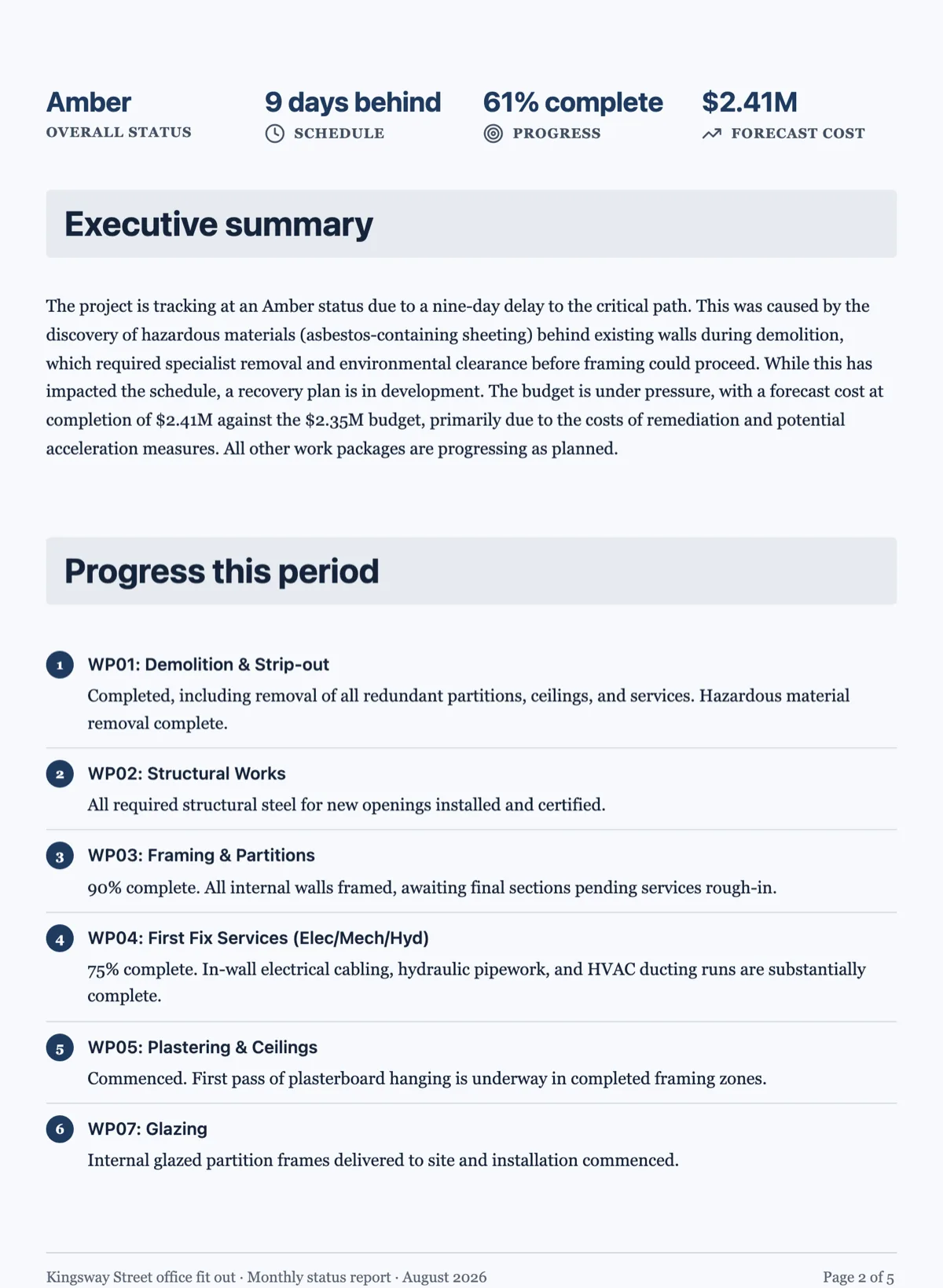
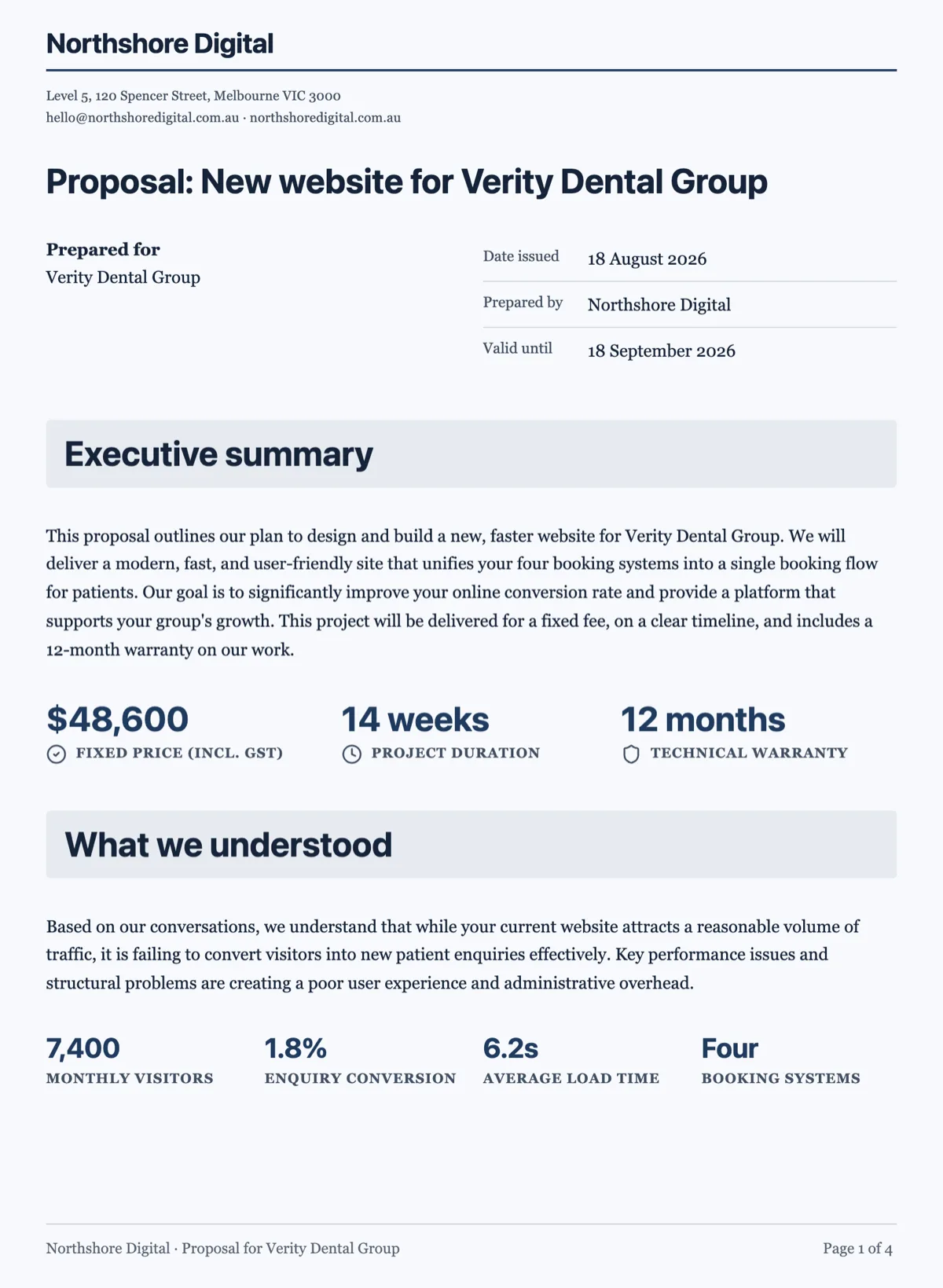
Data table, chart, key values, stat, timeline and diagram. The rule of thumb: a table when the reader compares values, a chart when the shape is the point, key values when the number is looked up, a timeline for sequence, and a diagram when prose is bad at the shape, such as a branch or a loop.
Document furniture
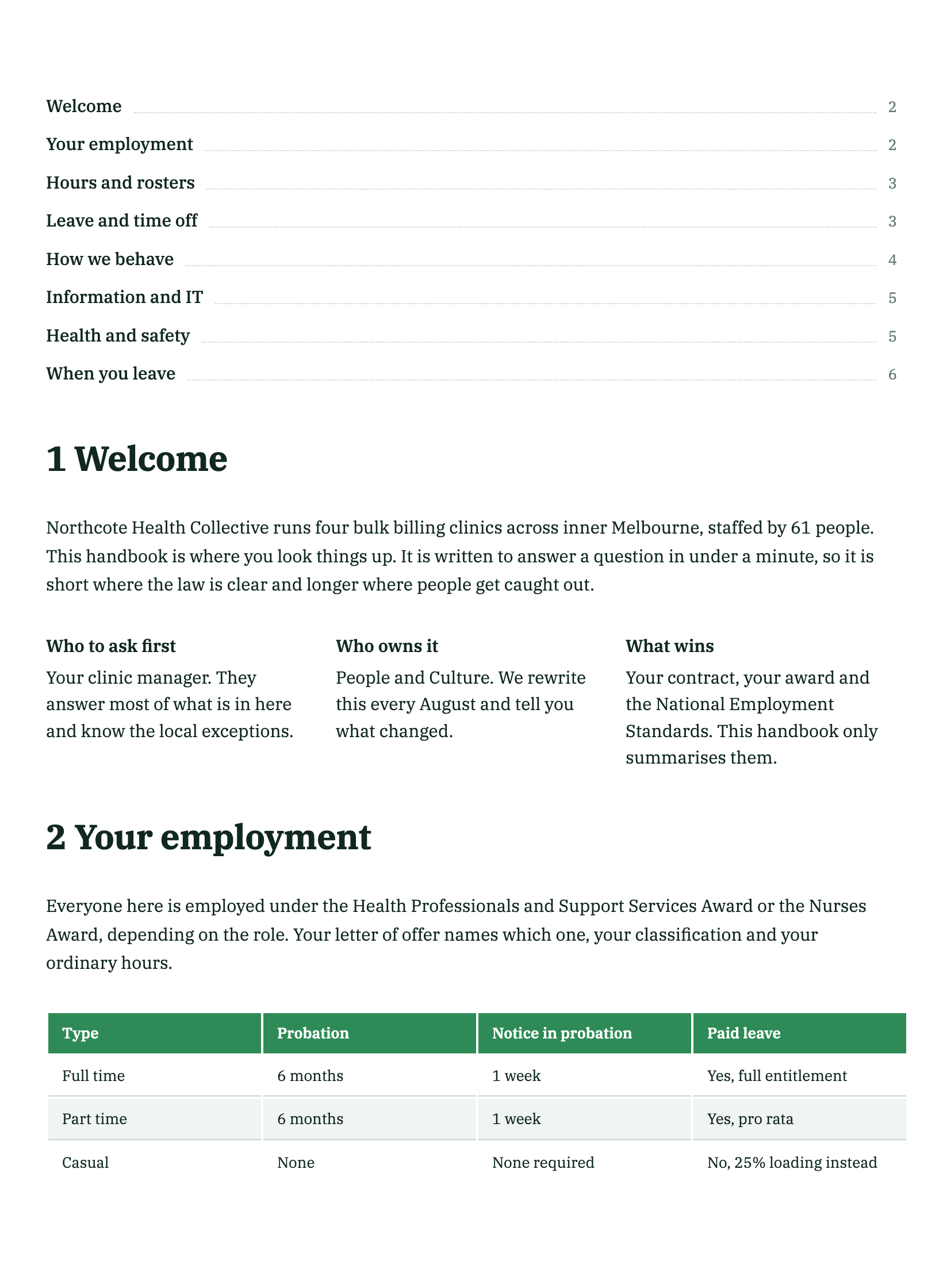
Letterhead, contents, stamp, QR code, signature block, banner and card. These are the parts that make a document look like it came from an organisation rather than a word processor, and most of them are added automatically when the document type calls for one.
Technical
Code and equation, for content that has to be reproduced exactly. Both are block level and both belong in technical documents rather than commercial ones. If you find yourself adding a listing to a proposal, it probably belongs in an appendix.
What is deliberately missing
There are no input fields. A document holds content, so a date, a name or an amount is written into the page rather than left as an empty box. If you want something people fill in, that is a form, and the two are different products for good reasons.
The QR code block
The QR code sits in the Document group of the toolkit, next to section, page break, stamp, timeline, contents and callout. It encodes whatever URL you type into it, and nothing else: there is no scan counting, so if you need to know how many people used it, point it at a URL you can measure on your own side. Always put a line of text beside it saying what happens when someone scans, such as "Scan to pay this invoice" or "Scan to confirm a visit", because people do not scan unlabelled squares. On an A4 page read at arm's length, three to four centimetres square is the size that reads reliably in the poor light where most invoices are opened. Keep the URL short and stable, since a printed code cannot be edited after the fact.
How it works, in three steps
Step 1
Start from what the reader does
Read it, compare it, look it up or sign it. That decides the block.
Step 2
Use the structural blocks properly
Clause for numbered terms, section for grouping. Clause numbers are typed, so check them after inserting one.
Step 3
Leave the furniture to the document type
Covers, letterheads and contents are added where a reader expects them.
The full walkthrough with screenshots is in the guide Every document component and when to use it.
Limits worth knowing
- 45 block types in total, and no input fields among them.
- Some blocks are added automatically by document type rather than chosen.
- Charts and diagrams take theme colours rather than their own.
See it on a finished piece
Questions people ask
How many document blocks are there?
Forty five types, grouped as structure, prose, data and figures, document furniture and technical.
Which ones will I actually use?
About twelve: heading, subheading, paragraph, list, detail list, table, key values, chart, callout, clause, signature block and page break.
Why are there no input fields?
A document carries content, so values are written into the page. Anything people fill in belongs in a form.
How big should a QR code be on an A4 page?
Around three to four centimetres square for something read at arm's length. Smaller than that and a phone camera struggles in poor light, which is exactly where most printed documents get scanned. Going much larger buys nothing, because the code is already readable and the space is better spent on the label beside it.
Make your own document
The button opens the generator with this use case already described. Change the wording to match yours, generate, then edit anything you like.
Create a document with OneCraftRelated pages
Callout box in a document
A callout is the sentence a reader cannot afford to skim past, lifted out of the paragraph and marked. It works because it is rare, which is why the interesting question is when not to use one.
Send an AI document for signing
The usual sequence is export to PDF, upload it somewhere else, then drag boxes over the printed lines and hope your aim was good. When the document was written here, the lines already know where they are.
Formal vs plain document tone
Register is not a style setting applied at the end. It is decided before a word is written, and it changes the structure, the blocks and the colours as much as the sentences.
More finished work of this kind is on the document examples hub.
Written and checked by the OneCraft team. Last checked .