Documents
Formal vs plain document tone
Register is not a style setting applied at the end. It is decided before a word is written, and it changes the structure, the blocks and the colours as much as the sentences.
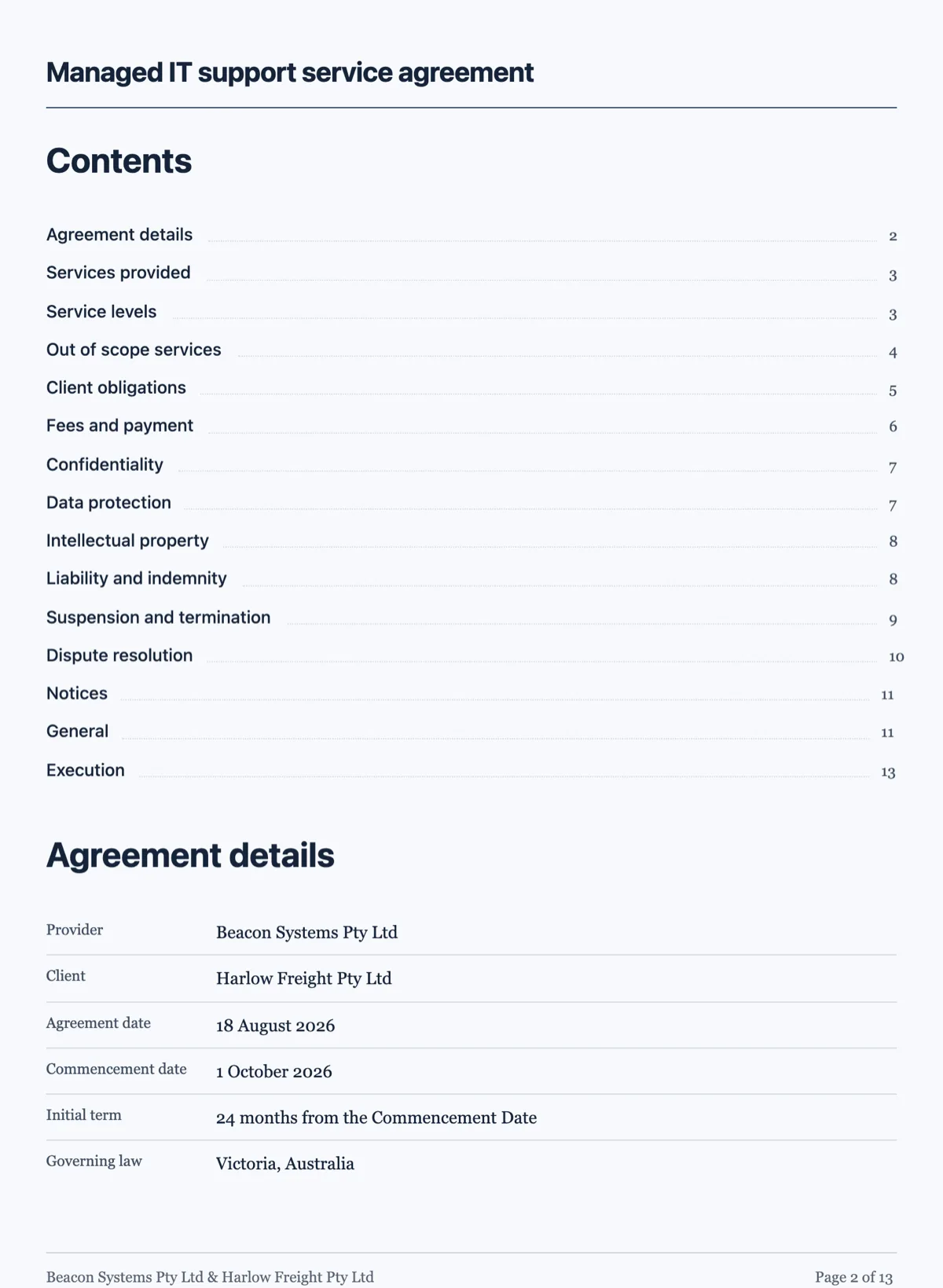
Legal
Formal and precise, with defined terms in quotes and no decoration at all: no icons, no charts, nothing that would look odd in front of a court. It is structurally numbered, and it ends with an execution heading and a signature block per signatory rather than a row of underscores. The theme stays sober.
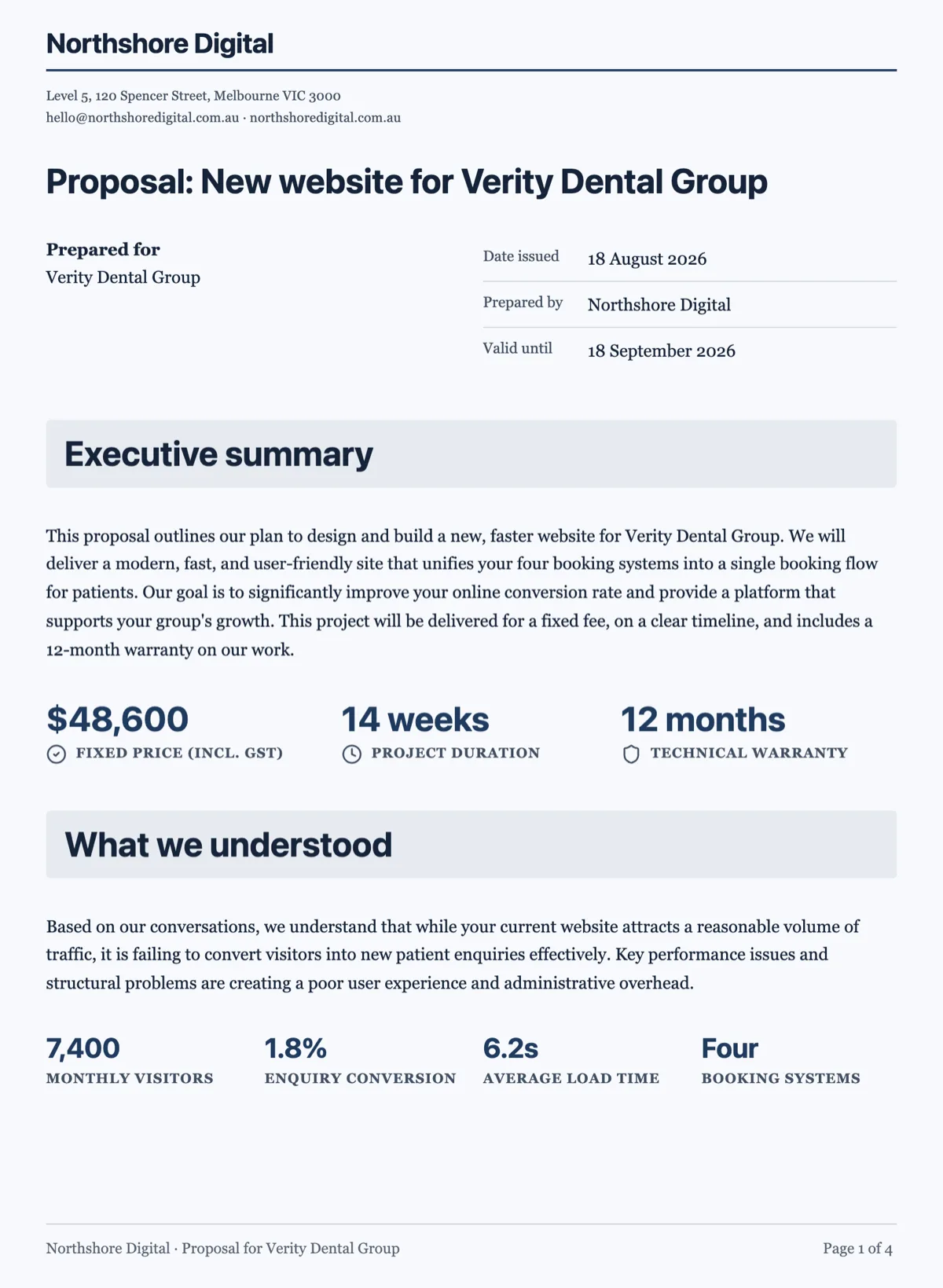
Corporate
Professional and plain. Headings rather than numbered clauses, icons only on key figures, and a restrained theme. This is the default for reports, proposals and internal documents, and it is the register most business writing should be in rather than the semi-legal voice people reach for.
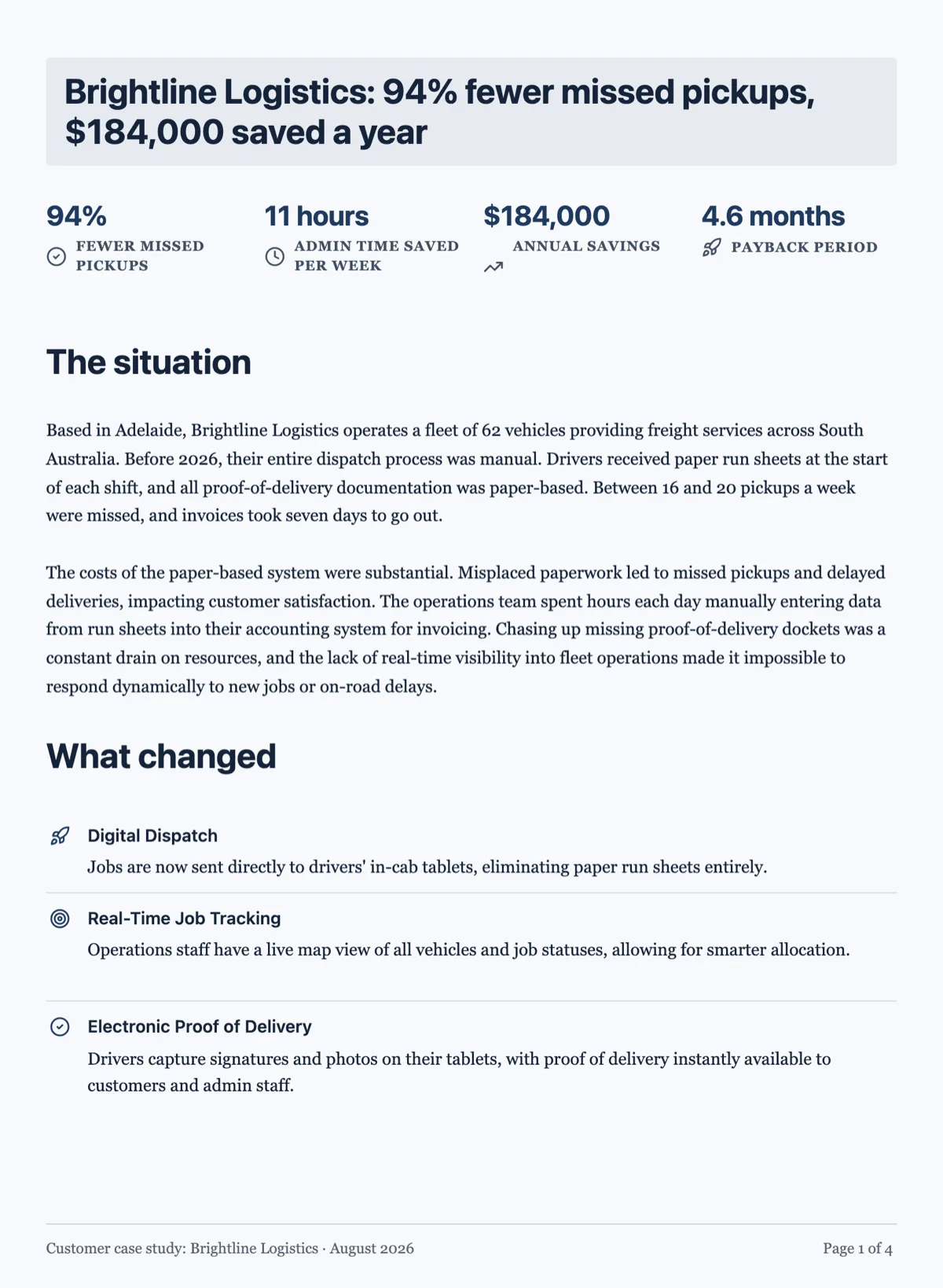
Editorial
Expressive. Banners, imagery, colour and pull quotes are welcome, and a dark theme is allowed where the brand suits it. Case studies, brochures and one-pagers live here. It is the register that goes wrong most often, because it is applied to documents that needed corporate.
Personal
Warm and direct, written in first or second person, with minimal furniture. Letters, welcome packs and anything one human sends another. The mistake to avoid is dressing a personal document as corporate, which is how a welcome letter ends up reading like a policy.
How to get the one you want
Say what the document is and who it is for, and the register follows: an agreement between two companies gets legal, a note to a new client gets personal. If you want to override it, describe the voice in the same sentence, for example a plainly written policy in the second person, and the classification follows the description rather than the document type.
Register changes the blocks, not just the words
Asking for a legal register does not only make the sentences longer. It changes what the document is built from: numbered clauses instead of headed sections, and no charts. A corporate register brings key figures forward as a strip of numbers. An editorial register brings callouts and pull quotes. So the register is a structural decision the classifier makes from your prompt, and it is why the same facts written twice come back looking like two different documents.
The two words that move the register
Name the reader and name the purpose. "For the board, to approve the spend" and "for new starters, to follow on day one" produce different documents from the same material, because both of those phrases tell the classifier what register the reader expects. Adjectives about tone move it far less than a clear statement of who is reading and what they have to do next.
How it works, in three steps
Step 1
Say who it is for
A court, a board, a prospect or a person. That is what sets the register.
Step 2
Override it in words if you need to
Describe the voice you want and the classification follows your description.
Step 3
Do not fight the register afterwards
Adding charts to a legal document, or clauses to a letter, undoes the choice rather than refining it.
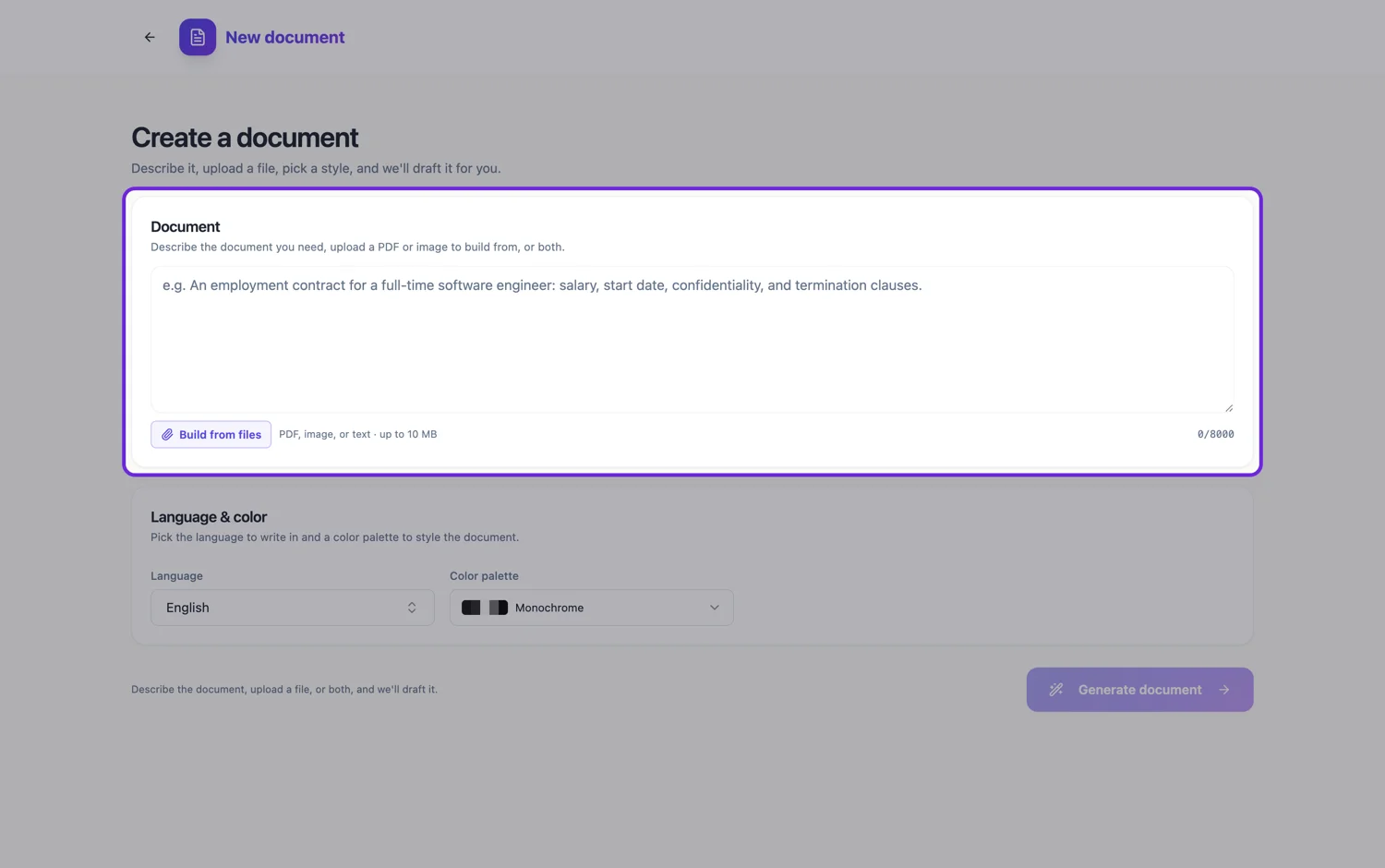
The full walkthrough with screenshots is in the guide Create a document with AI.
Limits worth knowing
- Four registers: legal, corporate, editorial and personal.
- Register is chosen at generation, not switched afterwards like a theme.
- It constrains the blocks: a legal document deliberately carries no icons or charts.
See it on a finished piece
Questions people ask
Can I change the register after the document is written?
Not as a switch. The register decided the structure, not only the wording: whether you got clauses or headed sections, whether charts were allowed, whether the numbers came forward as a strip. Changing it means generating again with a different description of the reader and the purpose. The AI chat can reword what is there, but it cannot restructure.
Why does my contract have no charts?
Because a legal register drops them deliberately. A contract is read line by line, often in a dispute, and a chart in the middle of it is decoration that invites an argument about what it was meant to show. The numbers that matter go in the clauses or in a table where each figure has a label.
Which register should most business documents use?
Corporate. Plain and professional, headings rather than clauses, key figures brought forward where they help. The semi-legal voice people reach for when a document feels important usually makes it harder to act on without making it any more binding. Save the legal register for documents that really are agreements.
Can I ask for plain English legal?
Yes, and it is worth asking for. Say the register is legal but the reader is not a lawyer, and you get numbered clauses with sentences a person can follow. What you cannot do is have it both ways: plain English still means clauses and no charts, because those come with the register.
Does the register change the theme?
Only the first one. At generation the theme is picked to suit the register and the subject, so a contract comes back in a sober light preset and a brochure may get a warmer or dark one. After that the theme is a separate choice: any theme works with any register, so a legal document can carry your brand colours without becoming any less formal in structure.
Make your own document
The button opens the generator with this use case already described. Change the wording to match yours, generate, then edit anything you like.
Create a document with OneCraftRelated pages
Edit a document with AI
The chat panel is a rewriting tool. It can reach the text of every block on the page, including the ones nested inside a container, and it deliberately cannot touch anything structural.
AI images in a document
Most documents need fewer pictures than people put in them, and the ones that earn their place are specific. Describing the figure you want beats searching for a photograph that nearly fits.
Recreate an existing document, and every one like it
To recreate an existing document, attach the file or photos of it in the document generator, ask for the same sections and wording, and it comes back as an editable document you own. The payoff grows with a set: six inherited policies rebuilt one by one can all take the same theme, so they finally look like they came from one organisation.
More finished work of this kind is on the document examples hub.
Written and checked by the OneCraft team. Last checked .