Documents
Document theme colours
A theme is a set of colour tokens and two fonts, and every block on the page reads from it. Switching theme restyles the headings, the tables, the charts and the callouts together rather than one at a time.
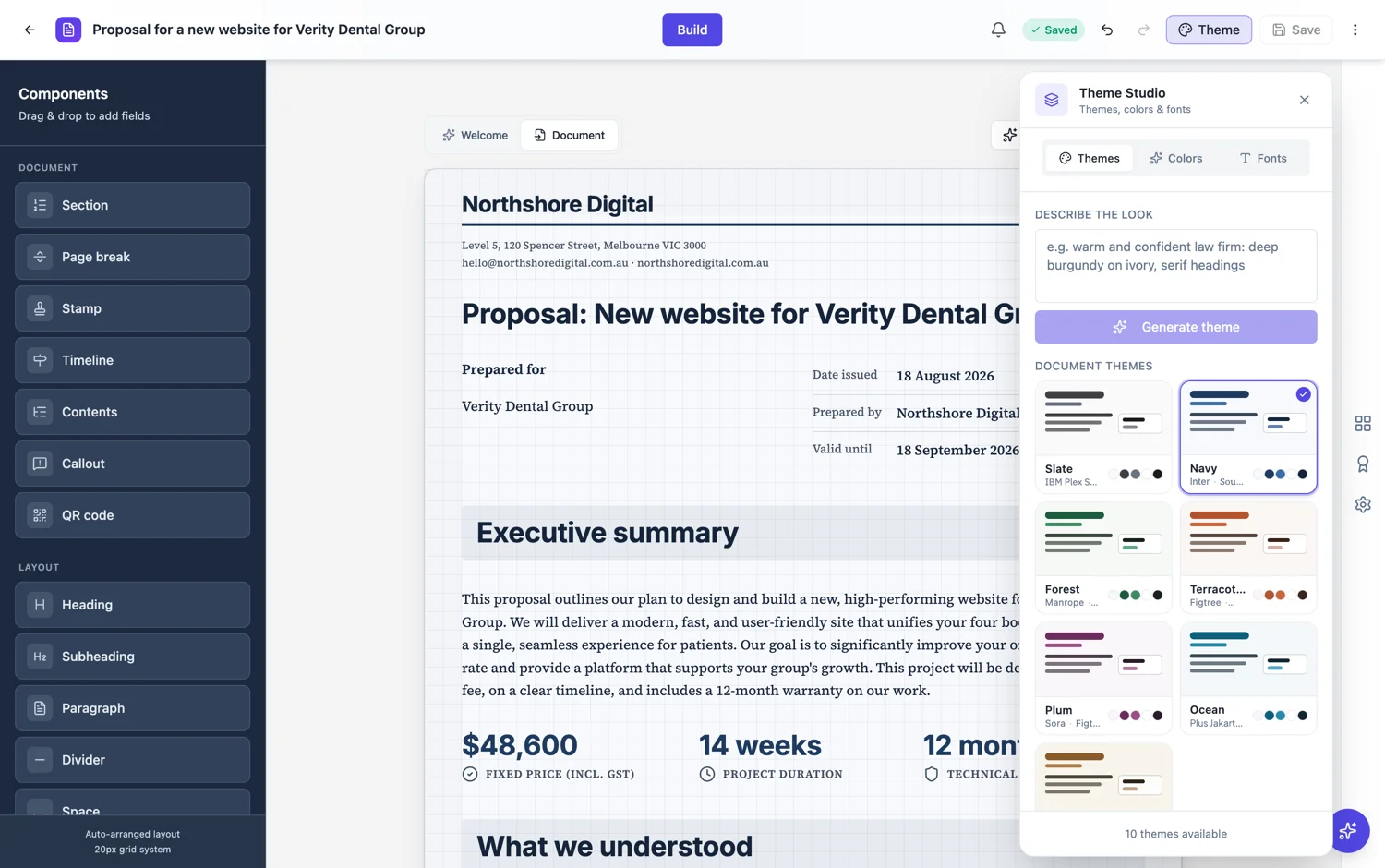
Ten themes, chosen by register
Slate, Navy, Forest, Terracotta, Plum, Ocean, Sand, Graphite, Midnight and Amber Noir. They are not interchangeable. A legal document wants Slate, Navy or Midnight, because a contract read in a dispute should look sober. A corporate report suits Navy, Slate, Ocean or Forest. Editorial work, a case study or a brochure, can carry Terracotta, Plum, Sand or one of the dark presets.
Everything reads from the same tokens
A theme sets a background, a foreground, a muted surface, a card surface, a primary, a secondary and a tertiary colour, the text colours that sit on each of those, a border, and the heading and body fonts. Charts, tables, callouts and section bands all draw from that set, which is why a theme change never leaves one block in the old colours.
Describe a look and get a theme
Above the theme list there is a box that takes a sentence, something like a warm and confident law firm with deep burgundy on ivory and serif headings, and generates a theme from it. It is the fastest way to get close to a brand you cannot name a hex code for, and the result is editable afterwards on the colours and fonts tabs.
Light and dark are not decoration
The dark presets keep their muted and card surfaces lighter than the background, and the light ones keep them near white. That relationship is what stops a dark theme turning a table into an unreadable block. If you edit colours by hand, keep it: a dark theme with a darker card is the fastest way to break a document.
How it works, in three steps
Step 1
Pick by register, not by favourite
Sober themes for legal and corporate, expressive ones for editorial work.
Step 2
Or describe the look
A sentence about the brand generates a theme you can then edit.
Step 3
Check a table and a callout
Those two show up a bad colour relationship faster than a page of text does.
The full walkthrough with screenshots is in the guide Create a document with AI.
Limits worth knowing
- Ten built-in document themes.
- A theme applies to the whole document, not per section.
- Charts and blocks take theme colours, so they cannot be coloured independently.
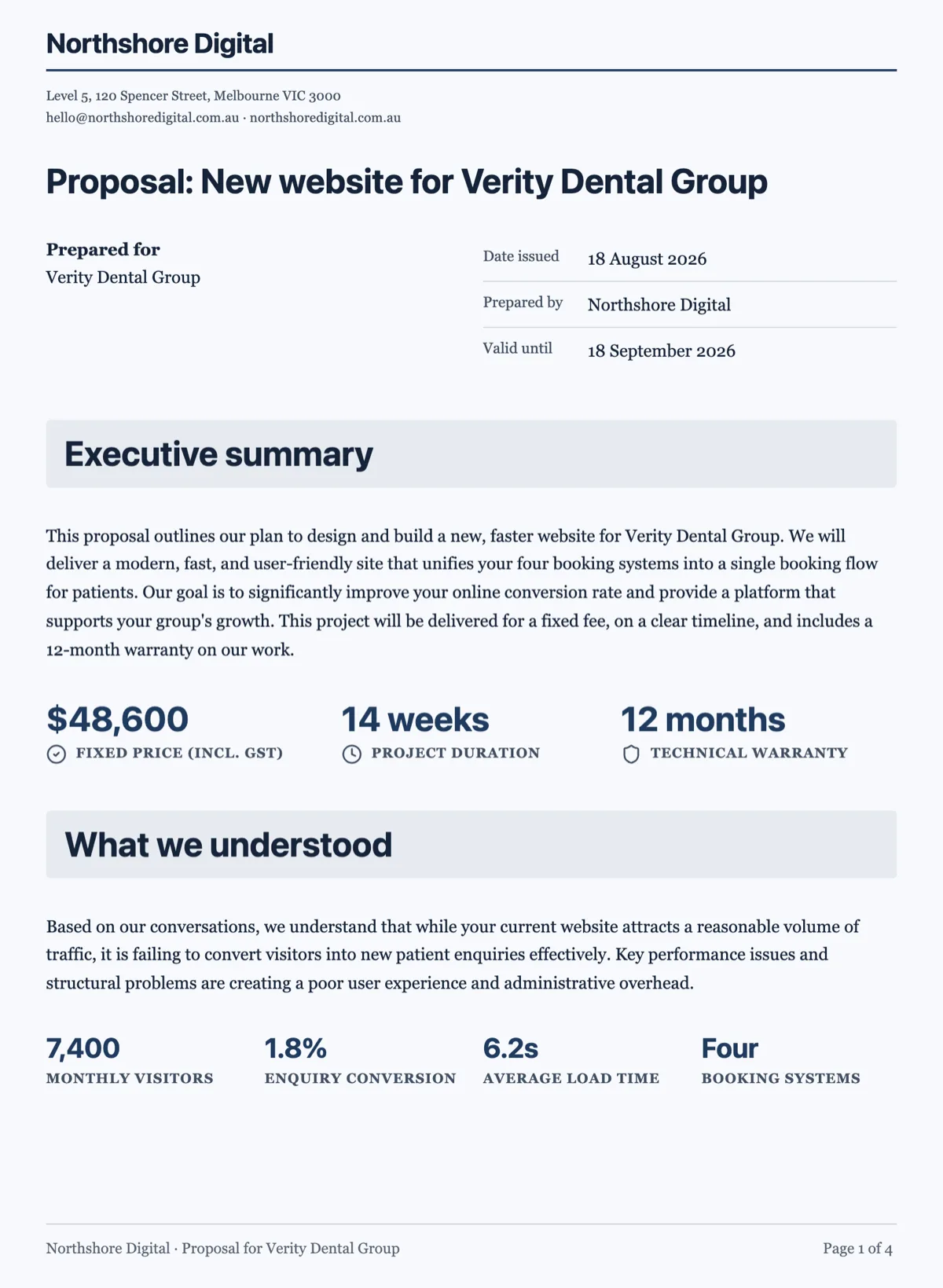
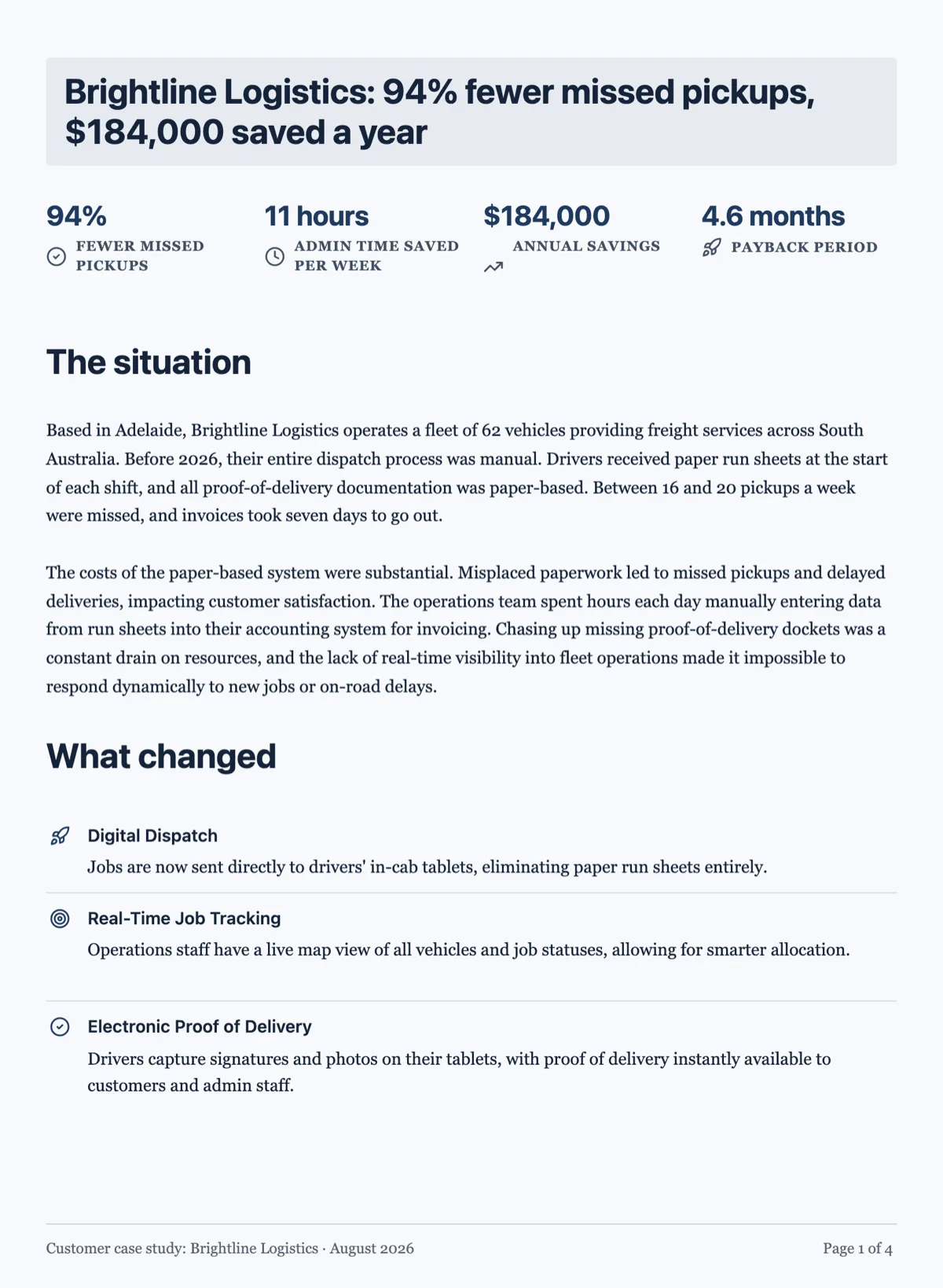
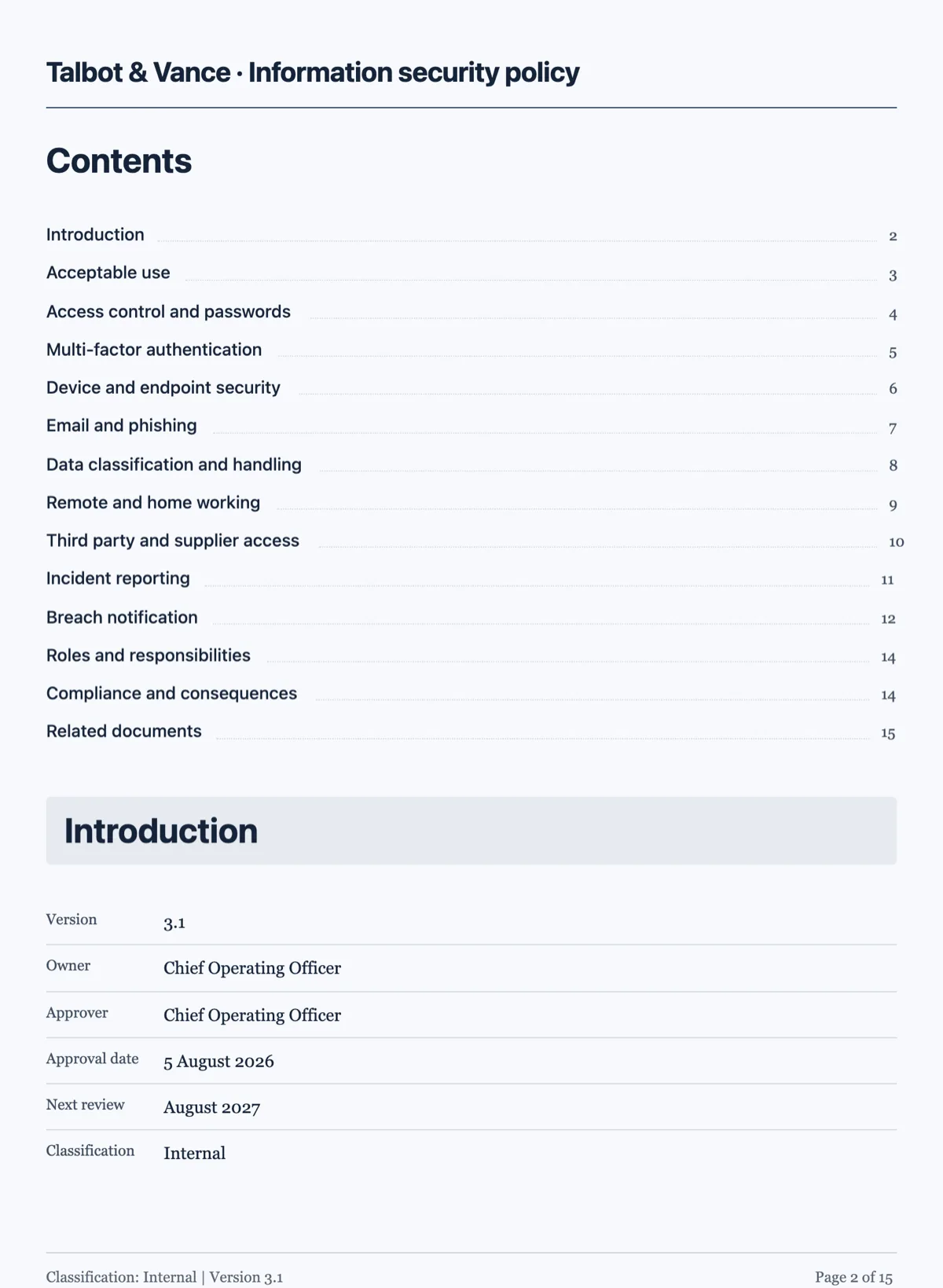
See it on a finished piece
Questions people ask
How many document themes are there?
Ten built in, plus any you generate from a description or build yourself on the colours and fonts tabs.
Can I match my brand exactly?
Yes. Describe the look to get close, then edit the colours and fonts directly.
Does changing the theme change my content?
No. It changes colours and fonts. The words, blocks and page breaks stay as they are.
Make your own document
The button opens the generator with this use case already described. Change the wording to match yours, generate, then edit anything you like.
Create a document with OneCraftRelated pages
Branded proposals from your brand kit
A branded proposal carries your name, logo and colours so the client recognises it as yours before reading a word. Setting the brand once and having every proposal and invoice pick it up is faster and more consistent than restyling each document.
Custom document theme
When none of the ten presets is your brand, you have two routes: describe the look in a sentence and let it generate one, or set the colour tokens yourself. Most people should start with the first.
Document letterhead
A letterhead is the sender-identity band at the top of the first page. It belongs on documents that speak for somebody, and it is deliberately kept off the ones that do not.
More finished work of this kind is on the document examples hub.
Written and checked by the OneCraft team. Last checked .