Websites
Embed a YouTube or Vimeo video on your website
Embedding a video means showing a YouTube or Vimeo player on your page so visitors watch without leaving. Done carelessly, a player loads megabytes of script before anyone presses play; done well, the page shows a still and loads the player on the click.
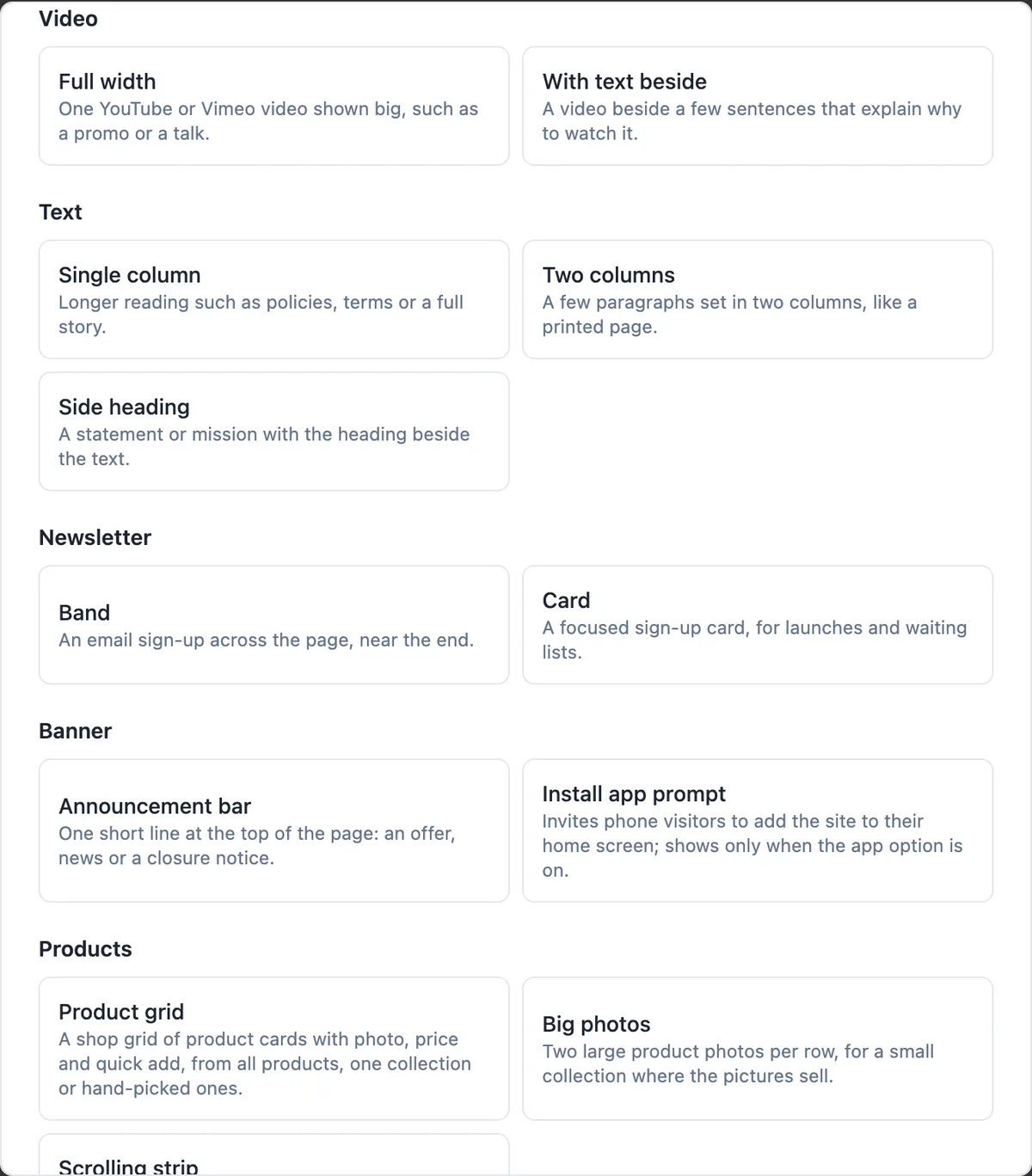
Two layouts
Full width shows one video big, such as a promo, a talk or a tour. With text beside puts the video next to a few sentences that explain why it is worth watching, which helps visitors decide to press play. Both take the video link and a heading; the text layout adds the copy beside it.
Paste the link, nothing else
Paste the address of the video from YouTube or Vimeo: a normal watch link, a short youtu.be link, a Shorts or live link, or a Vimeo link all work. Anything else, including links to other video sites or to files, is ignored and the section shows nothing, so a mistaken paste never puts a strange player on your page.
Click to load, privacy friendly
The page shows the player area with a play control and loads the actual player only when the visitor presses play, so a video near the bottom costs nothing for visitors who never reach it. YouTube videos play from youtube-nocookie.com and Vimeo with do not track on, which keeps tracking cookies off the page until someone chooses to watch.
Without JavaScript
If scripts are off or have not loaded yet, the play link goes to the video page on YouTube or Vimeo instead of doing nothing. That keeps the video reachable for every visitor and gives search engines a normal link to follow.
Where video earns its place
A short tour of the premises, the owner explaining what makes the business different, or a client story usually earns its space. Long videos rarely get watched on a business site. Keep the heading specific, such as Take a two minute tour of the gym, and do not rely on the video to carry information that should also be written on the page.
How it works, in three steps
Step 1
Add a video section
In the builder press Add section and pick Full width or With text beside under Video.
Step 2
Paste the link
Paste the YouTube or Vimeo address and write a heading that says why to watch.
Step 3
Publish
The player loads on the published site when a visitor presses play.
Limits worth knowing
- Only YouTube and Vimeo links are accepted; video files are not uploaded or hosted.
- The player loads only after the visitor presses play.
- Autoplay on page load is not offered.
- The video must be public or unlisted on YouTube or Vimeo to play.
Questions people ask
Can I upload a video file instead?
No. Video files are not hosted; the section plays videos from YouTube or Vimeo. Upload your video there, as unlisted if you do not want it in search results, and paste the link. That also gives visitors adaptive quality for slow connections, which file hosting would not.
Can the video play automatically?
No. The player loads when the visitor presses play, and then the video starts. Autoplaying video on page load costs data, annoys people in quiet places and slows the page. A clear heading and a good thumbnail on YouTube or Vimeo do more for views than autoplay.
Will the video slow down my site?
Very little. Nothing from YouTube or Vimeo loads until the visitor presses play, so the page weight is the section itself. That is a big difference from pasting a standard embed code, which loads the full player script on every visit.
Can I embed a YouTube Short?
Yes. Shorts links are recognised and play in the same player as other YouTube videos. The player area is landscape shaped, so a vertical Short looks small inside it on a desktop screen; if you have a landscape cut of the same video, it usually suits a website better.
Can I show several videos?
Add a video section for each, or put a few on a dedicated page. For a long list of videos, link to your YouTube channel from the menu or a button rather than embedding them all, which keeps the page readable.
Does an unlisted YouTube video work?
Yes. Unlisted videos play in the embed for anyone who visits your page, while staying out of YouTube search and your channel page. That suits a welcome video made only for your website. Private videos do not play for visitors, so switch them to unlisted first.
Will Google see my video?
The section renders a normal link to the video page, which search engines can follow, and the heading and text beside it describe the video. The video itself is indexed on YouTube or Vimeo, so write a good title and description there as well.
Make your own website
The button opens the generator with this use case already described. Change the wording to match yours, generate, then edit anything you like.
Create a website with OneCraftRelated pages
Dark mode website: one switch, every palette, readable contrast
A dark mode website uses a dark background with light text, which suits photography, nightlife, music and premium products. Done badly it is hard to read; done well every colour pair is retuned for the dark background rather than simply inverted.
Add Google Maps to your website: type the address, choose the layout
Adding Google Maps to a website shows visitors exactly where you are and gives them directions in one tap. You should not need an API key or embed code for that, only the address people would type into Maps themselves.
Brand kit for your website: your colours, light and dark, in one click
A brand kit is a saved set of your logo, colours and fonts that every design tool can reuse. On a website it should do one thing well: turn three brand colours into a full, readable theme, so buttons, backgrounds and text all feel like you without picking each shade.
More finished work of this kind is on the website examples hub.
Written and checked by the OneCraft team. Last checked .