Documents · Alternative
A Google Docs alternative for contracts you can sign
Google Docs is free, familiar and very good at letting several people argue over a clause at once. It is less good at producing a contract that already has numbered clauses, signature blocks and a certified PDF at the end, and that is the narrow job this comparison is about.
Updated , competitor details checked . Google Docs and Google Workspace are trademarks of their owner. OneCraft is not affiliated with or endorsed by Google, and every cell cites a public page or a source file.
Indunil Asanka · Co-founder
3 min read · Published
The short verdict
Google Docs suits a contract that several people negotiate, comment on and redline, especially when everyone already has a Google account and the cost is nothing. OneCraft suits the contract that is written once from a brief, carries numbered clauses and signature blocks from the first draft, and has to come back as a certified PDF with an audit trail.
| Feature | Google Docs | OneCraft |
|---|---|---|
| Cost | Business Starter $9.90, Business Standard $19.80 and Business Plus $30.90 per user a month, priced in Australian dollars on the page as served, excluding tax checked 2026-09-20 | A free plan at $0 with 150 AI credits a month, then $8, $25 and $125 a month; generator file attachments open on the Starter plan |
| Working on a draft together | Real time collaboration, comments and emoji feedback, and offline access to create and edit without a connection checked 2026-09-20 | One editor at a time with saved versions. There is no comment thread, no suggestion mode and no offline editing |
| Where the first draft comes from | Templates and building blocks, with Gemini in Docs described as turning a blank page into a polished draft checked 2026-09-20 | A brief of up to 10,000 characters, classified for texture, scale, structure and register before writing, so a legal register produces numbered clauses |
| Signing built in | eSignature with Docs and PDFs is listed from Business Standard upward, and is not included on Business Starter checked 2026-09-20 | Signature block parties become envelope recipients automatically, and envelopes also start from an uploaded PDF or a submitted form response |
| Signers per document | Up to 10 signers per eSignature request, and a maximum of 200 fields of any type per document checked 2026-09-20 | Up to 25 recipients per envelope and up to 500 fields between them, signing in parallel or in a strict order |
| Signature field types | Five options: Signature, Initials, Name, Text field and Date signed checked 2026-09-20 | 10 field types, plus a structured signature block whose four line types are Name, Title, Company and Date |
| Checking who signed | Not itemised on the eSignature help page, which describes the request, the fields and the final document checked 2026-09-20 | Three methods per recipient: the email link alone, an access code shared out of band, or a 6 digit emailed code, with a lockout after 5 failed attempts |
| Evidence after signing | After all signers sign, a final PDF is generated and the end of that PDF contains an audit trail page checked 2026-09-20 | 18 audit event types in a hash chained log verified on screen, plus a separate certificate of completion listing each signer, method, IP address and consent |
| Tamper evidence on the file | The signing profile of the final PDF is not itemised on the eSignature help page checked 2026-09-20 | PAdES certified with DocMDP P equals 1, so a later edit breaks the seal, and a certification failure stops the envelope rather than releasing an unsealed file |
| What else fits in the document | Smart canvas building blocks for formatted emails, calendar invites, review trackers and meeting notes checked 2026-09-20 | 45 component types including tables, 6 chart types, 5 diagram variants, callouts, key values and a letterhead in 4 styles |
| Bringing an existing contract in | Imports popular file types including Microsoft Word documents and PDF files checked 2026-09-20 | 5 attachments of 10 MB each on the generator, as PDF, TXT, PNG, JPG, WebP or GIF; there is no Word import |
| Going back a version | Reference previous versions of a document at any time checked 2026-09-20 | Saved versions of a document, and the in editor chat assistant edits text only so a structural change is always deliberate |
Where Google Docs is better
Negotiating a clause with other people
Comments, emoji reactions and suggested edits are what a contract negotiation actually looks like, and Google Docs does all of it in real time. There is no comment thread and no suggestion mode here, so a draft that goes back and forth between two lawyers is better negotiated in Docs and only then rebuilt as a final document.
Editing with no connection
Google lists offline access on its Docs product page, so a contract can be worked on with no network at all. OneCraft's builder is a web application signed into an account, and no offline mode is offered. That matters for anyone who drafts on a plane or in a site office.
It costs nothing to start
Google Docs is usable with an ordinary Google account at no cost, and Workspace pricing only enters when a business wants the domain, storage and eSignature. A free tier exists here too, but it is metered at 150 AI credits a month rather than being unlimited writing.
Word files go in and out
Docs imports Microsoft Word documents and PDFs, which matters when the other side sends a marked up .docx. The generator here accepts PDF, TXT and image files only, so a Word contract has to be exported to PDF before it can be read, and there is no Word file to send back.
Where OneCraft is different
The clause structure is decided before the writing
Every document is classified first: prose or record, one page or long, flat or numbered or tabular, legal or corporate register. A contract brief comes back with numbered clauses and sub-clauses already in place, rather than a flat draft somebody has to number by hand afterwards.
Signature blocks are part of the document
A signature block sits in the document as a component, one party per signer with name, title, company and date lines. When the document is sent for signature those parties become envelope recipients automatically, each with its own verification method and its own place on the page.
The signed file is certified, not just finished
The completed PDF carries a PAdES signature at DocMDP level one, so a later edit breaks a seal any PDF reader can check. Certification failure sets the envelope to failed and emails the owner instead of shipping an unsealed file, and the audit log is hash chained so a reordered event shows up.
Evidence written for a dispute
A certificate of completion lists the envelope, the algorithm, the document hash as sent and when fully signed, then each signer's verification method, signing time, IP address and consent version, then the whole event log. It downloads separately or can be appended to the signed PDF.
A finished example
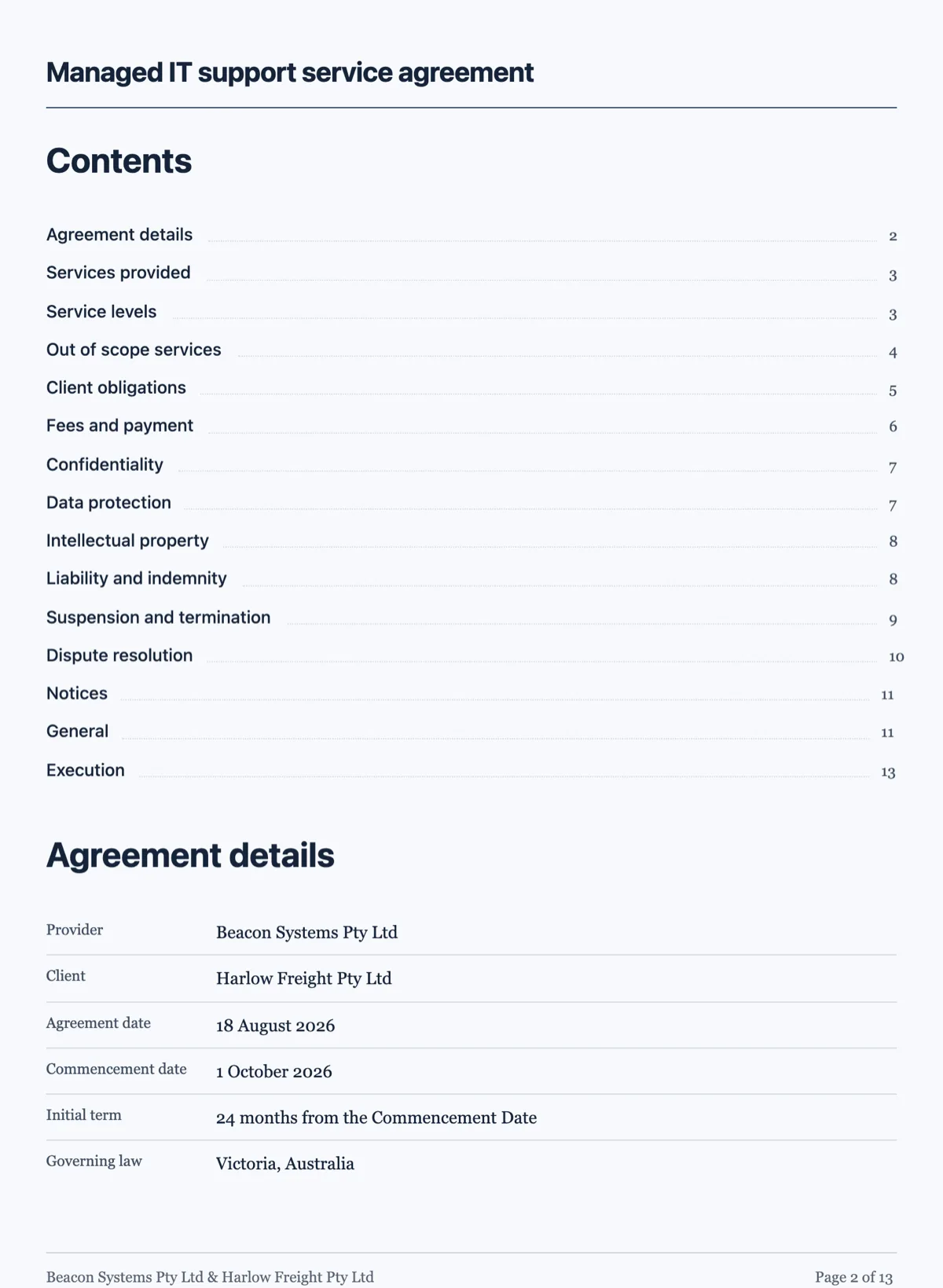 Service agreement template with scope, service levels and an exitMade with OneCraft, exactly as the generator and editor left it. Open the page for the full breakdown.
Pricing in plain terms
Google Docs itself is free with a personal Google account. Workspace pricing, checked 20 September 2026 and served to this fetch in Australian dollars, lists Business Starter at $9.90, Business Standard at $19.80 and Business Plus at $30.90 per user a month excluding tax, with introductory prices shown alongside for new customers. eSignature with Docs and PDFs appears from Business Standard upward. OneCraft's pricing page lists Free at $0 with 150 AI credits a month, Starter at $8, Pro at $25 and Pro Plus at $125, priced per account rather than per user, with signing included from the free tier.
Moving a contract across
Export the Google Doc as a PDF and attach it to the generator, which reads it and grounds the new document in your own wording rather than searching the web. Numbering, signature blocks and layout are rebuilt rather than mapped, so check the clause order once. Anything mid negotiation should stay where the comments are; the move makes sense at the point the wording is settled.
What could not be checked
Google's eSignature help page names the field types, the 10 signer cap and the 200 field cap and says an audit trail page is appended to the final PDF, but it does not state which identity checks are applied or what signing profile the PDF carries, so those rows say exactly that. The Workspace pricing page served prices in Australian dollars from this region, and prices vary by country.
How the OneCraft side was verified
Each cell names a row in an internal ledger checked against the product's source code: the classification run before writing, the 45 component types, the 10 signing field types and the four signature block lines, the 25 recipient and 500 field caps, the three verification methods with their lockout, the 18 event hash chain, the certificate of completion and the DocMDP certification level.
Who should stay with Google Docs
Stay with Google Docs if the contract is negotiated between people who comment and suggest edits, if offline drafting matters, if Word files have to move both ways, or if free and familiar beats everything else. Signing is available there from Business Standard upward, so the real question is how much evidence the signed file has to carry.
Questions people ask
Does a contract come out with numbered clauses?
Yes, when the brief calls for one. The generator classifies structure as flat, numbered or tabular and register as legal, corporate, editorial or personal before writing, so a services agreement or an NDA arrives with numbered clauses and sub-clauses in place rather than needing them applied afterwards by hand.
How many people can sign one document?
Up to 25 recipients per envelope with up to 500 fields between them, signing in parallel or in a strict order where only the next signer is invited. Google's eSignature allows up to 10 signers and a maximum of 200 fields per document, so high party count agreements are the clearer difference.
Can the other side redline the draft?
Not inside the product. There is no suggestion mode, no comment thread and no tracked change list, so a negotiated redline is better run in a tool built for it. What comes back here is a clean regenerated document, which suits agreements that are settled once and signed rather than argued line by line.
What proves the signed PDF was not altered?
The file is PAdES certified with DocMDP at level one, so any edit after certification breaks a seal a standard PDF reader reports. Behind it the event log is hash chained, each row sealing the one before, and the envelope page shows whether the chain verifies or names the event where it broke.
Can I upload a contract someone else drafted?
For signing, yes: a PDF of up to 25 MB can be uploaded, fields placed on it and recipients added, with rotated or password protected PDFs refused at upload with the reason. For generating, a PDF can be attached to the prompt so the new document is grounded in that text rather than in a web search.
Is there a Word version of the finished contract?
No. Documents export as PDF, rendered server side so the file matches the canvas exactly, and there is no .docx output and no .docx import. Counterparties who redline in Word are a genuine reason to keep drafting in Docs or Word and to use this only for the final file and the signature.
Try the document side of OneCraft
The button opens the generator with a starting prompt already filled in. Change the wording to match your own work before you run it.
Create a document with OneCraftMore comparisons
- A Microsoft Word alternative for business documentsA Microsoft Word alternative for business documents: AI drafting from a brief, themes and covers, signing built in, with track changes and .docx named as gaps.
- A Notion alternative for documents that print and signA Notion alternative for documents that are meant to be printed and signed: page breaks, covers, charts and certified signing, with the wiki gaps named.
- A PandaDoc alternative for proposals and quotesOneCraft as a PandaDoc alternative: AI proposals with optional items, tracked links, online acceptance and Stripe pay links, and where PandaDoc is better.
What the module actually does, feature by feature: the documents maker page.
Step by step in the builder: Create a document with AI, then Send a PDF for e-signature.
Sources
Written and checked by the OneCraft team. Last checked .