Documents · Alternative
A Notion alternative for documents that print and sign
Notion is a workspace of linked pages that flow as long as they need to, which is exactly wrong for a handbook, a policy or a contract someone has to print. OneCraft writes the same content into a page based document with breaks, a cover and a footer, then exports it as a PDF and can send it for signature.
Updated , competitor details checked . Notion is a trademark of its owner. OneCraft is not affiliated with or endorsed by it, and every cell cites a public page or a source file.
Indunil Asanka · Co-founder
3 min read · Published
The short verdict
Notion suits a team that wants one linked workspace for knowledge, projects and databases, where documents live as pages people keep editing. OneCraft suits the moment that page has to become a finished file: paginated, themed, exported as a PDF and signed. Most teams end up wanting both, and this page is about which one owns the printed artefact.
| Feature | Notion | OneCraft |
|---|---|---|
| Starting price | Free at $0 per member a month, Plus at $10 per member a month, Business at $20 per member a month, Enterprise on custom pricing checked 2026-09-20 | A free plan at $0 with 150 AI credits a month, then $8, $25 and $125 a month; generator file attachments open on the Starter plan |
| How the page is laid out | Pages flow; page format and a Scale percent are chosen at export time rather than while writing checked 2026-09-20 | A page based grid the writer sees while editing, with page break blocks, section blocks, dividers and spacers in the builder |
| Covers and front matter | Not itemised on the product page, which names Docs, Knowledge Base, Projects, Calendar, Notion AI, Agents, AI Meeting Notes, Enterprise Search and Connections checked 2026-09-20 | 7 cover layouts, contract, document, executive, masthead, overlay, panel and spine, plus 4 letterhead styles for documents that speak for a sender |
| PDF output | Export to PDF with a page format and Scale percent; Include subpages is a Business and Enterprise option, and a full workspace exports only as HTML, Markdown or CSV checked 2026-09-20 | PDF rendered server side with headless Chromium, polled until generated, so the file matches the editor canvas |
| Signing | No e-signature feature appears on the pricing or product pages checked 2026-09-20 | Each signature block party becomes an envelope recipient, and the completed PDF is PAdES certified with DocMDP P equals 1 |
| AI writing | A limited trial of Notion AI on Free and Plus; Notion Agent, AI Meeting Notes, Enterprise Search and Research Mode on Business checked 2026-09-20 | A prompt of up to 10,000 characters is classified for texture, scale, structure, register and chrome, then the whole document is written to that shape |
| Editing with AI afterwards | Notion AI is described as generating docs and autofilling databases, with agents automating busywork checked 2026-09-20 | The chat assistant edits text only: update a component, update a container cell, or set the document title. It cannot add, delete or move blocks |
| Tables, charts and diagrams | Databases with subtasks and dependencies on Free, and unlimited charts plus unlimited collaborative blocks from Plus checked 2026-09-20 | 45 component types covering tables, 6 chart types, 5 diagram variants, 4 callout variants and 4 key value layouts |
| Working together | Unlimited collaborative blocks from Plus, with granular database permissions, page verification and private teamspaces on Business checked 2026-09-20 | One editor at a time with saved versions. There is no real time co-editing, no comment threads and no suggestion mode |
| Wiki and databases | Knowledge Base, Projects, custom forms and custom sites, with Enterprise Search on Business checked 2026-09-20 | Nothing equivalent. Documents are standalone files with no linked database, no backlinks and no workspace search across them |
| Look of the finished file | Not itemised on the product page, which describes capturing knowledge, finding answers and automating busywork checked 2026-09-20 | 10 theme presets, slate through amber noir, plus a Theme Studio that generates a theme from a sentence describing the look |
| Bringing content in | Unlimited file uploads from Plus, at around 5 GB per file checked 2026-09-20 | 5 attachments of 10 MB each on the generator, as PDF, TXT, PNG, JPG, WebP or GIF, and research is skipped when a file is attached |
Where Notion is better
It is a workspace, not a file
Knowledge Base, Projects, databases with subtasks and dependencies, custom forms and custom sites all live in one place and link to each other. A OneCraft document is a standalone file with no backlinks, no relations and no workspace search. For team knowledge that keeps changing, Notion is the right shape.
Real collaboration on the page
Unlimited collaborative blocks from the Plus plan, with granular permissions, page verification and private teamspaces on Business, mean several people work on a page at once. Here there is one editor at a time and saved versions to fall back on, with no comments and no suggestion mode.
AI that acts across the whole workspace
Notion's Business plan adds Notion Agent, AI Meeting Notes, Enterprise Search and Research Mode, so the AI reaches across everything the team has written. The assistant here works on one document, and inside the editor it changes text only rather than adding or moving blocks.
Somewhere to keep everything
Unlimited file uploads from the Plus plan, at around 5 GB per file, make Notion a home for attachments as well as writing. The generator here takes 5 files of 10 MB each and reads them to ground one document, which is a very different job from storage.
Where OneCraft is different
Pagination is decided while writing
A page break is a block the writer places, not a guess made at export. Sections, dividers and spacers sit alongside it, and a footer with page numbers goes on multi page documents, so a policy or handbook breaks where it should rather than where the browser decided.
Front matter that suits the document
Seven cover layouts cover a contract, a report, an executive summary, a masthead, an overlay, a panel and a spine, and four letterhead styles suit anything speaking for a sender. A cover is only added where a reader expects one, never to an invoice, receipt, letter or a very short document.
The document can be signed where it was written
A signature block carries its parties into a signing envelope, each with an identity check, and the finished PDF is PAdES certified so a later edit breaks the seal. An 18 event hash chained log and a certificate of completion sit behind it.
Ten themes and one sentence to change them
Ten built in themes cover the usual registers, and the Theme Studio generates a new one from a description such as a warm and confident law firm, deep burgundy on ivory. Restyling a handbook is a sentence rather than a formatting pass.
A finished example
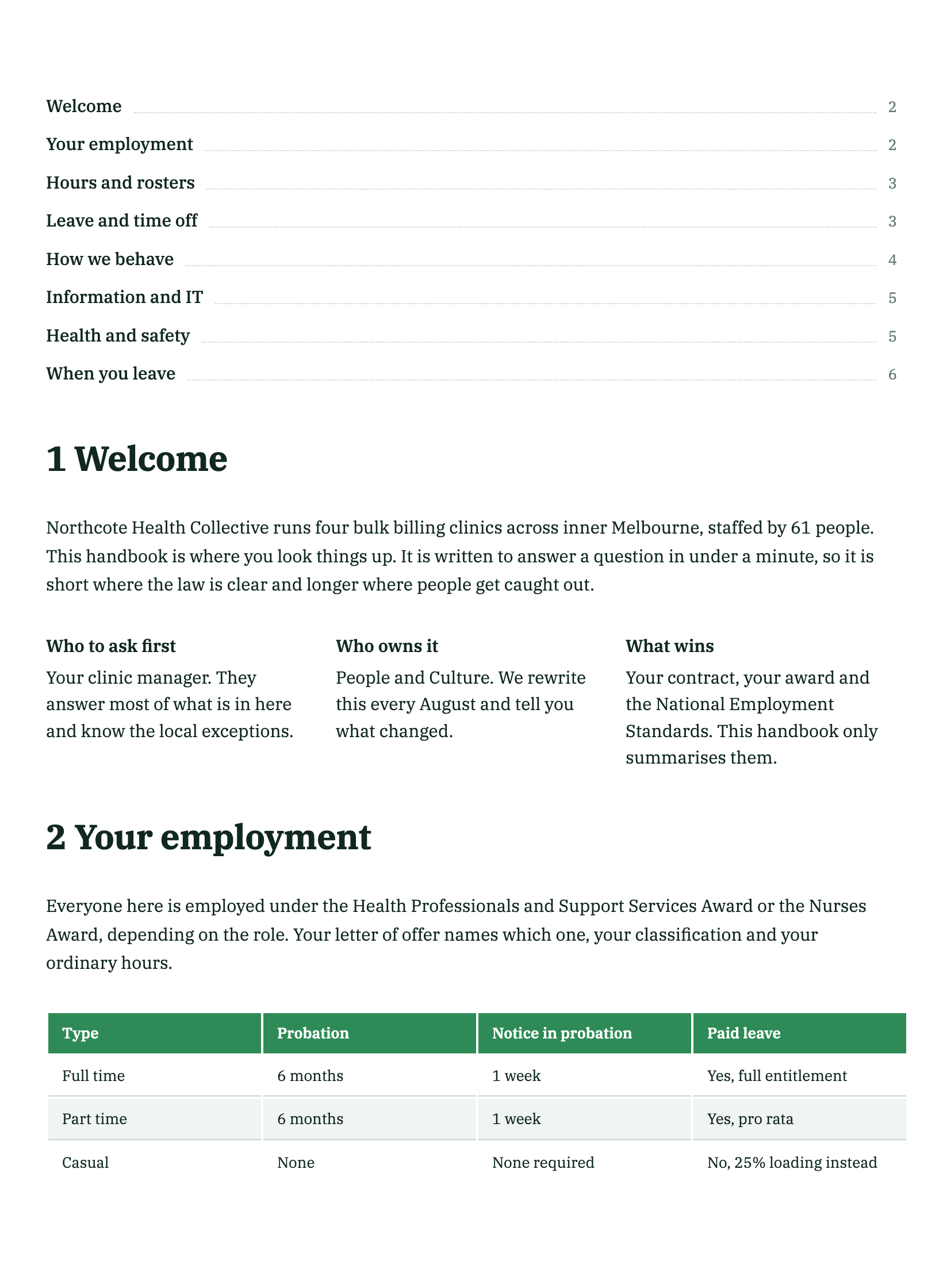 Employee handbookMade with OneCraft, exactly as the generator and editor left it. Open the page for the full breakdown.
Pricing in plain terms
Notion's pricing page, checked 20 September 2026, lists Free at $0 per member a month, Plus at $10, Business at $20 and Enterprise on request, with Notion AI as a limited trial on the lower plans and the full agent tooling on Business. OneCraft's pricing page lists Free at $0 with 150 AI credits a month, Starter at $8, Pro at $25 and Pro Plus at $125, priced per account rather than per member. A five person team comparing the two is weighing five Notion seats against one OneCraft account that also covers decks, flyers, forms and videos.
Moving a document across
There is no Notion import. The practical route is to export the page as a PDF and feed that PDF to the generator as an attachment, which grounds the new document in your own content and skips the web research step. A PDF is read for its headings, key points and labelled values rather than copied line by line, so paste any passage whose exact wording matters into the prompt box. Databases, relations, embedded views and comments do not survive, because none of them exist on the other side. Anything that should stay a living page is better left in Notion.
What could not be checked
Notion's export help page names a page format option and a Scale percent but does not list which paper sizes are offered, so the table says exactly that. The product page does not itemise cover images, themes or print layout, so those rows record what the page does name rather than assuming an absence. No e-signature feature appears on either page that was fetched.
How the OneCraft side was verified
Every cell names a row in an internal ledger checked against the product's source: the 45 component types, the 7 cover layouts, the 4 letterhead styles, the 10 theme presets and the Theme Studio, the classification the generator runs before writing, the text only scope of the chat assistant, the server rendered PDF, and the handover that turns signature block parties into envelope recipients.
Who should stay with Notion
Stay with Notion if the writing is team knowledge that keeps changing, if databases, projects and backlinks hold the work together, if several people edit and comment at once, or if the AI needs to read the whole workspace. The case for moving is narrower: a document that has to be paginated, exported as a PDF and signed.
Questions people ask
Can I control where a page breaks?
Yes. A page break is a block placed in the document while writing, alongside sections, dividers and spacers, so the writer decides where a policy clause or a table lands. Notion flows its pages and asks for a page format and a scale only when exporting, which is why a long handbook can break in awkward places.
Does the AI write the whole document or just help?
It writes the whole thing. A brief of up to 10,000 characters is classified for texture, scale, structure, register and chrome, and a long document is planned section by section rather than produced in one pass. Afterwards the in editor assistant edits text only, so restructuring means regenerating or moving blocks by hand.
Can two people work on the same document?
No. There is a single editor at a time with saved versions to fall back on, and there are no comment threads or suggestion mode. Notion's collaborative blocks, permissions and teamspaces are built for exactly that, so a document several people draft together is better kept there until it is final.
Is there anything like a Notion database?
No. Documents here are standalone files with no relations, no rollups, no linked views and no workspace search across them. Tables inside a document are typeset content rather than a data store. Anything that needs to be queried, filtered or rolled up belongs in a workspace tool rather than in a finished document.
How do I get a Notion page in here?
Export the page as a PDF and attach it to the generator, which accepts five files of up to 10 MB each as PDF, TXT, PNG, JPG, WebP or GIF on the Starter plan and above. The attachment grounds the new document in your own content and skips web research, but paragraphs come back rewritten from key points, so paste exact wording into the prompt.
Can staff sign a policy they have read?
Yes. Put a signature block in the document, one party per signer, and it becomes a signing envelope with each recipient verified by email link, access code or an emailed one time code. The completed PDF is certified and a separate certificate lists every signer, their verification method, IP address and consent timestamp.
Try the document side of OneCraft
The button opens the generator with a starting prompt already filled in. Change the wording to match your own work before you run it.
Create a document with OneCraftMore comparisons
- A Canva Docs alternative for contracts and reportsA Canva Docs alternative for contracts and reports: page based layout, numbered clauses, charts and certified signing, with Canva's template library named.
- A Microsoft Word alternative for business documentsA Microsoft Word alternative for business documents: AI drafting from a brief, themes and covers, signing built in, with track changes and .docx named as gaps.
- A PandaDoc alternative for proposals and quotesOneCraft as a PandaDoc alternative: AI proposals with optional items, tracked links, online acceptance and Stripe pay links, and where PandaDoc is better.
What the module actually does, feature by feature: the documents maker page.
Step by step in the builder: Create a document with AI, then Lay out a document exactly how you want it.
Written and checked by the OneCraft team. Last checked .