Classic form
Hotel booking form for a direct reservation request
A direct hotel booking form has to do what a booking site does, minus the payment page, and it has to be clear that the stay is not confirmed until somebody replies. This one takes the dates, the room type with the nightly rate on each option, the bed configuration and the requests, and says plainly that no card number belongs in a web form.
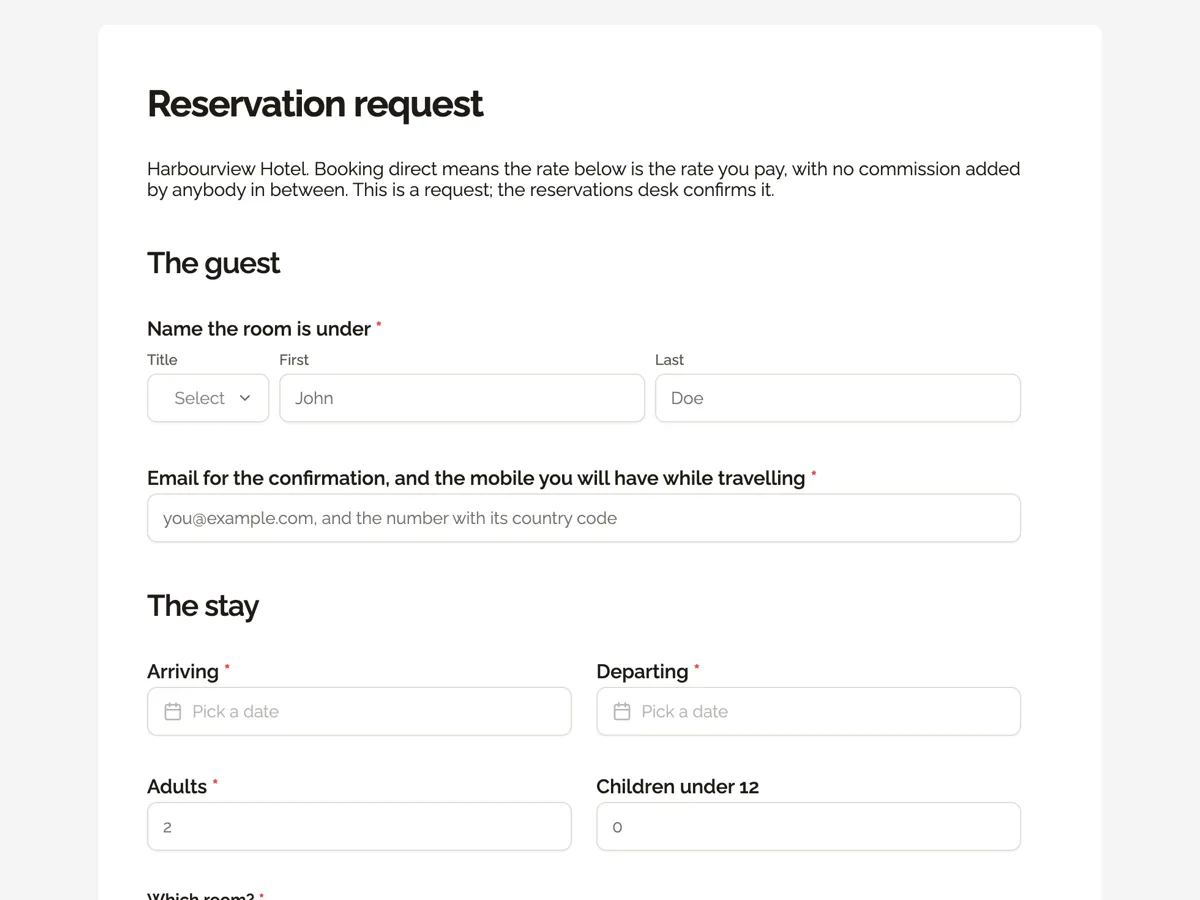
The form itself
A static copy of the finished form, exactly as it renders. Nothing here can be filled in or submitted, so read it as a reference and build your own from the button above.
Every field, and what it collects
The complete field list, in the order respondents meet it.
- Name the room is underNameRequired
- Email for the confirmation, and the mobile you will have while travellingShort textRequired
- ArrivingDateRequired
- DepartingDateRequired
- AdultsNumberRequired
- Children under 12Number
- Which room?Single choiceRequired
- Options: Harbour Queen, 24 square metres, courtyard outlook, $240 a night · Harbour King, 28 square metres, side harbour view, $290 a night · Balcony King, 32 square metres, full harbour view, $360 a night · Family Room, 38 square metres, sleeps four, $410 a night · Loft Suite, 52 square metres, separate living area, $520 a night · Whichever is available at the best rate
- How would you like the beds made up?Single choiceRequired
- Options: One king bed · Two singles · One king and a rollaway · One king and a cot · Family room, one king and two singles · No preference
- Airport transfer?Single choiceRequired
- Options: No, making my own way · Yes, arrival only, $95 per car · Yes, arrival and departure, $170 per car · Tell me about the train instead
- Anything the desk should arrange?Long text
- How would you prefer to guarantee the room?Single choiceRequired
- Options: A call from the desk to take a card · A secure payment link by email · A company account we already hold · Bank transfer, for stays of five nights or more
The guest
The stay
Holding the room
What each field on this form collects
The guest block takes the name the room is under, with a title, and then the email for the confirmation and the mobile the guest will have while travelling, in one line. The stay block puts arrival and departure on one row and adults beside children under twelve on the next, which is the four field pattern every reservation system expects. The room radio lists five rooms, each naming its size in square metres, its outlook and its nightly rate, and closes with an option for whichever is available at the best rate. The bed configuration radio covers a king, two singles, a rollaway, a cot and the family arrangement. The transfer radio prices arrival and return separately per car and offers a train alternative. The free text field invites the requests a desk can actually act on. The last block is the card guarantee paragraph and a radio asking how the guest would prefer to secure the room.
Why no card number is collected
Card details belong on a payment page built for them, not in a general web form that emails its submissions and stores them beside a request for a quiet floor. The card industry security standard sets out what a system handling card data has to do, and a form that was designed for enquiries does not do it. Rather than staying silent, this form says so twice, in the paragraph above the final question and again on the thank you screen, which is also the sentence that protects a guest from an email pretending to be the hotel.
How to adapt this form
A hotel taking group bookings replaces the single room radio with a table of room types against numbers of rooms, and adds a field for the reason for the group, since a wedding block and a conference block need different floors. A serviced apartment operator adds a screen for the length of stay discount, a question about whether a car space is needed, and swaps children under twelve for a cot and high chair question, because the age band matters less when every apartment has a kitchen. A hotel in a city with a bed tax or a tourist levy should state it in the paragraph beside the rates, since a rate quoted without it on the form is the most common source of a complaint at check out.
What makes this form work
Rates and room sizes live in the options
Five rooms, each with its square metres, its outlook and its nightly rate, plus a best available rate option. The guest makes one decision with the trade off in front of them, and the desk receives a request that already names a price.
The card paragraph appears before the last question
It tells the guest never to type a card number into any form, explains that the desk takes it by phone or secure link, and is repeated on the thank you screen. The guarantee radio that follows still gives the guest four ways to hold the room.
Bed configuration is asked, not inferred
One king, two singles, a rollaway, a cot, the family arrangement, or no preference. Housekeeping reads it directly, which removes the most common arrival day complaint at a hotel where the same room can be made up two different ways.
Questions people ask
Why put the nightly rate inside the room options?
Because a guest choosing between a courtyard queen and a balcony king is making a price decision, not an aesthetic one. Putting the rate, the size in square metres and the outlook in the same line means they choose once, with the trade off visible, instead of emailing the desk to ask what the difference costs.
Is this form a confirmed booking?
No. The welcome screen, the thank you screen and the introduction all say the reservations desk confirms it, within four hours during business hours, by email, with the rate and the cancellation terms in writing. A form sends a request; only a person or a booking system can hold inventory.
What should a guest write in the requests field?
Anything the desk can act on before arrival: a late arrival time, a quiet floor, an anniversary, a step free bathroom, a feather free room. The placeholder shows four real examples rather than saying optional, which is why this field gets answered on a direct booking far more often than on a booking site.
Why ask for a mobile as well as an email?
Because a guest in transit reads a text and not an inbox. The field asks for both in one line, and the placeholder asks for the country code, which sounds obvious and is the detail that most often stops a hotel reaching somebody whose flight has moved.
Should a direct booking form ask for a passport or identification?
Not at the request stage. Identification is checked at the desk on arrival, and collecting document numbers through a web form creates a store of sensitive data to solve a problem that check in already solves. If a jurisdiction requires guest registration details, they belong in the confirmed booking flow, not in the enquiry.
How does a small hotel respond quickly enough?
By routing submissions to the desk rather than to a general inbox. An email alert add-on sends every submission to one address with the values formatted into the message, so a reservationist can read a request on a phone and reply without opening a dashboard. The four hour promise on the thank you screen depends on that.
Build your own in about a minute
The button below opens the generator with this use case already described. Change the wording to match your own, generate, then edit anything you like.
Make one like thisOther form examples
Tattoo booking request form that gives an artist enough to quote
An artist cannot quote a tattoo from a description of the idea alone, because price follows placement, size and skin rather than sentiment. This booking request asks for the longest side in centimetres, where on the body it goes and whether it sits over existing work, then takes the references as an upload.
Private dining enquiry form with the minimum spend in writing
A private dining enquiry form has to settle the room, the menu and the drinks, because together they decide whether a group clears the minimum spend. This one prices each choice in its label and puts the minimum spend and deposit terms above a required tick, so the quote that comes back holds no surprises.
Dog boarding booking form with feeding and medication tables
A dog boarding booking form has to prove each dog is vaccinated and tell the kennel exactly how to feed and medicate it, because staff will do both without the owner there. This one takes the certificate as an upload, sets feeding and medication out as tables, and has the owner sign an emergency vet consent with a dollar limit.
Want the steps in the builder? Read Create a form with AI, then Design your welcome and thank-you screens. For everything this generator can do, see the form maker.
Written and checked by the OneCraft team. Last checked .