Classic form
Tournament registration form
One form, one team, and the tournament office needs all of it before it can draw a pool. This entry takes the division nomination and the evidence behind it, fourteen players in a table, two adults reachable on the weekend, and the child safety checks that decide who is allowed on the bench. It is a classic form, because a squad table and a fee ladder do not survive being broken into single questions.
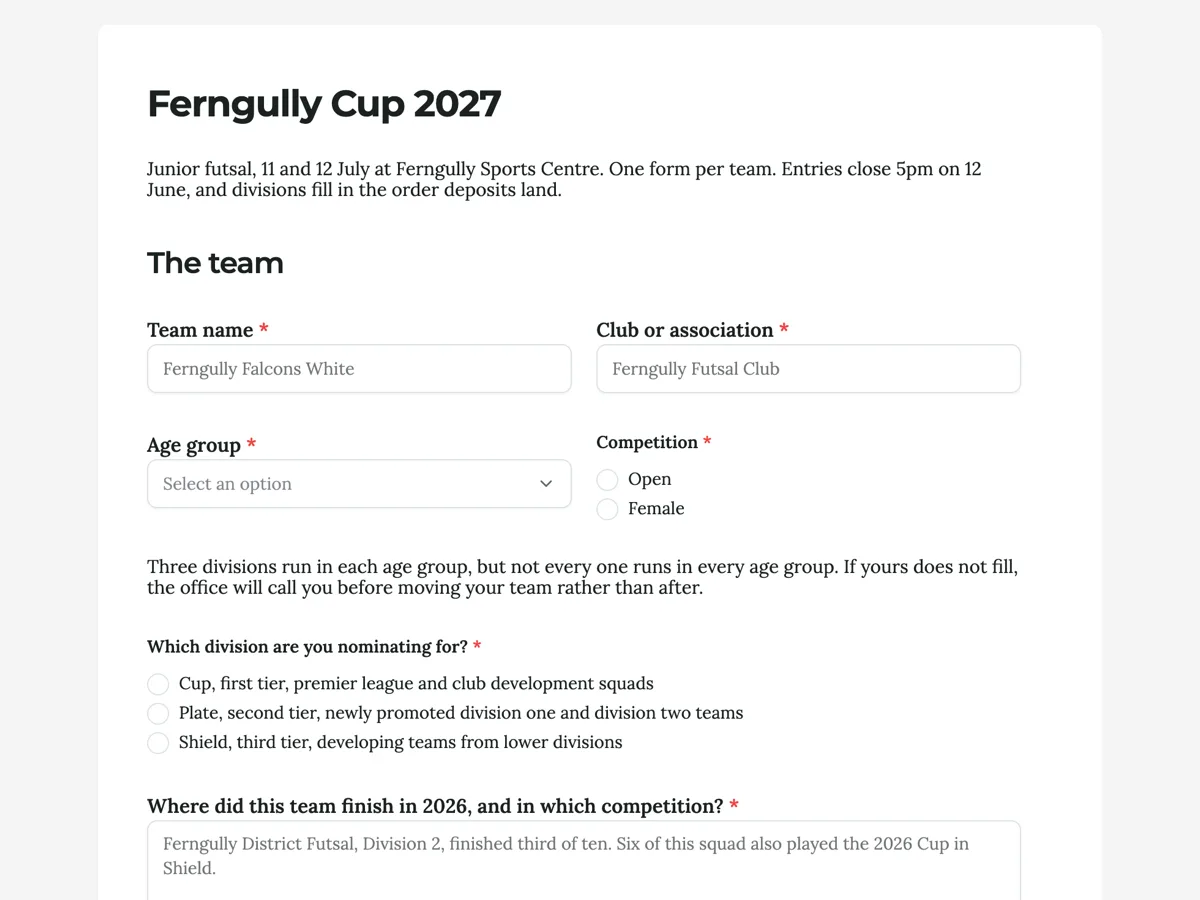
The form itself
A static copy of the finished form, exactly as it renders. Nothing here can be filled in or submitted, so read it as a reference and build your own from the button above.
Every field, and what it collects
The complete field list, in the order respondents meet it.
- Team nameShort textRequired
- Club or associationShort textRequired
- Age groupDropdownRequired
- Options: Under 9, born on or after 1 January 2018 · Under 10, born on or after 1 January 2017 · Under 11, born on or after 1 January 2016 · Under 12, born on or after 1 January 2015 · Under 13, born on or after 1 January 2014 · Under 14, born on or after 1 January 2013 · Under 15, born on or after 1 January 2012 · Under 16, born on or after 1 January 2011
- CompetitionSingle choiceRequired
- Options: Open · Female
- Which division are you nominating for?Single choiceRequired
- Options: Cup, first tier, premier league and club development squads · Plate, second tier, newly promoted division one and division two teams · Shield, third tier, developing teams from lower divisions
- Where did this team finish in 2026, and in which competition?Long textRequired
- Team managerNameRequired
- Manager emailShort textRequired
- Manager mobile, on over the weekendShort textRequired
- Manager check numberShort textRequired
- Expiry on that checkShort textRequired
- CoachName
- Coach check numberShort text
- Second adult we can reach on the weekendNameRequired
- Their mobileShort textRequired
- Squad listTable
- Columns: Player name · Date of birth · Shirt number
- Is this team sanctioned by its association?Single choiceRequired
- Options: Yes, sanctioned and insured through our member federation · No, we are an academy, school or composite team and will apply for eligibility separately
- How will the deposit be paid?Single choiceRequired
- Options: Bank transfer from the club account · Card, using the link on the invoice · Our club is paying for all of its teams together
- Before you submitMultiple choiceRequired
- Options: The dates of birth above are correct and I understand a false one forfeits the match and the entry · Our officials and parents accept the tournament code of conduct · We understand that filming or photographing children needs the other team's agreement and the venue manager's approval
- Anything the tournament office should know?Long text
The team
Who runs the team
Your squad
Sanction, fees and terms
Question banks built on this form
What makes this form work
The squad is a table, not fourteen pairs of fields
Three columns and fourteen numbered rows read like the team sheet a manager already has on their phone. The catch is that the row count is fixed and nobody can add one, so the form states the caps above the table and says plainly to leave spare rows empty.
Age groups are written as birth year cutoffs
Under 12 means nothing on its own, and every club interprets it against a different date. "Born on or after 1 January 2015" cannot be misread, which matters on a form where a wrong date of birth forfeits the match and the entry fee with it.
The forfeit date is next to the payment question
Withdraw before 11 May and the deposit comes back. From 12 May the whole entry is gone, because the draw has been built around the team. Printing that beside the deposit question rather than in a rules PDF is what makes it stick.
Questions people ask
How many players should the squad table hold?
Match it to the competition's own cap, which here is fourteen for the middle age groups. The table draws a fixed number of rows and a respondent cannot add more, so pick the largest legal squad and tell people to leave spare rows blank. Setting it too small is the mistake, because there is no way out of it on the day.
Why ask for last season's results?
It is the only thing a seeding committee has. Divisions in junior tournaments are self nominated, and a team that puts itself two tiers low ruins a whole morning of pool games. Asking for the competition, the division and the finishing position in one open box gets a usable answer without a form full of dropdowns.
Do I need to collect working with children checks on the entry form?
If adults will be on the bench with other people's children, yes, and taking the number at entry is the difference between verifying it in June and turning somebody away at the gate. The form asks for the number and the expiry, because a lapsed check is the common failure rather than a missing one.
Can a team change its squad after entering?
Set a date and print it. Here changes go to the office until 21 June, three weeks before the first game, which is late enough to cover injuries and early enough to print match cards. Without a stated date you will be taking squad changes by text message on the Friday night.
Why ask for a second adult who can be reached on the weekend?
Because tournaments run on Saturdays and Sundays when one phone will inevitably be on a sideline with no signal. This form asks for a second adult and their mobile, beside the manager and coach details. It is the field the tournament office uses most and the one teams are most surprised to be asked for.
Should the entry form ask how the deposit will be paid?
Ask the method, not the money. This form asks how the deposit will be paid rather than trying to take it, which keeps a community entry form free of payment handling. Knowing whether a club is paying by transfer or through its association tells the tournament office who to chase and when.
Build your own in about a minute
The button below opens the generator with this use case already described. Change the wording to match your own, generate, then edit anything you like.
Make one like thisOther form examples
Team tryout registration form
Representative tryouts turn on two things a club usually finds out too late: what the player can safely do on the day, and whether the family has understood what a season actually costs. This registration asks both before anybody puts a bib on. It is a classic form, so a parent can see the health grid, the costs and both signatures on the one screen.
Junior sport registration form with age groups spelled out
Half the questions a junior club fields before a season are about which age group a child belongs in, and the honest answer is the year they were born. This registration prints the birth year beside every age group, takes a player identification photo, and ends with three code of conduct statements that a parent reads rather than scrolls past.
Fun run entry form
A community fun run entry that has to do three jobs at once: sell a place, put the right person in the right wave, and hold a waiver that stands up. Every field here exists because a race director has been caught out by not having it at half past six on a Sunday morning. It is a classic form, because a waiver has to sit visibly above the signature that accepts it.
Want the steps in the builder? Read Every form field and when to use it, then Publish updates without breaking your live link. For everything this generator can do, see the form maker.
Written and checked by the OneCraft team. Last checked .