Conversational form
Volunteer signup form
A volunteer sign up form template should ask who the person is, when they are free, what they would like to do and whether they consent to any screening a role needs. This conversational version asks ten questions one at a time and takes about four minutes. After a name, email and optional mobile, it asks which days of the week you can help and what time of day suits, what you would like to help with from seven options, any certificates or skills, previous volunteering, an emergency contact, and whether you consent to a background check.
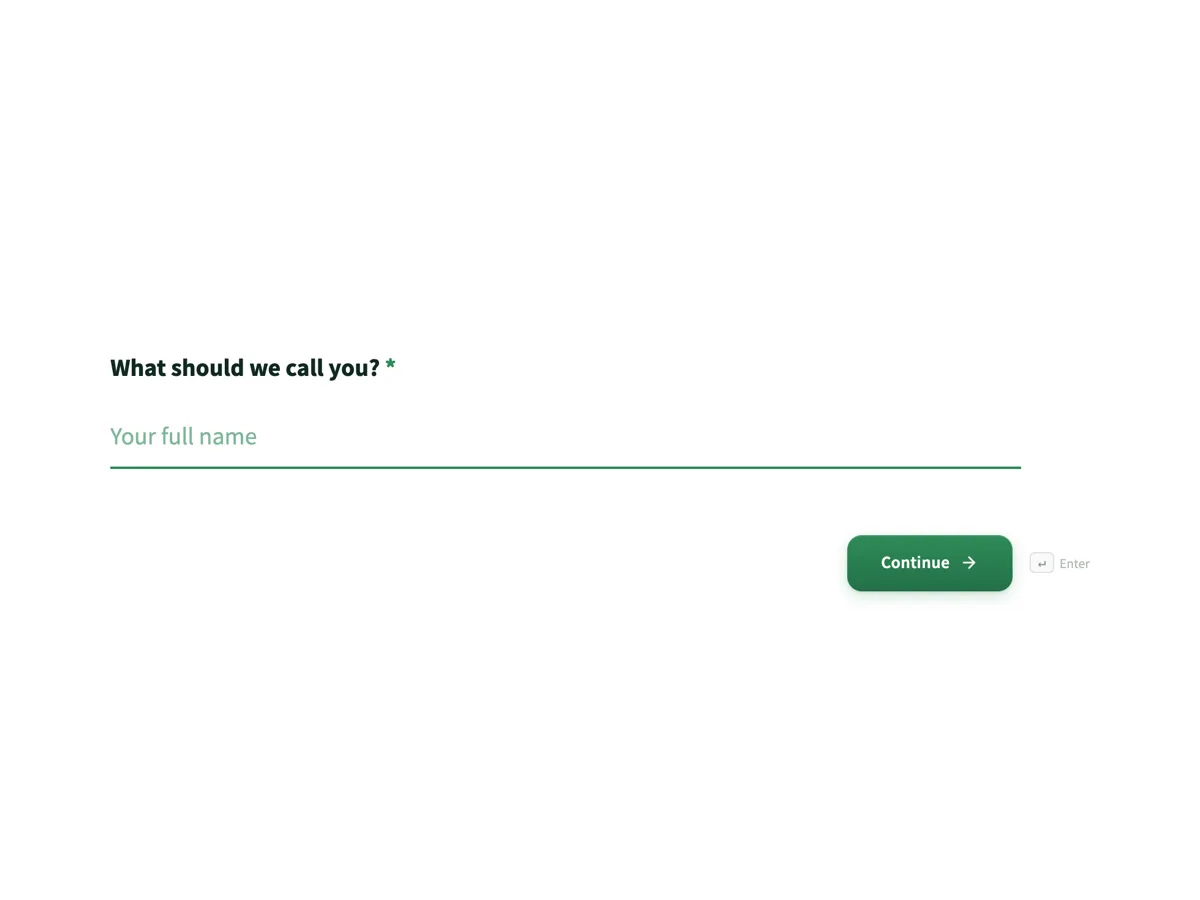
The form itself
The first screen of the form. A conversational form shows one question per screen, so the remaining screens are listed in the field table below. Nothing here can be filled in or submitted, so read it as a reference and build your own from the button above.
Every field, and what it collects
The complete field list, in the order respondents meet it.
- What should we call you?Short textRequired
- What is your email address?Short textRequired
- This is how the coordinator will reach you.
- And a mobile number?Short text
- Used only for roster changes on the day.
- Which days can you usually help?Multiple choiceRequired
- Options: Monday · Tuesday · Wednesday · Thursday · Friday · Saturday · Sunday
- What time of day suits you best?Single choice
- Options: Mornings · Afternoons · Evenings · Any time
- What would you like to help with?Multiple choiceRequired
- Options: Gardening and grounds · Kitchen and food · Welcome desk and reception · Driving and deliveries · Events and fundraising · Admin and data entry · Whatever is needed most
- Do you have any of these?Multiple choice
- None of these are required. They just help us place you well.
- Options: Current first aid certificate · Food handling certificate · Full driver licence · A second language · A trade or technical skill · None of these
- Tell us about any volunteering you have done beforeLong text
- Who should we call in an emergency?Short textRequired
- Some roles involve children or vulnerable people. Do you consent to a background check?Single choiceRequired
- Saying no does not rule you out. It only narrows which roles we can offer you.
- Options: Yes, I consent · No, please keep me to other roles
What each question collects
The first three screens are the contact block: a name, an email that the help text says is how the coordinator will reach the volunteer, and an optional mobile used only for roster changes on the day. Screens four and five are availability, seven day boxes and a time of day choice. Screen six is the seven areas of work, ending in Whatever is needed most. Screens seven and eight are certificates and previous volunteering, both optional. Screen nine is the emergency contact and screen ten the background check consent. Six questions are required and four are optional, and every required one is something the coordinator cannot roster without.
Why the form stays at ten questions
A volunteer sign up competes with the moment somebody decided to help. Every extra screen is a chance for that moment to pass, and the details a coordinator needs for a specific role, such as shoe sizes for a kitchen or a licence number for a driver, can be collected when the role is offered. The form keeps to what is needed to place someone and nothing else. It also avoids asking for a date of birth or an address until a role actually needs them, which keeps the personal information held on people who never turn up to a minimum.
How to adapt this form
For an event with fixed shifts, replace the days question with the actual shift list as a multiple choice, so the answers can be rostered straight from the export. For a program with young volunteers, add a question for a parent or guardian contact and ask for age as a range rather than a birth date. For an organisation with several sites, add a single choice for the site before the days question, because availability means nothing until the coordinator knows where.
What makes this form work
Availability comes before experience
Questions four and five, which days you can usually help and whether mornings, afternoons or evenings suit, come straight after the contact details, and the days question is required. A coordinator rosters on days and times, so putting them early means the answers that decide a shift are the ones people give while they are still keen.
"Whatever is needed most" is an option
The "What would you like to help with?" question lists six concrete areas, gardening, kitchen, welcome desk, driving, events and admin, and then "Whatever is needed most". Plenty of volunteers honestly do not mind. Without that option they tick something at random and the roster ends up wrong in a way nobody notices until the day.
The background check question removes the threat
The last question explains that some roles involve children or vulnerable people and asks whether you consent to a background check. Its help text says saying no does not rule you out, it only narrows which roles are offered, and the second option is worded "No, please keep me to other roles". The check itself, such as a Working with Children Check or a police certificate, is sent separately.
Questions people ask
What should a volunteer signup form ask?
Name and contact details, availability by day and time, areas of interest, relevant skills, an emergency contact, and consent to any screening the roles require. Keep experience optional, since most good volunteers have none. This form asks exactly those ten questions, six of them required, and leaves the mobile number, time of day, skills and past volunteering optional so nobody stops halfway.
When do I need background check consent?
Typically for roles involving children or vulnerable people, where state law sets the check, such as a Working with Children Check in New South Wales. Ask for consent on the form and send the check itself separately, which is what this example does. The form records the consent only. The coordinator starts the check through the official service after reading the response.
Why one question at a time?
Volunteering forms are usually opened from a social post, a newsletter or a noticeboard link, on a phone, by somebody who was not planning to fill in a form today. One question per screen keeps each step small enough to answer with a thumb. That is exactly the case a conversational form is for, and ten short screens take about four minutes.
Why ask about certificates and previous volunteering?
The skills question offers a first aid certificate, a food handling certificate, a full driver licence, a second language or a trade skill, with help text under the question saying none are required and they only help with placement. Most people tick None of these in a second. Previous volunteering is an optional text box. Together they let the coordinator put a driver on deliveries and a first aider on events without a phone call.
Why ask for an emergency contact from a volunteer?
Because a volunteer on a site is exposed to the same risks as staff and is usually less familiar with the place. This form asks near the end, once somebody has decided they are signing up. It is one question, and it is the one a coordinator would otherwise be searching for at the worst moment.
How should a volunteer signup handle people who say no to a check?
Give them a real second option rather than a dead end. The consent question here offers "No, please keep me to other roles", and the help text under it says saying no does not rule anyone out. The coordinator then rosters that person on the garden, the kitchen or admin, where no check is needed, instead of losing a willing volunteer over a single answer.
What happens after someone signs up to volunteer?
The form stores the response and the coordinator reads it. Nothing is rostered or emailed to the volunteer automatically. The thank you screen says the coordinator will match them to a role and email within a week, so the team has to keep that promise. An email alert add on can send each new sign up to the coordinator's inbox so nobody waits for a weekly check of the responses.
Build your own in about a minute
The button below opens the generator with this use case already described. Change the wording to match your own, generate, then edit anything you like.
Make one like thisOther form examples
Student club registration form with a student ID check
A university society lives or dies on its mailing list, and a mailing list full of expired student accounts is worse than a short one. This nine field membership form takes a student number, with a paragraph showing where it is printed on the campus card, then spends the rest of its questions working out which trips the committee should actually run.
Course enrolment form
A course enrolment form template collects the student's details, the course and intake, prior study, how the fees will be paid and a signed declaration. This one is built for a training provider running four intakes across five diploma and certificate courses, in five sections, and it ends with a declaration paragraph, two ticks and a drawn signature. The two things most enrolment forms forget, recognition of prior learning and who is actually paying the fees, each get their own questions.
Gym membership form
A membership application for Ironbark Fitness that gets a new member from first visit to signed up in one sitting. Five sections cover personal details, an emergency contact, the membership plan and payment method, the seven question PAR-Q health screen as a yes or no grid, and a waiver signed on screen. About five minutes.
Want the steps in the builder? Read Create a form from scratch with AI, then View, export and manage your responses. For everything this generator can do, see the form maker.
Written and checked by the OneCraft team. Last checked .