Flyers
Turn a price list into a flyer
A price list is easy to write and hard to lay out. The awkward part is not the design, it is arithmetic: a flyer slot holds a fixed number of rows, and your list almost certainly has more than that. Knowing the budget before you start decides whether you get a menu or a mess.
The design decides how many lines fit
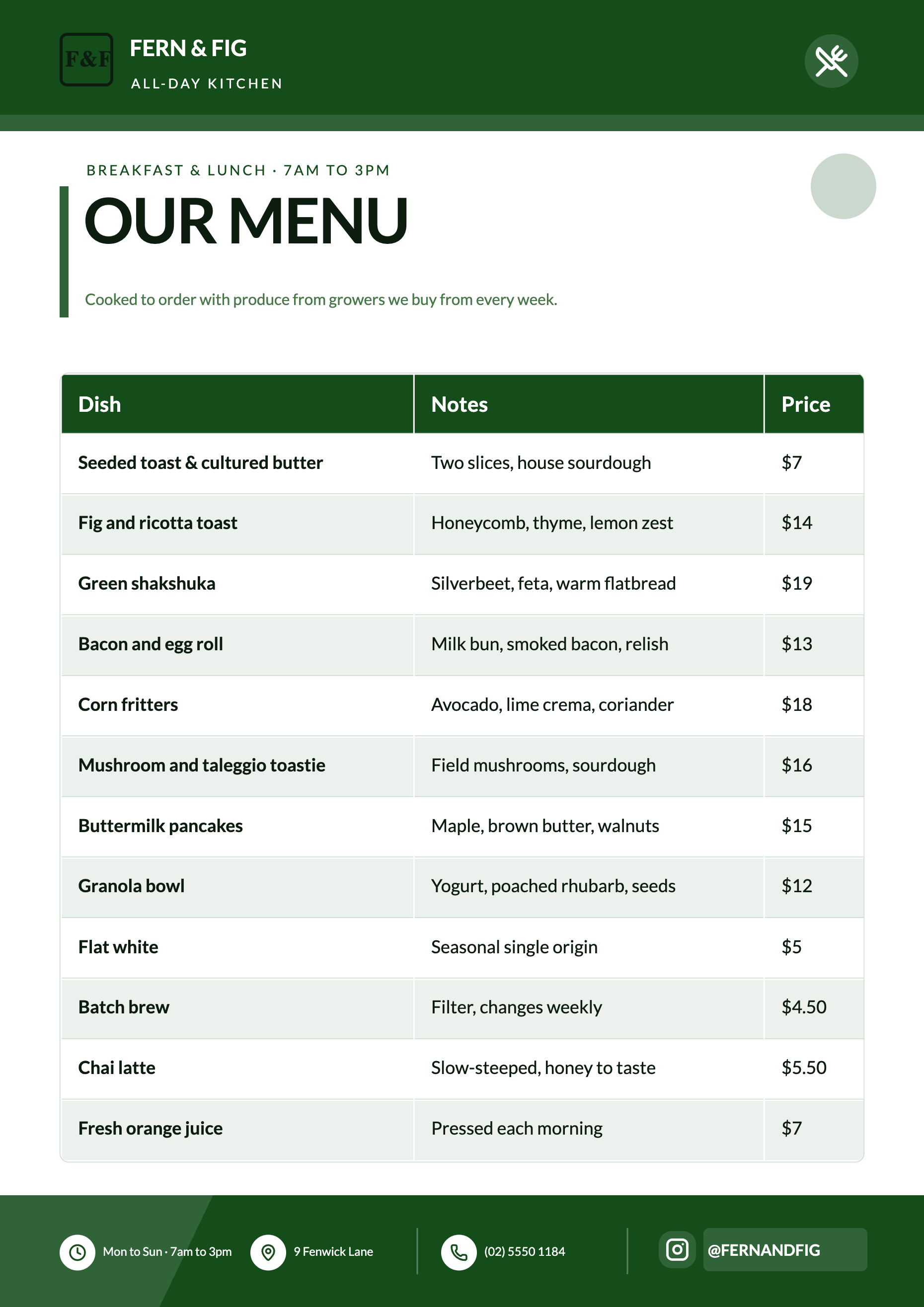
Every list and table in a design carries its own limits, and they are enforced on the tool schema rather than trusted to good behaviour. A table slot declares a fixed column count and a maximum row count, and the writer is told rows must all be the same width with no empty cells. So a design built for six services will hold six, and a twenty item list needs a design built for a long list.
Choose the shape before the words
Open the Template field and browse the designs authored for your size. A price grid, a two column menu and a hero photo design with a short strip are three different capacities. Picking the one that matches the length of your list is worth more than any amount of prompt wording, and it also means you get that exact design back rather than two guesses.
What happens to items that do not fit
They are left out. The writer is instructed to omit rather than pad, and it will not shrink a slot or spill text past its edge to make room. Nothing warns you either, so read the finished flyer against your source list. If half the menu is missing, the answer is a longer design, a second page, or a shorter list.
Prices are copied, never estimated
Where the brief names a figure it goes in as typed, and inventing a price is explicitly forbidden. That cuts both ways: a dish with no price in your source comes out with no price on the flyer. Paste the list with its numbers attached rather than describing it, and check the decimal points, because a typo travels straight through.
A table is for comparing, a list is for reading
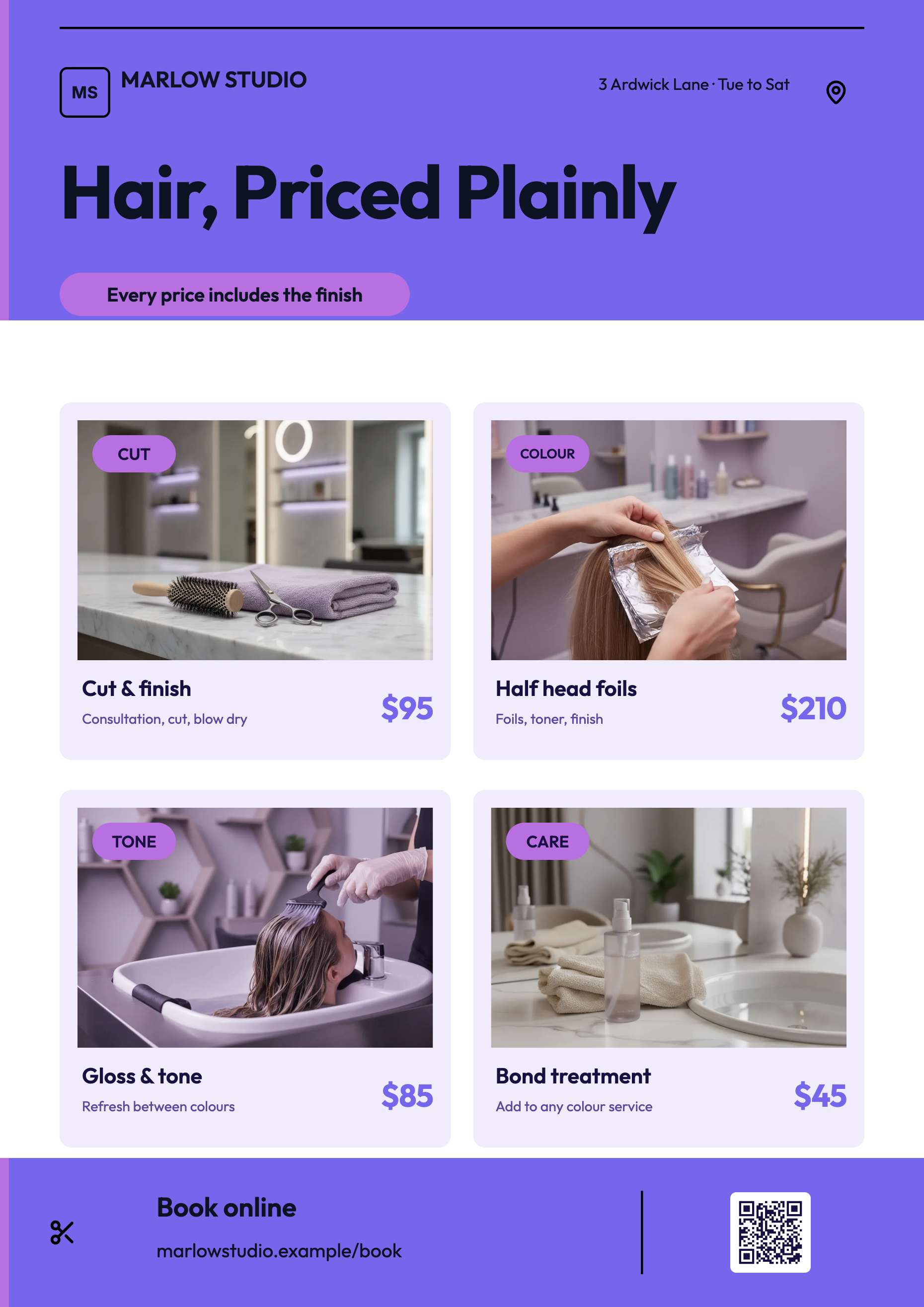
If the reader will scan down a column of figures, a table slot is the right home and its columns can be dragged wider in the builder. If each line is a name and a price and nothing else, a list slot reads better on a poster and survives being viewed from further away. Both are styled by the theme, so neither needs formatting by hand.
How it works, in three steps
Step 1
Count the items first
The number of lines is the constraint. Everything else about the flyer follows from it.
Step 2
Pick a design that holds them
Use the optional Template field and choose a price grid or menu layout rather than accepting a random pick.
Step 3
Paste the list with its prices
Name and figure on each line. Then read the finished flyer against your source before exporting.
The full walkthrough with screenshots is in the guide Make a flyer from a PDF or a photo.
Limits worth knowing
- Table slots declare a fixed column count and a maximum row count. Extra rows are dropped, not paged.
- Nothing tells you an item was left out. Compare the finished flyer with your list yourself.
- There is no per column alignment control, so figures sit left aligned like the rest of the cell text.
- Tables hold what you write. Nothing is totalled or calculated for you.
- Attaching the price list as a file is a Starter plan feature; typing or pasting it into the prompt is not.
- A price list attached as a PDF comes back as labelled fields, with values extracted exactly as written, while running prose from the same file comes back as key points instead.
See it on a finished piece
Questions people ask
How many items will actually fit?
It depends entirely on the design you land on. Price grid layouts carry the longest lists; hero photo designs carry the shortest. Choosing the template yourself is the only reliable way to control it.
Can I split a long menu over two pages?
Yes. Generate the first page, then add a second from the design library at the same size and put the rest of the menu on it. The PDF export writes both pages into one file.
Will it right align the prices?
No. Every table cell renders left aligned and there is no alignment setting. If a tidy column of figures matters, a two column list with the price as the second field reads more evenly.
Can I paste the list straight out of a spreadsheet?
Yes, into the prompt. One item per line with the price on the same line is enough structure for it to work with.
Make your own flyer
The button opens the generator with this use case already described. Change the wording to match yours, generate, then edit anything you like.
Create a flyer with OneCraftRelated pages
Flyer with a price table
A table is the right block whenever a reader will compare one line against another: services against prices, sizes against costs, sessions against times. It is the wrong block when there are only two values, and knowing which side of that line you are on saves a lot of layout work.
Edit a flyer image by rebuilding it
To edit a flyer image, attach the JPG or PNG to the flyer generator and let it rebuild the words into a new design. The picture is read for its text, and that text is placed into a real template, so every line can be selected, rewritten, recoloured and moved to another size afterwards. A flyer you only have as a photograph is a picture of text, and tracing it would only give you another picture.
Edit a PDF flyer without the original file
Print PDFs outlive the people who made them. When the artwork file is gone and only the export survives, the useful question is not whether a PDF can be rebuilt but how much of it comes back, and the answer depends on something most people would never guess: the PDF is read as pictures, not as text.
More finished work of this kind is on the flyer examples hub.
Written and checked by the OneCraft team. Last checked .