Flyers
Flyer with a QR code
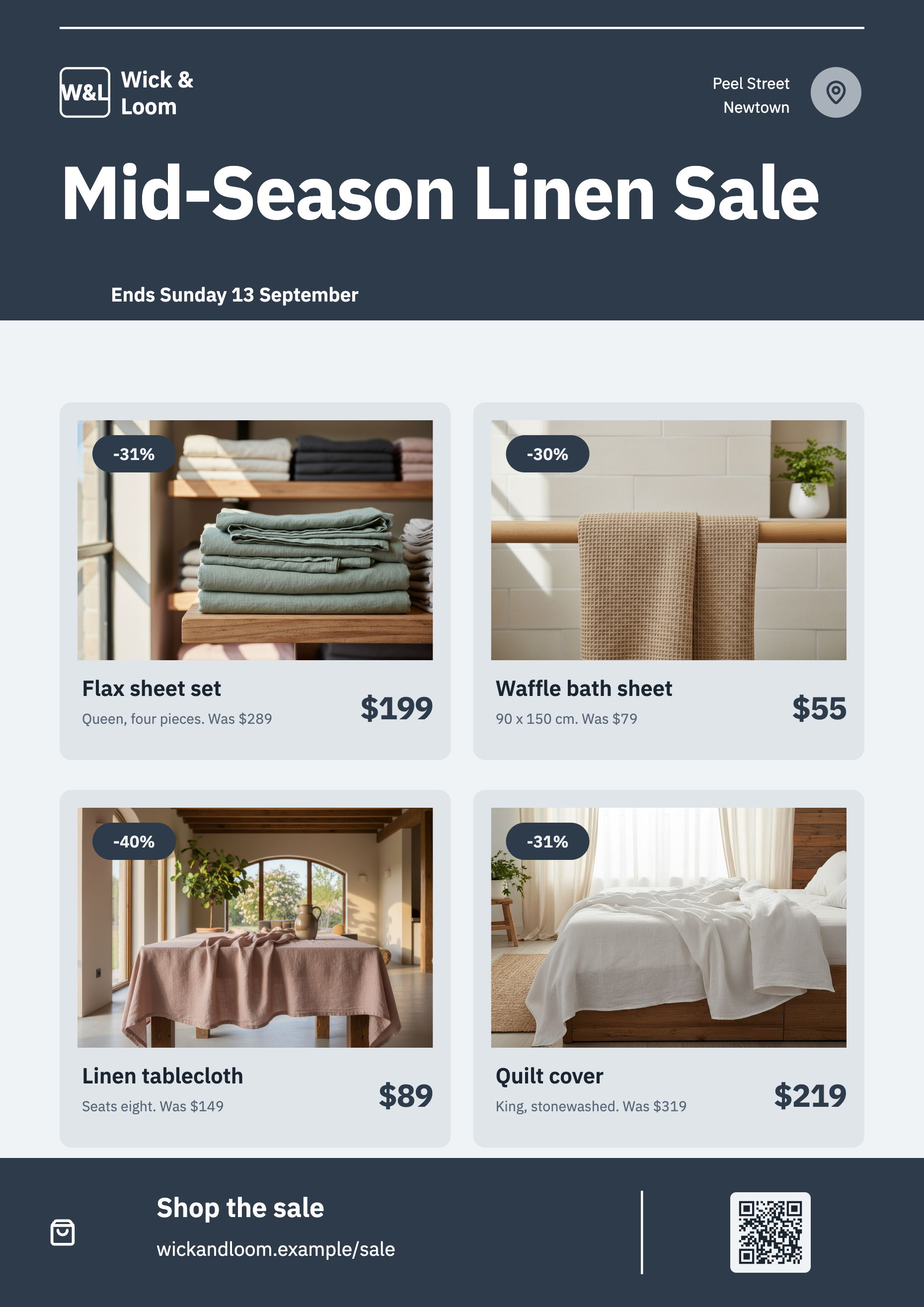
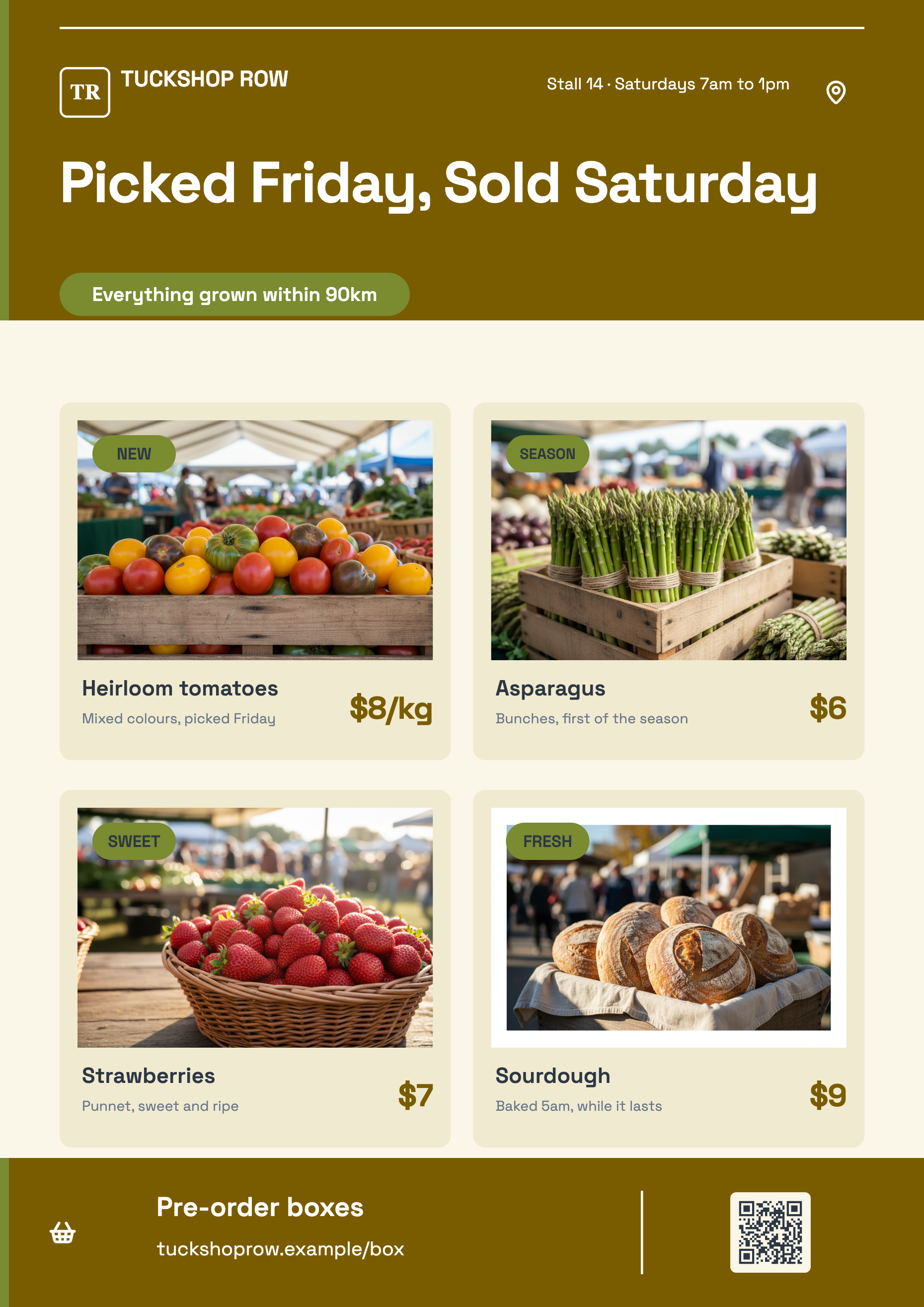
A QR code on a flyer is the shortest route from paper to a booking page. On these designs it is not a pasted picture: the code is computed from whatever you type into it and drawn as vector art that takes its colours from the theme, so it stays crisp and stays legible when the palette changes.
25 of the 259 designs have a QR slot
Among them the Apex innovation corporate sheet, the Atelier fashion sale grid, the Azure app launch flyer, the Fresh Market grocery promo, the Spotlight flash sale product page, the Verdant creative studio flyer, the VoltEdge electronics deals grid, the Weekly Deals product list and the VR Classrooms seminar sheet. If a QR code is the point of the flyer, start from one of those rather than hoping to add one.
You cannot insert a QR block
The Add items panel holds sixty seven tiles across thirteen sections and none of them is a QR code. So the code lives on a design or it does not exist on that page. It is the sharpest constraint on this page and worth knowing before you spend an hour on a layout that will never carry one.
It encodes what you type, live
Select the code and the inspector shows a single field, link or text to encode. Type a URL, a phone number, a plain instruction, anything. The matrix is recomputed as you type and redrawn immediately, so what you see on the canvas is the code that will print. Each design ships with a placeholder address so the slot never renders blank.
It recolours with the theme, safely
The modules and the quiet zone are drawn as vector shapes coloured from theme tokens rather than baked black on white, defaulting to ink on the surface colour. Because every palette guarantees strong contrast between those two, a theme swap changes the look of the code without making it unreadable. The default quiet border is two modules wide and the error correction level is M.
Or upload a code you already have
If your booking system, ticketing platform or payment provider issued a QR image with its own tracking baked in, upload it instead. The Upload QR image section takes a JPEG, PNG, WebP or GIF and replaces the generated code entirely. Reset puts the encoded version back, so switching between the two costs nothing.
How it works, in three steps
Step 1
Pick a design that has one
Open the template picker before generating and choose one of the designs with a code on it.
Step 2
Type the destination
Select the code, and put your booking link or phone number in the encode field. It redraws as you type.
Step 3
Scan it off the screen before you print
Point a phone at the canvas. Two seconds now beats five hundred printed sheets that go nowhere.
The full walkthrough with screenshots is in the guide Choose the template, theme and size for your flyer.
Limits worth knowing
- There is no QR tile in the element panel, so a code cannot be added to a design that lacks one.
- 25 of the 259 designs carry a QR slot.
- The code's size and position come from the design. There is no dedicated size control for it.
- Colours come from theme tokens. There is no separate foreground and background picker for the code.
- An uploaded QR image replaces the generated one entirely and is not re-encoded or validated.
See it on a finished piece
Questions people ask
How big does the code need to be to scan?
The designs size it for the canvas they are drawn on, and the code stays vector at every size, so it does not soften when the flyer is exported. The reliable test is to scan it off your own screen at the zoom the print will be read from.
Can I track scans?
Not from here. The code encodes exactly the text you type, so use a link with your own tracking parameters, or upload the tracked code your booking platform generated.
Will the code survive a theme change?
Yes. It is drawn from theme tokens with the modules on the surface colour, and every palette guarantees high contrast between those two, so it recolours without becoming unreadable.
Can it encode a phone number or a plain message?
Yes. The field is free text, so a tel link, a plain phone number or a short instruction all encode. Most phone cameras will offer to dial a tel link.
Make your own flyer
The button opens the generator with this use case already described. Change the wording to match yours, generate, then edit anything you like.
Create a flyer with OneCraftRelated pages
Comparison slides
Comparison is the single largest family in the library, because most business arguments are two sided. The layouts differ by what kind of two sided claim you are making, and picking the wrong kind is what makes an audience argue with the slide instead of the point.
Flyer size guide
Eight canvases, two for print and six for social, each with a fixed pixel size you can see in the dropdown before you commit. This page is the reference: the numbers, where they come from, and which of them are close enough to share a design.
Flyer with a price table
A table is the right block whenever a reader will compare one line against another: services against prices, sizes against costs, sessions against times. It is the wrong block when there are only two values, and knowing which side of that line you are on saves a lot of layout work.
More finished work of this kind is on the flyer examples hub.
Written and checked by the OneCraft team. Last checked .