Code mode, service businesses, Agency
Agency website template, written as code
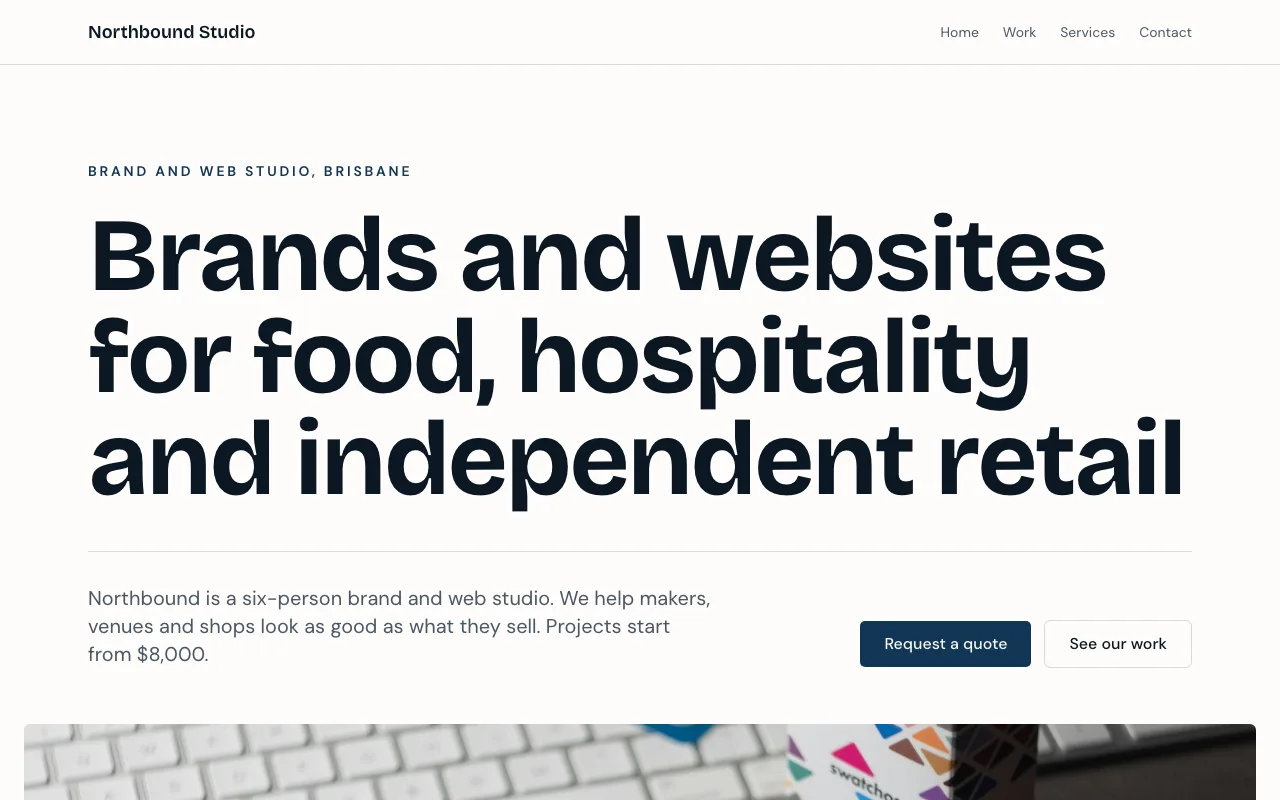
This agency website template is a finished React project for a sample Brisbane brand and web studio, Northbound Studio. It has four pages, case studies that come from a data collection instead of being hard coded, and a quote request form whose answers arrive in your leads inbox.
4 pages, 17 source files, 1 data collection, sample business Northbound Studio
Opens the site generator in Code mode with this template chosen. Open as is copies its code and sample data into a new site; Generate writes a new project from your brief instead. Code mode is on paid plans.
Pages
- /Northbound Studio | Brand and web studio in Brisbane
- /contactContact and quote request | Northbound Studio
- /servicesServices | Northbound Studio
- /workWork | Northbound Studio
What it is wired to
- An enquiry form whose answers land in your leads inbox, with an email to you.
- Content read live from a data collection, so you change it by editing rows rather than code.
Data collections
case_studies
Shown on the site; you edit the rows. Fields: title (text), sector (text), summary (text), services (text), image (image), position (number).
4 sample rows: Paddock Dairy, Hearth Bakery, Tidewater Hotel, Cask and Co.
Built with
A React Router project styled with Tailwind CSS and shadcn/ui components, kept in its own git repository per site. The builder shows a live preview, the files (read only), the version history with restore, and a zip download of the code. You change the site by asking the chat, which edits the files and rebuilds it.
Who it suits
Small studios, consultancies and freelancers who sell projects rather than products: a design shop, a branding agency, a web developer with a few staff. The layout leads with one strong statement and proof of past work, which suits a business whose clients buy on reputation and want to see the work before they call.
What to change first
Replace the statement headline and the sector strip with the industries you really serve, then swap the four sample case studies for your own rows with real images. After that, rewrite the services page and the process steps. The quote form fields can stay as they are until you know what you need to ask.
Why the case studies are data, not code
Case studies change more often than the design. Keeping them in a collection means a new project is a new row with a title, sector, summary and image, typed into a form in the builder or imported from a CSV, while the layout that displays them stays untouched and nothing needs to be rebuilt.
Questions people ask
What pages does the agency template include?
Four routes: the home page with a statement headline, a sector strip, case studies, the process and a project call to action; a work page; a services page; and a contact page with the quote request form. Each page sets its own title and description for search results.
How do I add a new case study?
Add a row to the case studies collection: title, sector, a summary of up to 300 characters, services, an image and a position number for the order. The site reads the collection live, so a new row shows on the work listing without anyone touching the code. Four sample rows are included.
Where do quote requests go?
The quote request form is built on the site kit's lead form, so each request lands in the site's leads inbox, where you can filter, mark it handled and export a CSV, and you get an email about it. A hidden honeypot field drops most bot submissions.
Can I change the design without writing code?
Yes, through the chat. Ask for a darker palette, a new services section or a different headline, and the AI edits the files and rebuilds the site; the version history keeps every earlier build so you can restore one. The files are read only in the builder, and you can download them as a zip.
What happens when I choose Use this template?
The site generator opens in Code mode with this template chosen. Open as is copies the template's code and sample case studies into a new site on your account. Generate instead writes a new project from your brief, starting from the template's description; the template's code is not copied in that path.