Code mode, events, Events
Event RSVP website template with tickets
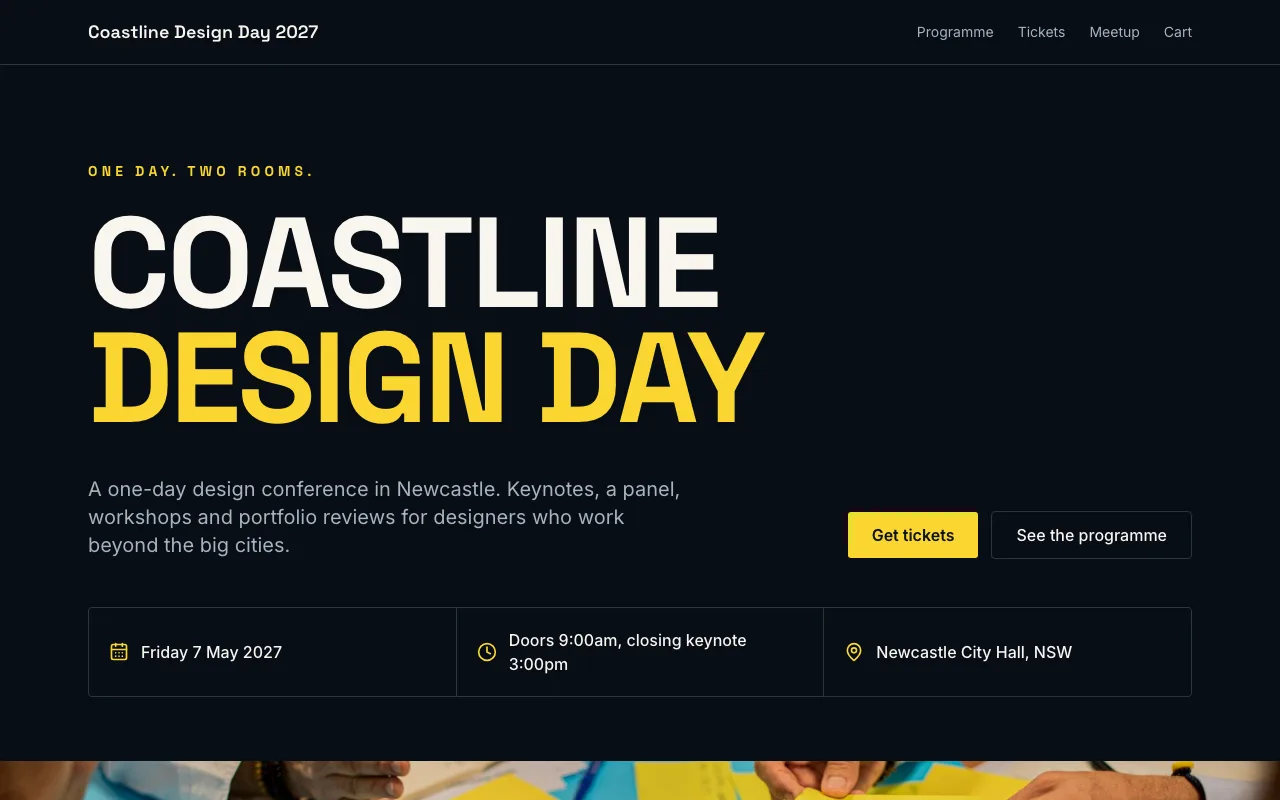
Conference sites have three jobs: say when and where, show the programme, and take sign-ups. This event RSVP website template does all three for a sample one day design conference, with ticket sales through the site store and a free RSVP list beside them.
2 pages, 11 source files, 2 data collections, sample business Coastline Design Day 2027
Opens the site generator in Code mode with this template chosen. Open as is copies its code and sample data into a new site; Generate writes a new project from your brief instead. Code mode is on paid plans.
Pages
- /Coastline Design Day 2027 | Newcastle, Friday 7 May
- /cartYour cart | Coastline Design Day 2027
What it is wired to
- A booking or sign-up form that saves each answer as a row in a data collection you see as a list.
- Content read live from a data collection, so you change it by editing rows rather than code.
- Products from the site store, sold through a cart and Stripe Checkout.
Data collections
schedule
Shown on the site; you edit the rows. Fields: time (text), title (text), room (choice: Main Hall, Studio), kind (choice: Doors, Keynote, Talk, Panel, Workshop, Reviews, Welcome), position (number).
9 sample rows: Doors and coffee, Welcome, Keynote: Designing for slow places, Panel: regional studios, Talk: Type in public space, Closing keynote, Workshop: accessible colour, Workshop: design systems for small teams, Portfolio reviews.
rsvps
Filled by visitors through a form on the site. Only you see the rows. Fields: name (text), email (email), guests (number).
Store products
- General admission, ticket, 189.00 in the store's currency
- Student, ticket, 79.00 in the store's currency
Built with
A React Router project styled with Tailwind CSS and shadcn/ui components, kept in its own git repository per site. The builder shows a live preview, the files (read only), the version history with restore, and a zip download of the code. You change the site by asking the chat, which edits the files and rebuilds it.
Who it suits
Organisers of one day conferences, meetups, workshops and community festivals who want tickets and a programme on one page. The template suits an event with a few paid ticket types and some free sessions that still need numbers, which is common for design days and industry talks.
What to change first
Change the event name, date and venue in the hero, then rebuild the schedule rows for your own sessions and rooms. Edit the two ticket products, their prices and descriptions, in the store, and connect Stripe before you publish so the cart can take payments on your account.
Why the programme is a collection
Programmes change right up to the day. With the sessions stored as rows, moving a talk to the afternoon or swapping a speaker is an edit in the builder, and the published site shows it within a minute, without asking the chat or rebuilding the code.
Questions people ask
How is the programme built?
From a schedule collection with a time, a title, a room picked from Main Hall or Studio, a session kind and a position. The nine sample sessions run from doors and coffee at 9:00 to portfolio reviews. Move a session by editing its row; the programme reads the collection live.
How do ticket sales work?
The template seeds two ticket products into the site store, general admission and a student ticket, and its cart page uses the site kit cart with Stripe Checkout through your connected Stripe account. The store is a paid plan feature, and tickets need no shipping, so the order is marked as not needing fulfilment.
What is the RSVP list for?
Free sessions or a meetup that need a head count. The RSVP form saves name, email and number of guests, up to ten, as a row in a private collection only you can read. You can export the rows as a CSV before the day to print a door list.
What pages are included?
Two routes: the home page, with the hero, the programme, the ticket grid and the RSVP card, and a cart page where visitors review tickets and check out. Ask the chat for a speakers page or a venue page and it adds the route and links it from the navigation.
Can I use it for a free event only?
Yes. Remove the ticket section through the chat and keep the RSVP form, or leave the store switched off. Without the store the site still publishes; the programme and RSVP list work on their own because they use data collections, not the store.