Code mode, portfolios, Photography
Photography portfolio template with series pages
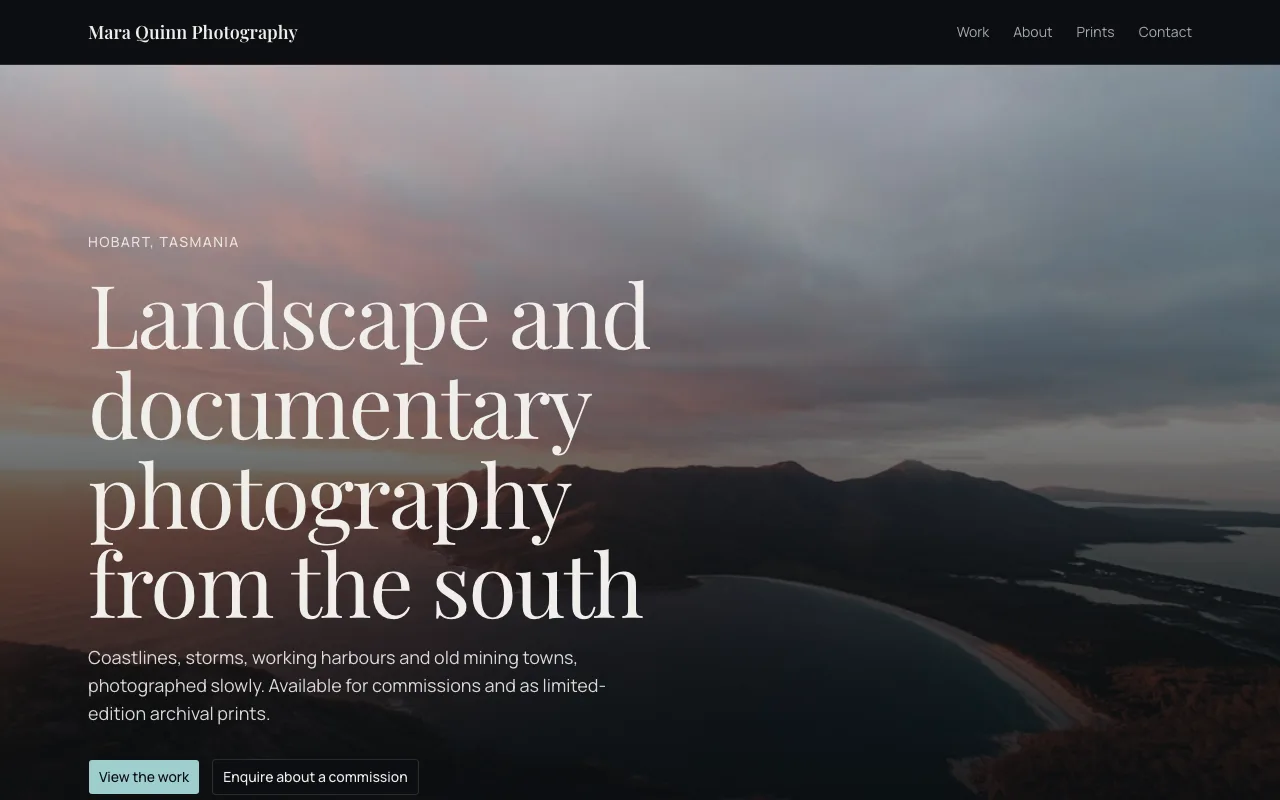
A photographer's site should get out of the way of the pictures. This photography portfolio template is image led: a moving gallery fed from a projects collection, one page for each series, a prints page, an about page and an enquiry form for commissions.
6 pages, 15 source files, 1 data collection, sample business Mara Quinn Photography
Opens the site generator in Code mode with this template chosen. Open as is copies its code and sample data into a new site; Generate writes a new project from your brief instead. Code mode is on paid plans.
Pages
- /Mara Quinn Photography | Landscape and documentary, Hobart
- /aboutAbout | Mara Quinn Photography
- /contactContact | Mara Quinn Photography
- /printsPrints | Mara Quinn Photography
- /workWork | Mara Quinn Photography
- /work/:seriesTitled from the page data
What it is wired to
- An enquiry form whose answers land in your leads inbox, with an email to you.
- Content read live from a data collection, so you change it by editing rows rather than code.
Data collections
projects
Shown on the site; you edit the rows. Fields: title (text), series (choice: Southern Light, Highland Weather, Harbour Mornings, Salt and Iron), image (image), caption (text), location (text), position (number).
12 sample rows: First light on the rocks, Over the water, Quiet shore, Weather coming in, Gold under cloud, Mist on the slopes, Moored at sunrise, The working fleet, Two at rest, Brick and sky, The old door, Hillside building.
Built with
A React Router project styled with Tailwind CSS and shadcn/ui components, kept in its own git repository per site. The builder shows a live preview, the files (read only), the version history with restore, and a zip download of the code. You change the site by asking the chat, which edits the files and rebuilds it.
Who it suits
Landscape, documentary and travel photographers, and anyone whose work is best shown large: illustrators, architects with project photography, or a print studio. The image led layout gives each series room, so it suits a body of work grouped into projects rather than a stream of single shots.
What to change first
Replace the twelve sample photos with your own rows, rename the four series to match your projects, and rewrite the hero line and about page. Then decide whether the prints page should stay a page of information or become a shop with the site store.
How the gallery stays fast
Images are stored as rows and fetched by the site when the page loads, ordered by their position number. The gallery moves as visitors scroll, but the project is a static build, so it serves from a CDN with no server behind it and stays quick on a phone.
Questions people ask
How are the photos organised?
In a projects collection, one row per photo with a title, a series, the image, a caption, a location and a position. The twelve sample photos sit in four series, Southern Light, Highland Weather, Harbour Mornings and Salt and Iron. Add a row to add a photo to the gallery.
Does each series get its own page?
Yes. The work page lists the series and a dynamic route at work slash series name opens one page for each, titled from that series. Adding a fifth series means adding its name to the choices on the series field and to the series list in the code, which you can ask the chat to do.
Where do commission enquiries go?
The enquiry form is the site kit's lead form, so every enquiry lands in your leads inbox and you get an email. The inbox has filters, a handled switch and a CSV export, and a honeypot field keeps most automated spam out.
What other pages are there?
Six routes in all: home, work, the page for each series, about, prints and contact. The prints page is a page of content, not a shop; ask the chat to add the site store if you want to sell prints online with Stripe Checkout on a paid plan.
Can I upload my own photos?
Yes, as rows in the projects collection, where an image field takes an upload or a stock photo address. What you cannot do is upload your own code files; the code is written by the AI, read only in the builder, and downloadable as a zip whenever you want a copy.