Code mode, restaurant and café menus, Restaurant
Restaurant reservation website template
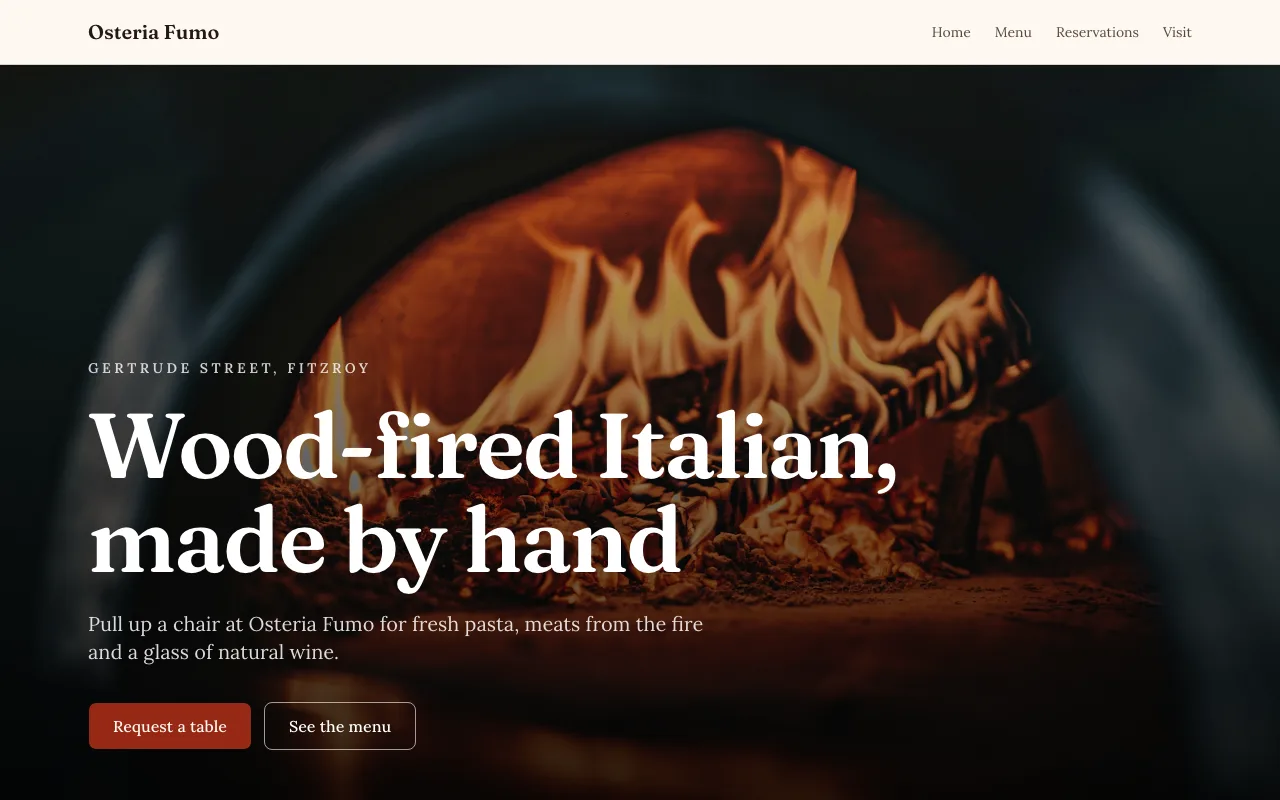
Diners look for three things on a restaurant site: the menu, the hours and a way to book. This restaurant reservation website template puts each on its own page for a sample wood fired Italian in Fitzroy, with the menu kept in a data collection and table requests saved as a list.
4 pages, 15 source files, 2 data collections, sample business Osteria Fumo
Opens the site generator in Code mode with this template chosen. Open as is copies its code and sample data into a new site; Generate writes a new project from your brief instead. Code mode is on paid plans.
Pages
- /Osteria Fumo | Wood-fired Italian in Fitzroy, Melbourne
- /menuMenu | Osteria Fumo, Fitzroy
- /reservationsReservations | Osteria Fumo
- /visitVisit | Osteria Fumo, Gertrude Street Fitzroy
What it is wired to
- A booking or sign-up form that saves each answer as a row in a data collection you see as a list.
- Content read live from a data collection, so you change it by editing rows rather than code.
Data collections
menu_items
Shown on the site; you edit the rows. Fields: name (text), description (text), price (number), course (choice: Antipasti, Pasta, From the fire, Dolci), position (number).
10 sample rows: Focaccia with whipped ricotta, Burrata with blood orange, Wood-roasted peppers, Pici cacio e pepe, Pappardelle with beef shin ragu, Ricotta gnudi with sage butter, Half chicken with salsa verde, Lamb shoulder for two, Tiramisu, Olive oil cake with mascarpone.
reservations
Filled by visitors through a form on the site. Only you see the rows. Fields: name (text), email (email), phone (text), date (date), time (text), guests (number), notes (text).
Built with
A React Router project styled with Tailwind CSS and shadcn/ui components, kept in its own git repository per site. The builder shows a live preview, the files (read only), the version history with restore, and a zip download of the code. You change the site by asking the chat, which edits the files and rebuilds it.
Who it suits
Independent restaurants, wine bars and bistros that take bookings by request and want the menu easy to change. The warm, photo led layout suits a place with a story and a kitchen worth showing, more than a chain that needs a booking engine with live table availability.
What to change first
Change the name, street and hours, then replace the ten sample dishes with your menu and set the four courses to the ones you use. Rewrite the kitchen notes in your own voice and check that the reservation form asks for the party size limit you can seat.
Handling requests well
Because the form records a request rather than a confirmed table, reply quickly. The notification tells you a request arrived; the list shows date, time, guests and notes together, so a host can confirm or offer another time by phone or email before the guest books elsewhere.
Questions people ask
How is the menu kept up to date?
The menu lives in a menu items collection with a name, a description, a price, a course and a position. The ten sample dishes sit under antipasti, pasta, from the fire and dolci, and the menu page shows them in course tabs. Change a price by editing a row; no rebuild is needed.
How do table reservations work?
The reservations page has a request form that saves name, email, phone, date, time, number of guests up to eight and notes as a row in a private reservations collection. It records a request; it does not check availability, so confirm each booking with the guest yourself.
What pages are included?
Four routes: the home page with a fire lit hero, kitchen notes and an hours band, a menu page, a reservations page and a visit page for the address and getting there. Each sets its own page title, such as Menu, Osteria Fumo, Fitzroy, for search results.
Can guests order food online from this template?
Not as it stands. It shows the menu and takes table requests. Ordering would mean adding the site store with pickup through the chat, which needs a paid plan and a connected Stripe account; the Sections mode menu templates are the other route to pickup orders.
Is the reservation list private?
Yes. Visitors can submit to the reservations collection but cannot read it, so no one sees other guests' names or phone numbers. You see each request in the builder's data collections and get a notification, and you can export the list as a CSV for the floor.